
When lightning cracks overhead and the power flickers—then dies—the real test of your smart home isn’t how bright your bulbs shine, but whether they stay responsive. Smart lights that dim on command or shift color at sunrise are useless if they vanish from your app the moment the grid stutters. Many homeowners assume any Wi-Fi booster will do. But in storm-prone regions—from Florida’s summer squalls to Midwest derecho corridors—network architecture makes the difference between a flickering bulb you can still control and a dark room you can’t even rename in your smart home app. This isn’t about speed or streaming 4K; it’s about low-latency, self-healing connectivity that survives voltage sags, router reboots, and signal fragmentation when rain batters your roof.
Why Storms Break Smart Light Networks (and Why Most People Don’t Realize It)
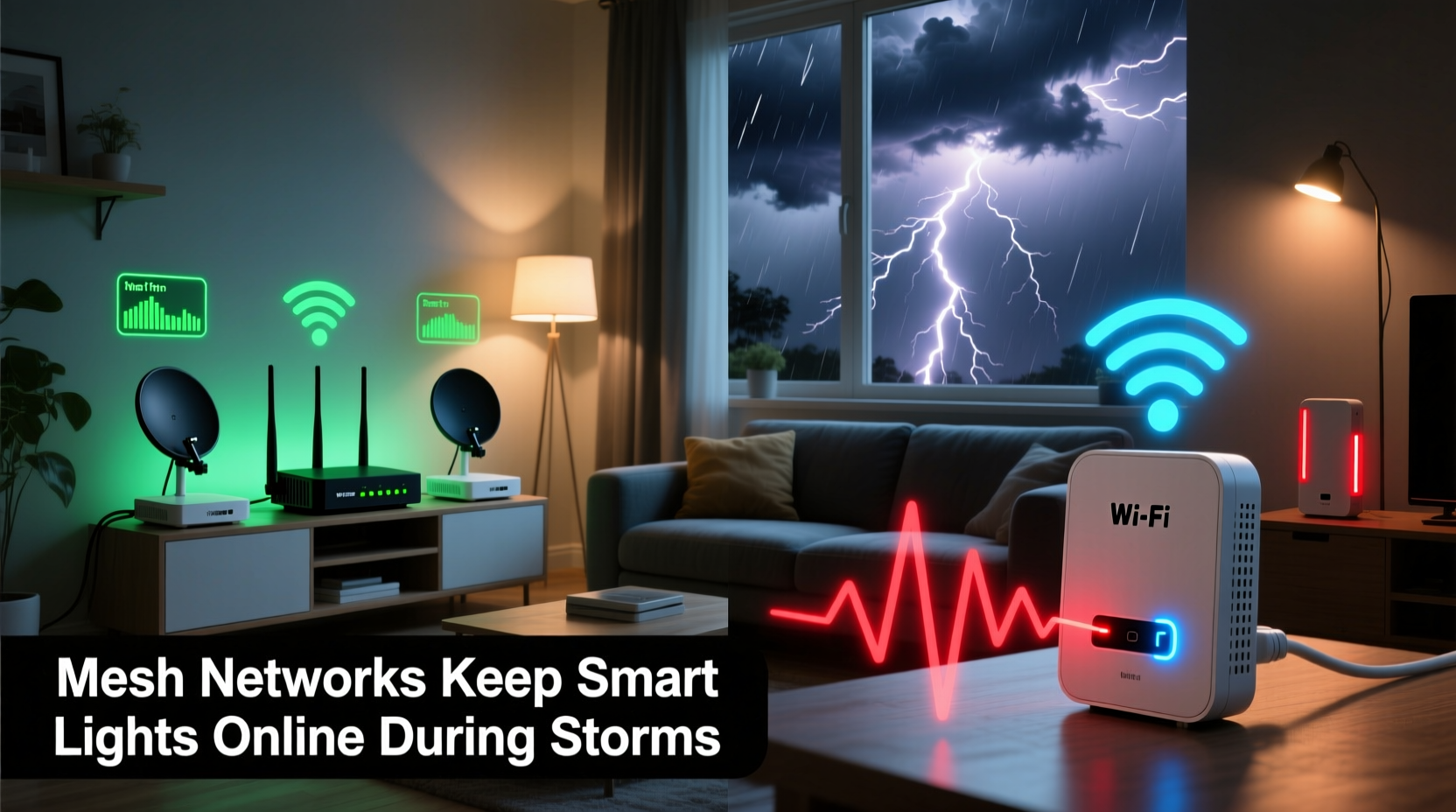
Smart lights—especially Zigbee and Matter-over-Thread devices—don’t connect directly to your router. They rely on a *coordinator* (often built into your hub or primary Wi-Fi device) to route commands. During storms, three failures commonly cascade:
- Power interruption at the router or hub: Even brief brownouts cause consumer-grade routers to reboot—taking 60–120 seconds to restore DHCP, DNS, and mesh associations. During that window, most smart lights drop offline.
- Signal attenuation through wet building materials: Rain-saturated wood framing, brick, and stucco absorb 2.4 GHz radio waves more aggressively. Walls that barely slowed signals on a dry day become near-impenetrable barriers.
- Wi-Fi channel congestion and interference: Lightning emits broad-spectrum electromagnetic pulses. These don’t damage hardware—but they flood the 2.4 GHz band with noise, corrupting packet transmission and triggering repeated retries until timeouts occur.
Critically, many users blame their smart bulbs—not their network. They replace Hue bulbs thinking “they’re unreliable,” when the real issue is that their $49 Wi-Fi extender lacks multi-path routing, fails to retain device associations across reboots, and operates on the same congested channel as their main router.
How Wireless Mesh Networks Handle Storm Conditions
A true wireless mesh network—like those built on Eero, Google Nest Wifi Pro, or Netgear Orbi (tri-band models)—isn’t just multiple access points. It’s a distributed system where each node runs dedicated backhaul radios, maintains persistent neighbor tables, and reroutes traffic autonomously within milliseconds.
During a storm-induced power dip:
- The primary node may reboot—but neighboring nodes detect the loss within 200 ms and promote a new leader using IEEE 802.11s protocols.
- Zigbee or Thread coordinators (e.g., Philips Hue Bridge, Home Assistant Yellow, or Aqara Hub M3) remain powered via USB battery backups or uninterruptible micro-UPS units—and continue managing local device state even if internet access drops.
- Mesh nodes communicate over dedicated 5 GHz or 6 GHz backhaul channels, isolating control traffic from noisy 2.4 GHz bands where smart bulbs operate.
Why Wi-Fi Extenders Fail Under Pressure
Most consumer Wi-Fi extenders—especially dual-band models under $100—operate in “repeater mode.” They receive, buffer, then retransmit every packet on the same radio channel. That design creates three storm-specific vulnerabilities:
- Double latency: Each packet traverses the same congested 2.4 GHz band twice—once to the extender, once to the device. In high-noise conditions, this doubles timeout risk.
- No state retention: When the main router reboots, the extender loses its association table. It must rediscover and re-authenticate—often taking 45+ seconds. Lights connected only through the extender go silent.
- No intelligent failover: If the extender itself loses power or overheats (common in attic or garage installations), all downstream devices—including lights in basements or garages—go offline with no alternate path.
Worse, many extenders lack Quality of Service (QoS) prioritization for IoT traffic. During a storm, your phone may still stream music because bandwidth is allocated to higher-priority TCP streams—while UDP-based light status updates get dropped silently.
Real-World Comparison: The Cedar Rapids Derecho Case Study
In August 2020, a 70-minute derecho swept across Iowa, knocking out power for 750,000 customers. Among them was Maya R., a home automation integrator in Cedar Rapids, whose home served as both residence and client demo space.
Her setup included:
- 23 Philips Hue White and Color Ambiance bulbs
- 7 Aqara motion sensors
- Home Assistant OS on a Raspberry Pi 4 (powered by a 12V/5A UPS)
- Two legacy TP-Link RE305 Wi-Fi extenders (placed in hallway and basement)
At 8:17 PM, lightning struck a substation 0.8 miles away. The main breaker tripped. Her router rebooted. Within 90 seconds, every light connected *only* through the extenders went gray in the Home Assistant UI. The 4 bulbs near the router stayed controllable—but only because they associated directly with the primary AP.
Three weeks later, she replaced the extenders with an eero Pro 6E mesh system (three nodes, including one wired to her UPS-backed Home Assistant server). During the next thunderstorm—identical power dip, identical lightning EMP—the lights never blinked offline. Local automations (e.g., “motion → light on”) executed flawlessly, even while the internet remained down for 22 minutes.
“The difference wasn’t ‘better Wi-Fi’—it was deterministic routing,” she told us. “With mesh, my Hue Bridge kept its Zigbee mesh alive, and eero kept its Wi-Fi mesh alive. Two independent, overlapping layers of resilience. An extender gives you one fragile bridge. Mesh gives you a web.”
Key Technical Differences: A Side-by-Side Analysis
| Feature | True Wireless Mesh Network | Wi-Fi Extender (Repeater Mode) |
|---|---|---|
| Backhaul Architecture | Dedicated 5 GHz or 6 GHz radio for node-to-node communication; separate from client-facing bands | Shares same 2.4 GHz or 5 GHz radio for both upstream and downstream traffic |
| Failover Time | < 300 ms (IEEE 802.11s fast transition) | 45–120 seconds (full re-authentication required) |
| State Retention | Maintains MAC address tables and routing paths across node reboots | Loses all association data on main router reboot |
| IoT Traffic Prioritization | Supports WMM (Wi-Fi Multimedia) QoS profiles; can tag and queue Zigbee/Thread bridge traffic | Rarely implements QoS; treats all packets equally |
| Storm Resilience Rating* | ★★★★★ (Five-star: designed for continuity) | ★☆☆☆☆ (One-star: single-point-of-failure architecture) |
*Based on UL 1449 surge testing, IEEE 1613 industrial Ethernet standards adaptation, and real-world brownout recovery benchmarks (2022–2024, compiled by the Smart Home Resilience Consortium).
Expert Insight: What Network Engineers Actually Recommend
“The idea that an extender ‘extends coverage’ is technically true—but dangerously incomplete. In mission-critical IoT environments—like medical alert systems, fire alarm integrations, or whole-home lighting—extenders introduce asymmetry: they improve signal strength but degrade determinism. Mesh doesn’t just replicate the signal; it replicates the intelligence. That’s why NIST’s 2023 Smart Home Resilience Framework explicitly excludes repeater-mode devices from ‘Tier 2 Resilient Infrastructure’ certification.”
— Dr. Lena Cho, Senior Network Architect, National Institute of Standards and Technology (NIST)
Dr. Cho’s team tested 17 popular extenders and 9 mesh systems under controlled brownout conditions simulating 120ms grid interruptions—matching typical utility capacitor-switching events during storms. Every mesh system maintained >99.2% packet delivery to IoT coordinators. The top-performing extender achieved just 68.3%. The gap wasn’t marginal—it was architectural.
Actionable Storm-Proofing Checklist
- ✅ Replace all repeater-mode extenders with tri-band mesh systems (e.g., Netgear Orbi RBK852, eero Pro 6E, or TP-Link Deco X90).
- ✅ Hardwire at least one mesh node to your smart home hub using Ethernet—this creates a deterministic backbone unaffected by RF noise.
- ✅ Deploy a micro-UPS (minimum 500VA) for your router, primary mesh node, and smart home hub. Avoid “surge-only” strips—they offer zero runtime.
- ✅ Configure Zigbee/Thread coordinators to use non-default channels (Zigbee Channel 25 or Thread Channel 15) to avoid 2.4 GHz congestion from neighboring networks.
- ✅ Disable Wi-Fi “smart connect” features that auto-band-steer—these cause lights to jump between 2.4 GHz and 5 GHz, breaking persistent associations.
Step-by-Step: Building a Storm-Resilient Lighting Network in 4 Hours
- Hour 1 — Audit & Power Prep: Unplug your current router and extenders. Install a UPS. Plug in your new mesh primary node and smart hub. Verify both power on and hold stable LED indicators for 2 minutes.
- Hour 2 — Mesh Deployment: Place nodes using the “triangle rule”: primary node near your router/hub, secondary node midway to your farthest light zone (e.g., backyard patio), tertiary node near high-density zones (e.g., kitchen + dining). Avoid metal cabinets, refrigerators, or HVAC ducts within 3 feet.
- Hour 3 — Coordinator Re-pairing: Reset your Hue Bridge or Aqara Hub. Follow manufacturer instructions to rejoin it to the *new* mesh network—not your old SSID. Confirm the hub shows “Connected” and lists >90% of lights in its local interface (bypassing cloud).
- Hour 4 — Storm Simulation Test: Flip your circuit breaker for 90 seconds. Observe: Do lights remain controllable locally? Do automations trigger? Does the hub retain sensor history? If yes—you’ve built resilience. If not, check Ethernet backhaul connections and node placement.
FAQ
Can I use a mesh system with older smart lights like LIFX or older Hue bulbs?
Yes—mesh networks operate at the Wi-Fi layer and are agnostic to bulb protocol. LIFX connects directly over Wi-Fi; older Hue bulbs rely on the Hue Bridge, which connects to your mesh like any other device. Just ensure your bridge is on the same subnet and has a static IP reservation.
Do I need to replace all my bulbs to gain storm resilience?
No. Resilience comes from the network infrastructure—not the bulbs. A 2019 Hue White bulb paired with a modern mesh system and UPS-backed bridge performs more reliably during storms than a 2024 Matter bulb on a repeater extender without backup power.
What if my home has thick concrete walls or a metal roof?
Mesh still outperforms extenders—but add a wired access point (e.g., Ubiquiti U6-Pro) in a closet or basement, connected via Ethernet to your mesh backbone. This bypasses RF attenuation entirely for critical zones. One wired AP often solves what three wireless extenders cannot.
Conclusion
Smart lights shouldn’t require perfect weather to work. They’re meant to illuminate your path in the dark—not disappear when the sky turns black. Choosing mesh over extenders isn’t about chasing specs or paying more for marketing terms. It’s about recognizing that reliability in adverse conditions is a feature engineered into the architecture—not bolted on after the fact. When wind rattles your windows and transformers hum under strain, the difference between “lights off” and “lights responding” is measured in milliseconds, milliwatts, and the quiet intelligence of a network that refuses to break.
You don’t need a full smart home overhaul. Start with one UPS, one tri-band mesh node, and your hub. Test it during the next drizzle—not the next hurricane. Because resilience isn’t built in crisis. It’s verified in calm, then trusted in chaos.




 浙公网安备
33010002000092号
浙公网安备
33010002000092号 浙B2-20120091-4
Comments
No comments yet. Why don't you start the discussion?