
Choosing the right wireless security camera system isn’t just about image quality or motion detection—it’s about privacy. As surveillance becomes more integrated into daily life, homeowners are increasingly concerned about who can access their footage and how securely it’s stored. Two dominant storage models have emerged: local storage (on SD cards or network-attached drives) and cloud storage (remote servers managed by the provider). While both offer convenience, they differ significantly in terms of data control, exposure risk, and long-term privacy.
Understanding these differences is essential for anyone serious about protecting their personal space. This article breaks down the privacy implications of each option, evaluates real-world risks, and provides actionable guidance to help you make an informed decision based on your specific needs.
How Storage Models Work: Local vs Cloud
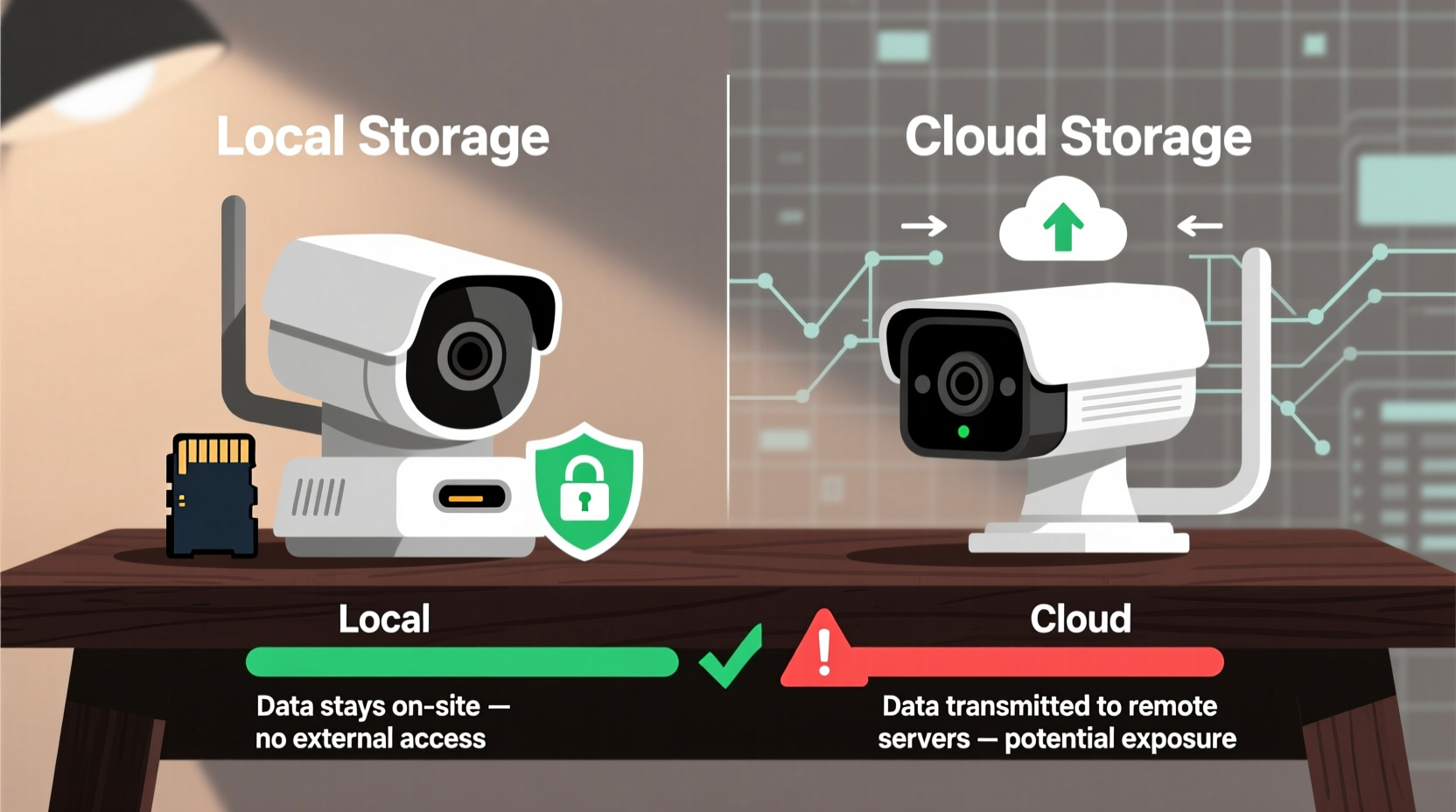
Before assessing privacy, it’s important to understand how each storage method functions.
Local storage keeps video recordings physically within your home. Most commonly, this is done via microSD cards inserted directly into the camera or through a Network Video Recorder (NVR) connected to your home network. The footage never leaves your premises unless you manually retrieve it or grant remote access via an app.
In contrast, cloud storage uploads encrypted video clips to servers owned and operated by the camera manufacturer or a third-party service. These videos are typically retained for 7 to 30 days, depending on your subscription plan. Access is granted through mobile apps or web portals using login credentials.
The key distinction lies in control. With local storage, you own the hardware and the data. With cloud storage, you’re entrusting sensitive visual data to an external entity—even if encryption is used.
Privacy Risks: What Could Go Wrong?
Every storage model carries inherent risks, but they manifest differently.
Cloud storage vulnerabilities stem from centralized data repositories. If a provider suffers a data breach, thousands of users’ footage could be exposed simultaneously. In 2023, a major smart home brand experienced a breach that briefly exposed unencrypted video feeds due to a misconfigured server. Though quickly patched, the incident revealed how dependent users are on corporate cybersecurity practices beyond their control.
Additionally, some providers retain metadata or even anonymized footage for analytics, training AI models, or improving services—practices often buried in lengthy privacy policies. Even with end-to-end encryption (offered by select brands like Eufy), many cloud systems rely on transport-layer encryption only, meaning data is decrypted once it reaches company servers.
On the other hand, local storage risks are more physical than digital. A thief stealing your NVR or SD card gains full access to your recordings. However, such breaches require direct physical access, making them far less scalable than remote cyberattacks. That said, poorly secured local networks—especially those without strong Wi-Fi passwords or outdated router firmware—can still allow hackers to infiltrate devices remotely.
“With cloud storage, you're not just buying a camera—you're entering a data relationship with a corporation. Understand what they do with your footage before hitting 'sync.'” — Dr. Lena Torres, Cybersecurity Researcher at the Digital Privacy Institute
Comparison Table: Key Privacy Factors
| Factor | Local Storage | Cloud Storage |
|---|---|---|
| Data Ownership | You retain full ownership and control | Provider may claim usage rights in TOS |
| Encryption Level | Typically unencrypted unless configured (e.g., NAS with encryption) | Often encrypted in transit; varies at rest |
| Access Points | Limited to your network or physical device | Remote access via internet; broader attack surface |
| Breach Risk Scale | Individual impact only | Potentially affects millions simultaneously |
| Third-Party Sharing | Nearly impossible unless network compromised | May occur under legal request or internal policy |
| Long-Term Retention | Indefinite, as long as media is intact | Limited by subscription; auto-deletion common |
Real Example: The Homeowner Who Switched After a Breach Scare
Mark R., a software engineer in Portland, initially installed four cloud-based cameras from a popular brand to monitor his home while traveling. He appreciated the ease of setup and smartphone alerts. But after reading news of a widespread vulnerability in the brand’s API that allowed unauthorized access to live feeds, he grew uneasy.
Though his account wasn’t compromised, Mark realized he had no way of knowing whether temporary exposure occurred. He also discovered that the company used customer footage—stripped of identifiers—to train motion-detection algorithms, a fact disclosed only in a footnote of their updated privacy policy.
Within weeks, Mark replaced his system with IP cameras connected to a local NVR using encrypted hard drives. He configured automatic backups to an offsite location and disabled all cloud syncing features. “I don’t mind spending extra time managing storage,” he said. “Knowing my kids playing in the backyard aren’t being analyzed by some algorithm gives me peace of mind.”
Actionable Checklist: Choosing the Most Private Option
Use this checklist to evaluate and improve your security camera privacy, regardless of storage type:
- ✅ Review the manufacturer’s privacy policy—specifically clauses about data sharing and retention
- ✅ Choose cameras that support end-to-end encryption (E2EE), especially for cloud models
- ✅ Use strong, unique passwords for your camera accounts and Wi-Fi network
- ✅ Enable two-factor authentication (2FA) wherever available
- ✅ Regularly update firmware to patch known vulnerabilities
- ✅ For local systems, store NVRs in locked cabinets to prevent physical theft
- ✅ Limit remote access; disable port forwarding unless absolutely necessary
- ✅ Audit user access monthly—remove old or unused accounts
- ✅ Consider open-source or privacy-focused brands (e.g., Reolink, Amcrest, or Freedom Fone)
- ✅ Disable voice assistants or integrations (like Alexa) if not needed
Step-by-Step Guide to Securing Your Camera System
Whether you choose local or cloud storage, follow these steps to maximize privacy:
- Research before purchasing: Prioritize brands with transparent privacy policies and documented support for E2EE.
- Isolate your cameras: Set up a separate VLAN or guest network for IoT devices to limit access to your main network.
- Configure storage settings: For local systems, format SD cards regularly and test playback. For cloud, confirm encryption standards and data jurisdiction (e.g., U.S.-based vs EU-compliant servers).
- Set up secure access: Use a password manager to generate complex credentials. Avoid default usernames like “admin.”
- Enable notifications: Turn on login alerts so you’re notified of unfamiliar access attempts.
- Test physical security: Ensure outdoor cameras are tamper-resistant and indoor units aren’t easily reachable.
- Schedule regular maintenance: Every 90 days, review logs, update firmware, and verify backup integrity.
Frequently Asked Questions
Can hackers access my local storage cameras?
Yes, but only under specific conditions. If your home network is compromised—through weak passwords, outdated routers, or malware—attackers might gain access to your local camera feed. However, unlike cloud systems, there’s no central server to exploit. Using a firewall, disabling UPnP, and keeping firmware updated greatly reduces this risk.
Do cloud providers ever share footage with law enforcement?
Some do, when legally required. Ring, for example, has faced criticism for its partnerships with police departments through its “Neighbors” program, which allows agencies to request footage from users in specific areas. While users must consent, the platform makes it easy to share. Always check whether your provider has a transparency report detailing government requests.
Is local storage really more private if I use a mobile app to view footage?
It depends on implementation. Some “local-only” systems still route video through the cloud for remote viewing (a practice called cloud-assisted access), undermining true local privacy. Look for systems that support direct peer-to-peer (P2P) connections or self-hosted remote access via dynamic DNS or a virtual private network (VPN).
Conclusion: Privacy Is a Trade-Off, But Control Matters
When it comes to wireless security cameras, local storage generally offers superior privacy because it keeps sensitive footage out of corporate ecosystems and minimizes exposure to mass data breaches. You maintain physical and digital control over your recordings, reducing reliance on third-party trust.
That said, cloud storage isn’t inherently unsafe—especially with end-to-end encryption and responsible provider policies. It excels in reliability, ease of use, and protection against physical theft of recording devices. For users prioritizing convenience and simplicity, a well-secured cloud system may be sufficient.
The truth is, no solution is 100% private. But by understanding where your data goes, who can access it, and what safeguards are in place, you can tilt the balance in your favor. Privacy isn’t just a feature—it’s a mindset. Evaluate your threat model, assess your tolerance for risk, and choose a system that aligns with your values.




 浙公网安备
33010002000092号
浙公网安备
33010002000092号 浙B2-20120091-4
Comments
No comments yet. Why don't you start the discussion?