
For years, curved monitors were marketed almost exclusively to gamers and creative professionals—touted for their immersive visuals and cinematic feel. But as remote work and multi-monitor coding environments have become standard, software developers are increasingly asking: are curved monitors actually useful for programming, or do they offer little more than aesthetic appeal? The answer isn’t a simple yes or no. It depends on your workflow, screen size, desk setup, and personal preference.
This article dives deep into the practicality of curved displays in development environments. We’ll examine eye strain, multitasking efficiency, code readability, and long-term comfort—weighing real-world performance against marketing hype. Whether you're considering upgrading your workstation or simply curious about ergonomic trends, this guide delivers actionable insights grounded in developer experience and display science.
The Science Behind Curved Displays
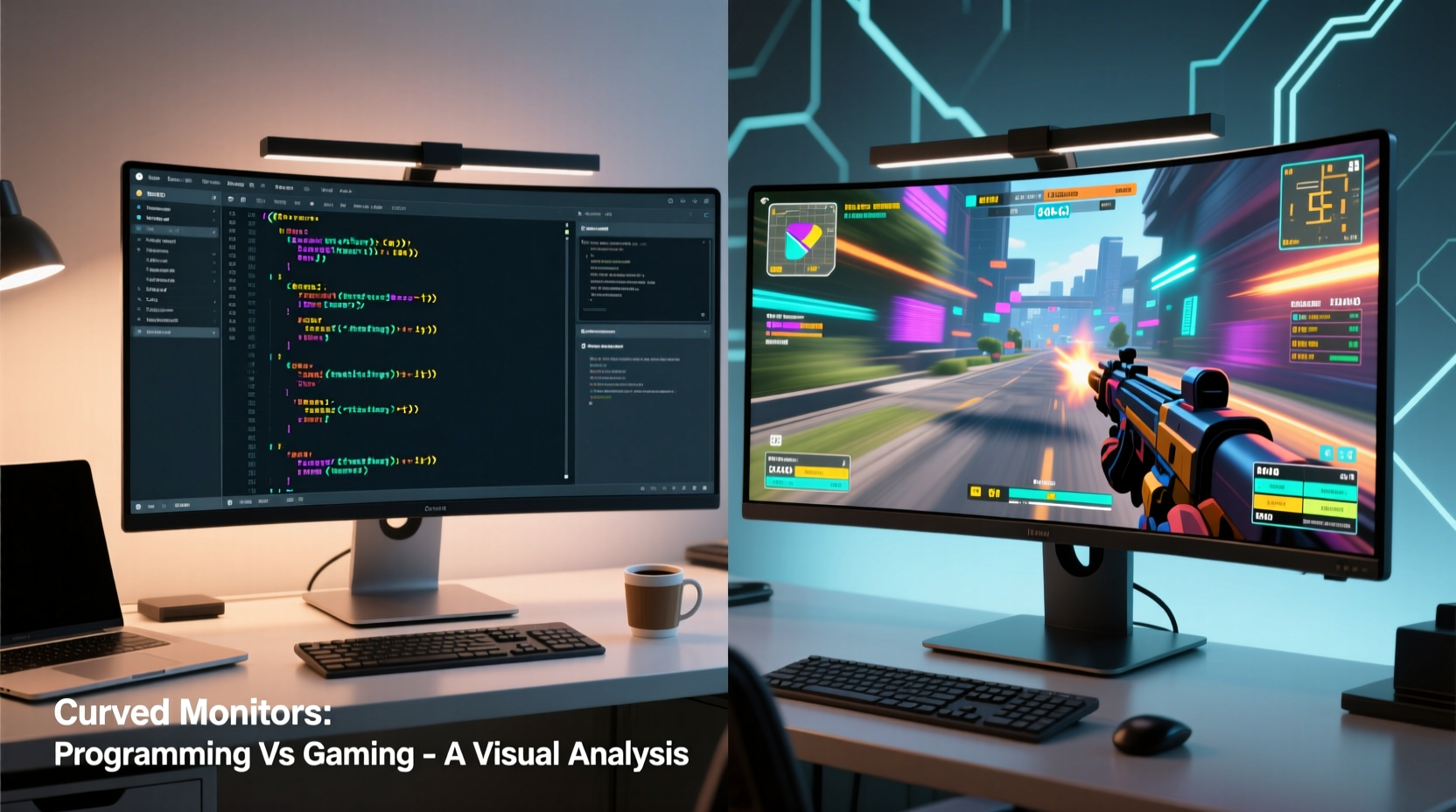
Curved monitors are designed to mimic the natural curvature of the human field of vision. Unlike flat screens, which project light uniformly across a plane, curved panels aim to deliver a more consistent viewing distance from center to edge. This design reduces distortion at the periphery and can decrease eye movement during lateral scanning—factors that matter in both gaming and productivity.
Most curved monitors use a radius measurement denoted by “R” (e.g., 1800R, 1500R), where the number represents the radius of the imaginary circle the screen would form if extended. A lower R value means a tighter curve. For instance, a 1500R monitor curves more sharply than an 1800R model. The ideal curvature depends on viewing distance: sitting too far back diminishes the effect, while being too close can cause visual distortion.
“Curvature improves focus and peripheral immersion only when matched to proper viewing distance and screen size.” — Dr. Alan Kim, Human Factors & Ergonomics Researcher
For programming, the benefit hinges on whether this improved immersion translates into better concentration, reduced fatigue, and enhanced multitasking—especially when managing multiple IDEs, terminals, and documentation windows.
Pros of Curved Monitors for Programming
- Reduced Eye Strain During Long Sessions: Because the edges of a curved screen are closer to your line of sight, your eyes don’t need to move as much to scan from left to right. This can reduce micro-fatigue over eight- or ten-hour coding stretches.
- Better Peripheral Visibility: When working with split-screen layouts (e.g., code on one side, browser docs on the other), a curved panel keeps both sides within a more natural focal arc, minimizing head movement.
- Immersive Focus Environment: Many developers report feeling “in the zone” more easily on curved screens due to reduced visual distractions from the surroundings—a subtle psychological boost during deep work.
- Fewer Reflections on Large Panels: High-end curved monitors often feature anti-glare coatings and the curvature itself deflects ambient light differently than flat screens, helping maintain contrast in bright rooms.
- Easier Multi-Window Management: Ultrawide curved displays (like 34” or 49”) allow for three or more virtual desktops side-by-side without bezel interruptions, ideal for terminal, editor, and preview workflows.
Cons and Practical Limitations
Despite their advantages, curved monitors aren’t universally suited for programming tasks. Several drawbacks can outweigh the benefits depending on usage patterns:
- Text Distortion at Edges: On aggressively curved screens, especially near the corners, text can appear slightly stretched or skewed. This is particularly noticeable with monospaced fonts used in code editors.
- Poor Suitability for Multi-Monitor Setups: Curved monitors don’t align seamlessly with adjacent flat screens. The mismatch in geometry creates awkward transitions when dragging windows across displays—common in dual-monitor developer rigs.
- Limited Optimal Viewing Position: The sweet spot for a curved display is narrow. Move slightly off-center, and the image quality degrades. This makes collaboration or pair programming difficult unless both users sit perfectly centered.
- Higher Cost for Marginal Gains: Curved panels typically cost more than comparable flat monitors with the same resolution and refresh rate. For many developers, the ROI isn’t justified purely for coding.
- Mounting Challenges: VESA compatibility varies, and some articulating arms struggle with the weight distribution of large curved screens. Wall mounting also requires careful alignment to avoid glare issues.
Curved vs. Flat: A Developer’s Comparison Table
| Feature | Curved Monitor | Flat Monitor |
|---|---|---|
| Eye Movement Reduction | ✅ High – less lateral tracking needed | ❌ Moderate – requires more eye/head motion |
| Text Clarity at Edges | ⚠️ Variable – slight distortion possible | ✅ Consistent – uniform pixel alignment |
| Multi-Monitor Compatibility | ❌ Poor – curvature breaks continuity | ✅ Excellent – seamless bezel alignment |
| Immersiveness | ✅ Strong – wraps into peripheral vision | ❌ Neutral – focused but not enveloping |
| Cost Efficiency | ❌ Higher premium for similar specs | ✅ Competitive pricing, wider options |
| Best Use Case | Single ultrawide setup, solo dev | Dual/triple monitor, team environments |
Real-World Example: A Senior Developer’s Setup Transition
Mark Chen, a backend engineer at a fintech startup in Toronto, switched from a dual 27” flat monitor setup to a single 34” ultrawide curved display after reading about ergonomics in remote work. Initially excited by the immersive feel, he found the first week challenging. “The curvature made my terminal output look slightly warped on the far left,” he said. “I had to adjust font size and zoom levels to compensate.”
After two weeks, however, Mark adapted. He reorganized his workflow to keep code editors in the center third of the screen and moved secondary tools like Slack and Jira to the flatter central region. “Once I stopped trying to use the extreme edges for dense text, it became comfortable,” he noted. “Now I prefer it for solo sprints, though I still revert to flat screens during team debugging sessions.”
His experience reflects a broader trend: curved monitors work best when optimized for individual use and spatial awareness—not when forced into traditional multi-display paradigms.
Choosing the Right Curved Monitor for Coding
If you’re considering a curved monitor for programming, here’s a step-by-step approach to making the right choice:
- Determine Your Primary Workflow: Do you mostly write code solo, or collaborate frequently? Solo developers benefit more from immersion; collaborative coders may find flat screens easier to share.
- Select the Right Size and Curve: For most desks, a 34” UWQHD (3440x1440) with 1800R–2000R curvature offers the best balance. Avoid ultra-aggressive curves (below 1500R) unless you sit very close.
- Prioritize Panel Type: IPS panels provide superior color accuracy and viewing angles compared to VA or TN—important for readability and reducing eye strain.
- Check Pixel Density: Aim for at least 109 PPI (pixels per inch). Lower densities make small text harder to read over time.
- Test Before You Buy (If Possible): Visit a retailer to see how text rendering looks on the edges. Bring a sample code snippet on your phone to compare clarity.
- Optimize Software Settings: Enable ClearType (Windows) or font smoothing (macOS/Linux) and adjust scaling to ensure crisp text.
When a Curved Monitor Makes Sense for Developers
Curved displays shine under specific conditions:
- You work primarily alone and value deep focus.
- Your desk allows for a centered, single-monitor layout.
- You use wide aspect ratios (21:9 or 32:9) and want to minimize bezel interruptions.
- You already experience eye fatigue on flat screens and want to test alternatives.
They’re less suitable if:
- You rely on dual or triple monitor setups.
- You frequently present your screen to others.
- You work in a shared office space with variable seating positions.
- Budget is a constraint and you prioritize raw specs over ergonomics.
FAQ: Common Questions About Curved Monitors and Programming
Can curved monitors cause headaches or eye strain?
Not inherently. However, poorly calibrated curved monitors—especially those with aggressive curvature used at incorrect distances—can lead to visual discomfort. Sitting at the correct distance (typically 24–36 inches) and ensuring proper brightness/contrast settings minimizes risk.
Are ultrawide curved monitors good for reading documentation and coding simultaneously?
Yes, especially models with 3440x1440 resolution. You can comfortably run an IDE on one side, API docs on the other, and a terminal at the bottom—all visible without constant tab switching. Just avoid placing critical text in the far corners.
Do professional developers commonly use curved monitors?
Anecdotal evidence suggests mixed adoption. In enterprise and open-office environments, flat monitors dominate due to compatibility and collaboration needs. Among freelancers, remote workers, and indie developers, curved ultrawides are gaining traction as personal productivity tools.
Final Verdict: Gaming Hype or Legit Tool for Coders?
Curved monitors are not just for gaming. While their origins lie in immersive entertainment, the ergonomic benefits of reduced eye travel and enhanced peripheral engagement offer tangible value for programmers—provided the setup aligns with your physical workspace and workflow.
The key is intentionality. A curved monitor shouldn’t be chosen because it looks futuristic or because it’s popular among streamers. It should serve a purpose: reducing fatigue, improving focus, or enabling efficient multitasking in a single expansive view.
For developers who spend hours in front of code, even marginal gains in comfort and concentration can compound over time. But these benefits only materialize when the monitor complements—not complicates—your daily routine.
“The best monitor is the one that disappears. If you notice the curve instead of the code, it’s not working.” — Lena Patel, UX Engineer & Developer Advocate
Take Action: Optimize Your Workspace Today
Whether you choose a curved or flat display, the goal remains the same: building a workspace that supports sustained focus and long-term health. Evaluate your current setup. Are you squinting at distant corners? Constantly panning between monitors? Experiencing neck strain?
If so, consider experimenting with a high-quality curved ultrawide—even as a temporary swap. Many manufacturers offer 30-day return policies. Test it with your actual projects: debug a complex function, review a pull request, or document an API. See how your body and mind respond.




 浙公网安备
33010002000092号
浙公网安备
33010002000092号 浙B2-20120091-4
Comments
No comments yet. Why don't you start the discussion?