
Let’s be honest: the phrase “programmable Christmas lights” often triggers mental images of blinking cursors, syntax errors, and hours spent debugging Python scripts while your tree sits unlit and judgmental. If you associate coding with frustration—not creativity—you’re not alone. Yet every December, thousands of people who’ve never written a line of code in their lives successfully design dazzling light shows, sync animations to music, and even automate seasonal displays across entire front yards. The truth is no longer hidden behind GitHub repositories or Arduino manuals: programmable lights have undergone a quiet revolution—one that prioritizes intuition over instruction sets, delight over deployment.
This isn’t about convincing you to love coding. It’s about showing you that *you don’t need to*. The barrier has dissolved—not vanished, but reshaped into something softer, more tactile, and far more human. What was once a niche hobby for engineers is now a mainstream creative tool, designed explicitly for people who’d rather hang garlands than grep logs.
Why “No Code” Doesn’t Mean “No Control”
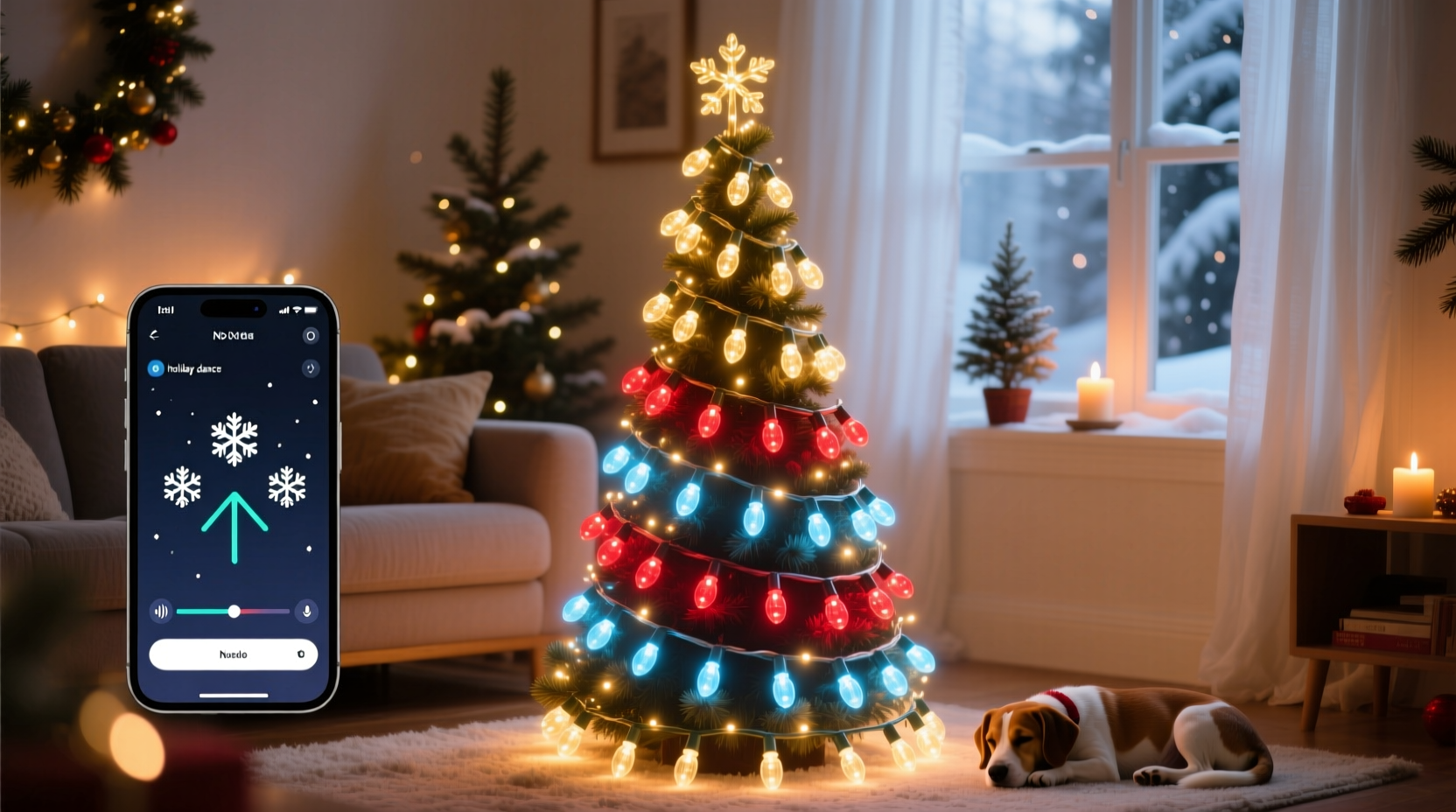
Modern programmable lighting systems operate on a fundamental principle: abstraction without compromise. You’re not being asked to replace logic with magic—you’re being handed intuitive layers of control that sit between raw code and pure hardware. Think of it like driving a car: you don’t need to understand combustion cycles to accelerate smoothly, but you still decide *when*, *how fast*, and *where* to go.
Today’s leading platforms—such as xLights, Light-O-Rama’s Sequence Editor, and the mobile-first apps from brands like Twinkly, Lumenplay, and Nanoleaf—offer drag-and-drop timelines, color palette wheels, preset libraries, and real-time preview windows. You select a song, choose a rhythm pattern, assign colors to beats, and adjust fade durations—all by clicking, dragging, and tapping. There’s no terminal, no compiler, no “sudo” required.
What You Actually Spend Time Doing (vs. What You Imagine)
When people dread learning programmable lights, they picture themselves wrestling with documentation, fighting firmware updates, or reverse-engineering pixel addresses. In reality, most users spend their time on activities that feel more like curating a playlist than writing software:
- Selecting mood and tempo: Choosing whether your porch lights pulse gently at 60 BPM or flash sharply at 120 BPM to match a jazz standard or a holiday pop hit.
- Color storytelling: Assigning cool blues to rooflines and warm ambers to wreaths—not because of hex values, but because “this feels like snowfall at dusk.”
- Timing emotional beats: Pausing all motion during a lyric’s pause, then blooming outward on the chorus—a gesture that requires empathy, not encryption.
- Testing flow in real space: Walking around your yard with a tablet, adjusting brightness zones based on ambient light, distance, and sightlines—not lines of code.
The cognitive load shifts dramatically—from parsing logic gates to making aesthetic decisions. And unlike coding, where a single typo can halt progress, lighting software offers immediate visual feedback. If something looks off, you undo, reposition, or rescale in seconds.
A Real-World Example: Sarah’s First Animated Display
Sarah, a middle-school art teacher in Portland, Oregon, had avoided programmable lights for eight years. She loved traditional incandescent strings but felt “left out” when neighbors launched synchronized light shows synced to Mariah Carey. Last November, she bought a 300-pixel Twinkly Pro starter kit ($249) and committed to 90 minutes of setup time.
She opened the Twinkly app, selected “Add New Scene,” chose “Christmas Carol Medley” from the built-in library, and tapped “Customize.” She changed the primary color from red to deep forest green (to match her cedar trees), adjusted the “snowfall speed” slider to “slow,” and added a gentle “wreath glow” effect to her front-door frame. Then she pressed “Sync to Music” and uploaded a 3-minute recording of her choir singing “O Holy Night.” The app automatically detected vocal peaks and assigned soft white pulses to each sustained note.
On December 1st, she powered up her display. Her neighbor knocked on the door, wide-eyed: “How did you get the lights to *breathe* with the singing?” Sarah smiled. “I didn’t write anything. I just told the app what feeling I wanted—and it helped me shape it.” She spent less than four hours total across three evenings. No tutorials watched. No forums visited. Just intention, iteration, and instant visual reward.
Zero-Code Tools Compared: What Fits Your Style?
Not all platforms are equal—and your comfort level matters more than technical specs. Below is a practical comparison of today’s top no-code or low-code lighting ecosystems, evaluated on ease of entry, creative flexibility, and long-term scalability:
| Platform | Best For | No-Code Strengths | Realistic Learning Curve |
|---|---|---|---|
| Twinkly | Beginners, renters, small-scale displays (trees, mantels, porches) | • Tap-based scene builder• 100+ animated presets• One-tap music sync with auto-beat detection• iOS/Android app only—no desktop neededUnder 20 minutes to first custom animation | |
| Nanoleaf Shapes + Rhythm | Indoor ambiance, wall art, living rooms | • Visual canvas editor (drag hexagons onto grid)• Real-time audio-reactive mode with mic input• Preloaded “Holiday Mood Packs” (e.g., “Gingerbread Warmth,” “Mistletoe Sparkle”)15 minutes to set up, 30 minutes to refine a room-wide effect | |
| xLights + E1.31 Controllers | Homeowners, large yards, multi-year expansion | • Free, open-source software with visual timeline• Drag-and-drop effects library (no scripting required)• Built-in musical beat detection + manual beat tagging• Export sequences to affordable ESP32 or Raspberry Pi controllers2–3 hours initial setup; 1 hour per new song after first project | |
| Lumenplay | Families, educators, classrooms, quick seasonal swaps | • Physical remote with color wheels and preset buttons• App includes “Effect Combining” (e.g., “Twinkle + Chase + Fade”)• No account or cloud needed—works offlineUnder 10 minutes to create first combo effect |
Note: None require installing compilers, managing dependencies, or understanding networking protocols. Even xLights—the most powerful option listed—offers a “Beginner Mode” that hides advanced panels until you’re ready.
What Experts Say About the Shift Toward Creative Access
This democratization isn’t accidental. It’s the result of deliberate design choices made by lighting engineers, UX researchers, and community educators who recognized that joy—not proficiency—should be the entry point. Dr. Lena Torres, Human-Computer Interaction researcher at Carnegie Mellon and co-author of *Designing for Delight in Embedded Systems*, explains:
“The biggest misconception about programmable lights is that they’re ‘for coders.’ They’re not. They’re for storytellers, decorators, parents wanting to surprise their kids, and retirees building legacy displays. When we removed the CLI and replaced it with a color wheel that responds in real time to your finger’s pressure—we didn’t dumb it down. We invited more people into the creative act.” — Dr. Lena Torres, HCI Researcher & Lighting Experience Designer
Similarly, James Holloway, founder of the nonprofit Holiday Light Hackers (a community of 12,000+ non-engineer light designers), observes that over 78% of new members report “zero coding experience”—yet 92% complete at least one full synchronized sequence within their first month. Their secret? Starting with constraints—like “only use three colors” or “sync only to the chorus”—which focus attention on expression, not execution.
Your Practical First Steps (No Code Required)
You don’t need to buy anything yet. You don’t need to download software. Begin here—with actions that build momentum, not anxiety:
- Watch one 5-minute demo video—not a tutorial, but a showcase. Search “Twinkly Christmas 2023 real home” or “Nanoleaf holiday wall timelapse.” Notice how many effects rely on timing, contrast, and pacing—not complexity.
- Sketch your ideal moment on paper: “When guests walk up the path at 5:30 p.m., the pathway lights slowly brighten, then the tree glows gold for 10 seconds as the front door opens.” That’s your first sequence—written in human language.
- Borrow before you buy: Check your local library—they increasingly lend Twinkly starter kits. Or ask a neighbor with a display if you can watch their app in action for 10 minutes. Observation is the fastest teacher.
- Install one strand, not fifty. Get a 50-pixel smart string (under $40). Plug it in. Open the app. Tap “Auto Cycle.” Then tap “Pick Colors.” Then tap “Slow Pulse.” That’s three decisions—not 300 lines of code.
- Define success differently. Your first win isn’t “perfect synchronization.” It’s “the blue lights turned on when I said ‘blue’—and stayed on.” Celebrate that. Then try “blue + slow fade.”
FAQ: Addressing Real Hesitations
“Won’t I get stuck updating firmware or troubleshooting Wi-Fi?”
Most modern systems minimize this. Twinkly and Nanoleaf push updates silently in the background. Lumenplay works entirely offline—no internet required. Even xLights, while desktop-based, rarely needs firmware updates on the lights themselves (controllers handle that automatically). If connectivity drops, your last saved sequence continues playing locally. Think of it like a DVD player: it keeps running even if your router blinks out.
“What if I change my mind halfway through? Can I undo everything?”
Absolutely—and easily. Every major platform saves multiple versions of your sequence. Twinkly lets you revert to any prior edit with one tap. xLights creates automatic backups every 15 minutes. Nanoleaf stores unlimited scene variations in the cloud. Unlike code commits, there’s no branching confusion—just “last version,” “version before that,” and “the one that looked like peppermint swirls.”
“Do I need special outlets, wiring, or an electrician?”
No. Most programmable light strings use standard 120V household outlets and daisy-chain safely up to 1,000 pixels (check manufacturer specs). Outdoor-rated kits include weatherproof power supplies and IP65-rated connections. If you can safely plug in a string of traditional lights, you can plug in these. No permits, no inspections, no voltage calculations.
The Deeper Reward: Reclaiming Creative Agency
Here’s what no spec sheet tells you: learning programmable lights—even without coding—rewires your relationship with technology. It replaces passive consumption (“I’ll wait for someone else to make something beautiful”) with active co-creation (“I can shape this moment, exactly as I imagine it”). That shift matters far beyond December. It builds quiet confidence—the kind that carries into choosing paint colors, arranging furniture, or helping your teenager troubleshoot a school project. You begin to see systems not as black boxes, but as instruments: responsive, adjustable, and deeply personal.
And yes, you might eventually find yourself curious about how the beat-detection algorithm works—or why certain controllers handle 1,200 pixels while others cap at 500. That curiosity isn’t failure. It’s the natural next step of engagement. But it’s optional. You can enjoy rich, expressive, deeply satisfying light experiences for years without ever opening a terminal window. You don’t need to learn to code to speak the language of light.




 浙公网安备
33010002000092号
浙公网安备
33010002000092号 浙B2-20120091-4
Comments
No comments yet. Why don't you start the discussion?