
For millions of office workers, programmers, and creative professionals, wrist pain from prolonged computer use isn't just a nuisance—it's a career-threatening condition. Repetitive strain injuries (RSIs), including carpal tunnel syndrome and tendonitis, often trace back to poor ergonomic setups. One solution that’s gained traction in recent years is the vertical mouse. But are these devices genuinely effective at reducing wrist strain, or are they just an uncomfortable trend that users eventually get used to?
The answer lies somewhere in between: while vertical mice can significantly reduce biomechanical stress on the wrist and forearm, their benefits come with a learning curve. Understanding how they work, who benefits most, and how to transition properly can make the difference between long-term comfort and short-lived frustration.
How Traditional Mice Contribute to Wrist Pain
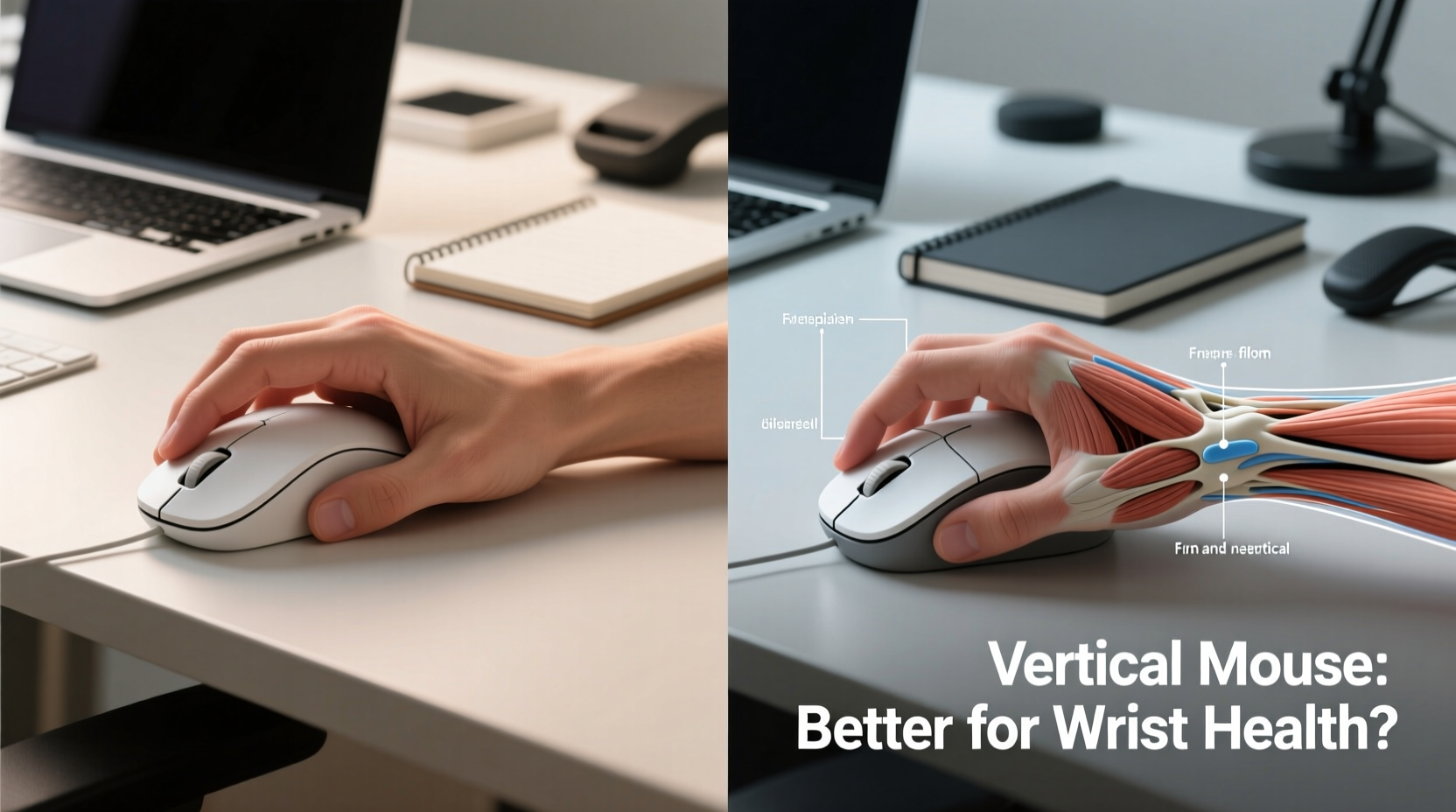
A standard horizontal mouse forces the hand into a pronated position—palm down, like turning a doorknob. This posture rotates the forearm inward, twisting the wrist and placing sustained pressure on tendons and nerves in the carpal tunnel. Over hours and days, this unnatural alignment leads to inflammation, numbness, and chronic discomfort.
Ergonomic research consistently shows that prolonged ulnar deviation (wrist bending) and forearm pronation increase the risk of developing musculoskeletal disorders. A 2020 study published in *Applied Ergonomics* found that participants using conventional mice exhibited up to 50% higher muscle activation in the forearm compared to neutral hand positions.
This constant tension doesn’t just cause discomfort—it can lead to diagnosed conditions:
- Carpal Tunnel Syndrome: Compression of the median nerve due to swelling in the wrist.
- Tendonitis: Inflammation of tendons from overuse.
- Thoracic Outlet Syndrome: Nerve compression extending into the shoulder and neck.
Given these risks, it’s no surprise that many turn to alternative input devices. The vertical mouse stands out as one of the most accessible and widely available ergonomic upgrades.
The Science Behind Vertical Mice
A vertical mouse reorients the hand into a handshake-like grip, aligning the forearm in a more neutral, supinated position. This reduces forearm pronation by up to 60%, according to studies conducted by the Cornell University Ergonomics Web. By minimizing internal rotation of the lower arm, vertical mice help distribute muscular effort more evenly across the forearm and reduce localized strain on the wrist joint.
Key biomechanical advantages include:
- Reduced ulnar and radial deviation (side-to-side wrist tilt)
- Lower muscle activity in the flexor carpi ulnaris and extensor digitorum
- Improved circulation due to relaxed hand posture
- Natural thumb placement reducing gripping force
“Switching to a vertical mouse can be a game-changer for people showing early signs of RSI. It’s not a cure, but it’s one of the most effective preventive tools we recommend.” — Dr. Lena Park, Occupational Therapist & Ergonomics Consultant
However, this improved alignment comes at a cost: unfamiliarity. The brain and muscles have spent years adapting to traditional mice. Suddenly shifting to a vertical orientation disrupts motor patterns, leading to what users often describe as “clumsiness” or “awkwardness.”
Awkward at First? Yes—But That Doesn’t Mean It’s Bad
The initial discomfort with a vertical mouse is real. Many users report:
- Difficulty clicking precisely
- Fatigue in the thumb and index finger
- Unnatural scrolling motions
- General sense of inefficiency during the first week
These issues stem from neuromuscular adaptation. Your brain has built muscle memory around decades of flat-mouse use. Switching requires retraining fine motor control, much like learning to write with your non-dominant hand.
The good news? Most users adapt within 1–3 weeks. A 2022 survey by the Human Factors and Ergonomics Society found that 78% of new vertical mouse users reported improved comfort after two weeks, even if they initially disliked the device.
Who Benefits Most From a Vertical Mouse?
Not everyone will benefit equally. Vertical mice are particularly effective for individuals with specific risk factors or symptoms:
| Group | Why It Helps | Likelihood of Benefit |
|---|---|---|
| Office workers (40+ hrs/week) | Reduces cumulative strain from daily use | High |
| People with early RSI symptoms | Slows progression of nerve/tendon damage | Very High |
| Gamers | Limited benefit; may hinder speed and precision | Low to Moderate |
| Graphic designers | Better long-term comfort during detailed work | Moderate to High |
| Left-handed users | Fewer left-handed options, but symmetry helps | Moderate (if ambidextrous model used) |
If you spend more than six hours a day using a mouse, especially in a seated desk setup, the odds are high that a vertical mouse could reduce your risk of long-term injury—even if it feels strange at first.
Step-by-Step Guide to Transitioning to a Vertical Mouse
Jumping straight into full-time use can lead to frustration. A gradual approach increases success rates and minimizes discomfort.
- Choose the right model: Start with an adjustable, mid-range vertical mouse (e.g., Logitech MX Vertical, Anker Vertical Ergonomic Mouse). Avoid ultra-aggressive angles if you're new.
- Use both mice: Keep your old mouse beside the vertical one. Alternate every 30–60 minutes during the first week.
- Adjust sensitivity settings: Increase DPI slightly to reduce large arm movements, making small adjustments easier.
- Focus on posture: Sit with elbows at 90°, wrists floating, shoulders relaxed. The mouse should be close to your body.
- Practice daily drills: Spend 10 minutes doing slow, deliberate movements—clicking icons, dragging windows, scrolling.
- Monitor discomfort: Mild fatigue is normal. Sharp pain or numbness means you need to reassess positioning or take breaks.
- Commit after two weeks: If you’ve followed the steps and still feel significant strain, it may not be the right fit. Otherwise, phase out the old mouse.
Mini Case Study: Sarah, UX Designer with Early Carpal Tunnel Signs
Sarah, a 34-year-old UX designer based in Portland, began experiencing tingling in her right hand after years of intensive mouse use. Her doctor diagnosed mild carpal tunnel syndrome and recommended ergonomic changes. Skeptical but desperate, she purchased a Logitech MX Vertical.
\"The first few days were rough,\" she said. \"I kept missing clicks, and my thumb felt sore. I almost gave up after day three.\"
She followed a split-use schedule—two hours on the vertical mouse, two on her old one—and adjusted her chair height to keep her forearm parallel to the floor. By day ten, she noticed less evening stiffness. After three weeks, she stopped using her old mouse entirely.
\"Now I can’t imagine going back. My hand doesn’t ache anymore, and I actually enjoy using the mouse. It took patience, but it was worth it.\"
Common Mistakes When Using a Vertical Mouse
Even with the right device, poor habits can undermine its benefits. Watch out for these pitfalls:
- Resting your wrist on the desk: This defeats the purpose. Let your arm float freely.
- Placing the mouse too far away: Reaching stretches the shoulder and negates ergonomic gains.
- Using it on a laptop without elevation: Poor posture compounds wrist strain. Elevate your screen and use an external keyboard.
- Ignoring overall setup: A great mouse won’t fix a bad chair, slouched spine, or uneven lighting.
FAQ: Common Questions About Vertical Mice
Can a vertical mouse cure carpal tunnel syndrome?
No device can cure carpal tunnel syndrome, but a vertical mouse can alleviate contributing factors like forearm pronation and wrist deviation. It’s best used as part of a broader treatment plan that may include splinting, physical therapy, and lifestyle changes.
Are vertical mice good for gaming?
Most vertical mice aren’t designed for high-speed gaming. Their shape limits rapid flick movements, and button layouts often don’t support complex macros. While some hybrid models exist, traditional or ambidextrous gaming mice remain superior for competitive play.
Do I need to change anything else in my workspace?
Yes. A vertical mouse works best when integrated into a full ergonomic setup: monitor at eye level, elbows at 90 degrees, feet flat on the floor, and minimal reaching. Consider using a mouse pad with wrist support (though avoid resting your wrist directly on it).
Checklist: Is a Vertical Mouse Right for You?
Before purchasing, ask yourself the following:
- ✅ Do you experience wrist, forearm, or hand pain after computer use?
- ✅ Do you use a mouse for more than 3 hours per day?
- ✅ Have you already tried wrist rests or adjusting your desk setup?
- ✅ Are you willing to invest 2–3 weeks in adapting to a new device?
- ✅ Is your current workspace otherwise ergonomically sound?
If you answered yes to most of these, a vertical mouse is likely worth trying.
Conclusion: Embrace the Discomfort, Protect Your Long-Term Health
Vertical mice aren’t magic—they’re tools grounded in biomechanics and occupational health research. They feel awkward at first because they challenge deeply ingrained habits. But that initial discomfort is not a flaw; it’s a sign that your body is moving toward a healthier, more sustainable posture.
For those already feeling the warning signs of wrist strain, waiting only increases the risk of long-term damage. The brief adjustment period pales in comparison to months or years of chronic pain, medical visits, or lost productivity.




 浙公网安备
33010002000092号
浙公网安备
33010002000092号 浙B2-20120091-4
Comments
No comments yet. Why don't you start the discussion?