
A sleek entertainment center can elevate the look of any living room—but tangled cords, exposed power strips, and mismatched cables quickly turn that centerpiece into an eyesore. With multiple devices like TVs, soundbars, gaming consoles, streaming boxes, and chargers all needing power and connectivity, managing cord clutter is more important than ever. The good news? A few strategic changes can transform a chaotic setup into a streamlined, clutter-free zone. This guide explores proven methods to conceal cords, organize connections, and maintain a polished appearance without sacrificing functionality.
Assess Your Current Setup
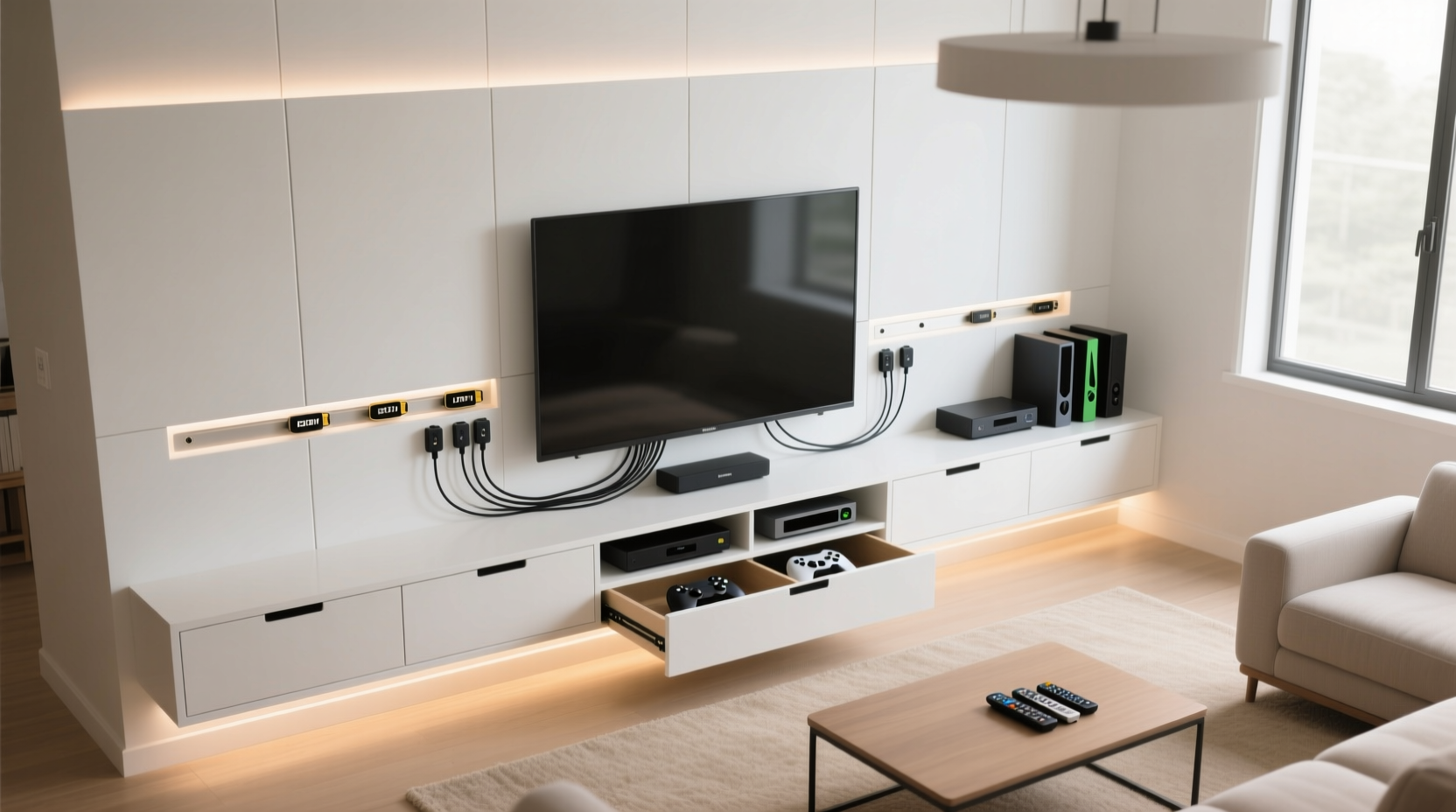
Before diving into solutions, take inventory of what you’re working with. Identify every device connected to your entertainment system and trace each cable from source to destination. Common culprits include HDMI, power, optical audio, Ethernet, USB, and speaker wires. Note which cords are essential and which might be replaced or eliminated—such as switching from wired to wireless peripherals where possible.
This assessment helps avoid overcomplicating your solution. For example, if you have three unused HDMI cables coiled behind the TV, removing them reduces bulk before you even begin organizing. Also, consider future additions: will you install a new sound system next year? Planning ahead prevents having to redo your entire cord management strategy later.
Cable Management Solutions That Work
Effective cord concealment isn’t about hiding everything at all costs—it’s about creating order through smart organization. Below are several practical approaches, ranging from budget-friendly to built-in design upgrades.
Use Cable Raceways and Cord Covers
Raceways are hollow channels that attach to walls or furniture surfaces to bundle and route cords neatly. They come in various sizes and finishes, including white, wood-tone, and paintable options, making it easy to match your décor. Mount one vertically from your TV down to the base unit, then extend it horizontally along the wall or back of the stand to hide multiple cables in a single path.
For floor-to-wall transitions, corner raceways work well, especially when running cords from outlets behind baseboards. These covers snap shut after threading cables inside, providing a seamless look while allowing access for maintenance.
Adopt Cord Sleeves and Braided Wraps
If your cords run across open surfaces or need bundling behind equipment, cord sleeves offer a flexible solution. Made from stretchable fabric or plastic mesh, these sleeves let you group several cables together into one tidy strand. Braided wraps, often used for charging cords, serve a similar purpose on a smaller scale and add a touch of texture.
Choose Velcro-style closures for easy adjustments. Avoid zip-tie bundles unless they’re reusable; permanent ties make future upgrades difficult.
Install In-Wall or Behind-the-Wall Systems
For a truly clean aesthetic, consider routing cables inside the wall. This requires careful planning and adherence to electrical safety codes, but the result is nearly invisible wiring. Use UL-listed in-wall rated HDMI and power extension kits designed specifically for this purpose. Pair with a recessed outlet box or low-voltage mounting bracket behind the TV to eliminate dangling cords entirely.
“Proper in-wall installation not only improves aesthetics but also reduces tripping hazards and pet-related damage.” — James Lin, Home Automation Technician
Optimize Furniture and Layout
Your entertainment center’s design plays a crucial role in how visible cords become. Choose furniture with built-in cable management features such as pre-drilled holes, internal channels, or concealed compartments for power strips. If your current unit lacks these, retrofitting is simple.
Add Grommets or Drill Pass-Through Holes
Many media consoles have solid backs that force cords to drape over edges. Installing grommet rings—rubber-lined holes—through the top or bottom panel allows cables to pass through cleanly. Use a hole saw bit to drill openings in wooden surfaces, then insert inexpensive grommets available at hardware stores. This keeps cords off sightlines and reduces strain on connectors.
Position Power Strips Strategically
Mounting your power strip underneath shelves or inside closed cabinets prevents loose plugs from spilling out. Use adhesive-backed clips or mounting brackets to secure it in place. For units with doors, ensure there’s enough clearance for plug size and heat dissipation. Surge protectors should never be enclosed in airtight spaces due to fire risk.
Step-by-Step Guide to a Clutter-Free Entertainment Center
Follow this timeline to systematically reduce cord clutter and achieve a clean setup.
- Unplug and remove all devices from the entertainment center. Lay them out on the floor for inspection.
- Label each cord using masking tape or dedicated labels. Include device names (e.g., “Xbox,” “Soundbar”) for clarity.
- Eliminate unnecessary cables. Replace old chargers with multi-port USB hubs. Remove duplicates or broken wires.
- Upgrade to wireless options where feasible—wireless keyboards, speakers, or Bluetooth headphones reduce physical connections.
- Reinstall devices one by one, routing cords through grommets, sleeves, or raceways as you go.
- Group and secure cables using adjustable straps or twist ties. Avoid overtightening.
- Test all connections before finalizing placement. Ensure no cable is stretched or pinched.
- Seal gaps with cord covers and close cabinet doors. Tidy nearby areas like side tables where remotes and chargers tend to accumulate.
Do’s and Don’ts of Cord Management
| Do’s | Don’ts |
|---|---|
| Use labeled cables for quick identification | Bundle hot-running devices (like transformers) tightly with other cords |
| Leave slack for movement and unplugging | Run high-voltage and signal cables (HDMI, Ethernet) parallel for long distances—this causes interference |
| Secure heavy cables near endpoints to reduce strain | Hide damaged or frayed wires instead of replacing them |
| Use magnetic cable ties for frequent reconfiguration | Overload power strips beyond their rated capacity |
| Anchor raceways with strong adhesives or screws | Ignore ventilation needs when enclosing electronics |
Real-World Example: From Chaos to Calm
Sarah, a homeowner in Portland, struggled with a messy entertainment center housing her 75-inch TV, Apple TV, PlayStation 5, soundbar, and router. Cords snaked across the wall, dropped behind the sofa, and pooled near the floor outlet. Her kids often tripped, and guests commented on the disarray.
She began by labeling every wire and consolidating her three power strips into one high-capacity, surge-protected model mounted under the shelf. She installed a 4-inch grommet in the back panel and fed HDMI and power cables through it. A 6-foot braided cord sleeve bundled excess length, and she added a paint-matched raceway along the wall to route everything to a nearby outlet.
The total cost was under $70, and the project took less than three hours. The transformation made her living room feel larger and more intentional. “It’s amazing how much better the whole space feels now,” she said. “I didn’t realize how much visual noise those cords were adding.”
Checklist: Achieve a Hidden-Cord Finish
- ☐ Unplug and assess all devices and cables
- ☐ Label each cord clearly
- ☐ Remove outdated or redundant cables
- ☐ Choose appropriate cable management tools (raceways, sleeves, clips)
- ☐ Install grommets or pass-through holes in furniture
- ☐ Mount power strip in a concealed but ventilated location
- ☐ Route cables through designated paths (not over edges)
- ☐ Bundle cords neatly without compression
- ☐ Test all devices post-installation
- ☐ Perform quarterly checks for wear or overheating
Frequently Asked Questions
Can I paint plastic cord covers to match my wall?
Yes, many rigid raceways are made from paintable PVC. Clean the surface with rubbing alcohol, apply a primer for plastic, then use latex or acrylic paint. Allow full drying time between coats to prevent cracking.
Are wireless HDMI systems reliable enough to replace cables?
Modern wireless HDMI transmitters work well for short distances (up to 30 feet) with minimal lag. However, they require power at both ends and may experience interference from Wi-Fi or microwaves. Best suited for temporary setups or hard-to-wire locations, but not ideal as a permanent replacement for high-bandwidth 4K/120Hz signals.
How do I manage cords if my TV is mounted above a fireplace?
This common challenge requires in-wall routing. Run a conduit from the attic or above the mantel down to your media console level. Use a drop-down outlet box behind the TV or a recessed compartment. Always consult an electrician if modifying electrical circuits or drilling through studs or fire-rated walls.
Final Thoughts and Next Steps
A clutter-free entertainment center doesn’t happen by accident—it results from deliberate choices and consistent maintenance. Whether you opt for simple cord sleeves or invest in built-in raceways, the goal remains the same: to create a space that feels intentional, calm, and functional. The effort pays off every time you turn on the TV and see a clean, organized setup instead of a web of confusion.
Start small. Pick one method—like labeling cords or installing a raceway—and build from there. Over time, these incremental improvements lead to lasting change. And remember, good cord management isn’t just about looks; it enhances safety, extends device life, and makes troubleshooting easier.




 浙公网安备
33010002000092号
浙公网安备
33010002000092号 浙B2-20120091-4
Comments
No comments yet. Why don't you start the discussion?