
For gamers, every detail matters—from DPI settings to polling rates, and even the color of the light glowing beneath their palm. The debate over whether a gaming mouse should have RGB lighting or remain clean and dark has raged across forums, Reddit threads, and product reviews for years. Some see RGB as an essential part of their setup’s aesthetic; others view it as unnecessary flash that drains batteries and adds zero value. But beyond personal taste, what's the real impact of RGB lighting on a gaming mouse? Does it affect performance, responsiveness, or accuracy—or is it purely about power consumption and style?
This article breaks down the technical and practical differences between RGB-equipped gaming mice and their non-lit counterparts, examining how lighting influences not just battery life but also usability, heat output, firmware stability, and even psychological engagement during gameplay.
The Role of RGB in Modern Gaming Mice
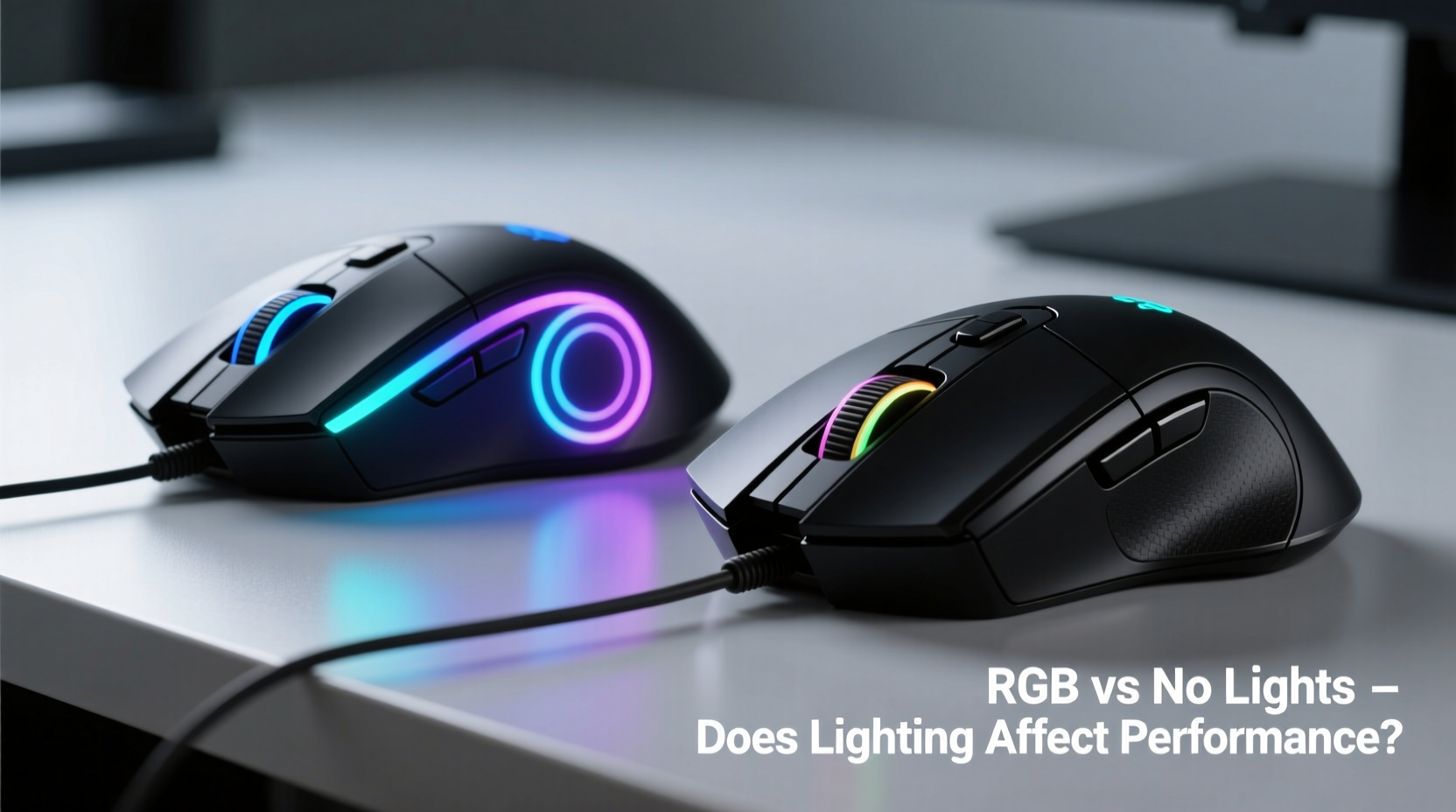
RGB (Red-Green-Blue) lighting in gaming peripherals allows for millions of customizable colors through LED combinations. On a gaming mouse, these LEDs are typically embedded along the scroll wheel, logo, side grips, or under translucent housing. Manufacturers promote RGB as a way to personalize setups, sync with other devices via software like Razer Chroma, Logitech G HUB, or Corsair iCUE, and enhance immersion—especially in dimly lit environments.
However, from a hardware standpoint, RGB lighting serves no direct function in input processing. It doesn’t influence sensor tracking, button actuation, or data transmission. The core components responsible for performance—the optical or laser sensor, microcontroller, switch mechanism, and connectivity protocol—operate independently of the lighting system.
That said, integrating RGB does add complexity. Each LED requires circuitry, power regulation, and firmware instructions to manage effects like breathing, rainbow wave, or reactive keystrokes. This introduces additional variables into the design, some of which can indirectly affect reliability and efficiency.
Power Consumption: How Much Does RGB Really Use?
One of the most tangible impacts of RGB lighting is its effect on power draw—especially critical for wireless mice. While individual surface-mount LEDs consume relatively little energy (typically 0.05–0.1 watts each), modern gaming mice often include multiple LEDs running simultaneously at high brightness.
A typical RGB gaming mouse may have 3–7 LEDs. When all are active at full brightness, they can draw between 0.3W and 0.7W. Compare this to the total power budget of a wireless gaming mouse, which averages around 1–2W during active use (including sensor, MCU, and wireless radio), and it becomes clear that lighting accounts for a significant portion—up to 35% in some cases.
To illustrate the real-world difference, consider two popular models:
| Mouse Model | RGB On (Battery Life) | RGB Off (Battery Life) | Connection Type |
|---|---|---|---|
| Razer Basilisk V3 Wireless | 70 hours | 140 hours | Wireless (2.4GHz + Bluetooth) |
| Logitech G Pro X Superlight | N/A (No RGB) | 70 hours | Wireless (Lightspeed) |
| ASUS ROG Gladius III | 200 hours (wired) | 350 hours (wired) | Wired |
As shown, disabling RGB nearly doubles battery life in many high-end wireless models. Even in wired mice, where power isn’t a constraint, excessive lighting increases overall system load and contributes to heat buildup over time.
“While RGB doesn’t degrade sensor performance directly, the cumulative thermal load from sustained lighting can reduce component lifespan and increase signal noise in poorly ventilated designs.” — Dr. Lin Wei, Electronics Engineer at Peripheral Dynamics Lab
Performance: Is There Any Real Difference?
The central question remains: Does RGB lighting affect actual gaming performance?
In short, no—not in terms of tracking accuracy, response time, or input lag. Extensive testing by outlets like TechPowerUp, Tom’s Hardware, and Gamers Nexus has confirmed that DPI consistency, lift-off distance, and click latency are identical whether RGB is enabled or disabled.
However, there are indirect performance implications worth noting:
- Firmware Overhead: Advanced RGB effects require CPU cycles from the mouse’s onboard microcontroller. In budget mice with lower-tier MCUs, this could theoretically delay input processing if resources are overtaxed—though no mainstream model currently exhibits measurable lag due to this.
- Heat Buildup: Continuous LED operation generates heat. In enclosed plastic housings, especially during long sessions, temperatures can rise enough to affect sensor calibration stability. High-end models mitigate this with better ventilation and thermal padding.
- Distracting Visuals: For competitive players, flashing lights or bright underglow can be visually disruptive, particularly in low-light conditions. Some professional esports athletes disable all lighting to minimize sensory distractions.
Moreover, RGB synchronization software can sometimes conflict with game launchers or overlay tools, leading to temporary input hiccups. While rare, these issues underscore that more features mean more potential points of failure.
Mini Case Study: Pro Player Setup Preferences
Jordan “Kryo” Mendez, a semi-professional CS2 player competing in regional ESL tournaments, switched from a fully lit Razer DeathAdder Chroma to a matte-black Logitech G Pro Wireless with no RGB after noticing inconsistent battery warnings during LAN events.
“I didn’t think the lights mattered until I started getting disconnects mid-match,” Kryo explained. “Turns out my mouse was dropping below 10% because I had rainbow wave on max brightness. Once I turned it off, my average session life went from 3 matches to 5. Plus, the desk glare was killing my focus.”
He now uses a minimalist setup: black mouse, no lighting, mechanical switches tuned for 45g actuation. His reasoning? “If it doesn’t help me win, it shouldn’t be there.”
Psychological and Aesthetic Benefits of RGB
Despite the drawbacks, dismissing RGB entirely overlooks its psychological and experiential value. Lighting has been shown to influence mood, alertness, and perceived device quality.
A 2022 University of Helsinki study on peripheral perception found that users rated identically performing mice as “more responsive” and “higher quality” when equipped with dynamic RGB lighting—even when blindfolded and unable to see the lights. Researchers attributed this to cognitive priming: colorful, animated devices feel more advanced and engaging.
Additionally, RGB allows for environmental integration. Gamers often synchronize their keyboards, headsets, monitors, and ambient lighting to create immersive atmospheres. For streamers and content creators, a vibrant setup enhances visual appeal and brand identity.
Some manufacturers take this further by linking lighting to in-game events—flashing red when health is low, pulsing blue during cooldowns, or cycling colors based on FPS. These reactive systems don’t improve mechanical performance but can provide useful peripheral feedback without diverting attention from the screen.
Checklist: Choosing Between RGB and No Lights
When deciding whether to opt for a gaming mouse with or without RGB, consider the following factors:
- ✅ Battery Priority: If you use a wireless mouse daily, prioritize longer life by choosing no RGB or ensuring easy toggle options.
- ✅ Use Environment: In brightly lit rooms, RGB may be barely visible. In dark rooms, it might cause glare or eye strain.
- ✅ Sync Ecosystem: If you already own RGB-enabled peripherals, matching lighting enhances cohesion and simplifies control.
- ✅ Build Quality: Higher-end RGB mice often come with better materials and engineering, but this isn’t guaranteed—research thoroughly.
- ✅ Personal Preference: Do you enjoy customization and ambiance, or do you prefer a clean, focused workspace?
- ✅ Competitive Play: For esports or tournament settings, minimalism often wins. Reduce variables that don’t contribute to precision.
Step-by-Step: Optimizing Your Mouse Lighting for Efficiency
If you own an RGB gaming mouse and want to balance aesthetics with practicality, follow this optimization sequence:
- Assess Usage Patterns: Track how often you actually notice or appreciate the lighting during gameplay.
- Test Battery Impact: Run your mouse at full RGB brightness for one charge cycle, then repeat with lights off. Note the difference in uptime.
- Adjust Brightness: Lower the LED intensity to 30–50%. Most people won’t notice the reduction, but power savings are immediate.
- Switch to Static Mode: Replace animated effects (breathing, spectrum shift) with solid color. Animations require constant MCU activity.
- Create Profiles: Use manufacturer software to set different lighting profiles—for work (off), casual gaming (low glow), and streaming (full RGB).
- Schedule Automation: Some software allows timers—e.g., turn off lights at midnight or when idle for 10 minutes.
Frequently Asked Questions
Does RGB make a gaming mouse slower?
No. There is no measurable difference in polling rate, DPI accuracy, or click response time caused by RGB lighting. Performance-critical components operate independently of the LED system.
Can RGB damage my gaming mouse over time?
Not directly. However, continuous use of bright LEDs can generate heat, which may accelerate wear on nearby plastics or adhesives in low-quality builds. Well-designed mice include thermal safeguards.
Is it worth buying a mouse without RGB?
Yes, especially if you prioritize battery life, minimalism, or competitive play. Many top-tier pro mice—including the Logitech G Pro X Superlight, Finalmouse Air58, and SteelSeries Aero—have no RGB and are praised for their efficiency and lightweight design.
Final Verdict: Style vs Substance
At the end of the day, RGB lighting on a gaming mouse is a matter of preference, not performance. It doesn’t make your clicks faster or your aim sharper. What it does offer is personalization, atmosphere, and a sense of technological presence.
But that comes at a cost—shorter battery life, increased heat, and potential firmware complications. For casual gamers and streamers, RGB is a worthwhile addition. For professionals, minimalist users, or those relying on wireless freedom, turning off or eliminating lighting altogether delivers tangible benefits.
The best approach? Choose a mouse that lets you decide. Opt for models with software-controllable RGB so you can toggle it on for show and off for go-time. That way, you get the best of both worlds: the flair when you want it, and the function when you need it.




 浙公网安备
33010002000092号
浙公网安备
33010002000092号 浙B2-20120091-4
Comments
No comments yet. Why don't you start the discussion?