
As the holiday season approaches, gamers increasingly look to personalize their battle stations with festive flair. One of the most visible upgrades? The mousepad. No longer just a functional surface, today’s gaming mousepads serve as dynamic centerpieces—especially when integrated with RGB lighting ecosystems. Among seasonal offerings, two dominant styles emerge: those with built-in animated Christmas light borders and those featuring static festive patterns that rely on external RGB illumination. Choosing between them isn’t just about aesthetics—it’s about synchronization, immersion, and long-term usability.
The decision hinges on whether you prioritize seamless integration with existing RGB software or prefer a bold, self-contained visual statement. Both options offer unique advantages, but only one will truly harmonize with a high-end, synchronized setup. Let’s explore the technical and experiential differences to help you make an informed choice.
How Animated Light Borders Work Technically
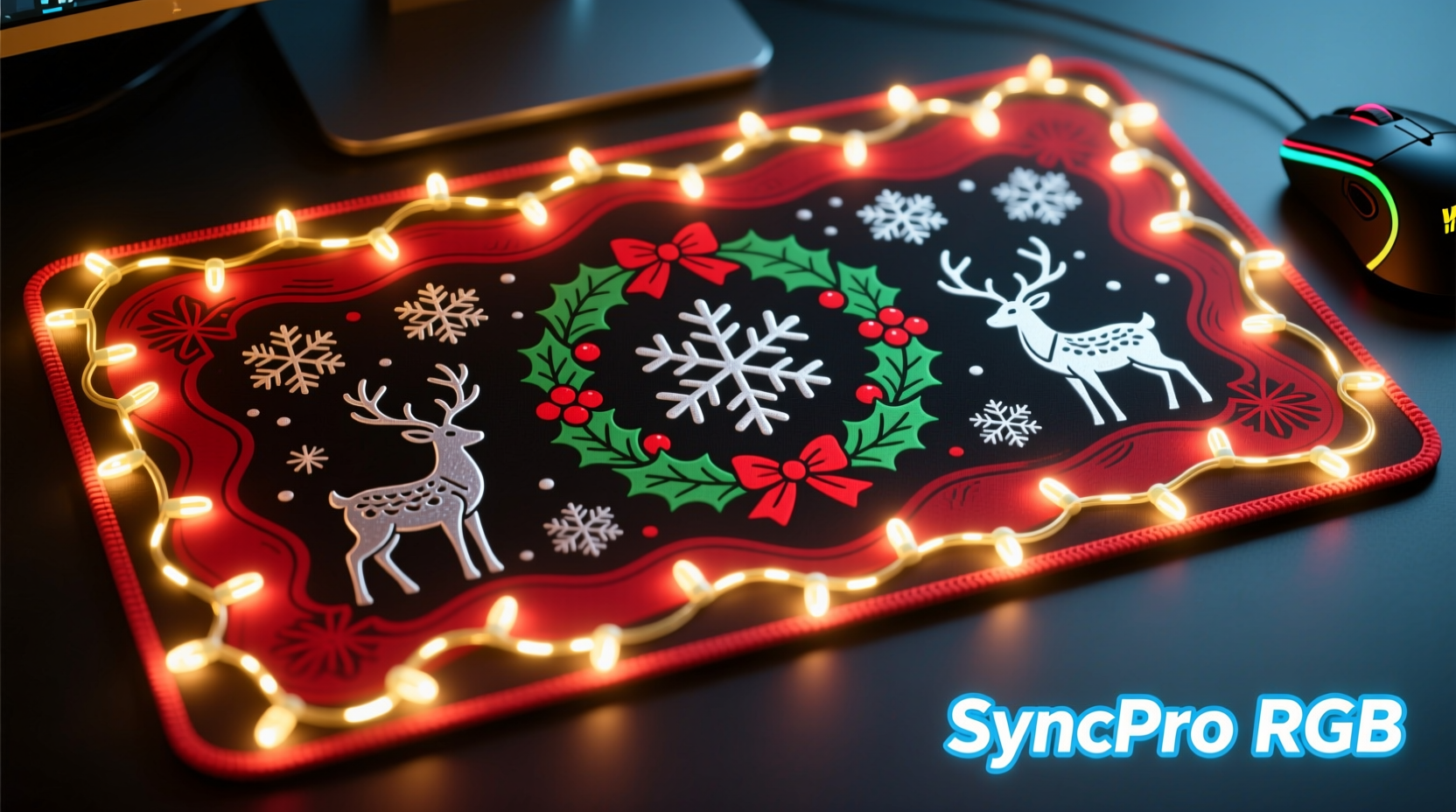
Animated Christmas light borders are embedded LED strips running along the edge of the mousepad. These aren’t standard LEDs—they’re typically addressable RGB diodes (such as WS2812B) controlled via USB or Bluetooth and compatible with major lighting platforms like Razer Chroma, Corsair iCUE, or ASUS Aura Sync. This allows users to adjust brightness, animation speed, color schemes, and even synchronize effects with other peripherals in real time.
These mousepads often come with companion apps where users can select from pre-programmed animations—like twinkling snowflakes, cascading red-and-green waves, or pulsing candlelight. Some advanced models support audio-reactive modes, making the lights pulse with game soundtracks or system alerts.
The hardware integration means these pads operate independently of ambient case lighting or monitor backlighting. They generate their own glow, often casting soft illumination across the desk surface. This autonomy is both a strength and limitation: while they stand out in dim rooms, they may clash if not properly tuned to match surrounding devices.
Static Festive Designs and Their Role in RGB Setups
Static festive mousepads rely entirely on external lighting to enhance their appearance. These feature printed winter scenes—think reindeer, snowmen, or classic Nordic patterns—but contain no internal LEDs. Instead, their magic unfolds when paired with underglow strips, monitor backlights, or keyboard lighting that reflects off the surface.
The effectiveness of a static design depends heavily on material finish. Pads with semi-gloss or matte reflective coatings diffuse light more evenly, allowing colors to blend smoothly with the artwork. A deep red base illuminated by warm white LEDs, for instance, can evoke the cozy glow of a fireplace, enhancing the illusion of a hand-painted holiday scene.
Because they lack onboard electronics, static pads are generally thinner, more portable, and less prone to wear from repeated flexing. They also tend to be more affordable, making them ideal for seasonal swaps without investing in specialized hardware.
“Static designs give you creative freedom—you're not limited by preset animations. With the right lighting angle and diffusion, you can create a completely unique atmosphere.” — Lena Torres, RGB Integration Specialist at NeonGrid Labs
Comparison: Synchronization Capability and Ecosystem Fit
Synchronization is the defining factor when evaluating these two types within a unified RGB environment. Below is a detailed comparison highlighting key performance metrics:
| Feature | Animated Light Border Mousepad | Static Festive Design |
|---|---|---|
| RGB Software Sync | High – Direct API integration with major platforms | None – relies on manual matching of external lights |
| Animation Control | Full control over speed, pattern, and triggers | No animation unless external lights change |
| Light Output | Bright, directional edge glow | Diffused reflection; dependent on external sources |
| Setup Complexity | Moderate – requires driver installation and configuration | Low – plug in your existing lights and go |
| Lifespan & Durability | Moderate – risk of LED degradation or cable strain | High – no moving parts or electronics |
| Seasonal Reusability | Lower – fixed theme limits year-round use | Higher – can be repurposed with different lighting themes |
| Price Range | $40–$80 | $20–$45 |
The data shows a clear trade-off: animated borders offer superior integration but at higher cost and reduced longevity. Static pads win in flexibility and simplicity, though they demand more effort to achieve cohesive visuals.
Real-World Example: Alex’s Holiday Setup Upgrade
Alex, a streamer with a fully Chroma-synced rig, wanted to add holiday spirit without breaking immersion. He initially bought a static snowscape mousepad and used his existing Govee desk strips to backlight it. While visually appealing, he found the effect inconsistent—colors didn’t shift during gameplay transitions, and the lighting felt disconnected from in-game events.
He later upgraded to an animated-border model from a niche brand offering full iCUE support. After syncing it with his headset stand and keyboard, he programmed a “Festive Pulse” profile that reacted to chat alerts and game audio. Now, when viewers cheer in Discord, the entire desk—including the mousepad border—flashes in coordinated rhythm.
“It transformed my stream’s vibe,” Alex said. “The static pad was pretty, but the animated one feels alive. It responds, reacts, and integrates. That’s what modern RGB should do.”
His experience underscores a broader trend: audiences respond more strongly to dynamic, responsive environments than passive decoration. For content creators and immersive gamers alike, motion and timing matter.
Step-by-Step: Optimizing Your Choice for Maximum Sync
Whether you choose animated or static, follow this sequence to ensure optimal integration with your RGB setup:
- Inventory Your Current Gear – List all RGB-enabled devices and note their control platforms (e.g., iCUE, Synapse, Armoury Crate).
- Determine Control Priority – Decide if you want centralized control (one app managing everything) or independent operation.
- Select Pad Type Based on Compatibility – If using Corsair gear, pick a mousepad that supports iCUE. Avoid animated pads without open SDK access.
- Test Lighting Angles – For static pads, position under-monitor or side-mounted LEDs to illuminate the surface evenly without glare.
- Create a Scene Profile – In your RGB software, build a holiday-specific profile with matching hues (e.g., #FF0000 and #00AA00) and slow transitions.
- Add Triggers (if supported) – Link lighting changes to system events: boot-up, game launch, or voice commands via Alexa/Google Assistant.
- Evaluate Long-Term Use – Consider how easy it is to switch back to a neutral theme post-holidays. Animated pads may require firmware resets; static ones just need new lighting presets.
Checklist: Choosing the Right Festive Mousepad
- ✅ Confirm software compatibility with your main RGB platform
- ✅ Check physical dimensions—ensure it fits your desk layout
- ✅ Evaluate cable length and exit direction (side vs rear)
- ✅ Assess ease of cleaning—printed surfaces can stain from oils
- ✅ Determine if the theme aligns with your overall aesthetic (e.g., whimsical vs minimalist)
- ✅ Read user reviews for reports of flickering or sync lag
- ✅ Consider future usability—will you pack it away in January, or repurpose it?
Frequently Asked Questions
Can I use an animated mousepad with non-RGB systems?
Yes. Most animated-border mousepads function as standalone devices with default lighting modes even without software installed. However, you’ll lose customization and synchronization capabilities.
Do static festive mousepads work well with low-light setups?
They can, but effectiveness depends on ambient lighting. Without supplemental RGB, static pads appear flat under overhead lights. For best results, pair them with at least one source of indirect illumination.
Are animated mousepads prone to overheating?
Generally no. Modern addressable LEDs are energy-efficient and produce minimal heat. However, prolonged maximum brightness settings over months may reduce LED lifespan. Use auto-dimming or scheduled off-times to preserve longevity.
Final Verdict: Which Syncs Best with RGB?
If synchronization is your top priority, **animated Christmas light border mousepads** are the superior choice. Their direct integration with lighting ecosystems enables precise timing, reactive effects, and unified control across devices. For streamers, competitive gamers, or anyone invested in a cohesive aesthetic, the ability to coordinate light pulses with in-game actions or chat interactions adds a layer of engagement that static designs simply cannot match.
That said, static festive mousepads hold strong appeal for casual users, budget-conscious builders, or those who enjoy DIY creativity. With thoughtful lighting placement and color calibration, they can deliver stunning results—especially when combined with diffusers or fabric backdrops to soften reflections.
The truth is, neither option is universally better. It comes down to intent. Are you building a responsive, living environment? Go animated. Do you value simplicity, portability, and reusability? Choose static.
“The best RGB setup isn’t the brightest—it’s the most intentional. Every light should have a purpose.” — Marcus Lin, Senior Designer at Lumen Theory
Take Action This Holiday Season
Your gaming desk doesn’t have to wait until next year to feel festive. Whether you opt for the dynamic pulse of animated LEDs or the timeless charm of a beautifully lit static design, now is the time to plan your upgrade. Start by auditing your current RGB setup, then decide whether you want your mousepad to lead the light show or blend into it.
Small changes create big impact. A single well-chosen mousepad can become the centerpiece that ties your entire rig together—especially during the holidays, when atmosphere matters most.




 浙公网安备
33010002000092号
浙公网安备
33010002000092号 浙B2-20120091-4
Comments
No comments yet. Why don't you start the discussion?