
Synchronized Christmas light displays have evolved from simple blinking sequences to full-scale multimedia performances choreographed to music. Behind every dazzling show is precise timing—often managed through custom software that maps light effects to specific beats and melodies. Building a Christmas light timeline app allows creators to design, preview, and control these sequences with precision. Whether you're enhancing a neighborhood display or developing a commercial-grade installation, creating your own timeline tool offers flexibility, control, and personal satisfaction.
This guide walks through the technical and creative considerations involved in building such an application—from choosing the right architecture to handling audio synchronization and exporting control signals to physical hardware.
Understanding the Core Components
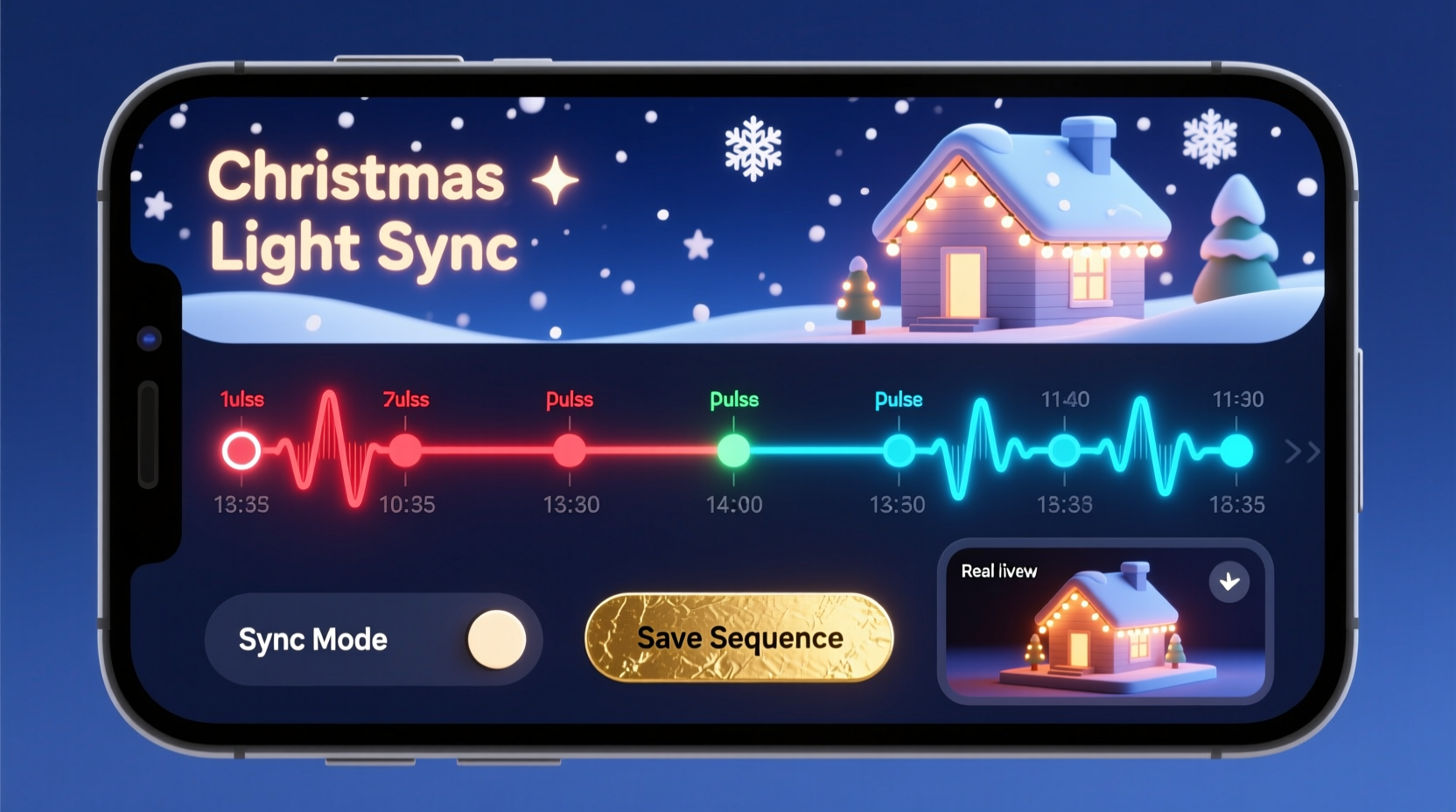
A Christmas light timeline app functions similarly to digital audio workstations (DAWs) used in music production. It combines a visual interface for arranging events (light cues) over time with backend logic that translates those cues into output signals. The key components include:
- Audio Engine: Loads and plays music while providing beat detection and time-stretching capabilities.
- Timeline Interface: A scrollable grid where users place and edit light events aligned with audio playback.
- Channel Management: Organizes different light circuits (e.g., roof lights, tree strobes, driveway LEDs) as separate channels.
- Output Protocol Handler: Converts timeline data into protocols like DMX512, E1.31 (sACN), or MQTT for networked lighting controllers.
- Preview System: Offers real-time simulation of the display using 2D or basic 3D visualization.
The app must support frame-accurate timing, typically at 10–40 millisecond resolution, to ensure lights flash precisely on beat. This requires tight integration between audio playback and event scheduling.
Step-by-Step Development Process
Building a functional timeline app involves several phases, each addressing a critical aspect of functionality and usability.
- Define the Scope and Platform
Select whether the app will run natively (Windows/macOS/Linux), in-browser (using HTML5/JavaScript), or as a mobile app. Desktop applications offer better performance for complex timelines; web apps provide easier sharing and collaboration. - Choose a Framework
For desktop: Electron (Node.js + Chromium), Qt, or .NET with WPF.
For web: React or Vue.js with Canvas or SVG for rendering the timeline.
For real-time audio: Tone.js (web), PortAudio (C++), or NAudio (.NET). - Implement Audio Loading and Playback
Load MP3 or WAV files and synchronize playback with the timeline cursor. Implement play, pause, seek, and loop functions. Integrate beat detection algorithms (like spectral flux or onset detection) to auto-snap cues to beats. - Design the Timeline Grid
Create a horizontal time axis (measured in seconds or milliseconds) and vertical lanes for each channel. Allow zooming in/out and scrolling. Support drag-and-drop of light events (e.g., “on,” “blink,” “fade”) onto the grid. - Add Event Editing Tools
Enable users to adjust event duration, intensity, color (for RGB strips), and transition curves (ease-in/ease-out). Include copy/paste, grouping, and ripple editing features. - Integrate Output Protocols
Map timeline events to outgoing signals. For example, when a red flash occurs at 00:45.200, send an sACN packet to universe 1, channel 5 with value 255. Test with actual controllers or simulators. - Build a Preview Mode
Render a simplified version of the display layout (e.g., dots for lights, zones for segments) and animate them in sync with playback. This helps visualize timing without needing physical hardware. - Export and Save Projects
Allow saving projects in a structured format (JSON or XML) and exporting sequences as standard protocol streams (e.g., .csv for Light-O-Rama, .e131 for sACN).
Each step should be tested incrementally. Start with a minimal prototype: load a song, show a timeline, and trigger one light channel via keyboard input.
Choosing Between Real-Time and Pre-Rendered Output
One major architectural decision is whether the app generates signals in real-time during playback or pre-renders the entire sequence into a data file.
| Approach | Pros | Cons |
|---|---|---|
| Real-Time Processing | Dynamic adjustments possible; supports live tweaking and MIDI triggers. | Requires stable system performance; lag can desynchronize lights. |
| Pre-Rendered Output | Guaranteed timing accuracy; runs reliably on embedded systems. | No mid-show changes; larger file sizes. |
Most professional setups use pre-rendered outputs. Once a sequence is finalized, it’s exported as a binary or text-based timeline that a dedicated controller (like a Raspberry Pi running Falcon Player) executes independently.
“Timing drift is the enemy of synchronization. Pre-rendering eliminates variability caused by OS interrupts or garbage collection.” — Mark Reynolds, Embedded Systems Engineer, Holiday Lighting Solutions Inc.
Mini Case Study: The Johnson Family Display Upgrade
The Johnsons had a modest Christmas display with three strands of lights controlled manually. Inspired by online videos, they wanted to create a 90-second synchronized show set to “Jingle Bell Rock.” They decided to build their own lightweight timeline app using Python and PyQt.
They began by importing the audio and writing a script to detect beats using Librosa, a Python audio analysis library. Next, they created a simple grid interface where each row represented a light channel. Using mouse clicks, they placed “on” events on the beat.
The app exported sequences as CSV files, which were then loaded onto an ESP32 microcontroller via USB. The ESP32 sent signals to relay modules controlling the lights. After testing, they added fade effects by interpolating brightness values between keyframes.
By December, their front yard featured a fully synchronized mini-show that ran every 15 minutes. Neighbors gathered to watch, and the family shared their open-source code online, receiving contributions from other hobbyists.
Their success stemmed not from advanced tools but from clear goals, iterative development, and leveraging accessible libraries.
Essential Features Checklist
To ensure your app meets practical needs, implement the following core features:
- ✅ Load and play audio files with waveform visualization
- ✅ Display a scrollable, zoomable timeline with grid snapping
- ✅ Support multiple light channels with customizable names
- ✅ Add, resize, move, and delete light events on the timeline
- ✅ Assign effect types (on/off, blink, chase, fade, color cycle)
- ✅ Export sequences in at least one standard protocol (e.g., sACN, LOR)
- ✅ Simulate playback visually within the app
- ✅ Save and load project files locally
- ✅ Auto-detect beats or allow manual beat tapping
- ✅ Provide undo/redo functionality for editing
Advanced features—like multi-universe support, RGB color picking, or integration with GPS-synchronized clocks for large installations—can be added later.
Handling Timing Accuracy and Latency
Precise timing is non-negotiable in synchronized lighting. Even a 100ms delay can make lights appear out of sync with the music. Several factors contribute to latency:
- Audio buffering: Large buffers reduce CPU usage but increase delay.
- Rendering delays: Slow UI updates can desynchronize the visual timeline from audio.
- Network jitter: In wireless setups, packet delivery isn’t guaranteed.
To mitigate these issues:
- Use low-latency audio APIs (ASIO on Windows, JACK on Linux, Core Audio on macOS).
- Run the audio engine on a high-priority thread separate from the UI.
- Compensate for known delays (e.g., amplifier startup) by offsetting cues programmatically.
- For networked outputs, use UDP with timestamps and sequence numbers to detect missing packets.
In practice, aim for end-to-end latency under 20ms. Measure it by recording both audio and a test light flash simultaneously, then analyzing the video frame-by-frame.
Frequently Asked Questions
Can I build this app without knowing C++ or low-level programming?
Absolutely. Modern frameworks like Electron (JavaScript), Python with PyQt, or even Flutter allow you to create powerful apps using higher-level languages. Libraries handle most of the heavy lifting, including audio processing and networking.
Do I need expensive hardware to run the app?
No. A mid-range laptop or even a Raspberry Pi 4 can run a timeline editor and serve as a playback device. The bottleneck is usually software optimization, not hardware.
Can multiple apps control lights at the same time?
Generally not recommended. Conflicting signals can cause erratic behavior. If using network protocols like sACN, ensure only one source sends data per universe. Use priority settings if fallback sources are needed.
Conclusion: Bring Your Vision to Life
Creating a Christmas light timeline app is more than a coding exercise—it’s a fusion of artistry and engineering. By understanding the relationship between sound, time, and light, you gain the power to transform ordinary displays into immersive experiences. The tools are accessible, the community is supportive, and the joy you bring to others is immeasurable.
Start small. Build a working prototype that controls one light to one song. Expand from there. Share your progress, learn from others, and don’t wait for perfection before turning on the first bulb. The magic happens when the code runs, the music plays, and the lights dance in harmony.




 浙公网安备
33010002000092号
浙公网安备
33010002000092号 浙B2-20120091-4
Comments
No comments yet. Why don't you start the discussion?