
Smart lighting has transformed the way we decorate homes, celebrate holidays, and create immersive environments. Whether you're setting up a festive outdoor display or designing a dynamic ambiance in your living room, synchronized smart light strands can elevate the experience. But when multiple strands fall out of rhythm—flashing at different times or shifting colors unevenly—the effect is jarring rather than enchanting. Achieving perfect synchronization across several smart light strips requires more than just plugging them in; it demands precise calibration, compatible hardware, and attention to network stability. This guide walks through the technical and practical steps needed to align multiple smart light strands so they operate as one cohesive system.
Understand the Types of Smart Lights and Their Sync Capabilities
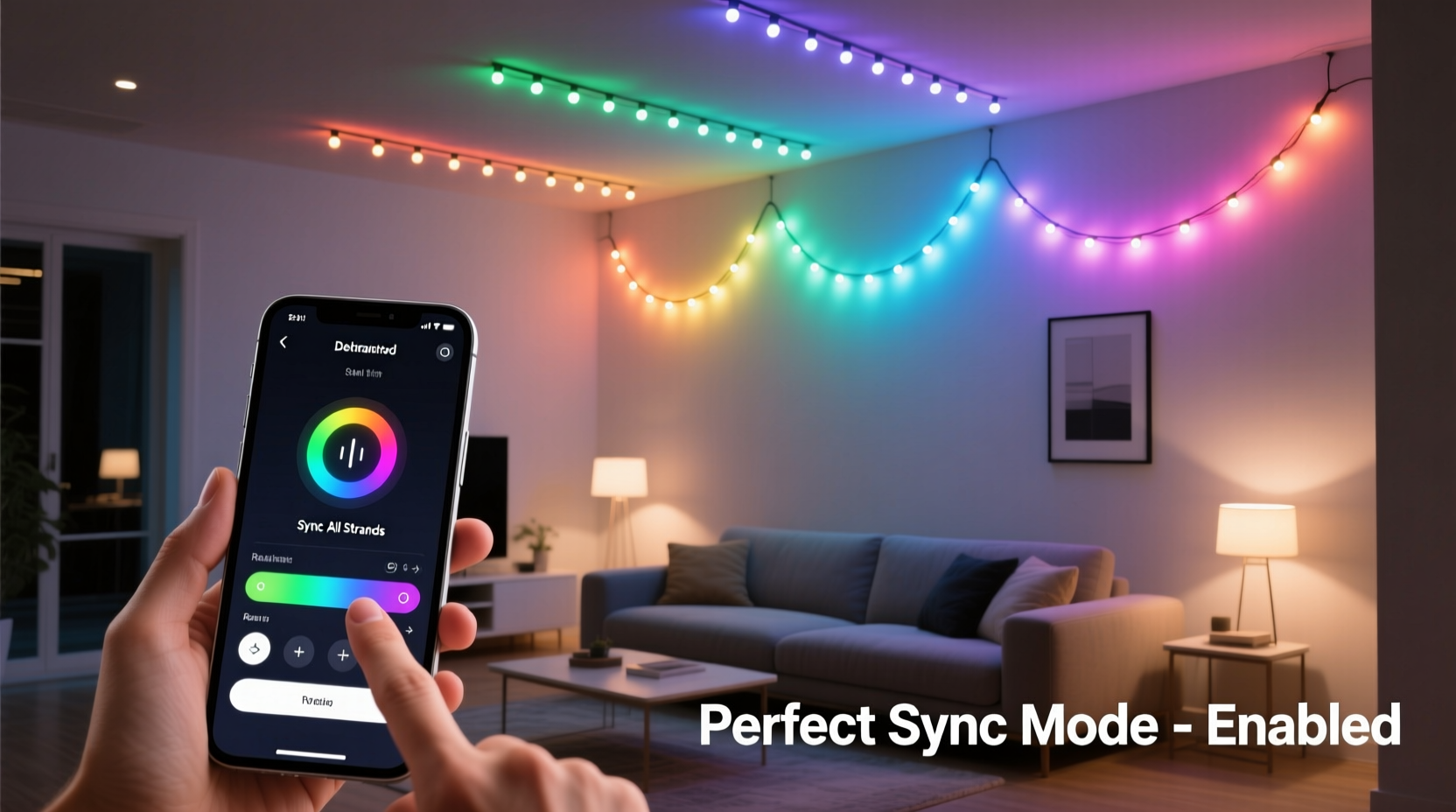
Not all smart lights are created equal. Before attempting calibration, it's essential to know what kind of lights you're working with. The ability to synchronize depends heavily on the communication protocol, brand ecosystem, and control method used by each strand.
- Wi-Fi-based lights: These connect directly to your home network and are often controlled via smartphone apps (e.g., Philips Hue, LIFX, Govee). While convenient, Wi-Fi lights can suffer from latency due to network congestion, making tight synchronization challenging unless optimized.
- Zigbee or Z-Wave lights: These use mesh networking protocols that offer lower latency and better reliability than standard Wi-Fi. Systems like Philips Hue (Zigbee) require a hub but deliver superior timing consistency across devices.
- Bluetooth-controlled lights: Typically limited in range and number of connectable devices. Not ideal for large-scale syncing unless using Bluetooth mesh technology.
- Dedicated controller systems: Some LED strips, especially addressable ones like WS2812B (NeoPixels), rely on microcontrollers (e.g., Arduino, ESP32) and custom firmware such as WLED or FastLED. These allow for millisecond-level precision and are best suited for advanced users seeking flawless sync.
For optimal results, avoid mixing incompatible brands or protocols. Stick within a single ecosystem whenever possible—either through an app platform or a unified controller setup.
Step-by-Step Guide to Calibrating Multiple Light Strands
Synchronization isn’t automatic—even with high-end systems. Follow this structured process to ensure every strand behaves identically across color, brightness, and timing.
- Group Devices Properly in Your App
Create a dedicated group for all light strands involved in the synchronized display. In apps like Philips Hue or Govee, grouping ensures commands are sent simultaneously to all members. Name the group clearly (e.g., “Front Porch Lights”) for easy management. - Update Firmware Across All Units
Outdated firmware can cause response delays. Check each device’s status in the app and install any pending updates before proceeding. This step alone resolves many hidden sync issues. - Test Individual Response Time
Turn off all lights, then issue a command (like switching to red at full brightness) and observe which units respond first. Note any lagging strands. Replace or reposition problematic units if necessary. - Adjust Timing Offsets (if supported)
Advanced platforms like WLED allow manual offset adjustments to compensate for minor delays. For example, if Strand B consistently lags behind by 150ms, apply a -150ms delay compensation so both appear simultaneous. - Use Scene Presets Instead of Real-Time Controls
Rather than adjusting sliders live during operation, save pre-calibrated scenes. Scenes execute predefined states across all grouped lights instantly, reducing variability caused by sequential command processing. - Minimize Signal Interference
Place hubs or routers centrally and reduce physical obstructions between devices. For Wi-Fi lights, consider using a 5GHz band for faster transmission (though shorter range) or a dedicated IoT VLAN to isolate traffic. - Conduct a Final Sync Test
Run a rapid strobe or rainbow cycle across all strands. Observe closely for flicker mismatches, delayed transitions, or dimness variation. Refine settings until visual uniformity is achieved.
Optimize Network Performance for Seamless Syncing
Even perfectly configured lights will fail to sync under poor network conditions. Latency, packet loss, and bandwidth contention disrupt timing signals, leading to visible desynchronization.
| Factor | Impact on Sync | Solution |
|---|---|---|
| Network Congestion | Delayed command delivery causes staggered responses | Limit connected devices; prioritize smart lights on QoS settings |
| Router Distance | Weaker signal leads to intermittent connectivity | Install Wi-Fi extenders or relocate router closer to lights |
| Shared Bandwidth | Streaming or downloads slow down smart device updates | Create a separate guest network for non-critical devices |
| Signal Interference | Microwave ovens, cordless phones disrupt 2.4GHz signals | Switch to Zigbee/Z-Wave or use shielded cabling where applicable |
For professional-grade installations, consider migrating to a wired control solution. DMX512 or Art-Net over Ethernet provides deterministic timing unaffected by wireless interference—commonly used in stage lighting and architectural displays.
“Precision in lighting synchronization starts with infrastructure. A stable, low-latency network is non-negotiable for achieving frame-accurate alignment.” — Marcus Tran, Smart Lighting Engineer at Lumos Dynamics
Real-World Example: Holiday Display Calibration
Consider a homeowner preparing a Christmas light show synchronized to music using ten 50-light Govee Wi-Fi strips around their house. Initially, the roofline lights flash slightly ahead of the tree wrap, breaking immersion.
The owner begins by grouping all ten strands into a single zone named “Holiday Show.” After confirming all units run the latest firmware, they notice two strands near the garage door respond slower—likely due to thick metal siding blocking signals. They move the router closer and add a Wi-Fi extender on the side of the house.
Next, they switch from real-time app controls to a pre-programmed sequence using Govee’s \"Music Sync\" mode with external audio input. By conducting repeated playback tests and fine-tuning sensitivity thresholds, they eliminate echo effects and achieve near-perfect lip-sync between sound and light pulses.
The final touch? Scheduling the entire display to activate automatically at dusk. The result: a smooth, theater-quality performance that draws neighbors and passersby alike.
Checklist: Pre-Calibration Preparation
Before starting the calibration process, verify the following:
- ✅ All smart light strands are powered and online
- ✅ Connected to the same Wi-Fi network or hub ecosystem
- ✅ Running the most recent firmware version
- ✅ Grouped together in the controlling app or software
- ✅ Positioned within reliable signal range of the router/hub
- ✅ Free from physical damage or broken segments
- ✅ Controlled through a single interface (no mixed apps)
Failing to meet even one of these conditions increases the risk of inconsistent performance. Take time to audit your setup before investing effort into tuning.
Advanced Option: Use WLED for Pixel-Perfect Control
For users seeking maximum control over addressable RGB LEDs (like NeoPixel or SK6812), open-source firmware like WLED offers unmatched synchronization capabilities. Hosted on ESP8266 or ESP32 microcontrollers, WLED allows:
- Time-synchronized effects across dozens of independent strips
- Manual correction of propagation delays
- Integration with home automation systems (Home Assistant, Alexa)
- Audio-reactive modes with FFT analysis
- Presets, playlists, and scheduling
To implement:
- Flash WLED firmware onto each controller board
- Connect all controllers to the same local network
- Assign static IP addresses to prevent DHCP-related disruptions
- In the WLED dashboard, enable “Sync Interfaces” under Sync Settings
- Select which parameters to sync (effect, brightness, color, etc.)
- Test using the built-in beat detection or HTTP API triggers
This approach bypasses consumer app limitations and delivers professional-grade coordination suitable for complex installations.
Frequently Asked Questions
Why do my smart lights blink out of sync even though they’re in the same group?
This typically stems from network latency or outdated firmware. Each light receives the command at slightly different times due to variable Wi-Fi response. Updating firmware, improving signal strength, or switching to a hub-based system (like Zigbee) usually resolves the issue.
Can I sync smart lights from different brands?
Direct synchronization between different brands (e.g., Philips Hue and Govee) is unreliable without third-party automation tools. Platforms like Home Assistant or IFTTT can trigger actions across ecosystems, but timing precision suffers. For true sync, stick to one brand or use a universal controller like WLED with compatible hardware.
Do longer LED strips cause delay in response?
With addressable LEDs, there can be a tiny propagation delay from the first to last pixel—measured in microseconds—due to data signal travel along the strip. However, this is rarely perceptible to the human eye. In WLED, you can adjust “maximum refresh rate” to balance smoothness and responsiveness.
Conclusion: Precision Leads to Perfection
Calibrating multiple smart light strands to sync perfectly combines technical understanding with meticulous attention to detail. From selecting compatible hardware and optimizing network performance to leveraging advanced firmware like WLED, every step contributes to a seamless visual experience. Whether you're crafting a holiday spectacle or enhancing your home’s atmosphere, synchronized lighting transforms ordinary spaces into captivating environments.
The difference between amateur and professional results lies not in cost, but in calibration. Take the time to test, refine, and stabilize your setup. Once perfected, your synchronized lights won’t just function—they’ll mesmerize.




 浙公网安备
33010002000092号
浙公网安备
33010002000092号 浙B2-20120091-4
Comments
No comments yet. Why don't you start the discussion?