
Selecting the right laptop backpack is more than just a matter of style or convenience. For professionals, students, remote workers, and frequent travelers, it’s an essential piece of gear that safeguards expensive electronics while supporting productivity throughout the day. A poorly chosen bag can lead to damaged devices, back strain, or the constant frustration of disorganization. On the other hand, the right backpack combines protection, ergonomics, and practicality—making it easier to carry your life in one durable, thoughtfully designed package.
The modern laptop backpack must do more than hold a computer. It should offer impact resistance, weather protection, smart compartment layout, and long-term comfort. With countless options flooding the market—from minimalist urban designs to rugged outdoor models—it's easy to feel overwhelmed. This guide breaks down the critical factors to consider so you can make a confident, informed decision tailored to your lifestyle and needs.
Assess Your Laptop Size and Protection Needs
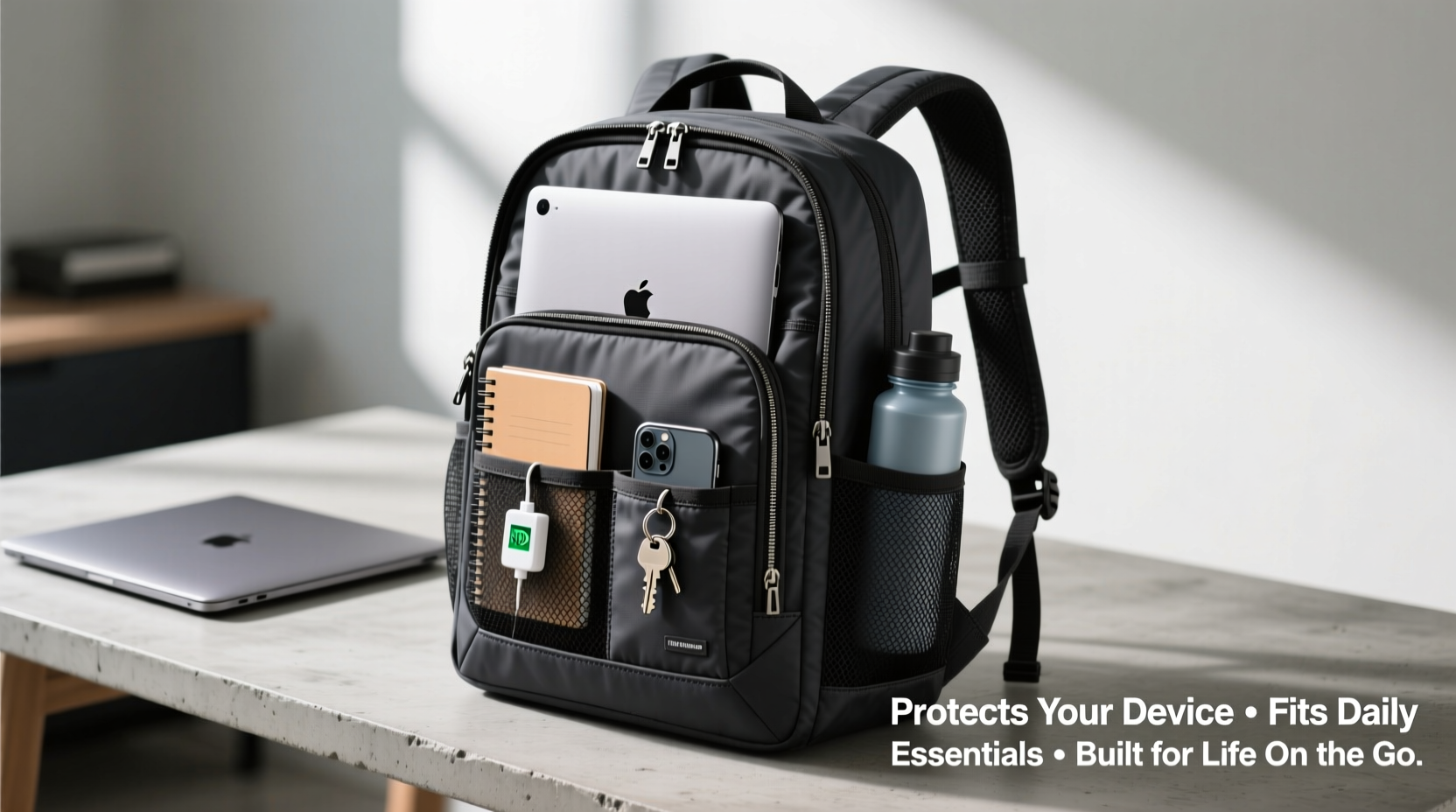
The first step in choosing a laptop backpack is knowing your device’s dimensions. Most laptops fall into standard size categories: 13-inch, 15-inch, or 17-inch. While many backpacks are labeled as “fits up to 15-inch laptops,” always double-check the exact internal sleeve measurements. A loose fit increases the risk of movement during transit, which can damage ports or hinges.
Look for a dedicated, padded laptop compartment that runs vertically along the back panel. This placement keeps the weight close to your spine, improving balance and reducing strain. The padding should be at least 6–10mm thick and made from closed-cell foam, which resists compression and absorbs shocks from drops or bumps.
Some high-end backpacks feature suspended laptop compartments, where the device floats within a cradle of foam or mesh, isolated from direct contact with the outer shell. This design offers superior drop protection—an important consideration if you commute via bike, crowded subways, or uneven sidewalks.
Prioritize Material Quality and Weather Resistance
The durability of your backpack depends largely on the materials used. Common fabrics include polyester, nylon (especially ballistic nylon), and sometimes recycled or eco-friendly textiles. Each has its strengths:
- Polyester: Affordable and lightweight, but less durable under heavy use.
- Nylon: More resilient, abrasion-resistant, and better at repelling water.
- Ballistic nylon: Originally developed for military gear, this ultra-tough fabric resists tears and punctures—ideal for urban commuters or travelers.
Water resistance is another crucial factor. Look for backpacks with coated fabrics, sealed zippers, or built-in rain covers. Some models come with a hidden compartment at the bottom that unfolds into a full waterproof cover—perfect for sudden downpours.
Avoid bags made from thin, flimsy materials or those with exposed stitching. These wear out quickly and compromise both security and longevity. Reinforced stitching, bar tacks at stress points, and YKK zippers are signs of quality construction.
“Backpacks made with multi-layered, water-resistant fabrics can prevent moisture damage even in heavy rain—a common cause of laptop failure.” — Daniel Ruiz, Product Engineer at UrbanGear Labs
Evaluate Ergonomics and Comfort for All-Day Wear
No matter how protective or stylish a backpack is, it won’t serve you well if it’s uncomfortable. Poorly designed straps, lack of back padding, or unbalanced weight distribution can lead to shoulder pain, neck tension, or chronic back issues over time.
Choose a backpack with the following ergonomic features:
- Padded shoulder straps: Contoured and wide enough (at least 2 inches) to distribute weight evenly.
- Chest or sternum strap: Helps stabilize the load and reduce shoulder fatigue, especially when walking long distances.
- Hip belt: Transfers up to 80% of the weight to your hips—essential for heavier loads or extended commutes.
- Ventilated back panel: Mesh padding with air channels prevents sweat buildup and improves airflow.
Try the backpack on with your typical load before purchasing. Walk around, simulate stairs, and check for any pressure points. If buying online, read customer reviews specifically mentioning comfort after hours of wear.
Weight Distribution Tips
Even the best-designed backpack can feel awkward if packed incorrectly. Follow these guidelines:
- Place the heaviest items (laptop, power bank, books) closest to your back.
- Use side pockets for water bottles or small accessories to maintain balance.
- Avoid overloading—ideally, your backpack should not exceed 10–15% of your body weight.
Organize Smartly: Compartments and Daily Essentials Fit
A well-organized backpack saves time, reduces stress, and ensures you’re never digging through layers to find your charger or notebook. Beyond the laptop sleeve, look for these functional compartments:
- Dedicated tablet or e-reader pocket (often with soft lining)
- Front organizer panel with slots for pens, cables, ID, and business cards
- Hidden anti-theft pocket against the back panel for passport or wallet
- Separate file or document sleeve for papers or notebooks
- Insulated side pocket for snacks or drinks
If you carry multiple devices, consider a backpack with a modular interior. Some brands offer removable dividers or expandable sections that let you reconfigure space based on daily needs—whether it’s gym clothes one day or presentation materials the next.
A real-world example illustrates the value of smart organization:
Mini Case Study: Alex, Remote Software Developer
Alex works remotely from cafes and co-working spaces across Berlin. His previous backpack had only one main compartment, forcing him to unpack everything just to retrieve his power adapter. After switching to a model with labeled cable sleeves, quick-access front pocket, and a ventilated shoe compartment (for gym days), he reduced setup time by nearly 70%. He also noticed fewer instances of misplaced items and felt more professional when meeting clients.
“It sounds minor, but having everything in its place makes me feel more in control,” Alex said. “I’m not fumbling under my coffee cup to find my dongle anymore.”
Compare Key Features: Do’s and Don’ts
To simplify your decision-making, here’s a comparison table highlighting what to prioritize—and what to avoid—when evaluating laptop backpacks.
| Feature | Do | Don’t |
|---|---|---|
| Laptop Compartment | Vertical, padded, fits exact laptop size | Horizontal placement or too loose |
| Material | Ballistic nylon or water-resistant polyester | Thin fabric or no coating |
| Weather Protection | Sealed zippers or built-in rain cover | Exposed zippers or no protection |
| Ergonomics | Chest strap, hip belt, ventilated back | Flat straps, no support |
| Organization | Dedicated pockets for tech and essentials | Single compartment or cluttered layout |
Step-by-Step Guide to Choosing Your Ideal Backpack
Follow this six-step process to ensure you select a backpack that truly meets your needs:
- Measure your laptop and note its exact dimensions. Include thickness if carrying a case.
- List your daily essentials: phone, charger, headphones, notebook, lunch, gym clothes, etc.
- Determine your primary use case: commuting, travel, student life, hiking, or hybrid work?
- Set a budget ($80–$150 typically offers the best balance of quality and value).
- Research models with strong reviews on durability, comfort, and protection.
- Test if possible—visit a store or order from retailers with generous return policies.
This methodical approach prevents impulse buys and ensures your backpack aligns with your actual routine—not just marketing claims.
Frequently Asked Questions
Can I use a regular backpack for my laptop?
You can, but it’s risky. Regular backpacks lack padded, structured laptop sleeves, increasing the chance of damage from impacts or pressure. They also often lack organizational features and ergonomic support needed for daily tech carrying.
How do I clean a laptop backpack?
Most can be wiped down with a damp cloth and mild soap. For deeper cleaning, remove all contents and use a soft brush on stains. Never machine wash unless the manufacturer specifies it. Allow to air dry completely—never in direct sunlight, which can degrade adhesives and fabric coatings.
Are anti-theft features worth it?
Yes, especially in crowded areas. Features like lockable zippers, RFID-blocking pockets, and slash-resistant straps deter opportunistic theft. While no bag is foolproof, these details add meaningful peace of mind for travelers and city dwellers.
Essential Checklist Before You Buy
Before finalizing your purchase, verify the following:
- ✅ Laptop sleeve matches your device size exactly
- ✅ Padded back panel and shoulder straps for comfort
- ✅ Water-resistant or includes a rain cover
- ✅ Chest or hip strap for stability
- ✅ Enough compartments for tech and personal items
- ✅ Hidden pocket for valuables
- ✅ Durable zippers and reinforced stitching
- ✅ Weight under 3 lbs when empty (to avoid adding unnecessary load)
Conclusion: Invest in Protection, Comfort, and Long-Term Usability
Choosing the right laptop backpack isn’t about picking the trendiest design or the cheapest option. It’s about making a strategic investment in the safety of your technology and the comfort of your body. The ideal backpack blends thoughtful engineering with practical functionality—protecting your laptop from drops and spills, organizing your essentials efficiently, and supporting your posture during long days on the move.
Whether you're navigating rush hour, heading to campus, or working from a mountain trail, the right backpack becomes an extension of your workflow. Take the time to assess your real needs, test options carefully, and prioritize quality over short-term savings. Your laptop—and your back—will thank you.




 浙公网安备
33010002000092号
浙公网安备
33010002000092号 浙B2-20120091-4
Comments
No comments yet. Why don't you start the discussion?