
Creating a video doesn’t require expensive equipment or professional training. With the right approach and accessible tools, anyone can produce engaging videos from home. Whether you're documenting a personal project, starting a YouTube channel, or promoting a small business, free resources make video creation more democratic than ever. The key is knowing where to start and how to structure your workflow efficiently.
Plan Your Video Content Strategically
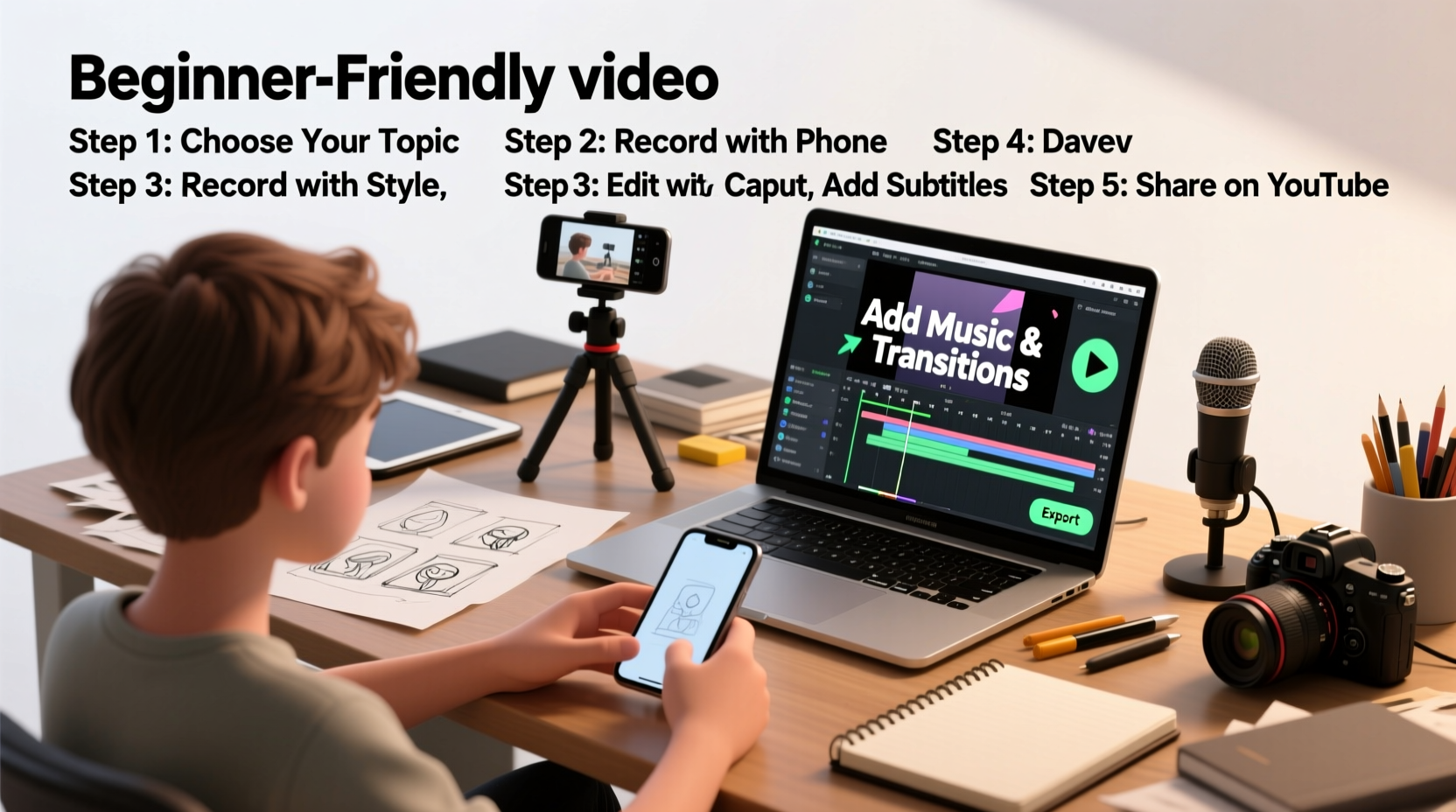
Before touching any software, define the purpose of your video. Are you educating, entertaining, or promoting? A clear goal shapes every decision that follows—from script to editing style. Begin by outlining your core message in three sentences or less. This becomes your creative North Star.
Next, write a simple script or bullet-point outline. Even casual vlogs benefit from structure. Include an opening hook (first 5–10 seconds), main content, and a closing call-to-action. Avoid overwriting; speak naturally. If you're filming yourself, rehearse aloud to identify awkward phrasing.
Storyboarding isn't just for animators. Sketch rough scene ideas on paper or use a digital note app to map out shots. This helps visualize transitions and ensures you capture all necessary footage during recording.
Use Free Tools to Record High-Quality Footage
You don’t need a DSLR camera. Most modern smartphones have capable cameras that shoot in HD or even 4K. To maximize quality:
- Record in landscape (horizontal) mode, not portrait, unless your platform requires vertical video.
- Clean the lens before filming.
- Use natural light whenever possible—position yourself facing a window.
- Stabilize your phone using a stack of books or a DIY tripod made from household items.
If you’re recording screen activity (tutorials, gameplay, presentations), free screen recorders like OBS Studio (Open Broadcaster Software) offer robust features including webcam overlay and audio mixing. It’s open-source, cross-platform, and trusted by professionals—even streamers on Twitch.
“OBS gives beginners full control over their recording setup without costing a dime.” — David Kim, Digital Media Educator
For voiceovers or talking-head videos, find a quiet space. Background noise ruins otherwise great takes. Use your smartphone's voice memo app or Audacity (a free audio editor) to test ambient sound levels before recording.
Step-by-Step Guide to Editing Your Video
Editing turns raw clips into a polished story. Follow this sequence to avoid overwhelm:
- Gather and organize: Place all video clips, images, and audio files in one folder on your computer.
- Choose a free editor: Options include DaVinci Resolve (professional-grade, steep learning curve), Shotcut (simple, cross-platform), or CapCut (ideal for social media, available as desktop and mobile app).
- Import media: Drag your files into the editor’s timeline or media bin.
- Cut and arrange: Trim silences, mistakes, or filler pauses. Keep pacing tight—especially for online audiences.
- Add audio: Layer background music (from royalty-free libraries like Pixabay or Free Music Archive) and adjust volume so speech remains clear.
- Insert text and effects: Titles, subtitles, and transitions enhance clarity. Don’t overdo animations—simplicity looks more professional.
- Export: Choose MP4 format with H.264 encoding for broad compatibility. Set resolution to 1080p unless file size is a concern.
Best Free Tools Compared
| Tool | Best For | Platform | Learning Curve | Key Feature |
|---|---|---|---|---|
| OBS Studio | Screen recording + live streaming | Windows, Mac, Linux | Moderate | Scene switching, audio filters |
| DaVinci Resolve | Professional editing & color grading | Windows, Mac, Linux | High | Hollywood-grade color correction |
| Shotcut | Beginner-friendly editing | Windows, Mac, Linux | Low | No account required, intuitive interface |
| CapCut | Social media content | Desktop & Mobile | Low | Trendy templates, auto-captions |
| Canva Video | Simple animated videos | Web-based | Very Low | Drag-and-drop design elements |
Real Example: How Sarah Made Her First Travel Vlog
Sarah, a college student from Portland, wanted to share her weekend trip to Crater Lake. She had no budget and only her iPhone 12. Here’s how she did it:
She started by jotting down key moments: sunrise view, hiking trail, picnic lunch. Using her Notes app, she outlined a 3-minute script highlighting what surprised her most—the clarity of the water. She recorded short clips each morning, holding her phone steady with a selfie stick. For voiceover, she spoke softly in her hotel room at night using the Voice Memos app.
Back home, she uploaded everything to her laptop and used Shotcut to assemble the video. She added gentle acoustic music from Pixabay and inserted text overlays with facts about the lake. After exporting, she uploaded it to YouTube with a custom thumbnail made in Canva. The video gained 1,200 views in two weeks—mostly from friends and local tourism groups sharing it.
Sarah’s success wasn’t due to high-end gear but consistency, planning, and using free tools effectively.
Avoid Common Beginner Mistakes
New creators often fall into predictable traps that hurt video quality or viewer retention. Stay clear of these:
- Ignoring audio quality: Viewers forgive mediocre visuals but not muffled or noisy sound.
- Overloading with effects: Flashy transitions distract from your message.
- Skipping export settings: Wrong formats lead to blurry playback or failed uploads.
- Not backing up files: Save copies on external drives or cloud storage like Google Drive.
Frequently Asked Questions
Can I make a good video with just my phone?
Absolutely. Modern smartphones have high-resolution cameras and built-in stabilization. Pair yours with good lighting and a quiet environment, and you’ll produce content comparable to entry-level camcorders.
Are free video editors safe to download?
Yes, if downloaded from official websites. Stick to well-known names like DaVinci Resolve (Blackmagic Design), Shotcut (Meltytech), or OBS (obsproject.com). Avoid third-party download portals that bundle malware.
How long should my first video be?
Start short—between 1 to 3 minutes. Focus on delivering value quickly. As you gain confidence, expand length based on audience engagement metrics.
Final Checklist Before Publishing
Run through this list to ensure your video is ready for viewers:
- ✅ Script reviewed for clarity and flow
- ✅ Audio is clean and balanced
- ✅ Visuals are stable and well-lit
- ✅ Text is readable and correctly spelled
- ✅ Music is royalty-free and properly attributed if required
- ✅ Exported in MP4 format at 1080p resolution
- ✅ Thumbnail is eye-catching and relevant
Start Creating—Your Voice Matters
The barrier to making videos has never been lower. You already own most of what you need: a smartphone, internet access, and a story worth telling. The tools are free, the process is learnable, and the impact can be real. Every expert creator started exactly where you are now—with a single idea and the courage to press record. Don’t wait for perfect conditions. Begin with what you have, learn as you go, and let your authenticity shine through.




 浙公网安备
33010002000092号
浙公网安备
33010002000092号 浙B2-20120091-4
Comments
No comments yet. Why don't you start the discussion?