
In today’s hyper-connected world, it’s common to own more than half a dozen electronic devices—laptops, smartphones, tablets, headphones, smartwatches, gaming consoles, and more. Each comes with its own cable, connector, or power brick. Without a system in place, these quickly spiral into a tangled mess, often culminating in a junk drawer stuffed with outdated adapters and frayed cords. But constant digging through that drawer isn’t just frustrating—it’s inefficient and can damage your gear. The good news? You don’t need a deep drawer or excessive storage space to maintain order. With thoughtful organization, labeling, and the right tools, you can manage all your cables neatly, accessibly, and sustainably.
Assess Your Cable Ecosystem
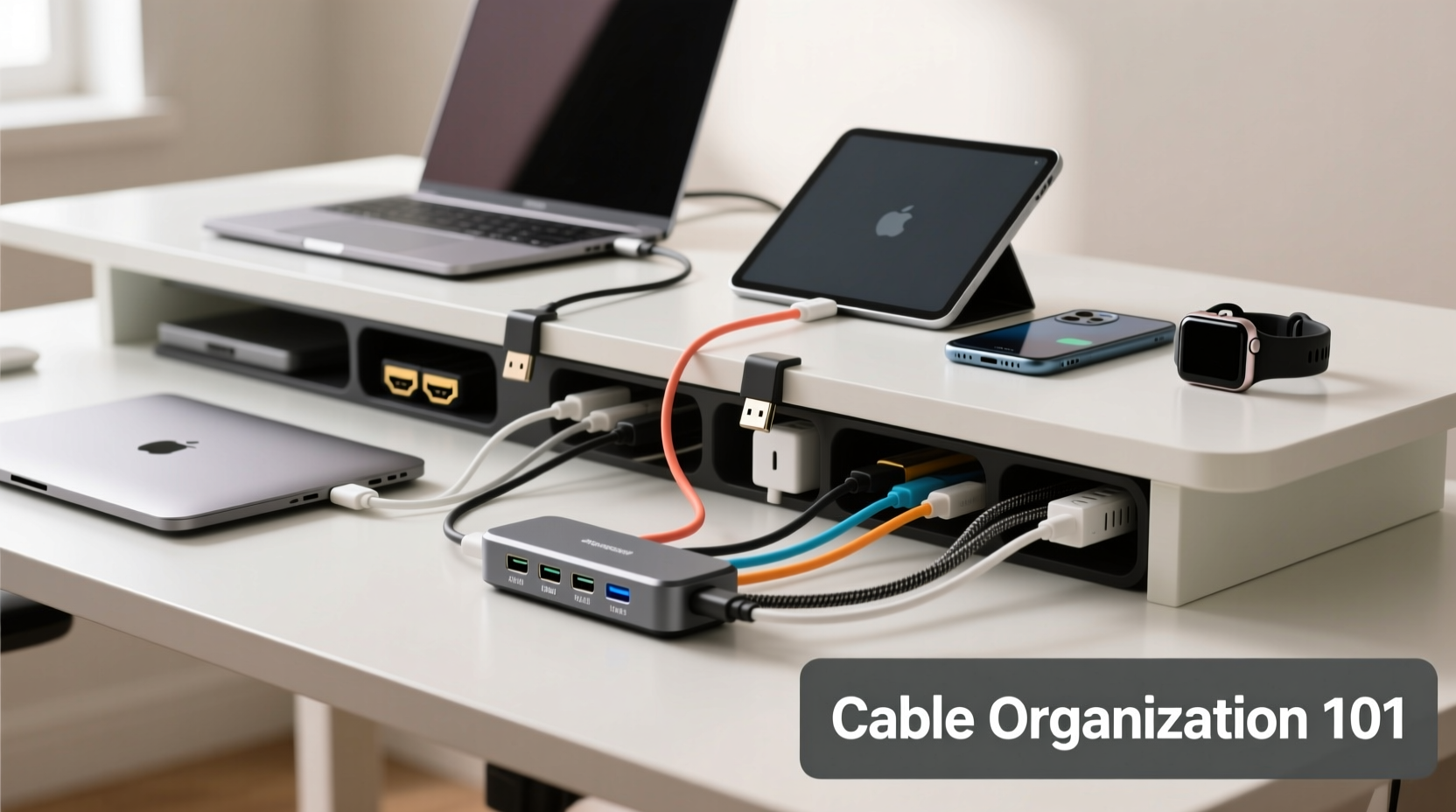
The first step toward organization is awareness. Begin by gathering every cable and adapter you own—yes, even the ones hidden behind furniture or buried in desk drawers. Lay them out where you can see them. Then, categorize them by function: charging, data transfer, audio, video, networking, etc. This visual audit reveals duplicates, obsolete items (like Micro-USB cables if you’ve transitioned to USB-C), and potential redundancies.
Ask yourself: Which devices do I use daily? Which chargers are universal? Are there multi-port hubs I could be using instead of individual bricks? This evaluation helps eliminate clutter at the source. For example, if three family members each have a 20W USB-C charger, consider consolidating to one high-wattage 65W GaN (gallium nitride) charger that can power multiple devices simultaneously.
Adopt Universal Standards Where Possible
One of the biggest contributors to cable chaos is inconsistency in connectors. Over the years, manufacturers have used proprietary ports, but the industry is gradually standardizing around USB-C. Apple’s shift to USB-C across iPhones, iPads, and MacBooks, combined with Android’s long-standing adoption, means most new devices now share the same plug.
Leverage this shift. Replace older Lightning or Micro-USB cables with durable USB-C-to-USB-C and USB-A-to-USB-C options. Invest in a few high-quality, braided USB-C cables rated for both fast charging and data transfer. Not only does this reduce the number of unique cables you need, but it also future-proofs your setup.
“Standardization is the single most effective way to reduce cable clutter. When everything speaks the same language, management becomes intuitive.” — David Lin, Tech Infrastructure Consultant
Benefits of Universal Cables
- Fewer unique adapters needed
- Easier to replace lost cables
- Improved compatibility across devices
- Reduced e-waste from obsolete connectors
Smart Storage Solutions Beyond the Drawer
Traditional drawers become black holes for cables. Instead, implement accessible, visible storage that encourages proper return after use. Here are several proven methods:
Wall-Mounted Charging Stations
Install a slim wall panel near your workspace or bedside with built-in USB ports and cable management channels. Some models include AC outlets and wireless charging pads. These keep cords off desks and eliminate dangling wires.
Under-Desk Cable Trays
Mount a tray beneath your desk to house power strips, adapters, and coiled cables. This keeps everything within reach but out of sight. Pair it with adhesive cable clips to route cords cleanly along desk edges.
Magnetic Cable Organizers
Small magnetic wraps or discs attach to desks or metal surfaces and hold loosely coiled cables via neodymium magnets. Ideal for frequently used cords like headphone or phone chargers.
| Solution | Best For | Space Required | Cost Range |
|---|---|---|---|
| Wall Charging Hub | Bedside or office | Minimal wall space | $30–$100 |
| Under-Desk Tray | Home offices | Desk underside | $15–$40 |
| Magnetic Wrap | Single-use cables | Negligible | $5–$12 |
| Cable Box with Grommet | Dining tables, desks | Surface area | $20–$50 |
Step-by-Step: Build a Cable Management System in One Hour
You don’t need days to get organized. Follow this efficient plan to transform your cable situation:
- Gather all cables and adapters (10 minutes): Pull everything from drawers, bags, and behind electronics.
- Sort and purge (15 minutes): Separate working cables from damaged ones. Discard frayed or non-functional items. Donate old but usable adapters to schools or repair cafes.
- Label each cable (10 minutes): Use heat-shrink labels, masking tape, or a label maker. Include device name and wattage if applicable (e.g., “iPad – 20W”).
- Choose a central hub (5 minutes): Pick a location—under the desk, beside the bed, or on a shelf—and install your primary organizer (e.g., a cable box or mounting tray).
- Route and secure (15 minutes): Use Velcro straps, zip ties, or adhesive clips to bundle similar cables. Avoid overtightening to prevent insulation damage.
- Test accessibility (5 minutes): Plug in your most-used devices to ensure easy access and smooth operation.
This routine takes less than an hour and establishes a sustainable system. Revisit it quarterly to remove obsolete gear and reassess needs.
Real-Life Example: The Home Office Transformation
Sophie, a freelance graphic designer in Portland, used to keep a drawer jammed with over 15 cables and seven different adapters. Her desk was a jungle of wires connecting two monitors, a laptop, tablet, phone, and drawing tablet. After reading about minimalist tech setups, she decided to overhaul her system.
She started by replacing five low-wattage chargers with a single 100W GaN multi-port adapter. She labeled all remaining cables with color-coded tags and installed a wall-mounted charging station next to her desk. Unused cables were stored vertically in a fabric desktop organizer labeled by category: “Travel,” “Backup,” “Audio.”
The result? She reduced her active cable count by 60%, eliminated daily frustration, and gained back 18 inches of desk space. Most importantly, she no longer wastes time untangling cords before client calls.
Do’s and Don’ts of Cable Organization
| Do | Don’t |
|---|---|
| Use twist ties or Velcro straps to bundle similar-length cables | Use rubber bands—they degrade and snap over time |
| Coil cables using the over-under method to prevent kinks | Wrap tightly in small loops that stress internal wires |
| Label both ends of long cables for easy identification | Leave cables plugged into outlets when not in use for months |
| Store spare cables in upright bins with dividers | Throw all cables into a single bin without separation |
| Invest in a surge protector with built-in USB ports | Plug high-draw devices into daisy-chained power strips |
“Proper coiling isn’t just neatness—it’s electrical hygiene. Twisted, kinked cables lose conductivity and overheat faster.” — Raj Mehta, Electrical Safety Engineer
Build a Travel-Friendly Cable Kit
One reason people accumulate so many adapters is travel. Different countries, hotels, and workspaces require various plugs and voltages. Instead of carrying every possible option, create a compact, modular kit.
Select a small nylon pouch with compartments. Inside, include:
- One universal travel adapter (supports EU, US, UK, AU plugs)
- Two multi-use USB-C cables (one short for bedside, one long for laptops)
- A portable power bank with pass-through charging
- A foldable multi-port USB charger
- A mini cable organizer roll for spares
This kit replaces up to ten individual items. When you return from a trip, unpack and return everything to its designated spot—no tossing into the junk drawer.
FAQ
Can I use one charger for all my devices?
Yes, if they support USB Power Delivery (USB-PD). Modern smartphones, tablets, and laptops can safely charge from a single high-wattage GaN charger (e.g., 65W or 100W). Always check device specifications to ensure compatibility.
How do I prevent cables from tangling in storage?
Use the over-under coiling technique: alternate loops over and under your hand as you wind. Store in segmented containers or wrap with reusable Velcro. Avoid stuffing multiple cables into tight spaces.
What should I do with old cables I no longer need?
Recycle them responsibly through e-waste programs. Many electronics retailers offer take-back services. Never dispose of cables in regular trash—metals and plastics can leach into landfills.
Checklist: Maintain a Tangle-Free Cable System
- ✅ Audit all cables quarterly
- ✅ Label each cable by device and wattage
- ✅ Replace proprietary chargers with universal USB-C options
- ✅ Install a wall-mounted or under-desk organizer
- ✅ Use Velcro straps instead of zip ties for flexibility
- ✅ Create a labeled travel kit for portability
- ✅ Recycle damaged or obsolete cables properly
- ✅ Test accessibility after setup
Conclusion
Organizing cables for multiple devices doesn’t require a large drawer or complex tools. It requires intentionality—choosing standardization, investing in quality organizers, and maintaining a simple system. By eliminating redundancy, labeling clearly, and storing thoughtfully, you create a tech environment that supports productivity rather than hinders it. The goal isn’t just tidiness; it’s efficiency, safety, and peace of mind. Start today with one drawer, one desk, one cable at a time. Small changes compound into lasting order.




 浙公网安备
33010002000092号
浙公网安备
33010002000092号 浙B2-20120091-4
Comments
No comments yet. Why don't you start the discussion?