
In a world where every device demands its own cable, the humble drawer has become a battleground between order and chaos. Tangled cords, mismatched adapters, and forgotten charging bricks pile up silently—until you need one and can’t find it. For those pursuing a minimalist lifestyle, this clutter is more than an inconvenience; it’s a contradiction of values. Minimalism isn’t just about owning less—it’s about designing systems that support clarity, efficiency, and calm. Organizing your cords and chargers in a minimalist drawer is not only possible, but it can be deeply satisfying when done right. This guide walks through a complete system for taming digital clutter without sacrificing accessibility or aesthetics.
Why Minimalist Cord Organization Matters
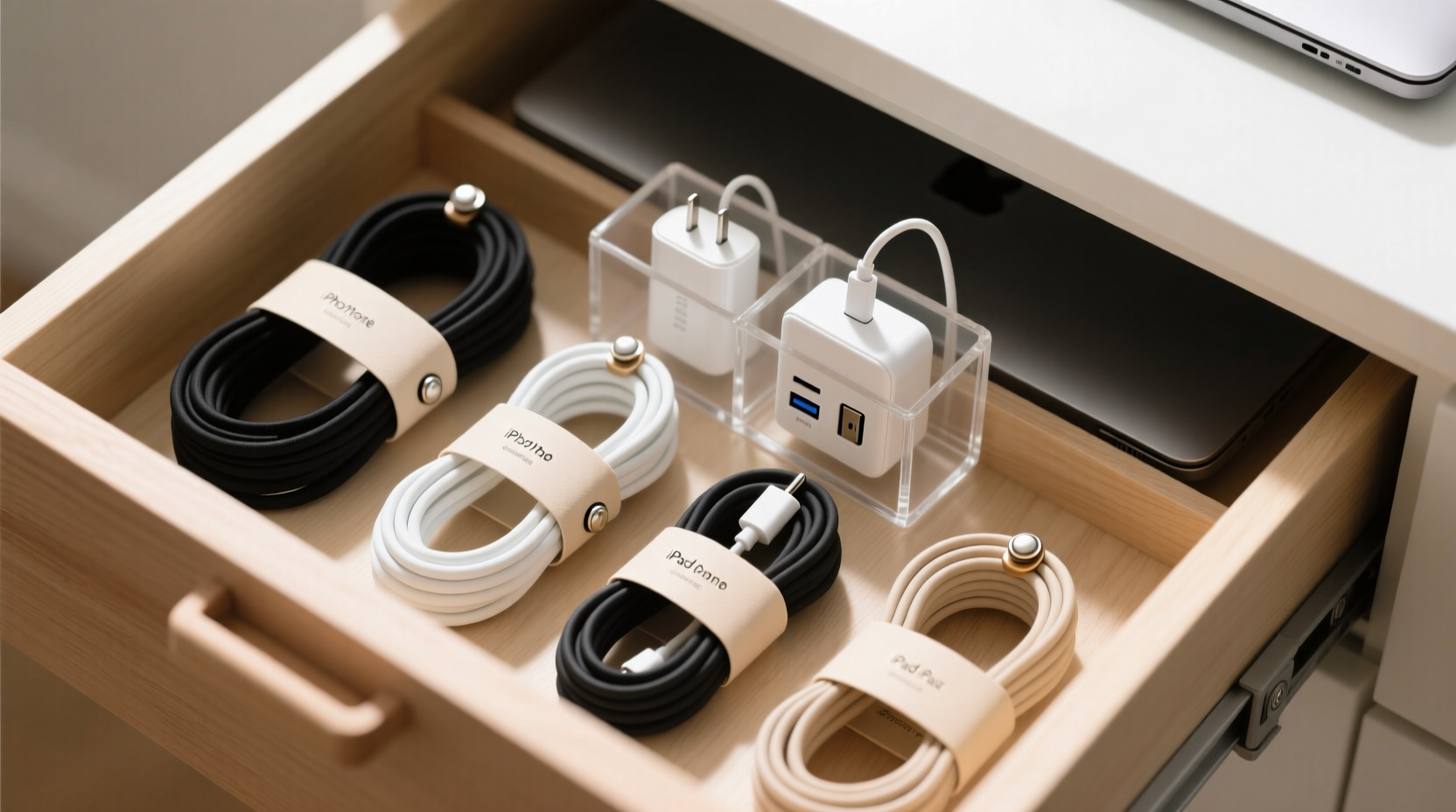
A disorganized drawer may seem trivial, but its impact is cumulative. Every time you dig through a snarl of cables, you lose focus, time, and peace of mind. In contrast, a well-organized system supports daily flow. Minimalist organization emphasizes intentionality: keeping only what you use, storing it logically, and making retrieval effortless. When applied to cords and chargers, this philosophy reduces visual noise, prevents damage from tangling, and extends the life of your tech accessories.
“Clutter is not just physical stuff. It’s outdated ideas, toxic relationships, and inefficient routines. Clearing it is the essence of minimalism.” — Joshua Fields Millburn, The Minimalists
By treating cord management as part of your broader organizational strategy, you reinforce habits that reduce decision fatigue and promote mindful consumption. You’ll also avoid buying duplicate chargers out of frustration—a common yet unnecessary expense.
Step-by-Step Guide to a Minimalist Cord Drawer
Creating a minimalist cord drawer isn’t about buying the most containers or labels. It’s about designing a system tailored to your actual usage. Follow these steps to build a clean, functional solution.
1. Empty and Audit Your Current Collection
Start by removing everything from the drawer. Lay each item on a flat surface. Sort them into categories: phone chargers, laptop cables, USB hubs, power banks, headphones, adapters, etc. Then, ask three questions:
- Have I used this in the past 90 days?
- Is it compatible with my current devices?
- Does it work properly (no frayed wires, overheating, slow charging)?
If an item fails any of these tests, recycle it responsibly. Many electronics stores offer e-waste drop-offs. Keep only what is functional and relevant. Most people eliminate 30–50% of their collection during this step.
2. Standardize Where Possible
Minimalism thrives on uniformity. If you rely on multiple devices, consider standardizing on a single connector type. USB-C is now universal across smartphones, tablets, laptops, and even some cameras. Replacing older micro-USB or Lightning cables with high-quality USB-C options reduces variety and simplifies storage.
Invest in multi-port chargers or GaN (gallium nitride) wall adapters, which deliver high power in compact forms. One 65W GaN charger can replace three bulkier ones, freeing up space and reducing redundancy.
3. Choose the Right Drawer Organizer
The best organizer depends on your drawer size and cable volume. Avoid generic foam inserts or rigid plastic trays unless they match your layout. Instead, opt for modular solutions:
- Felt divider trays: Soft, customizable, and quiet when opening drawers.
- Acrylic compartment boxes: Durable and transparent, ideal for visibility.
- Adjustable bamboo dividers: Eco-friendly and aesthetically aligned with minimalist design.
Measure your drawer interior first. Leave at least 1 inch of clearance around edges for smooth operation. A shallow drawer (2–3 inches deep) works best to prevent cables from burying themselves under others.
4. Bundle and Label Cables Strategically
Use consistent bundling methods to prevent tangles. Avoid tight rubber bands or zip ties that can damage insulation. Better options include:
- Velcro cable ties (reusable and adjustable)
- Fabric sleeves for grouped cords (e.g., travel kits)
- Magnetic cable clips for quick access
Label each bundle clearly. Use a label maker or small adhesive tags with concise identifiers: “iPhone,” “Work Laptop,” “Headphones.” Avoid vague names like “Charger 2.” If you share the space, ensure labels are intuitive to others.
5. Assign Zones Within the Drawer
Divide the drawer into functional zones based on frequency of use:
| Zone | Purpose | Items to Include |
|---|---|---|
| Primary Use | Daily essentials | Phone charger, earbuds, portable battery |
| Occasional | Weekly or situational | Laptop cable, camera charger, smartwatch |
| Backup/Storage | Rarely used spares | Old adapter, specialty cable, international plug |
Place primary items front and center. Store backups toward the back or sides. This ensures fast access while maintaining inventory control.
Smart Storage Solutions for Minimalist Design
Effective organization goes beyond containers—it’s about behavior design. Consider these advanced tactics to maintain order long-term.
Use Cable Reels or Wraps for Long Cords
Extension cords, HDMI cables, or Ethernet lines don’t belong in small drawers, but if necessary, wind them around cardboard reels or fold using the “over-under” method to prevent kinks. Store vertically in a narrow bin if possible.
Limit Inventory with a “One In, One Out” Rule
To prevent re-cluttering, adopt a simple rule: whenever you buy a new cable or adapter, remove an old one. This forces conscious evaluation and sustains minimalism over time.
Store Chargers with Devices When Traveling
Many people keep duplicate chargers “just in case.” Instead, pack your primary charger with your device. Return it directly to the drawer upon coming home. This eliminates scattered backups and reduces drawer load.
Real Example: Transforming a Home Office Drawer
Sarah, a freelance designer in Portland, struggled with a deep kitchen drawer she used for tech accessories. It held 17 cables, five power bricks, and a jumble of headphone cases. She spent an average of 4 minutes per day searching for the right charger.
After auditing her collection, she eliminated 9 items: broken cables, obsolete adapters, and duplicates. She purchased a felt-lined tray with six compartments and grouped her remaining items by device. She labeled each section and placed her iPhone and laptop chargers in the front row. Occasional items like her tablet cable went to the back.
The result? She now retrieves any cord in under 10 seconds. More importantly, opening the drawer feels calming, not stressful. “It’s like my workspace finally matches my mindset,” she said. “I didn’t realize how much mental clutter came from that one drawer.”
Do’s and Don’ts of Minimalist Cord Management
Even with the best intentions, common mistakes can undermine your efforts. Refer to this table to stay on track.
| Do | Don’t |
|---|---|
| Keep only what you use monthly | Hold onto cables “just in case” |
| Use soft bundling methods like Velcro | Crush cords under heavy items |
| Label clearly and consistently | Assume you’ll remember what each cord is for |
| Group by device or purpose | Mix frequently used with rare items |
| Review contents quarterly | Forget maintenance until chaos returns |
FAQ
How many chargers should I realistically keep?
For most households, 3–5 essential chargers are sufficient: one for your phone, one for your primary laptop, one shared USB hub, and perhaps a backup power bank. Additional items should serve specific, regular purposes—not hypothetical needs.
What’s the best way to store coiled cables without damaging them?
Use the “over-under” coiling technique: alternate loops above and below your hand as you wind. This prevents twist buildup. Secure with a Velcro tie, never a tight elastic band. Store in a temperature-stable environment to preserve insulation.
Can I use drawer organizers from non-tech categories?
Yes—kitchen utensil trays, makeup organizers, or craft supply cases often work perfectly. Look for compartments that match your cable thickness. Just ensure materials aren’t abrasive and won’t trap moisture.
Checklist: Build Your Minimalist Cord Drawer
Follow this checklist to implement your system efficiently:
- Empty the drawer completely
- Test each cable for functionality
- Discard broken, obsolete, or unused items
- Standardize on universal connectors where possible
- Measure drawer dimensions
- Select a low-profile, compartmentalized organizer
- Group cables by device or frequency of use
- Bundle neatly with reusable ties
- Label each section clearly
- Assign zones: primary, occasional, backup
- Perform a quarterly review to prevent clutter creep
Conclusion: Clarity Starts in the Drawer
A minimalist cord drawer is more than a neat trick—it’s a reflection of intentional living. When every item has a purpose and a place, your environment supports focus, not friction. The effort you invest in organizing this small space ripples outward, influencing how you manage other areas of your home and workflow.
You don’t need expensive tools or complex systems. Start with what you have, apply disciplined curation, and design for real use. Over time, your drawer will become a model of efficiency—one that saves seconds daily and brings quiet satisfaction every time you open it.




 浙公网安备
33010002000092号
浙公网安备
33010002000092号 浙B2-20120091-4
Comments
No comments yet. Why don't you start the discussion?