
Transforming a holiday tree into a living canvas of light is no longer limited to pre-programmed sequences or static color schemes. With a Raspberry Pi and a few lines of code, you can create evolving, generative light displays that respond to time, randomness, or even ambient sound. These patterns don’t just repeat—they grow, shift, and surprise, mimicking natural phenomena like fireflies, ocean waves, or auroras. This guide walks through the technical setup, coding logic, and creative considerations for building a truly dynamic lighting system.
Why Generative Lighting?
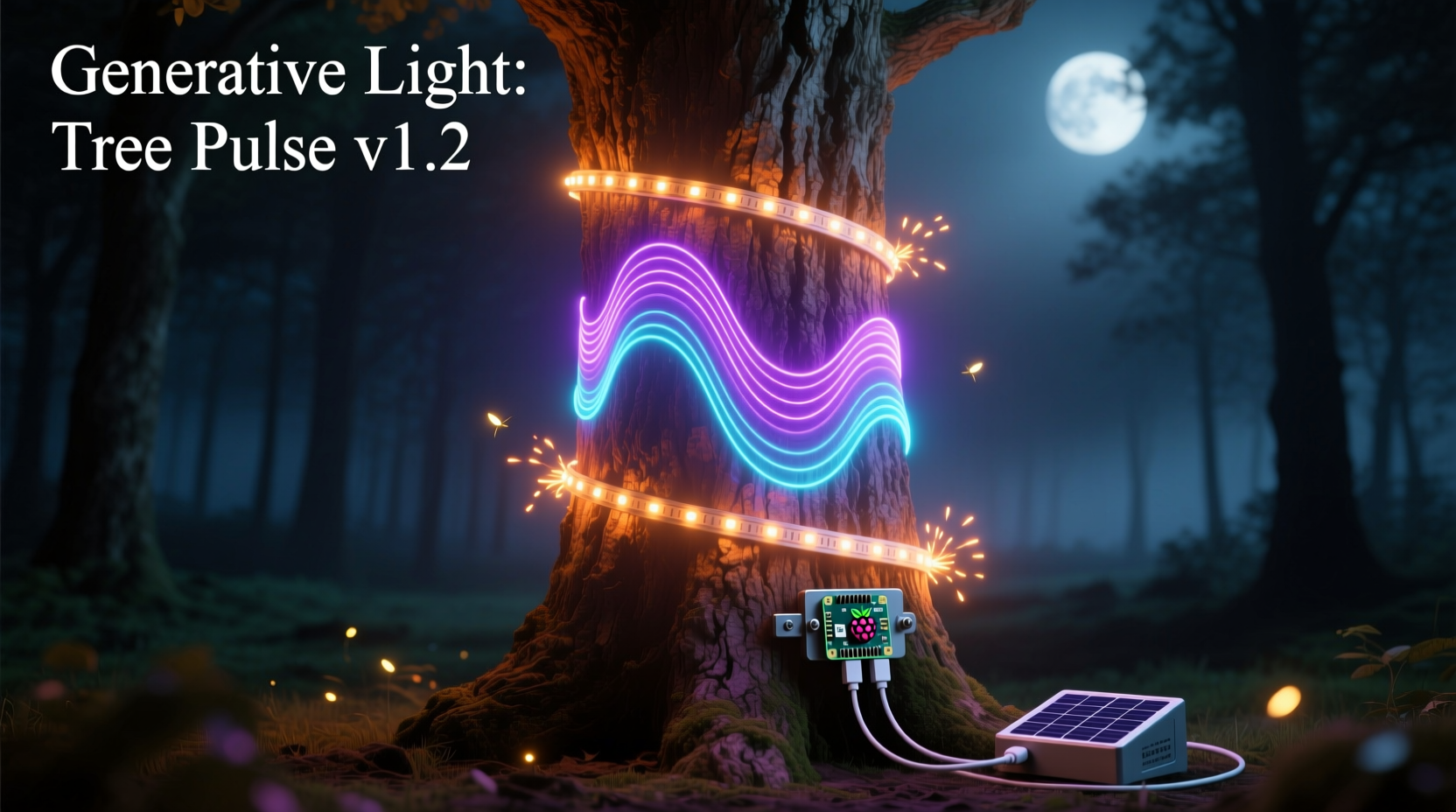
Generative art refers to systems that use algorithms, rules, and randomness to produce unique outputs each time they run. Applied to lighting, this means no two moments are identical. Unlike traditional LED controllers that cycle through fixed modes—like fade, strobe, or chase—a generative approach introduces variability, rhythm, and emergent behavior.
A Raspberry Pi is ideal for this task because it runs a full operating system, supports multitasking, and can execute complex Python scripts in real time. Combined with addressable LEDs such as WS2812B (commonly known as NeoPixels), it becomes a powerful platform for lighting art.
“Generative systems give the illusion of life. They don’t just illuminate—they breathe.” — Maya Lin, Interactive Art Designer
Hardware Setup: Components and Connections
Before writing any code, ensure your hardware is correctly assembled. The following components form the core of the system:
- Raspberry Pi (any model with GPIO pins, but Pi 3 or 4 recommended)
- WS2812B LED strip or string (5V, with data-in capability)
- 5V power supply (adequate amperage based on LED count)
- Level shifter (3.3V to 5V logic converter) or 330-ohm resistor
- Jumper wires and breadboard (optional for prototyping)
- Tree (real or artificial) for mounting
The Raspberry Pi operates at 3.3V logic levels, while WS2812B LEDs expect 5V signals. Sending a raw 3.3V signal may work over short distances, but reliability improves significantly with a level shifter or a simple resistor on the data line to smooth the transition.
Wiring steps:
- Connect the LED strip’s ground (GND) to the Pi’s ground pin.
- Link the LED data-in line to GPIO pin 18 (the default PWM pin used by most libraries).
- If using a level shifter: connect Pi’s 3.3V side to GPIO 18, and the 5V side to the LED data line.
- Power the LED strip with an external 5V supply, ensuring its ground is shared with the Pi.
Never power the LED strip directly from the Pi’s 5V pin—this can overload the board and cause instability.
Software Configuration and Library Installation
Start with Raspberry Pi OS (formerly Raspbian) installed and updated. Enable SPI if prompted by the library, though it's not always required for NeoPixel control via PWM.
The most reliable Python library for controlling WS2812B LEDs is rpi_ws281x, originally developed by Jeremy Garff. Install it using pip:
sudo apt-get update
sudo apt-get install python3-pip
sudo pip3 install rpi_ws281x
You may also install the adafruit-circuitpython-neopixel library, which offers a more beginner-friendly interface but requires additional dependencies.
Once installed, test the connection with a basic script that lights one LED red:
from rpi_ws281x import PixelStrip, Color

LED_COUNT = 50         # Number of LEDs
LED_PIN = 18           # GPIO pin connected to the pixels
LED_FREQ_HZ = 800000   # LED signal frequency
LED_DMA = 10           # DMA channel
LED_BRIGHTNESS = 100   # Brightness (0-255)
LED_INVERT = False     # Invert signal?

strip = PixelStrip(LED_COUNT, LED_PIN, LED_FREQ_HZ, LED_DMA, LED_INVERT, LED_BRIGHTNESS)
strip.begin()

strip.setPixelColor(0, Color(255, 0, 0))  # Red
strip.show()
If the first LED turns red, your hardware is communicating properly.
Creating Generative Patterns: Code Logic and Design
Generative lighting relies on algorithms that evolve over time. Instead of looping static effects, these programs use mathematical functions, noise, probability, and state changes to produce organic-looking motion.
Consider a pattern inspired by Brownian motion: tiny random shifts in color position across the strip. Each frame, a few random LEDs change hue slightly, creating a slow drift of color pools.
import random
import time
from rpi_ws281x import PixelStrip, Color

def random_hue():
    return random.randint(0, 255)

# Initialize gradient array
colors = [random_hue() for _ in range(LED_COUNT)]

def hsv_to_rgb(h, s=255, v=255):
    c = v * s / 255
    x = c * (1 - abs((h / 60) % 2 - 1))
    m = v - c
    if h < 60:
        r, g, b = c, x, 0
    elif h < 120:
        r, g, b = x, c, 0
    elif h < 180:
        r, g, b = 0, c, x
    elif h < 240:
        r, g, b = 0, x, c
    elif h < 300:
        r, g, b = x, 0, c
    else:
        r, g, b = c, 0, x
    return Color(int(r+m), int(g+m), int(b+m))

while True:
    # Randomly perturb a few positions
    for _ in range(5):
        i = random.randint(0, LED_COUNT - 1)
        colors[i] = (colors[i] + random.randint(-10, 10)) % 256

    # Smooth propagation: blend each pixel with neighbors
    new_colors = colors[:]
    for i in range(LED_COUNT):
        left = colors[(i - 1) % LED_COUNT]
        right = colors[(i + 1) % LED_COUNT]
        new_colors[i] = (left + right + colors[i]) // 3
    colors = new_colors

    # Update strip
    for i in range(LED_COUNT):
        strip.setPixelColor(i, hsv_to_rgb(colors[i]))
    strip.show()
    time.sleep(0.1)
This script creates a fluid, ever-changing tapestry of color. The combination of stochastic input and diffusion mimics natural systems, avoiding mechanical repetition.
Advanced Techniques
For deeper generative behavior, integrate Perlin noise—a gradient noise function that produces smooth, natural-looking transitions. Libraries like noise can be used to drive hue, brightness, or position over time.
import noise
import math

t = 0
while True:
    t += 0.01
    for i in range(LED_COUNT):
        n = noise.pnoise1(i * 0.1 + t)
        hue = int((n + 1) * 127.5)
        strip.setPixelColor(i, hsv_to_rgb(hue))
    strip.show()
    time.sleep(0.05)
This results in undulating waves of color that feel alive, similar to breathing or pulsing water.
Practical Tips for Tree Integration
Mounting LEDs on a tree requires both aesthetics and durability. Here are best practices:
- Use flexible LED strips for branches; string lights work better for trunks or vertical runs.
- Space LEDs evenly to avoid bright clusters—aim for 30–60 LEDs per meter depending on density desired.
- Conceal wires along branch undersides using twist ties or adhesive clips.
- Protect the Pi in a ventilated enclosure away from moisture and heat sources.
- Use a timer or cron job to activate lights only during evening hours.
Real-World Example: The Living Pine
In Portland, Oregon, artist Daniel Rojas installed a generative lighting system on a 7-foot Douglas fir using a Raspberry Pi Zero W and 150 WS2812B LEDs. His goal was to reflect seasonal change—starting with cool blues and greens, slowly introducing warm tones as December progressed.
The system used a modified version of the Perlin noise script, with the time variable tied to the calendar date. Over 30 days, the tree evolved from icy shimmer to golden flicker, drawing neighbors outside each night. “People thought it was reacting to them,” Rojas said. “It wasn’t—but the randomness made it feel personal.”
The installation ran unattended for six weeks, powered by a 10A outdoor-rated supply and controlled via Wi-Fi for remote updates.
Do’s and Don’ts of Generative Lighting
| Do | Don't |
|---|---|
| Use external power for large LED counts | Draw power from the Pi’s USB or GPIO |
| Implement brightness controls for nighttime comfort | Run at full brightness all night |
| Test patterns in low-light conditions | Judge colors under daylight bulbs |
| Version-control your code with Git | Rely solely on local files with no backup |
| Add error handling for disconnected strips | Assume hardware will never fail mid-script |
Checklist: Launch Your Generative Tree Lights
- Acquire Raspberry Pi and compatible LED strip
- Wire components safely, using level shifting if needed
- Install rpi_ws281x or Adafruit NeoPixel library
- Test basic illumination with a single-color script
- Write or adapt a generative algorithm (random walk, noise, cellular)
- Optimize performance: keep refresh rates above 20 FPS
- Enclose electronics securely and mount LEDs on the tree
- Set up automatic startup via systemd or rc.local
- Monitor stability over 24+ hours
- Add scheduling or remote control for convenience
Frequently Asked Questions
Can I run this without internet access?
Yes. Once the software is installed and the script is loaded, the Raspberry Pi operates independently. No ongoing internet connection is required unless you're using network-based controls or updates.
How many LEDs can a Raspberry Pi handle?
Theoretically, hundreds—even thousands—with sufficient power. Performance depends more on code efficiency than hardware limits. A Pi 4 can comfortably manage 500 LEDs at 30 frames per second with optimized code. Avoid long delays or print statements in the main loop.
Is it safe to leave this running unattended?
Yes, if proper precautions are taken. Use a fused power supply, avoid daisy-chaining multiple strips without amplification, and place the Pi in a well-ventilated area. Never leave high-current setups running overnight without testing for overheating first.
Conclusion: Bring Light to Life
Programming a Raspberry Pi to drive generative light patterns transforms decoration into expression. It’s not about brighter lights—it’s about smarter ones. By combining accessible hardware with algorithmic creativity, you can craft a display that feels responsive, emotional, and alive.
Start small: make five LEDs dance. Then scale up. Experiment with sound-reactive modes, calendar-based themes, or interactive controls. Share your code, photograph the results, and inspire others to move beyond blinking lights toward meaningful illumination.




 浙公网安备
33010002000092号
浙公网安备
33010002000092号 浙B2-20120091-4
Comments
No comments yet. Why don't you start the discussion?