
Smartphones are among the most frequently touched items in our daily lives, accumulating fingerprints, oils, dust, and smudges within minutes of being cleaned. While keeping your screen spotless is essential for visibility and hygiene, improper cleaning techniques can do more harm than good. One of the most common issues users face—especially with glossy glass screens—is the appearance of fine swirl marks after wiping. These faint circular scratches are often mistaken for screen damage but are typically the result of using a dirty, low-quality, or incorrectly handled microfiber cloth.
Despite being marketed as safe for delicate surfaces, not all microfiber cloths perform equally, and even high-quality ones can degrade screen clarity if used improperly. Understanding the right method, material, and maintenance routine ensures your phone stays pristine without risking long-term cosmetic wear. This guide breaks down exactly how to use a microfiber cloth the right way—protecting your device while maximizing cleaning efficiency.
The Science Behind Swirl Marks
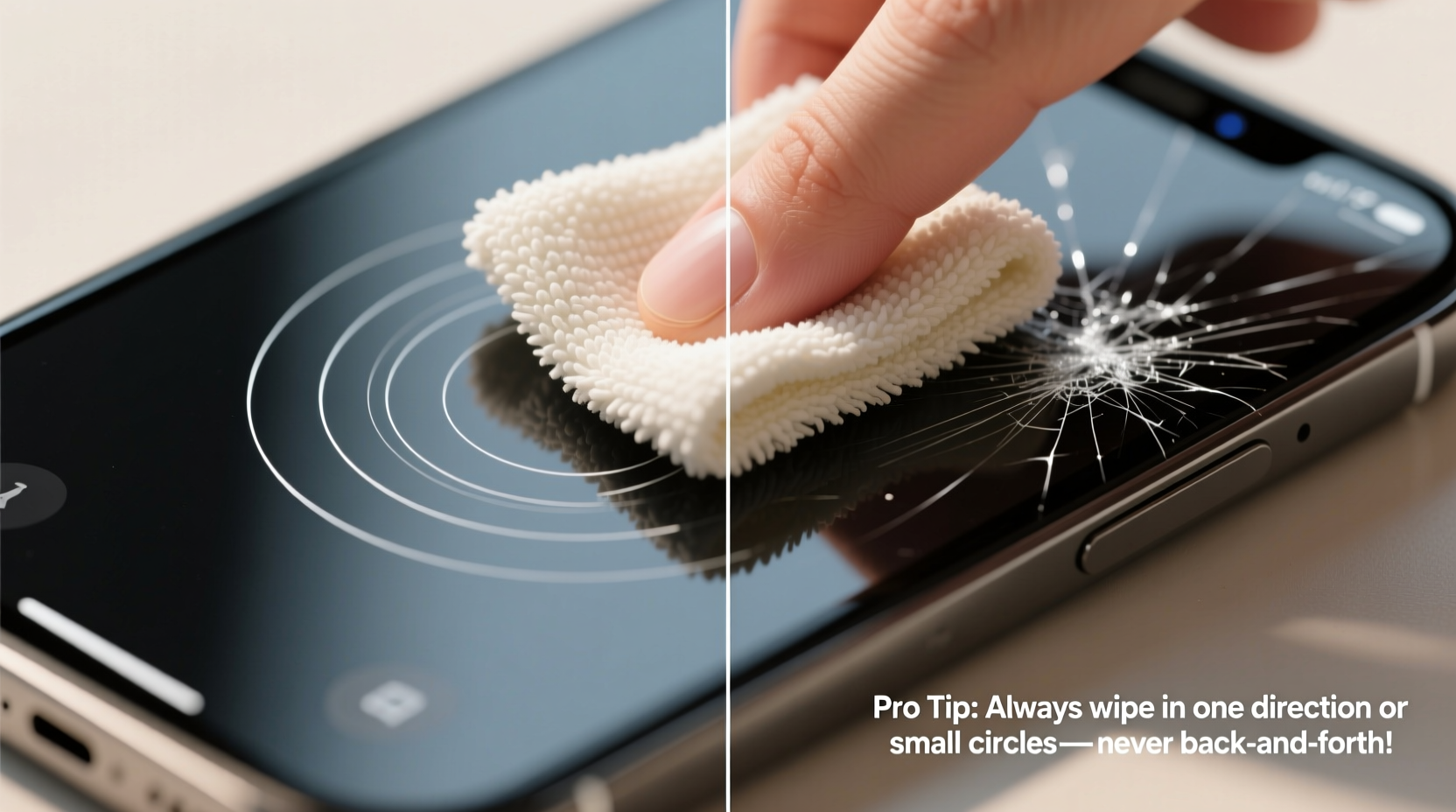
Swirl marks on phone screens aren’t true scratches in the traditional sense, but rather microscopic abrasions caused by trapped particulates. When you wipe your screen with a microfiber cloth that has dust, sand, or dried residue embedded in its fibers, those particles act like tiny grinding tools under pressure. Over time, repeated wiping in circular motions etches faint spiral patterns into the oleophobic coating—the thin layer that repels oil and fingerprints.
Once this coating wears down, the screen becomes more prone to smudging and harder to clean, creating a vicious cycle where users wipe more frequently, accelerating further degradation. According to Dr. Lena Torres, a materials scientist specializing in consumer electronics coatings:
“Even soft fabrics can abrade anti-fingerprint layers if they carry abrasive contaminants. The key isn’t just the cloth—it’s cleanliness, technique, and consistency.” — Dr. Lena Torres, Materials Scientist, Consumer Electronics Lab
The human eye may not detect these micro-scratches immediately, but under direct light or at certain angles, they become visible as hazy swirls. Unlike glass cracks, these marks don’t affect functionality—but they compromise visual clarity and aesthetic quality, especially on dark backgrounds.
Choosing the Right Microfiber Cloth
Not every cloth labeled “microfiber” is suitable for phone screens. Many inexpensive versions use coarser weaves or blended synthetic fibers that lack the density needed for safe polishing. A high-quality microfiber cloth should have a tight weave (measured in GSM—grams per square meter), ideally between 200 and 350 GSM, and be made from 100% split microfiber polyester or polyamide.
Here’s what to look for when selecting a cloth:
- Fine weave: Run your finger across the surface. It should feel smooth, not rough or fuzzy.
- No lint or shedding: Poor cloths leave behind fibers or streaks, indicating loose threads.
- Size: At least 6x6 inches to allow full coverage without excessive folding.
- Dedicated use: Use one cloth only for your phone—not shared with glasses, laptops, or car interiors.
Step-by-Step Guide: Cleaning Your Phone Safely
Proper technique matters as much as the tool itself. Follow this timeline-based process to eliminate smudges without introducing swirl marks:
- Power off your phone (optional but recommended): Turning off the screen makes smudges easier to see and prevents accidental inputs during cleaning.
- Remove loose debris first: Shake the phone gently or use a soft-bristle brush (like a clean makeup brush) to dislodge dust from ports and edges.
- Inspect the cloth: Hold it up to the light. If you see embedded specks, wash it before use.
- Fold the cloth into quarters: This creates multiple clean surfaces and increases control. Never use a crumpled ball of fabric.
- Wipe in straight lines, not circles: Starting from the top, drag the cloth vertically down the screen using light pressure. Repeat with horizontal passes if needed. Circular motions concentrate friction in one area, increasing swirl risk.
- Flip to a clean quadrant: After two to three passes, unfold and refold the cloth to expose a fresh side.
- Avoid pressing hard: Let the cloth do the work. Excessive force pushes trapped particles deeper into the surface.
- Clean frame and back (if glass/metal): Use remaining clean areas for the body, but never reuse the same section on the screen.
- Store properly: Place the cloth in a sealed pouch or ziplock bag to prevent contamination.
This entire process should take less than 60 seconds and requires no liquids for routine cleaning—just dry, controlled wiping.
Do’s and Don’ts: Microfiber Cloth Usage Table
| Do’s | Don’ts |
|---|---|
| Use a fresh, clean microfiber cloth every time | Use the same cloth for weeks without washing |
| Fold the cloth into quarters for multiple clean sides | Wipe with a crumpled or loosely held cloth |
| Wipe in straight, overlapping lines (vertical/horizontal) | Use circular or random scrubbing motions |
| Apply minimal pressure—let the fabric lift oils naturally | Press down aggressively to remove \"stubborn\" smudges |
| Store the cloth in a protective case or pouch | Leave it loose in pockets, bags, or car consoles |
| Wash the cloth regularly with mild detergent | Use fabric softener or bleach when laundering |
Maintaining Your Microfiber Cloth
A microfiber cloth is only as effective as its cleanliness. Even invisible particles can cause damage over time. To keep your cloth performing optimally:
- Wash after every 3–5 uses: Hand-washing with lukewarm water and a small amount of dish soap removes oils and debris. Rinse thoroughly.
- Avoid fabric softeners: These coat fibers with chemicals that reduce absorbency and leave residues.
- Air dry only: Heat from dryers can melt microfibers or shrink the weave. Lay flat on a clean towel away from direct sunlight.
- Replace every 3–6 months: Even well-maintained cloths degrade. Signs include fraying, stiffness, or persistent lint.
Real Example: How Daily Habits Caused Visible Swirls
Mark, a digital marketing professional, noticed faint circular patterns appearing on his iPhone 14 Pro screen after four months of ownership. He assumed it was a manufacturing defect until he visited an Apple Store for diagnostics. The technician explained that the issue wasn’t hardware failure but surface wear from improper cleaning.
Mark had been using a microfiber cloth he’d received with a pair of sunglasses—often stored in his backpack alongside keys and pens. He wiped his phone several times a day, usually in quick circular motions while walking between meetings. The combination of a contaminated cloth and aggressive technique had gradually worn down the oleophobic layer.
After switching to a dedicated, high-quality cloth and adopting linear wiping, Mark stopped the progression of new marks. Within weeks, the screen looked significantly clearer, especially under bright lighting. His experience underscores how seemingly harmless habits can accumulate into visible damage.
When to Use Damp Wiping (and How to Do It Safely)
Dry wiping handles everyday smudges, but occasionally, residue from adhesives, sweat, or environmental grime requires moisture. Apple and Samsung both permit limited damp cleaning—provided precautions are taken.
If you need to moisten the cloth:
- Never spray liquid directly onto the phone.
- Dampen a corner of the microfiber cloth with distilled water or a 70% isopropyl alcohol solution.
- Wring it out completely—only slight dampness is needed.
- Wipe gently in straight lines, then immediately follow with a dry section of the cloth.
- Avoid ports, buttons, and speaker grilles to prevent moisture ingress.
Note: Frequent wet cleaning can accelerate coating wear. Reserve it for deep cleans every few weeks, not daily use.
Checklist: Safe Microfiber Cleaning Routine
Follow this checklist each time you clean your phone:
- ✅ Power off the device (recommended)
- ✅ Remove visible dust with a soft brush or air puff
- ✅ Confirm the microfiber cloth is clean and dry
- ✅ Fold the cloth into quarters for multiple clean surfaces
- ✅ Wipe screen vertically using light, straight strokes
- ✅ Flip to a clean section halfway through
- ✅ Clean phone body if desired (use separate area of cloth)
- ✅ Store cloth in a sealed pouch or case
- ✅ Wash cloth after 5 uses or if visibly soiled
Frequently Asked Questions
Can I use eyeglass cleaner on my phone with a microfiber cloth?
No. Most eyeglass cleaners contain ammonia, alcohol, or surfactants that can strip the oleophobic and anti-reflective coatings on phone screens. Stick to dry wiping or use a small amount of distilled water or 70% isopropyl alcohol applied to the cloth—not the screen.
Why do I still see swirls even when using a microfiber cloth?
Swirls usually indicate that the cloth is dirty or the technique involves circular motions. Even microscopic dust trapped in the fibers can scratch the surface. Always inspect your cloth before use, wash it regularly, and wipe in straight lines with minimal pressure.
Is it safe to use any microfiber cloth from a retail store?
Not all are created equal. Many generic cloths sold in bulk are made from lower-grade materials with looser weaves. Invest in a high-density, lint-free microfiber cloth designed for electronics or optics. Look for packaging that specifies “safe for AR/oleophobic coatings.”
Conclusion: Protect Your Screen with Mindful Habits
Your smartphone’s screen is both a window to your digital world and one of its most vulnerable components. Swirl marks may seem minor, but they reflect cumulative wear from overlooked details—cloth quality, cleaning motion, and maintenance discipline. By choosing the right microfiber cloth, adopting proper wiping techniques, and maintaining your tools, you preserve not only visual clarity but also the longevity of factory-applied protective layers.
Start today: designate a clean, high-quality cloth exclusively for your phone, store it safely, and commit to linear, gentle wiping. Small changes in routine lead to lasting results. A pristine screen isn’t about perfection—it’s about consistency, care, and attention to detail.




 浙公网安备
33010002000092号
浙公网安备
33010002000092号 浙B2-20120091-4
Comments
No comments yet. Why don't you start the discussion?