
Controlling Christmas lights has evolved far beyond the simple wall switch. With today’s smart home technology, you can manage multiple sets of holiday lights—indoors and outdoors—using nothing more than your smartphone. Whether you want to schedule twinkling sequences, sync lights to music, or turn off forgotten strands from bed, smartphone integration offers convenience, energy savings, and creative possibilities. This guide walks you through setting up, managing, and optimizing a multi-light system using only your phone.
Understanding Smart Lighting Technology
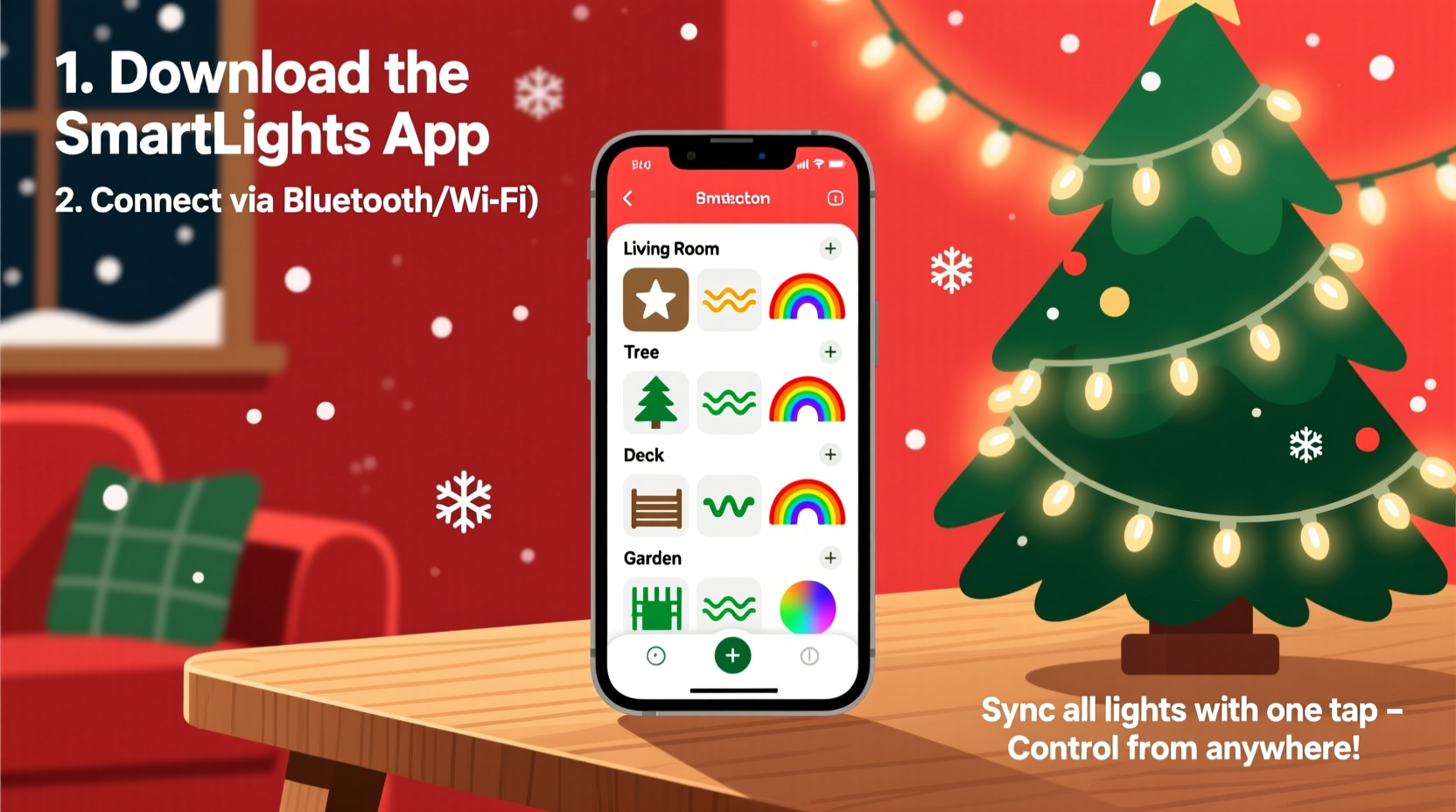
Smart lighting systems rely on Wi-Fi, Bluetooth, or Zigbee connectivity to link physical light fixtures or power sources to mobile applications. Most Christmas light setups don’t require replacing traditional bulbs; instead, they use smart plugs or controllers that plug into standard outlets. These devices receive commands from your smartphone via an app, enabling remote on/off control, scheduling, dimming, and even color changes for RGB strips.
For controlling multiple sets independently, each strand should be connected to its own smart plug or controller. This allows granular control—turning porch lights on while keeping tree lights off, for example. Some advanced systems support group management, letting you create “scenes” like “Evening Glow” or “Full Display” that activate several lights at once with a single tap.
“Smart lighting transforms holiday decorating from seasonal setup to programmable art. The ability to remotely adjust ambiance adds both safety and creativity.” — Daniel Park, Home Automation Engineer at Nestwell Systems
Step-by-Step Setup: Connecting Lights to Your Phone
Follow this sequence to establish full smartphone control over multiple Christmas light sets:
- Gather Equipment: Acquire UL-listed smart plugs (one per light set), a stable 2.4 GHz Wi-Fi network, and a compatible smartphone (iOS or Android).
- Plug In Lights: Connect each set of Christmas lights to a separate smart plug. Ensure all are within range of your Wi-Fi router.
- Download App: Install the manufacturer’s app (e.g., Kasa Smart, TP-Link, Philips Hue, or Google Home).
- Add Devices: Open the app, follow pairing instructions—usually involving pressing a button on the smart plug until it blinks, then connecting via Wi-Fi.
- Name Each Device: Assign descriptive names such as “Front Porch Lights,” “Tree Topper,” or “Window Frame.” This prevents confusion when managing several units.
- Test Control: Use the app to turn each light set on and off individually to confirm connectivity.
- Create Groups: In the app, assign related lights to groups (e.g., “Outdoor Display” or “Living Room Decor”).
Advanced Features Enabled by Smartphone Control
Once connected, your smartphone unlocks features far beyond basic toggling:
- Scheduling: Set automatic on/off times. Have lights turn on at dusk and off at midnight without manual input.
- Geofencing: Enable location-based triggers so lights activate when you arrive home or shut off when you leave.
- Voice Integration: Link your system to Alexa, Google Assistant, or Siri for hands-free voice commands.
- Music Sync: Some RGB LED strips support beat detection—lights pulse or change color in time with holiday music streamed from your phone.
- Remote Access: Control lights while away from home. Forgot to turn them off? Do it from your vacation destination.
For synchronized holiday displays, consider platforms like WLED or DIY solutions using ESP8266 microcontrollers if you're technically inclined. These allow pixel-level control of addressable LEDs and can be managed through web interfaces accessible via smartphones.
Real Example: A Coordinated Neighborhood Display
In Maple Ridge, a group of five neighbors collaborated to build a synchronized light show across their homes. Each resident installed three to five smart plugs linked to individual light sets. They used the same brand of smart devices and synced schedules through shared calendars in the Kasa app. One homeowner acted as the coordinator, programming all units to turn on simultaneously at 5:30 PM daily and to run a festive sequence every hour until 10 PM. On weekends, they activated a music-sync mode where all lights pulsed together during carol playback. Residents controlled their sections remotely, ensuring reliability even when someone was out of town.
The result was a cohesive, community-loved display that drew visitors—and proved that decentralized control could deliver unified results.
Choosing the Right Equipment: Do’s and Don’ts
| Action | Do | Don’t |
|---|---|---|
| Power Capacity | Use smart plugs rated for outdoor use and sufficient wattage (min. 1,800W) | Overload a single plug with too many light strings |
| Network Compatibility | Ensure smart devices support 2.4 GHz Wi-Fi (most don’t work on 5 GHz) | Assume all smart products work with any router or mesh system |
| Weather Resistance | Use weatherproof enclosures for outdoor smart plugs | Expose indoor-rated electronics to rain or snow |
| App Ecosystem | Pick brands with reliable apps and firmware updates | Buy no-name devices with poor app reviews or discontinued support |
| Scalability | Start small but choose expandable systems (supports 20+ devices) | Lock yourself into proprietary hubs that limit device count |
Troubleshooting Common Issues
Even well-planned setups encounter hiccups. Here’s how to resolve frequent problems:
- Device Offline: Check Wi-Fi signal strength. Move the router closer or add a Wi-Fi extender. Reboot the smart plug by unplugging it for 10 seconds.
- Delayed Response: Network congestion slows commands. Reduce the number of active smart devices or upgrade your router’s QoS settings.
- App Crashes: Update the app and your phone’s OS. Clear the app cache or reinstall if necessary.
- Lights Not Turning On: Verify the physical outlet has power. Test with a lamp. Confirm the light string itself works before blaming the smart plug.
- Group Commands Fail: Ensure all devices are online and assigned correctly. Some apps require manual refresh after reboots.
If synchronization is critical (e.g., music shows), minimize latency by using local control rather than cloud-dependent commands. Platforms like Home Assistant allow local-only operation, reducing lag and improving responsiveness.
Energy Efficiency and Safety Benefits
Using your smartphone to manage Christmas lights isn’t just about convenience—it enhances safety and reduces energy waste. Traditional setups often remain on all night due to forgetfulness or difficulty accessing switches. With automated scheduling, lights operate only during intended hours, cutting electricity usage by up to 60% compared to all-night runs.
Smartphone alerts can also warn of issues. Some advanced plugs monitor power draw and send notifications if a circuit draws abnormal current—potentially signaling a short or overheating wire. Remote shutoff capability means you can stop a malfunctioning strand instantly, even if you’re miles away.
“Homeowners who automate holiday lighting report fewer electrical incidents and lower winter bills. Real-time monitoring turns passive decor into an active safety layer.” — National Fire Protection Association (NFPA) Winter Safety Report, 2023
Checklist: Launching Your Smart Light System
Preparation Checklist:
- ☐ Inventory all Christmas light sets and note wattage
- ☐ Purchase outdoor-rated smart plugs (one per light set)
- ☐ Confirm 2.4 GHz Wi-Fi coverage near installation points
- ☐ Download and test the companion app on your phone
- ☐ Plan naming scheme and groupings (e.g., “Roofline,” “Garden”)
- ☐ Test each light string and smart plug indoors first
- ☐ Install weatherproof covers for outdoor plugs
- ☐ Program initial schedule (e.g., 5 PM – 11 PM)
- ☐ Share access with family members if desired
- ☐ Perform a full-system test before public display
Frequently Asked Questions
Can I control non-smart Christmas lights with my phone?
Yes—by plugging them into a smart plug. No modification to the lights themselves is needed. As long as the strand uses a standard plug and stays within the smart device’s power rating, it can be controlled remotely.
What if I have weak Wi-Fi outside?
Extend coverage with a Wi-Fi extender, mesh node, or outdoor access point. Alternatively, use Bluetooth-enabled smart plugs if they’re within 30 feet of your phone, though this limits remote access when you’re away.
Are there security risks with smart plugs?
Poorly secured devices can be vulnerable. Minimize risk by using strong passwords, enabling two-factor authentication in the app, keeping firmware updated, and avoiding third-party apps with unclear privacy policies.
Conclusion: Transform Tradition with Technology
Managing multiple Christmas light sets no longer requires ladder climbs or memory lapses. By integrating your smartphone into your holiday lighting strategy, you gain precision, efficiency, and peace of mind. From timed routines to dynamic music shows, the tools exist to make your display smarter, safer, and more impressive than ever.
The initial setup takes less than an afternoon, but the benefits last throughout the season—and into future years. Once configured, these systems are reusable, scalable, and adaptable to new designs. Whether you're illuminating a single tree or coordinating a block-wide spectacle, your smartphone is now the ultimate holiday switchboard.




 浙公网安备
33010002000092号
浙公网安备
33010002000092号 浙B2-20120091-4
Comments
No comments yet. Why don't you start the discussion?