
Carrying fewer items has become a modern lifestyle goal. The iPhone 13, with its slim profile and powerful functionality, sits at the center of that minimalism. But when it comes to storing your cards, the choice between a wallet case and a separate card holder isn’t just about style—it’s about trade-offs in protection, accessibility, and long-term practicality.
Many users are drawn to the promise of consolidation: phone, cards, and sometimes cash—all in one sleek unit. Yet others swear by keeping their devices and wallets apart. So, is the convenience of an all-in-one wallet case truly worth it? Or does separating your essentials offer more benefits than we realize?
The Allure of the Wallet Case
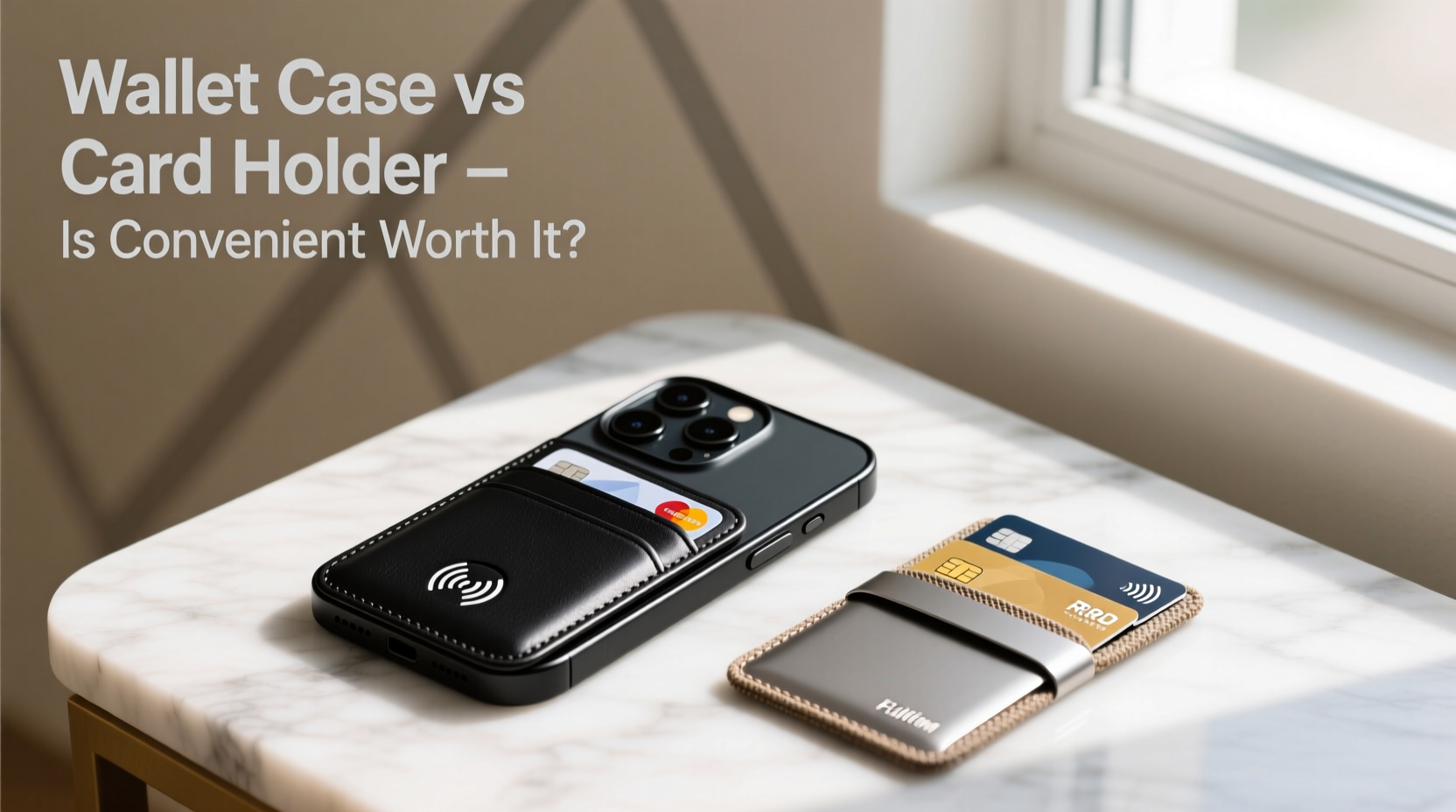
Wallet cases for the iPhone 13 typically feature built-in card slots—usually two to four—on the back, allowing users to carry IDs, credit cards, or transit passes without reaching for a traditional wallet. Some even include kickstands or magnetic compatibility for MagSafe accessories.
The appeal is clear: fewer items in your pocket, faster access to payment methods, and less chance of forgetting your cards. For urban commuters, ride-share users, or those who prefer going light, this setup can feel like liberation from bulk.
Manufacturers like Apple, Spigen, and OtterBox have refined these designs over time, offering slim profiles and materials ranging from synthetic leather to rugged polycarbonate. Many also integrate RFID blocking to prevent digital skimming, adding a layer of perceived security.
Drawbacks of Integrated Wallet Cases
Beneath the convenience lies a series of compromises. First, adding cards directly to the phone increases its weight and thickness. This makes the device harder to handle one-handed and more likely to slip from pockets or hands.
Second, every time you remove a card, you expose the phone to potential drops. There’s no secondary support—your phone becomes part of the transaction process. A 2022 study by SquareTrade found that phones used with wallet cases experienced 18% more screen damage due to fumbling during payments.
Additionally, constant insertion and removal of cards wears down the case’s slot material. Leather stretches; synthetic sleeves fray. Over time, cards may fall out unexpectedly, especially if stored vertically. Heat from prolonged contact with the phone can also degrade certain card materials, particularly older magnetic strips.
“Integrating too many functions into one device often sacrifices longevity. A phone should protect data—not become a point of failure for financial tools.” — Dr. Lena Torres, Consumer Electronics Analyst at TechInsight Group
Advantages of a Separate Card Holder
Using a standalone card holder restores modularity. You can choose when and where to carry your cards, leaving them behind when unnecessary. This reduces strain on both your phone and your back pocket—literally.
Quality card holders are now thinner than ever. Brands like Secrid, Ridge, and Bellroy use aluminum, titanium, or composite materials to create durable, minimalist wallets that fit two to six cards snugly. These don’t stretch, bend, or degrade with heat exposure.
More importantly, they allow for better organization. You can group cards by function (e.g., work ID, personal debit, transit) and rotate them based on your day’s needs. Need only your gym pass? Leave the credit cards at home. Traveling? Add foreign currency notes without bulking up your phone.
From a security standpoint, separation means less exposure. If your phone is lost or stolen, your financial instruments remain safe. Conversely, if your wallet goes missing, your phone—and its digital payment options via Apple Pay—still function as a backup.
Comparative Breakdown: Wallet Case vs. Separate Holder
| Feature | Wallet Case | Separate Card Holder |
|---|---|---|
| Convenience | High – everything in one place | Moderate – requires coordination |
| Durability | Low-Medium – slots wear over time | High – metal/composite resists wear |
| Drop Risk | Higher – frequent handling increases accidents | Lower – phone handled independently |
| Security | Moderate – vulnerable if phone is lost | High – physical and digital separation |
| Comfort | Low – bulky, uneven weight distribution | High – balanced, slimmer profile |
| Lifespan | 6–12 months (with regular use) | 2+ years (with proper care) |
Real-World Scenario: Commuter's Dilemma
Consider Mark, a software developer in Seattle who commutes daily via bus and light rail. He initially loved his iPhone 13 Pro with a leather wallet case holding his ORCA transit card and Visa. It was fast: tap-and-go without digging through pockets.
But after five months, the card slot loosened. His transit card fell out at a coffee shop. Later, while removing a card mid-ride, he dropped his phone onto concrete, cracking the rear glass. Repair cost: $129. He also noticed his credit card’s chip began failing—likely from repeated friction and heat exposure against the phone’s back panel.
After switching to a titanium card holder and relying solely on Apple Pay for transit, Mark reported feeling lighter, safer, and more confident. “I thought I was simplifying,” he said. “But I was actually increasing my risks.”
Smart Usage Tips: Maximizing Either Option
If you’re committed to a wallet case, follow best practices to extend its life and reduce risk:
- Limit cards to one or two high-use ones (e.g., transit + debit).
- Choose cases with reinforced corners and drop protection.
- Opt for horizontal slot orientation—they’re less prone to slippage.
- Clean the interior of card slots monthly with a dry microfiber cloth.
- Replace the case every 9–12 months, even if it looks intact.
For those using a separate card holder:
- Pick one that fits comfortably in front or hip pockets without distorting jeans.
- Use Apple Pay as your default, reserving physical cards for offline scenarios.
- Label cards subtly (e.g., colored edges) for quick identification.
- Store backup cards at home to minimize loss impact.
Frequently Asked Questions
Can wallet cases interfere with iPhone 13’s wireless charging?
Yes, especially if they contain metal plates or thick stacks of cards. Remove cards before placing the phone on a Qi charger. Most MagSafe-compatible wallet cases are designed to align properly but still recommend card removal for optimal efficiency.
Do wallet cases damage credit cards over time?
Potentially. Repeated friction, bending, and heat from the phone’s battery can degrade magnetic strips and weaken chip contacts. Cards stored vertically in loose slots are especially vulnerable to creasing.
Is Apple Pay reliable enough to replace carrying cards entirely?
In most urban and suburban environments, yes. Over 85% of U.S. retailers accept contactless payments, and Apple Pay offers stronger fraud protection than physical swipes. However, rural areas, small vendors, or emergency situations may still require physical backups.
Final Recommendation: Balance Convenience with Long-Term Value
The iPhone 13 wallet case offers undeniable short-term convenience. It streamlines daily routines and appeals to our desire for simplicity. But convenience shouldn’t come at the cost of device safety, card integrity, or long-term expense.
A separate card holder, paired with digital wallets, delivers greater resilience, flexibility, and peace of mind. It acknowledges that not all tools need to be merged into one—sometimes, specialization leads to better outcomes.
If you value durability, security, and ergonomic comfort, the slight extra step of reaching for a second item is a small price to pay. After all, true minimalism isn’t about carrying less—it’s about carrying smarter.




 浙公网安备
33010002000092号
浙公网安备
33010002000092号 浙B2-20120091-4
Comments
No comments yet. Why don't you start the discussion?