
For college students balancing academic demands with tight finances, choosing the right laptop is critical. The Microsoft Surface Go 4 enters the market as a compact, Windows-based device promising portability and productivity at an accessible price. But does it truly deliver enough value to justify its place in a student’s backpack—especially when cheaper Chromebooks and more powerful laptops compete for attention? The answer depends on how you study, what software you use, and how much you're willing to compromise for affordability.
The Surface Go 4 starts at $549 for the base model (Intel Core i3, 4GB RAM, 64GB eMMC storage), making it one of the most affordable Windows tablets with full desktop capabilities. Unlike many budget devices, it runs full Windows 11 Pro, supports Microsoft Office natively, and integrates seamlessly with cloud services like OneDrive and Teams. However, its compact size and modest specs raise valid concerns about multitasking, typing comfort, and long-term usability across semesters. Let’s examine whether this device strikes the right balance between cost and capability for real-world student life.
Performance: Enough Power for College Workloads?
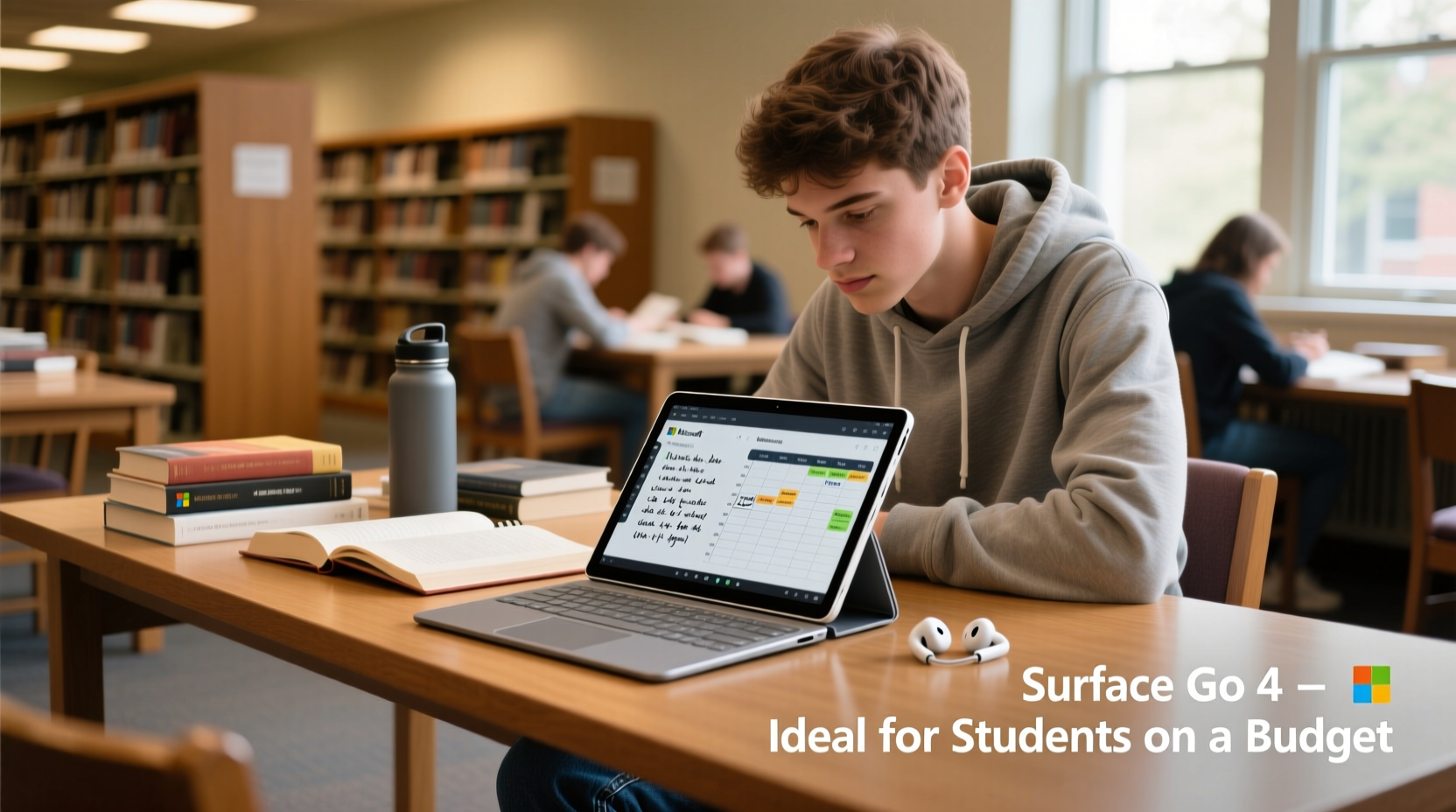
The Surface Go 4 is powered by 12th Gen Intel Core processors, available in two configurations: Core i3 or Core i5. The base model features a dual-core i3 processor, 4GB of RAM, and 64GB of eMMC storage. While this setup handles basic tasks like web browsing, document editing, and video streaming, it struggles under heavier loads such as running multiple browser tabs alongside Zoom meetings and PowerPoint presentations.
Students using specialized software—such as MATLAB, Adobe Creative Suite, or coding environments like Visual Studio—will quickly hit performance limits. Even moderate multitasking can cause noticeable lag. Upgrading to the Core i5 model with 8GB RAM and 128GB SSD improves responsiveness significantly, but pushes the total cost over $800 once you add essential accessories like the Type Cover and pen.
Real-world usage shows that the Go 4 performs best when treated as a companion device rather than a primary computer. It excels during lectures for note-taking and light research but falters when used for extended writing sessions or data-heavy projects. Battery life—rated at up to 10.5 hours—is generally reliable, though actual endurance drops to around 6–7 hours with Wi-Fi, screen brightness, and app usage typical of a campus day.
Portability vs. Usability: The Trade-Offs of a Mini Device
One of the Surface Go 4’s strongest selling points is its ultra-portable design. Weighing just 1.33 pounds and measuring 9.5 x 6.7 inches, it slips easily into backpacks and fits comfortably on cramped lecture hall desks. The 10.5-inch PixelSense touchscreen offers sharp visuals at 1920x1280 resolution, ideal for reading PDFs, watching recorded lectures, or sketching diagrams with the optional Surface Pen.
However, portability comes at a cost. The small form factor means a reduced keyboard deck and trackpad when using the detachable Type Cover (sold separately for $99–$129). Typing long essays or coding assignments becomes fatiguing over time due to shallow key travel and limited palm rest space. Additionally, the single USB-C port limits peripheral connectivity unless you carry a hub.
“Students often underestimate how much physical comfort affects productivity. A device that’s easy to carry but hard to type on defeats the purpose.” — Dr. Lisa Tran, Educational Technology Researcher, University of Michigan
The tablet-first design favors touch and pen input, which benefits art, architecture, or pre-med students who annotate textbooks or draw anatomical sketches. For others, especially those writing frequent papers or managing complex spreadsheets, the experience feels constrained compared to larger 13–14 inch ultrabooks.
Cost Analysis: What You Actually Pay to Use It Fully
While the Surface Go 4 starts at $549, that price reflects only the bare tablet. To function as a functional laptop replacement, you must purchase additional accessories:
| Item | Price Range | Necessity Level |
|---|---|---|
| Surface Type Cover (keyboard) | $99–$129 | Essential |
| Surface Pen (stylus) | $99–$129 | Optional (highly useful for STEM/art) |
| USB-C Hub (for HDMI, USB-A, Ethernet) | $30–$60 | Recommended |
| Extended Warranty (Accidental Damage Protection) | $100+ | Suggested for campus durability |
When fully equipped, the total investment reaches $800–$1,000—placing it in the same range as far more capable laptops like the Dell Inspiron 14, Lenovo IdeaPad 5, or even MacBook Air M1. At that point, the value proposition weakens unless portability is your top priority.
Real Student Scenario: A Week with the Surface Go 4
Meet Jordan, a sophomore majoring in Communications at a large public university. Jordan chose the Surface Go 4 (Core i3, 4GB RAM) after seeing it advertised as “college-ready” and lightweight. Here’s how it performed over a typical week:
- Monday: Attended three lectures, taking typed notes via the Type Cover. Found the keyboard cramped but usable. Battery lasted through morning classes.
- Tuesday: Edited a 10-page paper in Word while referencing online sources. Experienced slight lag when switching between apps but completed the task.
- Wednesday: Joined a Zoom group meeting with shared screens and camera. Audio and video worked smoothly, though fan noise became noticeable.
- Thursday: Attempted to render a 5-minute video project in Clipchamp. Process took over 45 minutes and caused the device to overheat.
- Friday: Used the Surface Pen to annotate readings. Loved the precision and ease of markup.
Jordan concluded that the device was “great for consuming content and light creation,” but inadequate for media production or advanced research. “If I hadn’t needed to edit video, I’d have been happy. As it stands, I’m considering upgrading to a better laptop next semester.”
Alternatives Worth Considering
The Surface Go 4 isn’t the only option for budget-conscious students. Several alternatives offer better performance or lower total cost:
- Lenovo IdeaPad Flex 5 (14\"): Priced around $600, it offers a full-sized keyboard, 8GB RAM, SSD storage, and a 360-degree hinge for tablet mode. More versatile for long-form work.
- HP Pavilion x360: Similar convertible design with stronger processors and longer battery life, starting at $550.
- Refurbished MacBook Air (M1): Apple-certified models start at $700 and deliver exceptional battery life, performance, and resale value.
- Acer Chromebook 514: At $400, it’s ideal for cloud-based workflows and lasts 10+ hours on a charge, though limited to Chrome OS.
If your curriculum revolves around Microsoft Office, email, web research, and occasional multimedia, the Go 4 holds its own. But if you anticipate growth in technical or creative demands, investing slightly more upfront yields better longevity.
FAQ: Common Questions About the Surface Go 4 for Students
Can the Surface Go 4 replace my laptop entirely?
It can for light users—those focused on note-taking, reading, and communication. However, students in engineering, design, programming, or film should view it as a secondary device due to performance and storage limitations.
Is the touchscreen and pen worth it?
Yes, especially for visual learners, pre-med students labeling diagrams, or anyone who prefers handwritten notes. The pen integration with OneNote is excellent and enhances active learning.
Does financial aid cover the Surface Go 4?
In some cases, yes. If listed as a required course material or approved technology expense, it may be purchasable using FAFSA funds or institutional grants. Check with your school’s bursar office.
Final Verdict: Who Should Buy the Surface Go 4?
The Microsoft Surface Go 4 is practical for college students on a budget—but only under specific conditions. It works best for:
- Freshmen seeking a lightweight first device
- Non-STEM majors with minimal software demands
- Students who prioritize mobility over raw power
- Learners who benefit from pen input and digital annotation
But it falls short for those needing sustained performance, large screens, or future-proof specs. The true cost, once accessories are added, erodes its budget appeal. For $300 more, you can get a laptop that won’t feel outdated by junior year.
“The Surface Go 4 is a niche product: elegant, portable, and well-built, but too underpowered for mainstream student needs.” — TechRadar, 2023 Laptop Review
Action Checklist Before Buying
- Confirm your department’s software requirements (e.g., SPSS, AutoCAD).
- Test the Type Cover in-store or order with return eligibility.
- Verify if your school offers tech discounts or loaner programs.
- Compare total cost (tablet + keyboard + pen) against alternative laptops.
- Consider buying a refurbished or previous-gen model to save $100–$150.
Conclusion
The Microsoft Surface Go 4 isn’t the cheapest student laptop, nor is it the most powerful. Its strength lies in a rare combination of portability, build quality, and Windows flexibility in a near-tablet form. For the right student—one who walks across campus daily, values digital note-taking, and avoids resource-heavy applications—it can be a smart, sustainable choice. But for most undergraduates, a slightly larger, more capable machine will reduce frustration and last longer through degree completion.
If you’re drawn to the Surface ecosystem and need something ultra-mobile, go ahead—but upgrade to the i5/8GB model and budget for the keyboard. Otherwise, explore alternatives that give you more room to grow. Technology should support your education, not limit it.




 浙公网安备
33010002000092号
浙公网安备
33010002000092号 浙B2-20120091-4
Comments
No comments yet. Why don't you start the discussion?