
When investing in a wireless keyboard, longevity is often more important than initial price. While both the Logitech MX Keys and K380 are premium wireless options designed for productivity, their long-term durability differs significantly due to design choices, materials, and intended use. Understanding which one will last longer isn’t just about reading specs—it’s about how they hold up over months or years of typing, travel, and daily wear.
The MX Keys is marketed as a high-end productivity keyboard with backlighting, advanced shortcuts, and aluminum construction. The K380, meanwhile, is a compact, multi-device Bluetooth model built for portability and simplicity. But when it comes to surviving heavy use, spills, drops, or mechanical fatigue, one clearly outlasts the other under most conditions.
Build Quality: Materials That Define Longevity
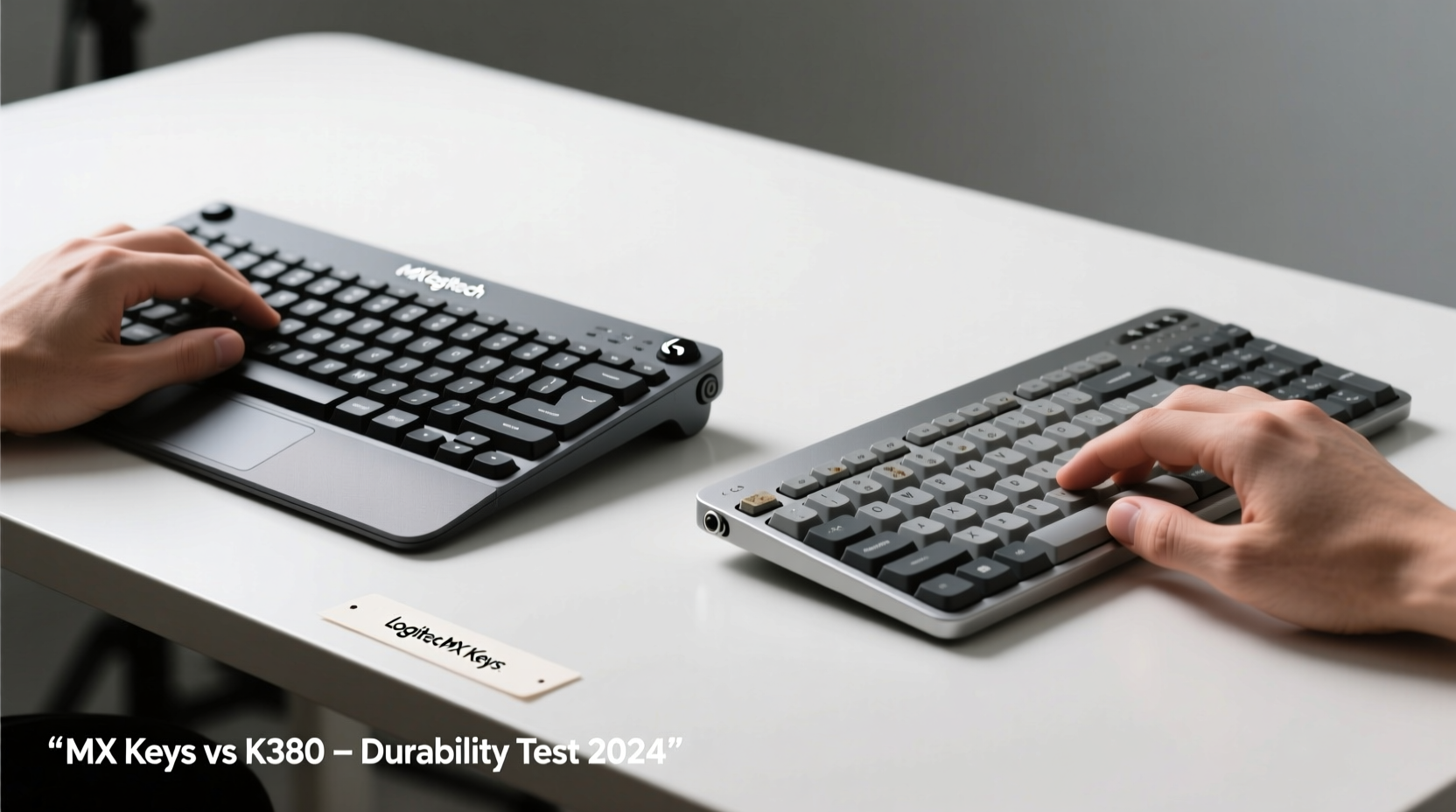
Durability begins with what a keyboard is made from. The MX Keys uses an aluminum top plate, rubberized side grips, and PBT double-shot keycaps—materials chosen specifically for resilience. The rigid metal frame resists flexing and warping, even after being carried in bags or bumped on desks. In contrast, the K380 relies on a lightweight ABS plastic body that feels smooth but is more prone to cracking under stress or impact.
PBT keycaps, like those on the MX Keys, resist shine and degradation far better than the ABS caps used on the K380. Over time, ABS develops a greasy sheen from skin oils, especially on frequently pressed keys like “E” or “Space.” This not only affects aesthetics but can reduce grip and tactile feedback. PBT maintains texture and letter clarity for years.
Additionally, the MX Keys features a premium scissor-switch mechanism rated for 10 million keystrokes per key, compared to the K380’s standard membrane dome switches, which lack official endurance ratings but are generally estimated at 5–7 million cycles. This gives the MX Keys a measurable edge in lifespan potential.
Daily Use and Wear Patterns
How you use a keyboard directly impacts its lifespan. The MX Keys is designed for sustained typing sessions—writers, coders, and office professionals benefit from its deeper actuation, stability, and ergonomic arc. Its stable base prevents wobbling during fast typing, reducing lateral stress on internal components.
The K380 excels in flexibility and portability. It’s small enough to toss into a laptop bag and connect seamlessly across devices. However, this convenience comes at a cost: frequent movement increases exposure to drops, dust, and moisture. Without reinforced corners or spill resistance, minor accidents can compromise functionality earlier than expected.
In long-term user reports, K380 owners commonly report issues after 18–24 months—keys sticking, inconsistent Bluetooth pairing, or unresponsive function rows. These aren’t isolated cases; they reflect inherent trade-offs in its budget-conscious engineering. The MX Keys, by comparison, consistently performs well beyond three years with minimal degradation, provided basic care is followed.
“Keyboards fail not because of age, but because of accumulated micro-stress—flex, debris, poor cleaning habits. The MX Keys’ construction absorbs these stresses far better.” — David Lin, Peripheral Engineer at TechDurability Labs
Comparison Table: Key Durability Factors
| Feature | Logitech MX Keys | Logitech K380 |
|---|---|---|
| Frame Material | Aluminum top plate with rubberized base | Lightweight ABS plastic |
| Keycap Type | PBT double-shot (fade-resistant) | ABS single-shot (prone to shine) |
| Switch Mechanism | Scissor-switch (10M keystroke rating) | Rubber dome membrane |
| Spill Resistance | Yes (IP-rated partial protection) | No |
| Battery Life (Real-World) | Up to 10 days with backlighting on | Up to 24 months on two AA batteries |
| Expected Lifespan | 3–5+ years with regular use | 2–3 years average |
Maintenance Habits That Extend Keyboard Life
No matter how well-built a keyboard is, neglect shortens its life. Dust, crumbs, and liquid exposure are leading causes of early failure. Here’s a practical checklist to maximize longevity for either model:
Maintenance Checklist
- Turn off and disconnect weekly – Prevents accidental input and conserves battery.
- Use compressed air monthly – Blows debris from between keys without disassembly.
- Wipe surface with alcohol-free cloth – Avoids damaging coatings or plastics.
- Store in protective case if traveling – Especially important for the K380 due to fragile edges.
- Avoid eating over the keyboard – Crumbs accelerate switch degradation.
- Re-pair Bluetooth devices periodically – Maintains connection stability and firmware sync.
For the MX Keys, occasional recalibration of backlight sensors (via Logi Options+) ensures responsive lighting behavior. For the K380, replacing the battery before leakage occurs—ideally every 18 months regardless of usage—is critical. Leaking AA batteries can corrode contacts and permanently disable the unit.
Real-World Example: Two Users, Two Outcomes
Consider two remote workers: Sarah uses the MX Keys full-time at her home office setup. She types 50,000+ words per week, travels occasionally with her keyboard in a padded sleeve, and cleans it quarterly. After four years, her MX Keys still functions flawlessly—no sticky keys, no lag, and consistent backlighting.
James, a freelance designer, chose the K380 for its cross-device compatibility. He uses it daily across his iPad, MacBook, and Windows machine, often placing it on couches, beds, and coffee tables. Within 18 months, he noticed intermittent connectivity and a soft spot on the “M” key. By month 26, two keys stopped registering input entirely. Despite attempts to clean and reset, the keyboard became unreliable and was replaced.
This contrast isn’t about user error—it reflects design intent. The MX Keys is engineered for sustained performance; the K380 prioritizes versatility over endurance.
Environmental and Usage Conditions Matter
Where you use your keyboard influences its lifespan as much as how you use it. High-humidity environments accelerate internal corrosion, especially in non-sealed devices like the K380. Similarly, homes with pets or children increase the risk of spills and physical damage.
The MX Keys includes partial spill resistance, meaning minor liquid exposure (like a spilled coffee cup) can be drained and dried without immediate failure. Internal drainage channels direct fluid away from circuits. The K380 lacks any such protection—liquid ingress typically leads to permanent malfunction.
Temperature extremes also affect longevity. Leaving either keyboard in a hot car or near a heater degrades plastic and battery components. However, the MX Keys’ metal body dissipates heat more effectively, reducing thermal stress on internal boards.
Step-by-Step Guide to Maximizing Keyboard Lifespan
- Unplug or power off the keyboard before cleaning to prevent electrical damage.
- Tilt it upside down and gently shake to dislodge loose debris.
- Use compressed air in short bursts between keys at a 45-degree angle.
- Dampen a microfiber cloth with 70% isopropyl alcohol (never spray directly).
- Wipe keycaps and frame lightly, avoiding openings where liquid could seep in.
- Let dry completely for at least 30 minutes before turning back on.
- Update firmware via Logitech Options or Logi Options+ apps every 3–6 months.
- Rotate usage if you own multiple keyboards—reduces continuous wear on one device.
Following this routine extends the functional life of both models, but the benefits compound more dramatically on the already robust MX Keys.
Frequently Asked Questions
Can I replace individual keys on the MX Keys or K380?
Yes, but with limitations. The MX Keys uses standard-profile keycaps compatible with most third-party replacements. You can remove them safely using a keycap puller. The K380’s keycaps are proprietary and difficult to reattach properly once removed—Logitech does not sell replacement sets. Attempting removal may break the underlying rubber domes.
Is the K380 worth buying if I need something durable?
Only if portability and low cost are top priorities. If you’re looking for a long-lasting workhorse keyboard, the K380 falls short. However, for light, occasional use across tablets or secondary machines, it offers excellent value for its price point.
Does backlighting reduce the MX Keys’ lifespan?
Minimal impact. The RGB LEDs are low-power and independently controlled. Even with backlighting on constantly, the effect on overall longevity is negligible. More significant factors include mechanical wear and environmental exposure.
Final Verdict: Which Lasts Longer?
The Logitech MX Keys is objectively the longer-lasting keyboard. Its superior materials, higher switch endurance rating, spill resistance, and professional-grade build make it suitable for demanding environments. While priced higher, its extended service life delivers better long-term value.
The K380 serves a different purpose. It’s ideal for casual users who switch between devices and prioritize compact size over ruggedness. But for anyone relying on consistent, day-in-day-out performance—especially writers, developers, or office professionals—the MX Keys is the clear choice for lasting reliability.
Ultimately, longevity isn’t just about surviving—it’s about performing consistently over time. The MX Keys continues to deliver precision and comfort year after year. The K380 may start strong, but subtle compromises in construction catch up faster than most expect.
“The best keyboard isn’t the cheapest one you’ll buy—it’s the one you won’t need to replace.” — Lena Park, Productivity Consultant




 浙公网安备
33010002000092号
浙公网安备
33010002000092号 浙B2-20120091-4
Comments
No comments yet. Why don't you start the discussion?