
As smartphones become central to navigation, communication, and entertainment on the road, a reliable car phone holder is no longer optional—it’s essential. Among the most versatile options available today is the 360-degree car phone holder. With its ability to rotate in any direction, it offers unmatched flexibility for drivers who need quick access to GPS, calls, or music controls. However, improper use can lead to distractions, obstructed views, or even device damage. The key lies not just in owning one, but in mastering it.
This guide delivers actionable insights on how to use your 360-degree car phone holder safely and efficiently. From installation best practices to real-world usage strategies, you’ll learn how to integrate this tool seamlessly into your daily commute without compromising safety or convenience.
Choosing the Right Mounting Location
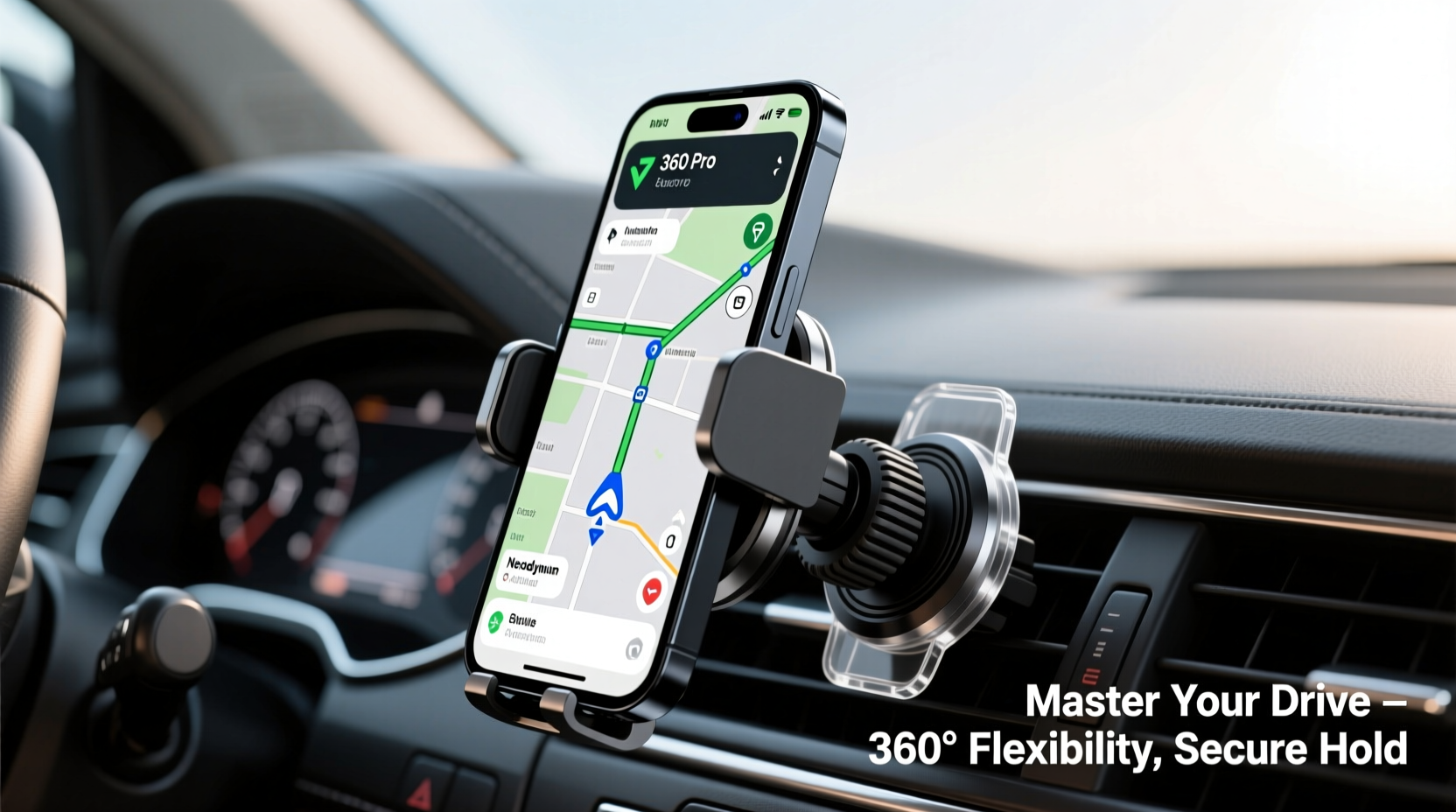
The first step toward effective use of a 360-degree holder is selecting the optimal placement in your vehicle. While these mounts offer full rotational freedom, where you install them determines how useful—and safe—they really are.
The ideal position keeps your phone visible with minimal eye movement from the road. Most experts recommend mounting near the upper center of the dashboard or directly on the windshield just below the rearview mirror. This allows for a natural line of sight while minimizing glare and obstruction.
Vent mounts are popular due to their easy installation, but they may limit adjustability and put strain on your phone if the vent blades weaken over time. Dashboard and CD slot mounts provide more stability but require adhesive pads or friction fittings that must be compatible with your car’s interior materials.
Installation Best Practices
Even the most advanced 360-degree holder fails when poorly installed. A shaky or misaligned mount defeats the purpose of having flexible rotation. Follow these steps to ensure secure setup:
- Clean the surface thoroughly: Use alcohol wipes to remove dust, oil, and residue before applying any adhesive-based mount.
- Align carefully before attaching: Hold the base in place and simulate phone positioning to confirm visibility and reach.
- Press firmly and wait: For suction cups or adhesives, apply strong pressure for at least 30 seconds and avoid using the mount for an hour to allow bonding.
- Test rotation gently: Once secured, slowly twist the ball joint or rotating arm to verify smooth motion without wobbling.
Regularly inspect the mount for signs of loosening, especially after temperature changes. Extreme heat or cold can degrade adhesive strength or cause plastic components to expand and contract.
Optimizing Usability with Smart Adjustments
The true advantage of a 360-degree holder lies in its adaptability. Whether switching between portrait mode for calls and landscape for navigation, or tilting the screen to reduce sun glare, proper adjustment enhances both function and safety.
Use the following settings based on activity:
| Use Case | Recommended Orientation | Tilt Angle |
|---|---|---|
| Navigation (GPS) | Landscape | Slightly upward (15°–20°) |
| Hands-Free Calls | Portrait | Neutral (0°) |
| Music Control | Landscape or Portrait | Downward (10°) to prevent glare |
| Passenger Interaction | Rotated toward passenger seat | Adjustable based on need |
Take time to pre-set common angles so transitions feel intuitive. Over-tightening the joints can make adjustments difficult; under-tightening risks slippage. Find the balance by testing resistance—there should be firmness without requiring excessive force.
“Drivers spend up to 20% less time looking away from the road when their devices are mounted within primary sightlines.” — Dr. Lena Torres, Human Factors Researcher at the Transportation Safety Institute
Real-World Example: Commuting Smarter in Urban Traffic
Consider Maria, a sales representative who logs over 600 miles weekly across city highways and suburban routes. She used to fumble with her phone on the passenger seat, missing turns and delaying client calls. After installing a 360-degree magnetic mount near her dashboard vent, she transformed her routine.
She now sets her phone in landscape mode for Waze during morning commutes, then rotates it upright with one hand when taking inbound calls. When her colleague rides along, she swivels the device slightly toward them to share directions. No longer distracted, she reports improved focus, fewer missed exits, and smoother conversations—even in heavy traffic.
Maria’s experience illustrates how thoughtful use of rotation and positioning turns a simple accessory into a productivity and safety tool.
Essential Do’s and Don’ts
To maximize performance and minimize risk, follow this concise checklist:
- Mount the device at eye level when seated
- Use one hand to adjust orientation while stopped
- Enable auto-rotate on your phone for seamless transitions
- Keep the phone securely locked before driving
- Check mount stability monthly
- Block your view of the road, mirrors, or instruments
- Adjust the phone while moving—wait for red lights or stops
- Overload the mount with bulky cases or accessories
- Use cracked or worn adhesive pads
- Leave the phone unattended in hot vehicles
Frequently Asked Questions
Can I use my 360-degree holder with any phone case?
Most holders accommodate standard cases, but extremely thick protective shells or pop sockets may interfere with grip or magnetic attachment. If using a rugged case, test compatibility before relying on it during travel. Some users opt for slimmer secondary cases specifically for driving.
Is it legal to mount a phone on the windshield?
Laws vary by region. In many U.S. states, mounting near the bottom third of the windshield is permitted as long as it doesn’t obstruct the driver’s view. However, some jurisdictions ban all windshield mounts. Always check local regulations—fines and points on your license aren’t worth the convenience.
How do I prevent my phone from overheating in the holder?
Prolonged exposure to direct sunlight, especially in summer, can cause phones to overheat. To avoid this, park in shaded areas when possible, use tinted windows, or remove the phone when parked. Avoid charging at full speed while exposed to heat, as this increases internal temperature.
Conclusion: Turn Convenience Into Confidence
A 360-degree car phone holder is more than a gadget—it’s a gateway to safer, smarter driving. When installed correctly and adjusted thoughtfully, it reduces distractions, improves accessibility, and supports better habits behind the wheel. The difference between frustration and fluidity often comes down to small details: angle, location, and awareness.
Now that you understand how to optimize every rotation and placement, take action. Re-evaluate your current setup, fine-tune the positioning, and practice smooth transitions between modes. Small improvements compound into significant gains in safety and efficiency over time.




 浙公网安备
33010002000092号
浙公网安备
33010002000092号 浙B2-20120091-4
Comments
No comments yet. Why don't you start the discussion?