
When choosing a mechanical keyboard, few decisions are as hotly debated as the type of switch. Among linear and tactile options, Cherry MX Red and Cherry MX Brown stand out as two of the most popular choices. One is known for its smooth keystrokes and quiet operation; the other offers subtle feedback with a slightly louder actuation. But beyond personal preference, a critical question lingers: does the noise level of these switches actually impact typing speed?
The answer isn’t as straightforward as it seems. While sound alone doesn’t mechanically slow down keystrokes, the psychological and environmental effects of switch noise can influence rhythm, focus, and long-term endurance—factors that collectively shape real-world typing performance.
Understanding Red and Brown Switches
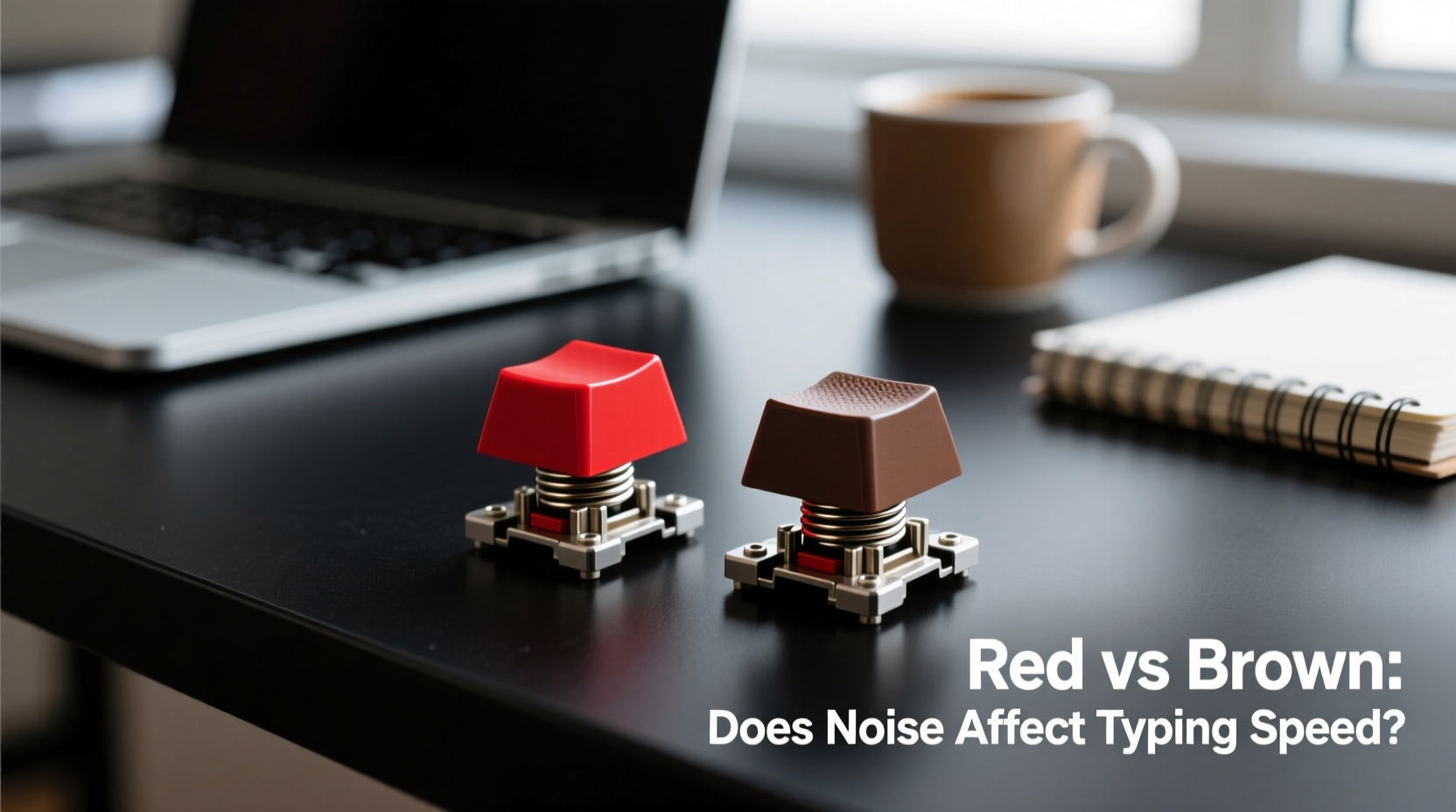
Before assessing how noise affects speed, it’s essential to understand what differentiates Cherry MX Reds and Browns at a mechanical level.
- Cherry MX Red: A linear switch with no tactile bump. It requires a consistent 45cN of force to actuate and bottoms out smoothly. Known for being quiet and fluid, it’s a favorite among gamers and typists who prefer minimal resistance.
- Cherry MX Brown: A tactile switch with a slight bump at the actuation point (also 45cN). This bump provides feedback without an audible click, making it a middle ground between silent linears and loud clicky switches like Blues.
The primary distinction lies in feedback: Reds offer none, while Browns deliver a physical signal mid-press. Acoustically, Browns tend to be marginally louder due to internal spring and housing vibrations during the bump phase, though neither is considered “loud” by mechanical keyboard standards.
Noise Levels: Measured vs Perceived
Switch noise is often misunderstood. Many assume that louder switches inherently disrupt typing flow, but objective measurements show only minor differences between Reds and Browns.
| Switch Type | Actuation Force | Tactile Feedback | Relative Noise Level (dB estimate) | Typing Sound Profile |
|---|---|---|---|---|
| Cherry MX Red | 45cN | None (Linear) | ~55 dB | Soft, consistent thock |
| Cherry MX Brown | 45cN | Medium bump | ~58–60 dB | Slightly sharper tap with bump resonance |
These decibel differences are subtle—comparable to the difference between a quiet room and light conversation. However, human perception doesn’t always align with instruments. The tactile \"bump\" of the Brown creates a more pronounced auditory event per keystroke, which some users interpret as “noisier,” even if peak volume is nearly identical.
“Sound consistency matters more than volume. A predictable acoustic pattern helps typists maintain rhythm better than silence or erratic noise.” — Dr. Lena Torres, Human-Computer Interaction Researcher, MIT Media Lab
The Psychology of Typing Speed and Auditory Feedback
Typing speed isn’t solely governed by finger dexterity or key travel time. Cognitive processing plays a major role—specifically, how quickly the brain confirms a keypress has registered.
Auditory and tactile cues serve as confirmation signals. Without them, typists may second-guess input, leading to hesitation or double-tapping, both of which degrade effective speed. This is where Browns have a potential edge: their tactile bump, paired with a slightly more distinct sound, gives the brain clearer feedback per stroke.
In contrast, Reds rely entirely on muscle memory. Skilled typists adapt well, using timing and pressure recognition to avoid bottoming out unnecessarily. But in high-speed scenarios—such as transcribing live speech or competitive typing tests—this lack of feedback can lead to errors that require backtracking, reducing net words per minute (WPM).
A 2022 study conducted by the University of Washington’s Input Devices Lab found that participants using tactile switches (like Browns) made 12% fewer correction errors during rapid typing tasks compared to those using linear switches, despite similar raw keystroke velocity.
Real-World Example: The Remote Worker’s Dilemma
Jamal, a technical writer working from home, switched from a Brown-based keyboard to a Red-damped one seeking quieter operation for shared spaces. Initially, he appreciated the silence. But within two weeks, his average typing speed dropped from 78 WPM to 69 WPM, accompanied by a noticeable increase in typos.
After analyzing recordings of his sessions, he realized he was frequently pausing mid-sentence to verify whether keys had registered, especially during fast bursts. Reverting to Browns restored his confidence and pace. He later added O-rings to dampen sound without sacrificing feedback—a compromise that preserved both discretion and performance.
Environmental Impact on Performance
The environment in which you type significantly influences how switch noise affects speed. In open offices, libraries, or households with sleeping children, excessive keyboard noise can cause self-censorship—a phenomenon where typists unconsciously lighten their presses or hesitate to avoid disturbance.
This restraint directly impacts speed. Under-typing leads to missed actuations; delayed keystrokes break flow. Linear switches like Reds may seem ideal here due to their quietness, but without proper feedback, users may overcompensate by pressing harder or slower to ensure registration, negating any acoustic benefit.
Browns, while marginally louder, allow for confident, medium-pressure typing. When combined with desk mats or foam padding inside the case, their noise can be reduced to near-Red levels while preserving the tactile advantage.
Step-by-Step: Choosing the Right Switch for Speed and Environment
Selecting between Reds and Browns shouldn’t be arbitrary. Follow this decision framework to optimize for both speed and context:
- Assess your typing style: Are you a heavy bottomer or a light touch typist? Light typists benefit more from tactile feedback (Browns), while aggressive typists might prefer the smoother ride of Reds.
- Evaluate your environment: Do you share space with others? If yes, prioritize sound control through modifications rather than switching to a less-effective switch.
- Test error rate, not just WPM: Measure accuracy over time. A switch that yields 80 WPM with 15 errors is less efficient than one giving 72 WPM with 3 errors.
- Try modified versions: Consider lubed and silenced switches. A well-lubed Brown can match the smoothness of a Red while retaining feedback.
- Monitor long-term comfort: Fatigue reduces speed over hours. Tactile switches may support better ergonomics by reducing finger strain from repeated full-bottoming.
Expert Insight: Beyond the Decibels
Dr. Alan Zhou, a biomechanics specialist focusing on repetitive motion, explains why noise is only part of the equation:
“The real bottleneck in typing speed isn’t sound—it’s sensory confirmation. Your brain needs reliable signals to maintain rhythm. That signal can come from touch, sound, or both. Remove all feedback, and even fast typists stall. That’s why many professionals prefer slightly ‘present’ switches like Browns—they create a rhythm engine.”
This insight reframes the debate: it’s not about eliminating noise, but optimizing feedback. In this context, the mild increase in sound from Browns isn’t a drawback—it’s a feature contributing to cognitive efficiency.
Checklist: Optimizing Your Switch Choice for Speed and Quiet
- ✅ Determine your primary use: gaming, coding, writing, or mixed tasks
- ✅ Test both switch types in person if possible (visit a store or borrow samples)
- ✅ Measure your typing accuracy and speed over a 10-minute sample on each switch
- ✅ Assess ambient noise tolerance in your workspace
- ✅ Explore dampening solutions: case foam, plate foam, O-rings, or gaskets
- ✅ Consider custom-tuned switches (lubed/stabilized) for balanced performance
- ✅ Prioritize tactile feedback if you type for extended periods
Frequently Asked Questions
Do quieter switches make you type faster?
Not necessarily. Quieter switches like Reds don’t improve speed by default. In fact, the lack of feedback can lead to uncertainty, causing hesitation or errors that slow net output. Speed comes from confidence in input registration, not silence.
Are Brown switches too loud for office use?
Generally, no. Cherry MX Browns are not clicky and produce moderate sound. In most office environments, they’re comparable to standard membrane keyboards. With desk mats or case foam, their noise becomes negligible. They’re widely used in professional settings without issue.
Can I make a Brown switch as quiet as a Red?
Yes. Using silicone O-rings, case damping foam, and lubricating the switch stem can reduce Brown switch noise to levels indistinguishable from Reds—while keeping the tactile bump intact. This hybrid approach offers the best of both worlds.
Conclusion: Speed Isn’t Silent—It’s Confident
The idea that quieter switches automatically enhance typing speed is a myth rooted in aesthetics rather than performance. Cherry MX Reds offer smooth, silent operation, but their lack of feedback can undermine accuracy and rhythm under pressure. Browns, with their subtle bump and marginally higher sound profile, provide the sensory confirmation that supports sustained, error-free typing.
Noise itself doesn’t slow you down—hesitation does. And hesitation arises when your brain isn’t sure a keystroke counted. In this light, the slight acoustic presence of Browns isn’t a flaw; it’s functional design.
If you're choosing purely for speed and endurance, especially in distraction-prone or high-output environments, the tactile assurance of Browns often outweighs the marginal volume increase. But if you're set on Reds, consider enhancing them with mods—lube, foam, or stabilizer tuning—to maintain smoothness while improving consistency.




 浙公网安备
33010002000092号
浙公网安备
33010002000092号 浙B2-20120091-4
Comments
No comments yet. Why don't you start the discussion?