
For professionals spending hours each day typing emails, reports, or coding at a desk, the choice between a mechanical and a membrane keyboard is more than just preference—it's about long-term comfort, efficiency, and equipment longevity. While both types serve their purpose, they differ significantly in build quality, tactile feedback, lifespan, and suitability for sustained office use. Understanding these differences helps avoid fatigue, reduce downtime from hardware failure, and enhance productivity over time.
Durability: How Long Each Keyboard Type Really Lasts
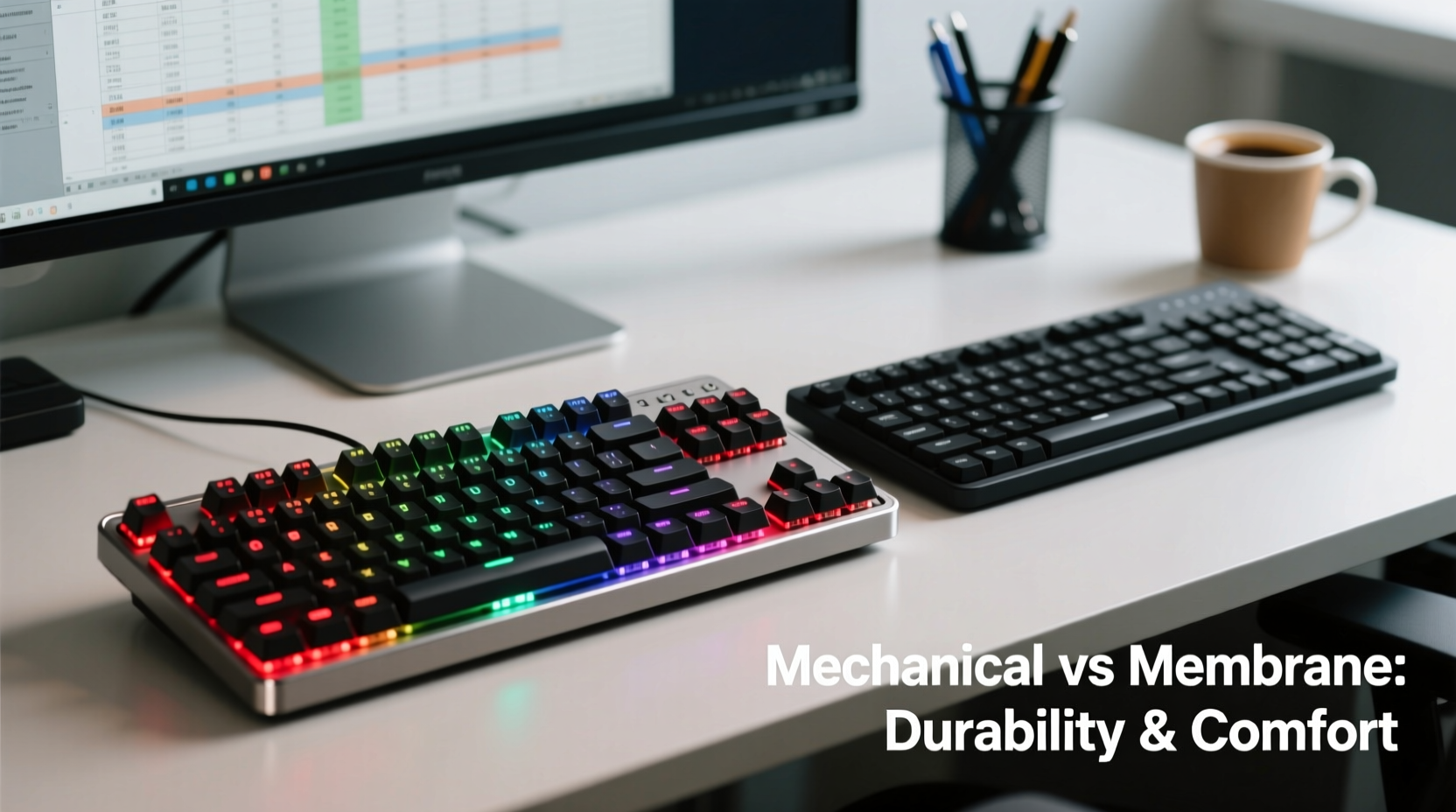
The lifespan of a keyboard is typically measured in keystrokes—how many times a key can be pressed before failing. This metric reveals a stark contrast between mechanical and membrane keyboards.
Mechanical keyboards use individual mechanical switches under each keycap. These switches are rated for 50 million to 100 million keystrokes, depending on the brand and switch type (e.g., Cherry MX, Kailh, Gateron). Even with heavy daily use—say, 10,000 keystrokes per day—that translates to roughly 14 to 27 years of service. In practice, many users report functional mechanical keyboards lasting over a decade with no degradation in performance.
In contrast, membrane keyboards rely on a rubber dome system layered beneath the keys. These domes flatten with repeated use, losing responsiveness over time. Most membrane keyboards are rated for only 5 to 10 million keystrokes—five to ten times less than their mechanical counterparts. After two to five years of consistent office work, users often notice mushy key presses, inconsistent actuation, or missed inputs.
Tactile Experience and Typing Comfort
Typing feel—often referred to as \"tactility\"—plays a crucial role in user satisfaction during extended work sessions. Mechanical keyboards offer a wide range of switch options, allowing customization based on typing style and noise tolerance.
Linear switches (like Cherry MX Red) provide smooth, quiet keystrokes ideal for fast typists who prefer minimal resistance. Tactile switches (such as Cherry MX Brown) deliver a subtle bump mid-press, giving feedback without an audible click. Clicky switches (Cherry MX Blue) offer both tactile bump and sharp auditory feedback, preferred by some but potentially disruptive in shared offices.
Membrane keyboards, by design, lack distinct tactility. Their rubber-dome mechanism produces a uniform, soft press that some describe as \"mushy.\" This lack of feedback forces users to press harder or bottom out keys to ensure registration, leading to finger fatigue over time. For those typing thousands of words daily, this subtle difference accumulates into discomfort or even repetitive strain symptoms.
“Switch feedback reduces cognitive load during typing. When you know a key has actuated, you don’t second-guess input.” — Dr. Lena Torres, Ergonomics Researcher, University of Michigan
Comparison Table: Mechanical vs Membrane for Office Use
| Feature | Mechanical Keyboard | Membrane Keyboard |
|---|---|---|
| Lifespan (Keystrokes) | 50–100 million | 5–10 million |
| Tactile Feedback | High (varies by switch) | Low to None |
| Noise Level | Moderate to High (clicky), Low (linear/tactile) | Quiet |
| Key Actuation Force | Consistent, customizable | Variable, degrades over time |
| Durability Under Heavy Use | Excellent | Fair to Poor |
| Repairability & Maintenance | High (replace switches, clean easily) | Low (sealed units, not user-serviceable) |
| Average Price Range | $70–$200+ | $15–$50 |
Real-World Example: A Corporate Office Transition
A mid-sized tech firm in Austin, Texas, conducted an internal trial in 2021 to evaluate employee satisfaction and productivity after switching from standard membrane keyboards to mechanical models. They provided 50 employees with budget-friendly mechanical keyboards featuring silent brown switches (tactile but quiet).
Over six months, the company tracked self-reported typing fatigue, error rates, and equipment replacement costs. Results showed a 32% reduction in reported hand and wrist discomfort, a measurable drop in typos per 1,000 words, and zero keyboard failures. In contrast, their previous batch of membrane keyboards had required full replacement every 18 months due to degraded performance.
Though the initial investment was higher, the company calculated a 40% lower cost-per-year when factoring in longevity and reduced IT support requests. Employees overwhelmingly expressed preference for the mechanical models, citing improved typing rhythm and confidence in key registration.
Maintenance and Long-Term Care Tips
No keyboard lasts indefinitely without care. However, mechanical keyboards offer greater flexibility in maintenance, extending their usable life further.
- Regular cleaning: Dust and debris accumulate under keycaps. Remove them quarterly using a keycap puller and clean with soapy water or isopropyl alcohol.
- Switch inspection: If a key feels sticky or unresponsive, check for debris or consider replacing the switch (possible with hot-swappable PCBs).
- Cable management: Use strain relief to prevent fraying, especially on non-detachable cables.
- Storage: When not in use, cover the keyboard or store it in a dry place to minimize dust exposure.
Membrane keyboards, being sealed units, cannot be disassembled easily. Cleaning is limited to surface wipes and compressed air, making deep maintenance nearly impossible. Spills often ruin the internal circuit layer permanently, whereas mechanical keyboards—especially those with removable plates—can sometimes be dried and restored.
Step-by-Step Guide: Choosing the Right Keyboard for Your Office Setup
- Assess your typing volume: If you type more than 20 pages per day, prioritize durability and feedback. Mechanical is strongly recommended.
- Evaluate your environment: Open offices may require quieter switches (linear or silent tactile). Avoid clicky models in shared spaces.
- Test ergonomics: Choose a layout that minimizes finger travel—compact 75% or TKL (tenkeyless) designs reduce shoulder strain.
- Check compatibility: Ensure the keyboard works with your OS (Windows, macOS, Linux) and supports necessary shortcuts.
- Set a realistic budget: While mechanical keyboards cost more upfront, calculate cost-per-year. A $120 mechanical model lasting 10 years ($12/year) beats a $30 membrane replaced every 3 years ($10/year plus frustration).
- Try before you buy: Visit electronics stores or borrow models to test key feel. Online reviews help, but personal preference is key.
Frequently Asked Questions
Are mechanical keyboards too loud for office environments?
Not necessarily. While clicky switches like Blue or Green can be disruptive, linear (Red, Black) or silent tactile switches (Brown, Clear) operate quietly. Many modern mechanical keyboards also include sound-dampening features such as foam padding inside the case, making them suitable for open offices.
Can I replace worn-out keys on a membrane keyboard?
Generally, no. Membrane keyboards are not designed for repair. Individual keycaps might be replaceable, but the underlying rubber domes degrade uniformly and cannot be swapped. Once performance declines, replacement is the only option.
Do mechanical keyboards really improve typing speed and accuracy?
Studies suggest that tactile feedback contributes to faster, more accurate typing by reducing hesitation and confirmation errors. Users adapt to mechanical switches within a few weeks, often reporting increased typing confidence and reduced mental effort during long sessions.
Final Verdict: Which Is Better for Office Work?
When evaluating longevity and typing feel, mechanical keyboards clearly outperform membrane models for office use. Their superior build quality, precise actuation, and repairability make them a smart long-term investment. While the initial price is higher, the total cost of ownership is often lower due to extended lifespan and reduced need for replacements.
That said, membrane keyboards still have a place—for temporary setups, secondary machines, or highly noise-sensitive environments where even quiet mechanical models aren't permitted. But for anyone serious about comfort, accuracy, and sustainability in daily work, mechanical is the better path.
The question isn’t just “which lasts longer” but “which supports better work?” A durable, responsive keyboard reduces physical strain, increases typing efficiency, and enhances focus. Over a career, that adds up to thousands of hours saved from discomfort and rework.




 浙公网安备
33010002000092号
浙公网安备
33010002000092号 浙B2-20120091-4
Comments
No comments yet. Why don't you start the discussion?