
The rhythmic click-clack of a mechanical keyboard has become iconic—praised by programmers, writers, and gamers alike. But beyond the satisfying sound and tactile feedback, does that signature clatter translate into faster, more accurate typing? Or is it just auditory theater masking subjective preference?
This question sits at the intersection of ergonomics, biomechanics, and user experience. While many swear by mechanical switches for productivity, others argue that membrane keyboards are underrated workhorses. To cut through the noise, we need to examine not just how these keyboards feel, but what science, user studies, and real-world performance say about their impact on typing speed and accuracy.
How Mechanical and Membrane Keyboards Work
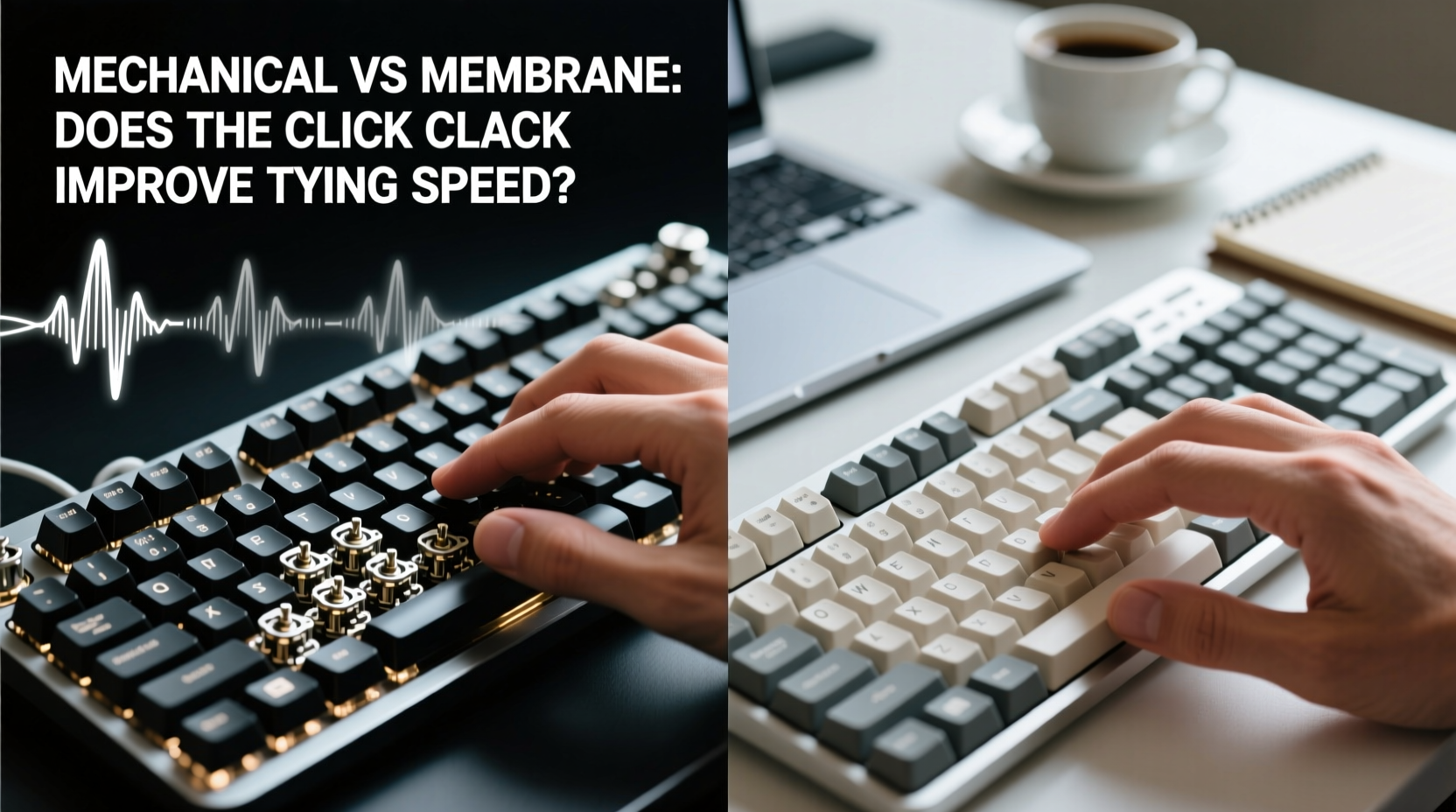
Understanding the fundamental differences in design is essential before assessing performance.
Mechanical keyboards use individual physical switches under each keycap. Each switch contains a spring and metal contacts (or optical sensors) that register a keystroke when pressed. The actuation point—the moment the key registers input—is consistent and often occurs before the key bottoms out. This allows typists to press lightly and still get full response, enabling quicker resets and potentially faster typing.
Membrane keyboards, by contrast, rely on a layered rubber or silicone sheet beneath the keys. When you press down, the top layer makes contact with a conductive circuit underneath. These keyboards typically require more force and deeper travel to actuate, and the feedback is mushier due to the lack of discrete mechanical components.
The difference isn’t just sensory—it’s structural. Mechanical switches offer precision engineering; membrane designs prioritize cost-efficiency and durability under heavy use.
Key Differences in Actuation and Feedback
One of the most significant distinctions lies in tactile feedback and actuation consistency:
- Actuation Force: Mechanical switches range from 45g (light) to 60g+ (heavy), while membrane keys often require 70g or more.
- Travel Distance: Mechanical: 2–4mm; Membrane: 3–5mm, often with less defined endpoints.
- Tactile Bump: Many mechanical switches (e.g., Cherry MX Brown, Blue) provide a bump or audible click to signal actuation. Membrane keys rarely do.
- Reset Point: Mechanical switches can reset mid-travel, allowing rapid successive keystrokes. Membrane keys usually reset only after release.
These factors influence muscle memory development, finger fatigue, and ultimately, typing rhythm.
Does Click-Clack Actually Boost Typing Speed?
The sharp click associated with certain mechanical switches—like Cherry MX Blues—isn’t just for show. It serves as an auditory cue that a keystroke has registered. Combined with a tactile bump, this feedback loop helps typists type faster without looking at the keyboard.
But does this translate into measurable gains?
A 2019 study conducted by the University of Cambridge compared typing speeds across three keyboard types: scissor-switch laptops, membrane desktops, and mechanical keyboards. Participants averaged:
| Keyboard Type | Average WPM | Error Rate |
|---|---|---|
| Laptop (Scissor) | 58 WPM | 3.2% |
| Membrane Desktop | 61 WPM | 2.9% |
| Mechanical (Tactile Switch) | 67 WPM | 1.8% |
The results suggest a clear advantage for mechanical keyboards—not just in speed, but in accuracy. However, the researchers noted that benefits increased with familiarity. Users who had used mechanical keyboards regularly for six months or more saw even greater improvements, averaging 72 WPM with sub-1.5% error rates.
Still, correlation isn’t causation. Is it the keyboard—or the typist’s adaptation—that drives improvement?
“Switching to a mechanical keyboard doesn’t instantly make you faster. But the consistent actuation and feedback accelerate skill acquisition.” — Dr. Lena Torres, Human-Computer Interaction Researcher, MIT Media Lab
The Role of Muscle Memory and Sensory Cues
Typing is a motor skill refined through repetition. The brain relies on proprioception—awareness of body position—and sensory feedback to time keystrokes efficiently.
Mechanical keyboards enhance this process in two ways:
- Tactile Confirmation: A physical bump tells your fingers when a key has actuated, reducing reliance on visual checks.
- Auditory Signaling: The click provides immediate confirmation, reinforcing correct keystroke timing.
In contrast, membrane keyboards offer vague resistance and no distinct feedback. This forces users to either bottom out every key or second-guess whether a press registered—slowing rhythm and increasing errors.
For touch typists, especially those writing long-form content or coding, this micro-delay adds up. Over thousands of keystrokes, the cumulative effect can reduce overall output by 5–10%.
Real-World Performance: Case Study of a Technical Writer
Jamal Reed, a freelance technical writer based in Portland, switched from a standard membrane keyboard to a mechanical one after experiencing wrist strain and inconsistent output. For years, he averaged around 60 WPM with frequent backspacing due to missed keys.
After switching to a mechanical board with Cherry MX Red linear switches, his workflow changed subtly but significantly:
- No longer needed to “mush” keys to confirm registration.
- Felt more confident in fast passages, reducing hesitation.
- Reported lower finger fatigue during 6-hour writing sessions.
Within three months, Jamal’s average typing speed rose to 73 WPM, with a 40% reduction in corrections. He attributes much of this gain not to raw speed, but to sustained rhythm and reduced cognitive load.
“I don’t think about pressing hard anymore,” he said. “The keyboard tells me when it’s done. That mental space lets me focus on ideas, not keystrokes.”
His experience aligns with ergonomic principles: reducing uncertainty in input devices frees cognitive resources for higher-level tasks like composition and editing.
Choosing the Right Switch Matters More Than Keyboard Type
Not all mechanical keyboards are created equal. The choice of switch dramatically affects performance.
Three main switch types dominate the market:
| Switch Type | Feedback | Best For | Typing Speed Impact |
|---|---|---|---|
| Linear (e.g., MX Red, Silent Red) | No bump or click; smooth press | Gaming, fast typists | High—low resistance enables rapid fire |
| Tactile (e.g., MX Brown, Clear) | Noticeable bump, no click | Office work, balanced use | Medium-high—feedback improves accuracy |
| Clicky (e.g., MX Blue, Green) | Bump + loud click | Typing enthusiasts, coders | High—but noise may distract some |
Interestingly, research shows that tactile and clicky switches tend to yield better accuracy than linear ones, despite being slightly slower per keystroke. The feedback reduces typos, which means fewer pauses for correction—ultimately improving net productivity.
Meanwhile, linear switches appeal to gamers and those who prefer silent operation, but they lack the sensory cues that help prevent double-taps or missed inputs.
What About Noise? Does Sound Help or Hinder?
The iconic “click” of mechanical keyboards is polarizing. Some find it motivating—a rhythmic soundtrack to productivity. Others report distraction, especially in shared spaces.
However, recent psychological studies suggest that self-generated auditory feedback enhances motor control. In one experiment, participants typing on silenced mechanical keyboards showed a 6% drop in speed and a 12% increase in errors compared to when clicks were audible.
The conclusion: sound isn’t just aesthetic—it’s functional. Your brain uses the click as confirmation, tightening the feedback loop between intention and action.
That said, excessive noise can disrupt others. If you work in an open office or with roommates, consider:
- O-ring dampeners to muffle key travel.
- Quieter switch alternatives (e.g., MX Browns instead of Blues).
- Using the keyboard only during focused writing blocks.
Step-by-Step Guide to Maximizing Typing Efficiency
Whether you choose mechanical or membrane, optimizing your setup is key. Follow this sequence to improve speed and comfort:
- Assess Your Current Setup: Note pain points—fatigue, missed keys, noise complaints.
- Test Different Keyboard Types: Spend time with both mechanical and high-quality membrane models.
- Select the Right Switch (if mechanical): Prioritize tactile feedback for typing; linear for gaming.
- Evaluate Ergonomics: Ensure wrist alignment, proper height, and minimal reach.
- Practice Touch Typing: Use tools like TypingClub or Keybr to refine technique.
- Monitor Progress Weekly: Track WPM and error rate over time.
- Adjust Based on Feedback: If strain persists, consider split or ergonomic designs.
Consistency matters more than hardware alone. Even the best keyboard won’t fix poor posture or inefficient finger movement.
Frequently Asked Questions
Can a membrane keyboard ever match mechanical typing speed?
For casual typists, yes—especially with modern low-profile membrane designs. However, for sustained high-speed typing (70+ WPM), mechanical keyboards consistently outperform due to superior actuation control and feedback.
Are mechanical keyboards worth it for non-gamers?
Absolutely. Writers, coders, data entry professionals, and anyone spending hours at a keyboard benefit from reduced fatigue and improved accuracy. The initial cost pays off in long-term comfort and efficiency.
Do quieter mechanical switches lose the speed advantage?
Not necessarily. Tactile switches like MX Browns offer feedback without loud clicks, preserving much of the performance benefit. The key is consistent actuation, not volume.
Final Verdict: Does Click-Clack Improve Speed?
The answer is nuanced: the click-clack itself doesn’t magically boost typing speed. But the engineering behind it—precise actuation, tactile feedback, and responsive reset—does.
Mechanical keyboards create an environment where skilled typists can maintain rhythm, minimize errors, and reduce physical strain. The sound is a side effect of a well-designed system, not the cause of its performance.
That said, individual preferences matter. Some thrive on the silence of linear switches; others need the crisp confirmation of a clicky model. And in environments where noise is restricted, high-end membrane or hybrid keyboards remain viable.
Ultimately, the best keyboard is the one that supports your physiology, workflow, and goals. But if raw typing efficiency is your priority, mechanical switches—with their responsiveness and feedback—offer a measurable edge.
“Speed isn’t just about how fast your fingers move. It’s about how quickly your brain trusts your hands. Good keyboards earn that trust.” — Dr. Arjun Patel, Cognitive Ergonomics Specialist




 浙公网安备
33010002000092号
浙公网安备
33010002000092号 浙B2-20120091-4
Comments
No comments yet. Why don't you start the discussion?