
Smartphone accessories evolve quickly, and one of the latest innovations gaining attention is the NFC-enabled iPhone case. Marketed as a bridge between physical actions and digital automation, these cases promise to simplify everyday tasks—from unlocking doors to sharing contacts with a tap. But how much of this functionality lives up to the marketing, and how much is just clever branding? Compared to a standard protective case, does an NFC iPhone case offer meaningful benefits, or is it simply tech for tech’s sake?
To answer that, we need to look beyond the buzzwords and examine real-world use, compatibility, cost, and long-term utility. The truth lies somewhere between genuine innovation and overhyped gadgetry—depending on how you use your phone.
What Exactly Is an NFC iPhone Case?
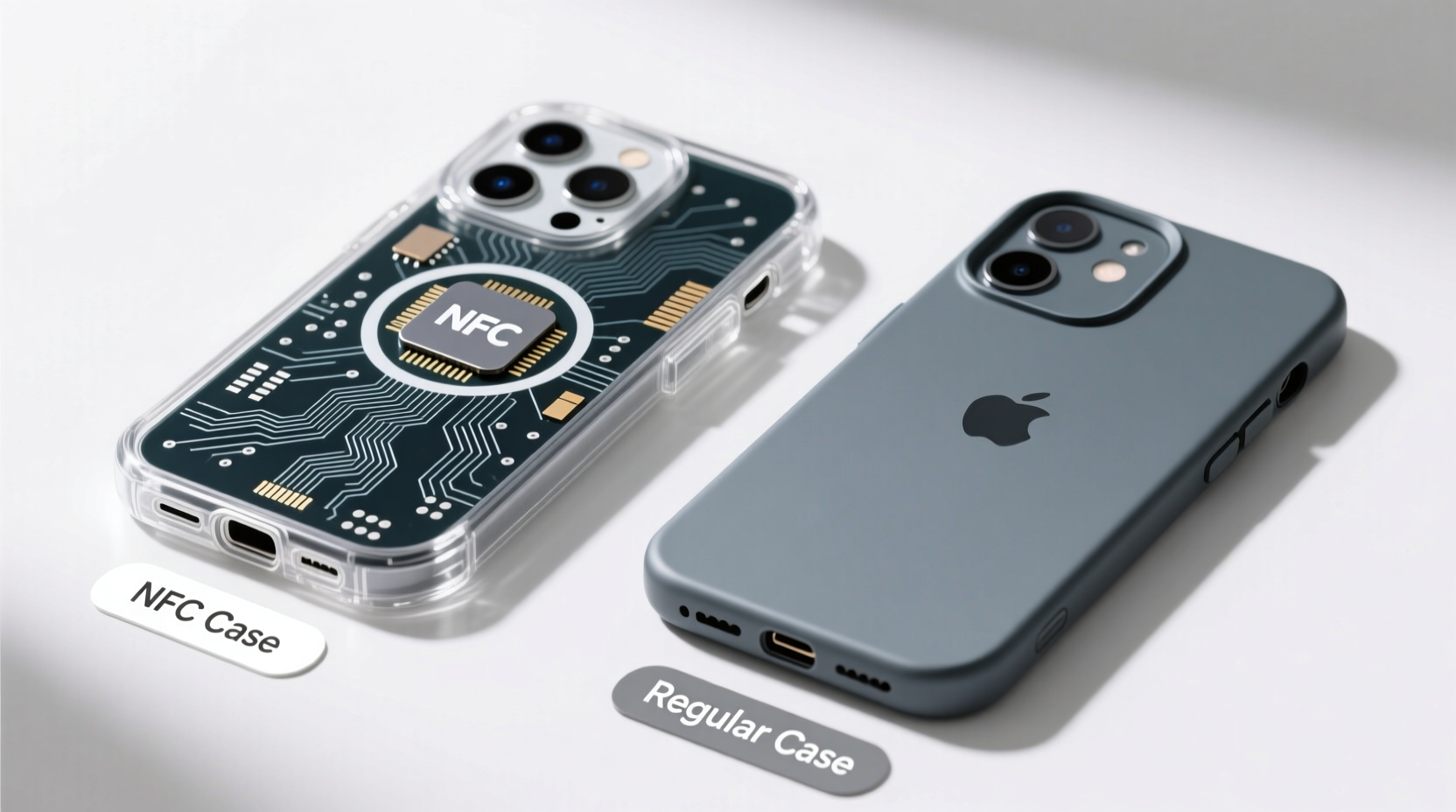
NFC stands for Near Field Communication, a short-range wireless technology that enables two devices to exchange data when held close together—typically within 4 centimeters. Apple has supported NFC in iPhones since the iPhone 7, primarily through Apple Pay and limited tag reading via the Wallet app. However, until recently, users couldn’t write or program NFC tags directly from their iPhones without third-party apps or hardware.
An NFC iPhone case integrates a programmable NFC chip into the back of the case. This chip can be customized using an app to trigger specific actions when another device (like another smartphone or an NFC reader) taps against it. For example, you could set it to automatically send your contact info, open a Wi-Fi login page, launch a playlist, or even unlock a smart lock.
Unlike passive stickers or key fobs, these cases are built into a product you already carry, making them more convenient for some users. But integration doesn’t guarantee usefulness.
Functional Comparison: NFC Case vs Regular Case
The core purpose of any phone case is protection and grip. A regular case excels here: slim, affordable, widely available, and effective. An NFC case must balance those basics with added electronics. Let’s break down the differences across key categories.
| Feature | Regular Case | NFC-Enabled Case |
|---|---|---|
| Protection | High – Designed solely for impact resistance | Moderate to High – Varies by brand; some prioritize NFC space over padding |
| Price | $5–$30 | $25–$60+ |
| Functionality | Physical protection only | Automation, contact sharing, smart home triggers |
| Battery Impact | None | None (NFC chip is passive) |
| Compatibility | All iPhones | Limited to models supporting NFC writing via app (iPhone 7 and later with iOS 13+) |
| Durability | High – Simple materials, no electronics | Lower – Embedded chip may degrade or detach over time |
The table shows that while NFC cases add features, they often come at a higher price and potential trade-offs in durability and design simplicity. For most users, a regular case remains the smarter choice unless automation is a daily need.
Real-World Use Cases: When NFC Adds Value
The question isn’t whether NFC works—it does—but whether it solves problems people actually have. Here are scenarios where an NFC case proves genuinely useful:
- Professionals networking frequently: Tap your phone against someone else’s to instantly share LinkedIn profile or business card.
- Smart home users: Program the case to turn on lights, adjust thermostat, or start music when you enter a room by tapping your phone on an NFC reader near the door.
- Travelers: Store Wi-Fi passwords or boarding pass links on the tag for quick access without unlocking the phone.
- Rental hosts: Guests can tap the host’s phone to get check-in instructions or unlock a smart lock via linked automation.
“NFC is about reducing friction. If you’re doing the same digital action repeatedly, automating it with a tap saves cognitive load.” — David Lin, IoT Product Designer at SmartFlow Labs
Mini Case Study: Freelancer Streamlines Client Onboarding
Sophie, a freelance graphic designer in Portland, used to manually email her portfolio, contract template, and payment link to every new client. After switching to an NFC case, she programmed it to open a single landing page containing all three. During in-person meetings, she simply taps her phone against the client’s device (Android or iPhone with NFC support), and the page loads instantly.
She estimates saving 15 minutes per client on follow-up emails. Over a year, that adds up to nearly 10 hours regained. For her, the $45 case paid for itself in efficiency.
Limitations and Common Misconceptions
Despite its potential, NFC technology—especially in iPhone cases—comes with constraints that dampen the hype:
- iOS restrictions: Apple limits background NFC scanning. Unlike Android, iPhones can’t automatically trigger actions when passing an NFC tag—they require the screen to be awake and an app open.
- One-way interaction: Most use requires the other person to have NFC enabled and know how to tap correctly—often a point of confusion.
- Redundancy: Many functions (like sharing contacts) can be done faster via AirDrop, QR codes, or iMessage on iPhones.
- Security concerns: While NFC is generally secure due to proximity requirements, malicious tags exist. Always verify the source before scanning unknown tags.
In practice, NFC automation works best in controlled environments—your home, office, or regular meetings—not in spontaneous public interactions.
Step-by-Step Guide to Getting Started with an NFC iPhone Case
If you're curious whether an NFC case fits your lifestyle, follow this practical setup process:
- Purchase a compatible NFC case: Choose one that explicitly supports writing tags and works with iOS (e.g., brands like Nexpaq, NFCsmart, or DLO).
- Download an NFC app: Use trusted apps like NFC Tools or Trigger from the App Store to program the chip.
- Power on your phone and unlock it: iOS requires the screen to be active for NFC writing.
- Open the app and select “Write”: Choose an action—URL, text, Wi-Fi login, or Shortcut.
- Hold the target device near the back of your iPhone: Wait for confirmation that the tag is programmed.
- Test the action: Tap your phone against another NFC-capable device to ensure it triggers correctly.
- Use consistently: Integrate the tap into your routine—e.g., place your phone on a nightstand dock to activate bedtime mode.
It takes under 10 minutes to set up, but adoption depends on consistency. If you forget to use it, the feature fades into obscurity.
Checklist: Should You Buy an NFC iPhone Case?
Before investing, ask yourself the following:
- ✅ Do I perform the same digital task multiple times a day?
- ✅ Am I already using iPhone Shortcuts or automations?
- ✅ Do I interact with NFC readers (smart locks, access systems, kiosks)?
- ✅ Am I willing to educate others on how to tap my phone?
- ❌ Would a QR code or AirDrop accomplish the same thing more easily?
- ❌ Is the extra cost justified by actual usage, not novelty?
If you answered “yes” to the first three, an NFC case might enhance your workflow. If the last two resonate more, a regular case—and simpler tools—will serve you better.
Frequently Asked Questions
Can I remove the NFC chip from the case?
Most NFC chips are embedded and not user-removable. Attempting to extract them usually damages the case. Some modular cases allow chip replacement, but these are rare and expensive.
Does the NFC case drain my iPhone battery?
No. The NFC chip is passive and draws no power from your phone. It only activates when near another NFC field, similar to a credit card stripe.
Will it work with Android phones?
Yes, for reading. If your case stores a URL or contact, an Android user can tap your phone to access it. However, writing to the chip still requires iOS-compatible software.
Conclusion: Practical Innovation or Passing Trend?
The NFC iPhone case isn’t a gimmick—it’s a legitimate tool with niche applications. For early adopters, tech enthusiasts, and professionals who automate workflows, it offers tangible benefits. But for the average user, the added cost and complexity rarely outweigh the marginal convenience.
Think of it like a Swiss Army knife: packed with features, but you’ll likely only use the blade and scissors. If your daily life involves repeated digital handoffs or smart environment interactions, the NFC case earns its place. Otherwise, a reliable regular case keeps your phone safe without the learning curve.




 浙公网安备
33010002000092号
浙公网安备
33010002000092号 浙B2-20120091-4
Comments
No comments yet. Why don't you start the discussion?