
When Nintendo released the Switch OLED model in 2021, it wasn’t a full redesign — but a targeted refinement. For players who primarily use their console in handheld mode, the changes weren't subtle. While the core performance remained identical to the original Switch, several key upgrades directly impact how the device feels and functions on the go. The question isn’t whether the OLED is better on paper, but which improvements actually make a difference when you’re playing away from the dock.
The answer lies in understanding what \"portability\" really means beyond size and weight. It’s about screen clarity during a commute, battery longevity on a long flight, sound immersion in a quiet café, and comfort during extended handheld sessions. When judged by these standards, not all upgrades are created equal. Some enhance the experience meaningfully; others are nice-to-have but negligible in daily use.
Screen Quality: The Most Noticeable Upgrade
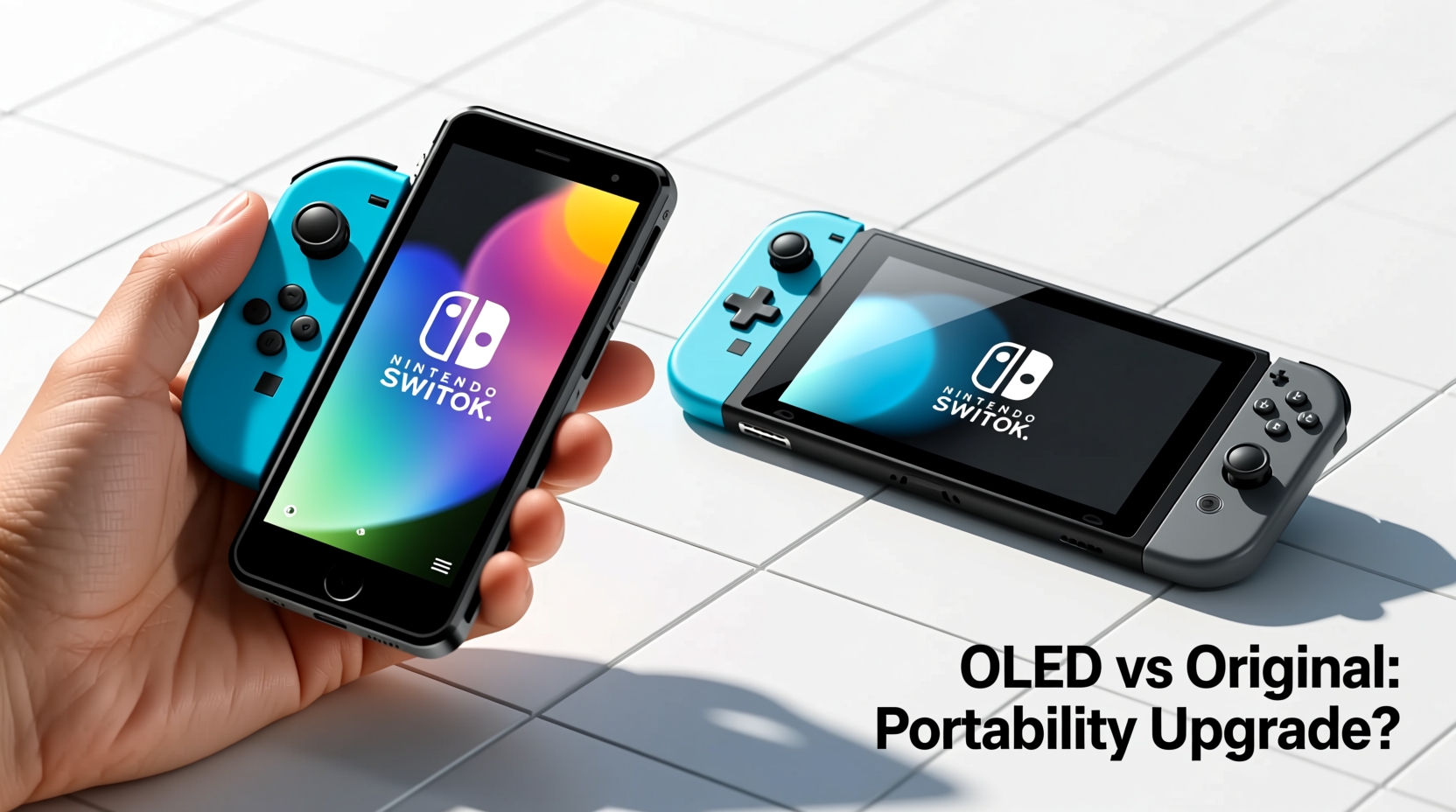
The centerpiece of the Switch OLED is, unsurprisingly, its 7-inch OLED display. Compared to the original Switch’s 6.2-inch LCD panel, the difference is immediately apparent. Colors are richer, blacks are deeper, and contrast is dramatically improved. This isn’t just aesthetic — it affects usability in real-world conditions.
In bright environments like sunlight or well-lit rooms, OLED screens can struggle with peak brightness compared to high-end LCDs. However, the OLED model compensates with a brighter backlight than the original, making outdoor visibility more viable. More importantly, the larger screen offers a more immersive experience without increasing the footprint significantly. The bezels are thinner, allowing for a bigger display in a chassis that’s only slightly wider.
For portable play, screen quality directly impacts fatigue. A sharper, clearer image reduces eye strain over time, especially during longer gaming sessions. Games like The Legend of Zelda: Breath of the Wild or Hollow Knight: Silksong benefit immensely from the enhanced color depth and contrast, making exploration feel more engaging.
“Display technology is often overlooked in handheld devices, but it's one of the most critical factors in user retention and satisfaction.” — Dr. Linda Park, Human-Computer Interaction Researcher, MIT Media Lab
Battery Life: A Steady Improvement
Battery life was a known limitation of the original Switch, particularly with graphically intensive titles. Early models offered as little as 2.5 to 3 hours when playing games like The Witcher 3 or Xenoblade Chronicles 2. Later revisions improved this, but inconsistency remained.
The Switch OLED inherits the upgraded battery from the 2019 revised model (HAC-001–01), offering approximately 4.5 to 9 hours depending on usage. While not revolutionary, this represents a significant real-world improvement over the earliest versions. For portability, this means fewer midday charges and greater flexibility during travel.
It’s important to note that battery performance depends heavily on screen brightness, game intensity, and audio output. Playing Animal Crossing: New Horizons at medium brightness will yield closer to 7–8 hours, while demanding 3D titles will hover around 4.5–5.5 hours.
The OLED model doesn’t introduce power-saving display modes or adaptive refresh rates, which could have further extended endurance. Still, the combination of a more efficient processor (from the 2019 update) and a higher-capacity battery makes the OLED noticeably more reliable for unplugged play.
Design and Build: Subtle But Meaningful Changes
Portability isn’t just about specs — it’s about ergonomics and durability. The OLED model introduces several design tweaks that improve the handheld experience:
- Larger kickstand: Wider, sturdier, and adjustable, making tabletop mode far more practical.
- Improved speakers: Clearer audio with less distortion at higher volumes.
- New base with LAN port: Includes a built-in Ethernet jack for stable online play when docked.
- Matte finish on back: Reduces fingerprint smudging and improves grip.
The overall dimensions are slightly larger — 1.4 inches wider and 0.1 pounds heavier — but the weight distribution feels more balanced. The Joy-Con rails are reinforced, addressing a common complaint about looseness in the original model. Over time, this contributes to a more durable build, especially for users who frequently attach and detach controllers.
The new kickstand is arguably the most underrated upgrade. Unlike the flimsy, single-position hinge on the original, the OLED’s wide-angle stand stays put on uneven surfaces. Whether you're propping it up on a tray table or sharing gameplay with a friend, it adds genuine utility.
| Feature | Original Switch | Switch OLED |
|---|---|---|
| Screen Size | 6.2 inches (LCD) | 7.0 inches (OLED) |
| Battery Life | 2.5–6.5 hours (early), 4.5–9 (revised) | 4.5–9 hours |
| Kickstand | Small, fixed-angle | Wide, adjustable |
| Speakers | Average clarity, prone to distortion | Enhanced stereo separation |
| Storage | 32GB internal | 64GB internal |
| Dock Features | No LAN port | Integrated Ethernet |
| Weight (handheld) | 0.88 lbs | 0.93 lbs |
Which Upgrades Actually Matter for Portability?
Not every enhancement translates to meaningful gains in handheld use. To determine what truly matters, consider how each feature impacts real-world scenarios:
- OLED Screen – High Impact: Directly improves visual comfort, immersion, and usability. Essential for long play sessions.
- Battery Life – High Impact: Enables longer uninterrupted gameplay without access to charging.
- Kickstand – Medium Impact: Useful for shared or tabletop play, but not critical for solo handheld use.
- Speakers – Medium Impact: Better audio enhances storytelling and atmosphere, though many users rely on headphones.
- Internal Storage – Low-Medium Impact: Doubling storage to 64GB helps, but microSD cards remain necessary for large game libraries.
- Ethernet Dock – Low Impact (for portability): Irrelevant in handheld mode, only useful when docked at home.
The OLED screen and battery life stand out as the two upgrades that consistently elevate the portable experience. Everything else is secondary — beneficial, but not transformative.
Real-World Example: A Commuter’s Experience
Sophie, a software developer in Chicago, uses her Switch daily during her 45-minute train commute. She started with the original model in 2017 but found herself frustrated by dim visuals in daylight, frequent charging needs, and a loose kickstand that wouldn’t stay upright on the bumpy ride.
After upgrading to the OLED model in 2022, her experience changed significantly. “I used to max out the brightness and still struggle to see the screen through the train windows,” she says. “Now, even in direct sunlight, I can make out details without squinting. And I don’t need to carry my charger every day anymore — I get through both my morning and evening trips on a single charge.”
She also appreciates the wider kickstand when playing multiplayer games with friends during weekend trips. “It finally feels like a proper portable console, not just a compromised hybrid.”
Sophie’s case illustrates how incremental improvements — when focused on core usability — can collectively redefine a product’s value in everyday life.
Step-by-Step: How to Maximize Your Portable Play Experience
To get the most out of either model — especially if you’re still using the original — follow this optimization sequence:
- Update your system software: Ensures optimal battery management and performance patches.
- Adjust screen brightness: Set to manual and lower levels in dim environments to extend battery.
- Use airplane mode when possible: Disables Wi-Fi and Bluetooth, reducing background drain during offline play.
- Close unused apps: Hold Home button and swipe away running applications to free memory and reduce load.
- Invest in a portable charger: Choose a PD-compatible USB-C battery pack with at least 10,000mAh capacity.
- Carry a microfiber cloth: Keeps the screen smudge-free and improves visibility.
- Enable Sleep Mode quickly: Press and hold the power button for one second to suspend gameplay instantly.
These steps apply to both models, but they’re especially valuable for extending the original Switch’s limitations. With disciplined habits, even the older device can deliver a satisfying portable experience.
Frequently Asked Questions
Is the Switch OLED worth it for handheld-only players?
Yes, if you prioritize screen quality, battery life, and build refinement. The OLED model excels in handheld mode, offering the best portable experience in the Switch lineup. However, if you already own a revised original model (with longer battery), the upgrade is more about comfort than necessity.
Does the OLED screen consume more battery than LCD?
It depends on content. OLED screens use less power when displaying dark scenes because individual pixels turn off completely. However, bright, white-heavy interfaces (like the home menu) can use more energy. Overall, the OLED model benefits from a larger battery and efficiency improvements, so net battery life is comparable or better despite the superior display.
Can I use original Switch accessories with the OLED model?
Most accessories are compatible, including Joy-Con, docks (except LAN functionality), cases, and screen protectors. However, third-party screen protectors designed for the original model won’t fit due to the larger display and thinner bezels. Be sure to purchase OLED-specific accessories for full coverage.
Checklist: Is the Switch OLED Right for You?
Answer these questions to decide:
- ✅ Do you play mostly in handheld mode?
- ✅ Is screen clarity important for your enjoyment?
- ✅ Have you struggled with short battery life on your current device?
- ✅ Do you want a more durable build with a reliable kickstand?
- ✅ Are you willing to pay a $50–$100 premium for incremental upgrades?
If you answered “yes” to three or more, the OLED model is a worthwhile investment. If you’re satisfied with your current setup and rarely play away from the TV, sticking with the original may be perfectly adequate.
Conclusion: Prioritize What Enhances Real-World Use
The Nintendo Switch OLED isn’t a revolution — it’s an evolution. For portable gamers, the most impactful upgrades are the OLED screen and improved battery life. These changes directly affect how enjoyable and practical the device is when untethered from the TV.
The larger, more vibrant display reduces eye strain and deepens immersion. The extended battery means fewer interruptions. The sturdier kickstand and better speakers add polish. Together, they create a handheld experience that feels more refined, reliable, and ready for daily use.
If you’re choosing between models, focus on what matters most: how the console performs in your hands, on your commute, in your backpack. Specs are important, but usability is everything. For those who live in handheld mode, the Switch OLED delivers the most meaningful improvements yet.




 浙公网安备
33010002000092号
浙公网安备
33010002000092号 浙B2-20120091-4
Comments
No comments yet. Why don't you start the discussion?