
Apple’s AirPods Pro and AirPods Max come equipped with two powerful audio features: Active Noise Cancellation (ANC) and Transparency mode. While both are designed to enhance your listening experience, they serve opposite purposes. Understanding when and how to use each can make a significant difference in productivity, situational awareness, and even long-term ear health.
These aren’t just gimmicks—they’re engineered tools that adapt to real-world environments. Whether you're commuting, working from home, or walking through a busy city, choosing the right mode at the right time ensures you stay focused, safe, and connected to your surroundings without compromising sound quality.
How Noise Cancellation Works
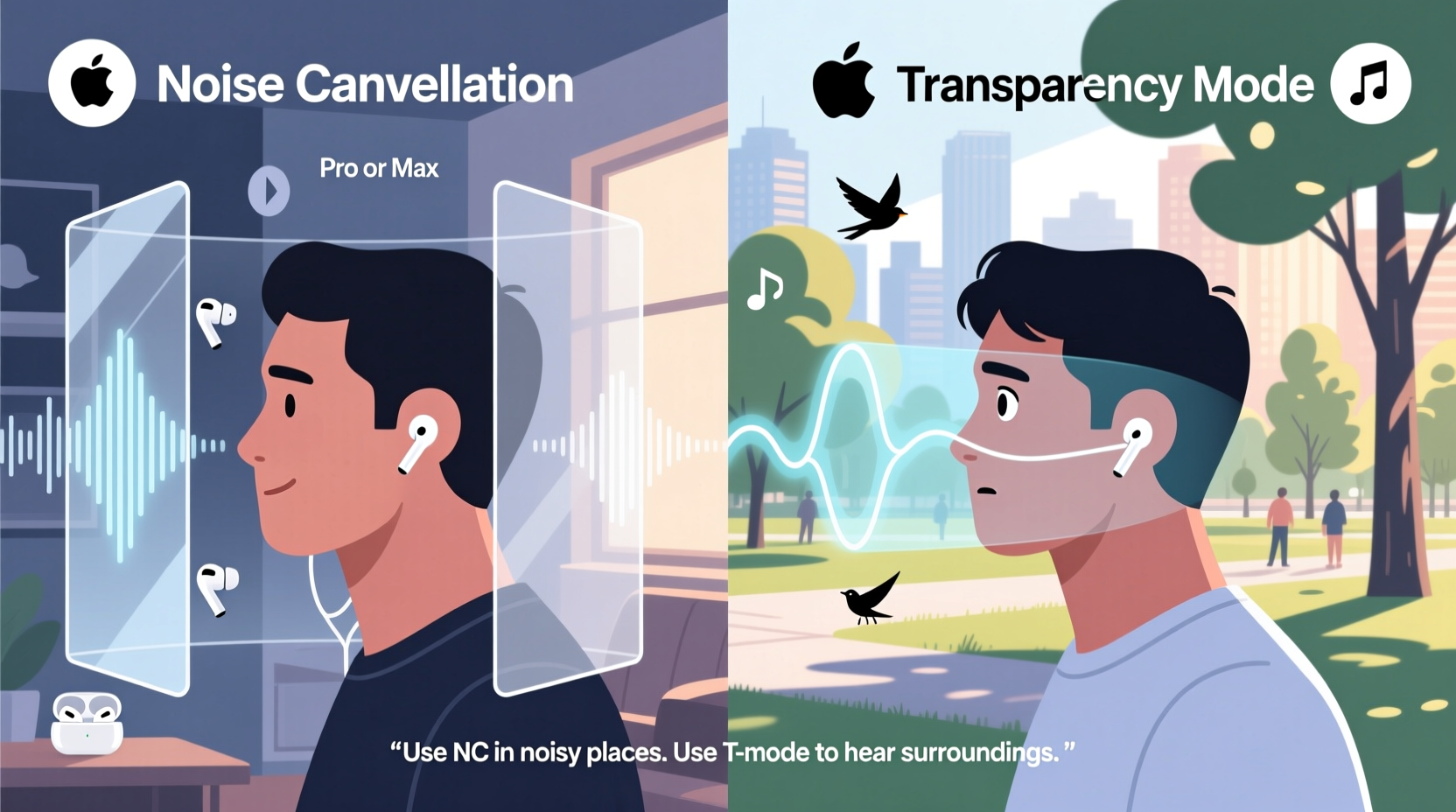
Active Noise Cancellation uses outward-facing microphones to detect external sounds before they reach your ears. The AirPods then generate anti-noise signals—sound waves that cancel out incoming ambient noise through destructive interference. This process happens in real time and is especially effective against low-frequency, constant background sounds like airplane engines, HVAC systems, traffic hum, or office air conditioners.
The result is an immersive audio environment where music, podcasts, or calls take center stage. ANC doesn’t eliminate all sound—it significantly reduces consistent background noise but is less effective against sudden, sharp noises like a dog barking or someone calling your name.
When to Use Noise Cancellation Mode
There are specific scenarios where blocking out the world enhances your experience or performance. Here's when ANC shines:
- Traveling on planes, trains, or buses: Constant engine noise can be fatiguing. ANC reduces this strain, allowing you to enjoy media at lower volumes.
- Working in noisy offices or coffee shops: If open-concept spaces disrupt your focus, ANC creates a personal auditory bubble for better concentration.
- Studying or reading: Eliminating ambient chatter helps maintain mental flow and retention.
- Sleeping or meditating: Some users wear AirPods to listen to white noise or calming sounds; ANC amplifies the effect by muting disruptive household or street noise.
- Taking phone or video calls in loud areas: ANC helps you hear the other person clearly, while the inward microphone focuses on your voice.
“Active Noise Cancellation isn't just about comfort—it's a cognitive aid. By reducing auditory clutter, it lowers mental fatigue and improves task performance.” — Dr. Lena Torres, Cognitive Psychologist specializing in attention and sensory processing
Understanding Transparency Mode
Transparency mode does the opposite of ANC. Instead of blocking outside sound, it allows environmental audio to pass through naturally while still playing your media. Microphones on the outside of the earbuds capture external sounds and pipe them into your ears in real time, blending them with your music or podcast.
This creates a balanced mix so you can hear announcements, conversations, or traffic cues without removing your earbuds. It’s particularly useful when situational awareness is critical—like crossing streets, navigating public transit, or speaking briefly with someone nearby.
Unlike simply taking out one earbud, Transparency mode maintains audio continuity and preserves spatial cues, helping you orient yourself acoustically in dynamic environments.
Real-World Example: The Morning Commute
Imagine Sarah, a graphic designer who walks 20 minutes to her co-working space every morning. She wears her AirPods Pro throughout the journey. On the quieter residential stretch, she listens to a podcast in Noise Cancellation mode—shielded from distant lawnmowers and passing cars. But as she approaches a busy intersection with crosswalk signals and bike lanes, she double-taps her stem to switch to Transparency mode. Instantly, she hears honking, footsteps, and a cyclist warning her as he passes. She stays safe and aware without interrupting her listening session. Once past the intersection, she taps again to return to ANC and refocus.
This seamless transition exemplifies how combining both modes thoughtfully supports both immersion and safety.
When to Use Transparency Mode
Transparency mode excels in situations where staying connected to your environment matters more than isolation. Consider using it in these contexts:
- Walking or cycling in urban areas: Hearing sirens, horns, or pedestrians prevents accidents.
- Having quick conversations: No need to remove your earbuds when ordering coffee or greeting a colleague—just toggle to Transparency.
- Navigating airports or train stations: You won’t miss boarding calls or gate changes while still enjoying music.
- Working out at the gym: Staying aware of trainers, spotters, or people approaching your equipment keeps interactions smooth and safe.
- Home environments with children or pets: Parents often keep Transparency on to catch cries, calls, or unusual sounds without constantly checking.
Comparing Features: When to Choose Which Mode
| Situation | Recommended Mode | Why |
|---|---|---|
| Long-haul flight | Noise Cancellation | Blocks engine drone and cabin chatter for restful travel. |
| Crossing a busy street | Transparency | Ensures awareness of vehicles, cyclists, and auditory signals. |
| Focused writing or coding | Noise Cancellation | Reduces distractions from coworkers or background noise. |
| Grocery shopping | Transparency | Allows you to hear staff announcements and interact with cashiers easily. |
| Meditation with background music | Noise Cancellation | Enhances mindfulness by minimizing interruptions. |
| Walking a dog in the park | Transparency | Keeps you alert to other dogs, children, or commands from afar. |
| Video call in a noisy room | Noise Cancellation | Helps you focus on the speaker and reduces echo picked up by your mic. |
Step-by-Step Guide: Optimizing Mode Usage Throughout the Day
To get the most from your AirPods, follow this practical daily routine that leverages both modes strategically:
- 7:00 AM – Wake Up & Get Ready: Play a morning playlist in Transparency mode. You’ll enjoy music while hearing alarms, family members, or pets moving around.
- 7:30 AM – Commute to Work: Switch to Noise Cancellation once on public transit or in a car. Reduce stress from repetitive engine noise and arrive mentally refreshed.
- 9:00 AM – Deep Work Session: Keep ANC on during focused tasks. Pair with instrumental music or ambient noise for peak productivity.
- 12:30 PM – Lunch Break Walk: Activate Transparency mode. Enjoy your podcast while staying aware of foot traffic and outdoor sounds.
- 3:00 PM – Team Meeting: Use ANC to block office chatter and ensure clear audio input/output during virtual calls.
- 6:00 PM – Grocery Store Run: Flip to Transparency mode. Hear store announcements, interact with staff, and respond to others without removing your earbuds.
- 8:00 PM – Wind Down: Return to ANC for evening relaxation—listen to a sleep story or calming music without household noise intrusion.
This rhythm balances engagement and retreat, supporting both mental clarity and social responsiveness.
Common Misuses and How to Avoid Them
Even experienced users sometimes apply these features incorrectly. Watch out for these pitfalls:
- Using ANC while walking in high-traffic areas: This increases accident risk. Always switch to Transparency near roads or crowded sidewalks.
- Leaving Transparency on during focus work: Ambient noise can fragment attention. Reserve it for transitional or interactive moments.
- Assuming ANC protects hearing: It reduces volume needed to overcome background noise, but prolonged high-volume listening—even with ANC—can still damage hearing.
- Forgetting to clean ear tips: Dirty silicone tips reduce ANC effectiveness by creating poor seals. Clean them weekly with a dry cloth.
Frequently Asked Questions
Does using Noise Cancellation drain the battery faster?
Yes, slightly. ANC requires additional processing power and microphone activity, which reduces battery life by approximately 1–2 hours compared to standard playback. However, modern AirPods Pro offer up to 4.5 hours of ANC use per charge, with the case providing multiple recharges.
Can I adjust the level of noise cancellation?
With newer firmware updates and supported devices (iOS 15+), AirPods Pro (2nd generation) and AirPods Max allow users to fine-tune noise control. You can choose between full ANC, Transparency, or create a custom balance using Adaptive Audio (available on select models).
Is Transparency mode the same as turning off noise cancellation?
No. Turning off ANC simply stops generating anti-noise, but Transparency mode actively amplifies external sounds so they blend clearly with your audio. It’s more than passive listening—it’s enhanced environmental hearing.
Expert Insight: Balancing Immersion and Awareness
“The best audio technology doesn’t isolate us completely—it gives us control over our sensory input. With features like ANC and Transparency, users can dynamically regulate their auditory environment, which is crucial for both mental well-being and physical safety.” — Mark Ren, Audio Engineer at Sonance Labs
Final Checklist: Maximizing Your AirPods Experience
Before you go, ensure you’re getting the most from your AirPods with this actionable checklist:
- ✅ Confirm your AirPods model supports both ANC and Transparency mode (AirPods Pro 1st/2nd/3rd gen, AirPods Max).
- ✅ Set a convenient control method (double-tap, force sensor, or head rotation on Max) to toggle between modes instantly.
- ✅ Test the seal of your ear tips to maximize ANC performance—go to Settings > Bluetooth > Your AirPods > Ear Tip Fit Test.
- ✅ Use Transparency mode during any activity requiring interaction or movement in public spaces.
- ✅ Limit continuous ANC use to 2–3 hours at a time to prevent auditory fatigue or pressure sensation.
- ✅ Regularly clean your earbuds and mesh ports to maintain microphone accuracy and sound quality.
Conclusion: Master Your Sound Environment
Your AirPods are more than wireless earbuds—they’re intelligent audio companions designed to adapt to your lifestyle. Knowing when to embrace silence with Noise Cancellation and when to reconnect with the world via Transparency mode transforms how you engage with sound every day.
By making intentional choices based on context, you protect your focus, enhance safety, and preserve the richness of real-world experiences. Don’t just wear your AirPods—use them wisely. Experiment with timing, settings, and routines until the transitions feel natural. That’s when you’ll truly unlock their potential.




 浙公网安备
33010002000092号
浙公网安备
33010002000092号 浙B2-20120091-4
Comments
No comments yet. Why don't you start the discussion?