
When it comes to securing your home, the front door lock is your first line of defense. For decades, traditional keyed locks have been the standard—familiar, mechanical, and seemingly dependable. But with advances in smart home technology, smart locks now offer convenience, remote access, and integration with security systems. The big question remains: when it comes to actual safety and protection from intruders, which option wins—smart lock or key lock?
The answer isn’t as simple as choosing one over the other. Each has strengths and weaknesses depending on how they're used, installed, and maintained. This article breaks down the real-world security implications of both types, evaluates their vulnerabilities, and provides actionable guidance to help homeowners make an informed decision.
Understanding Key Locks: Strengths and Limitations
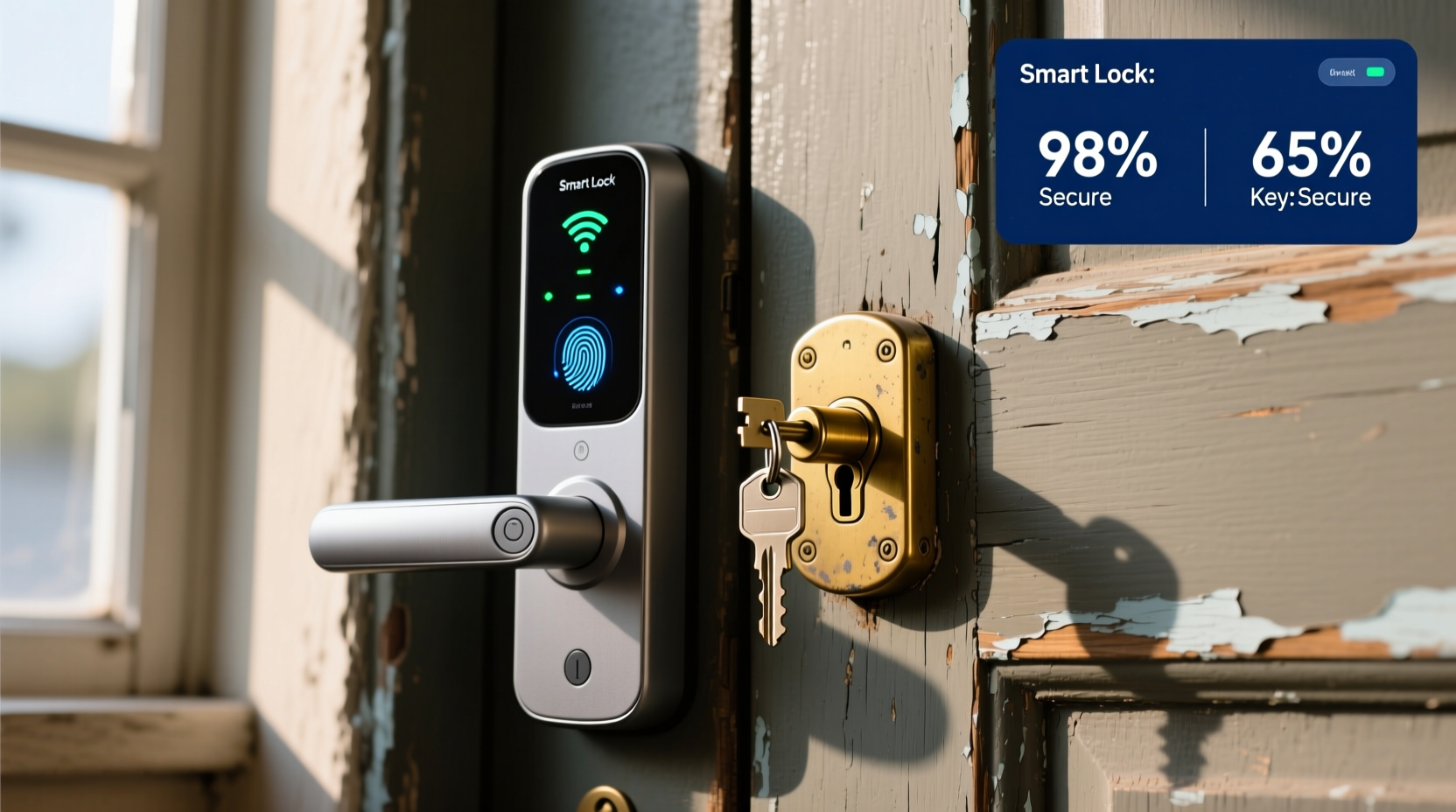
Mechanical key locks have stood the test of time for good reason. They require no power source, aren’t dependent on Wi-Fi or software updates, and can't be hacked through digital means. Most are built to meet ANSI/BHMA Grade 1, 2, or 3 standards, with Grade 1 offering the highest resistance to forced entry.
High-quality deadbolts made of hardened steel resist drilling and prying. When paired with reinforced strike plates and solid-core doors, they form a robust physical barrier. According to the National Council for Home Safety and Security, approximately 75% of break-ins occur through doors and windows, but most involve bypassing weak frames or using social engineering—not picking high-grade locks.
However, key locks come with inherent risks:
- Lost or copied keys: If a key is misplaced or stolen, anyone who finds it can gain immediate access.
- Lock bumping and picking: Skilled intruders can open many cylinder-based locks using techniques like bump keys or tension wrenches.
- Limited access control: You can’t track who enters or remotely revoke access without changing the entire lock.
- No audit trail: There’s no way to know when someone entered unless you’re present.
“Traditional locks are only as secure as the people who hold the keys.” — James Reed, Certified Master Locksmith and Security Consultant
How Smart Locks Work and What They Offer
Smart locks replace or augment traditional locking mechanisms with electronic components. They allow entry via PIN codes, smartphone apps, biometrics (like fingerprints), or voice commands through assistants like Alexa or Google Assistant. Many integrate with home security systems and send alerts when doors are unlocked or opened.
Modern smart locks use encryption protocols such as AES-128 or Z-Wave Secure to protect communication between the device and user devices. Some support two-factor authentication and temporary access codes for guests, service workers, or family members.
Their main advantages include:
- Remote access: Lock or unlock your door from anywhere via app.
- User management: Create unique codes for different people and disable them instantly.
- Activity logs: See exactly when someone enters or exits.
- No more lost keys: Eliminates the risk of unauthorized duplication.
- Integration: Works with cameras, alarms, and lighting systems for layered security.
Despite these benefits, smart locks introduce new attack vectors. Unlike mechanical locks, they depend on batteries, firmware, and wireless networks—all potential points of failure or exploitation.
Security Risks: Digital Threats vs Physical Exploits
To determine which system is safer, it’s essential to compare realistic threats.
Digital Vulnerabilities of Smart Locks
While smart locks undergo rigorous testing, cybersecurity flaws do exist. Researchers at the University of Michigan demonstrated in 2020 that certain Bluetooth-enabled locks could be spoofed using replay attacks if not properly encrypted. Other concerns include:
- Bluetooth/Wi-Fi hacking: Nearby attackers might intercept signals or brute-force weak passwords.
- Firmware exploits: Outdated software may contain known bugs that allow unauthorized access.
- App vulnerabilities: Poorly secured mobile apps can be compromised, giving hackers remote control.
- Battery failure: A dead battery can leave you locked out—or worse, unable to lock the door.
However, manufacturers like August, Schlage, and Yale have responded by implementing end-to-end encryption, regular OTA (over-the-air) updates, and tamper alerts. Many models also include physical key override options as backup.
Physical Weaknesses of Keyed Locks
Key-based systems face different dangers:
- Lock snapping: Common in euro-cylinder locks; burglars use pliers to snap the cylinder and turn the internal mechanism.
- Drilling: Hardened steel bolts reduce this risk, but low-grade hardware is vulnerable.
- Impressioning: Advanced technique where thieves mold a working key by manipulating the lock.
- Key cloning: Hidden cameras or RFID skimming can capture key fob data.
In urban areas, “opportunistic burglary” is more common than sophisticated attacks. Thieves often look for easy targets—windows left open, sliding doors with flimsy latches, or homes without visible security measures. In this context, both smart and key locks perform similarly if the rest of the entry point is weak.
Comparative Analysis: Smart Lock vs Key Lock
| Feature | Key Lock | Smart Lock |
|---|---|---|
| Power Dependency | No power required | Requires batteries (typically 6–12 months life) |
| Hack Risk | Low (physical manipulation only) | Moderate (if poorly configured or outdated) |
| Access Control | Limited (keys must be physically shared) | Advanced (temporary codes, remote revocation) |
| Audit Trail | None | Yes (entry logs via app) |
| Convenience | Carry keys; risk of lockout | Hands-free entry; auto-lock features |
| Installation Cost | $20–$100 (Grade 1 deadbolt) | $150–$300+ (including hub or bridge) |
| Vandalism Resistance | High (simple mechanics) | Moderate (electronic components can be damaged) |
Real-World Example: A Homeowner’s Dilemma
Sarah, a single mother living in Austin, upgraded her front door to a smart lock after repeatedly losing her keys and worrying about her cleaning staff having permanent access. She chose a Schlage Encode Plus with built-in Wi-Fi and Apple Home Key support.
Three months later, she received an alert at 2:17 a.m. that the door had been unlocked. Her phone showed the action came from an unknown device. She immediately disabled all access via the app and contacted customer support. It turned out a neighbor was experimenting with Bluetooth signal boosters and accidentally triggered a glitch in the lock’s pairing mode.
Though no breach occurred, the incident highlighted a real risk: even well-designed systems can malfunction under unusual conditions. Sarah responded by enabling two-factor authentication, disabling guest pairing, and installing a video doorbell for visual confirmation.
Had she still used a key lock, she wouldn’t have known about suspicious activity until something went missing. The smart lock gave her awareness and control—critical tools in preventing escalation.
Action Plan: How to Maximize Security Regardless of Lock Type
Ultimately, the safest home doesn’t rely on a single lock—it layers multiple defenses. Whether you choose a key lock or smart lock, follow this checklist to strengthen overall security.
✅ Security Checklist
- Upgrade your door: Use a solid-core wood or metal door—at least 1¾ inches thick.
- Reinforce the frame: Install a heavy-duty strike plate with 3-inch screws into wall studs.
- Use secondary locks: Add a security bar or chain lock for extra resistance.
- Light up entry points: Motion-sensor lighting deters nighttime attempts.
- Install surveillance: Pair your lock with a doorbell camera or indoor/outdoor security system.
- Test regularly: Check lock function monthly and replace smart lock batteries before they die.
- Limit access: On smart locks, delete old user codes and disable unused integrations.
- Keep software updated: Enable automatic firmware updates on connected devices.
Expert Insight: Balancing Technology and Simplicity
“The future of home security isn’t about choosing between analog and digital—it’s about combining both intelligently. A smart lock backed by a Grade 1 deadbolt and monitored by cameras creates a far stronger barrier than either system alone.” — Dr. Lena Torres, Cybersecurity Researcher at MIT’s Internet Policy Research Initiative
This hybrid approach is becoming standard among security-conscious homeowners. For example, many smart locks install directly onto existing deadbolts, allowing users to benefit from electronic access while maintaining a high-security mechanical core.
Frequently Asked Questions
Can smart locks be hacked easily?
Most reputable smart locks use strong encryption and frequent security patches. While no system is 100% immune, the average burglar lacks the tools or expertise to hack modern smart locks. More likely risks include poor password hygiene or unpatched firmware. Choosing brands with third-party security certifications (like UL or Z-Wave Alliance) reduces exposure.
Are key locks safer during power outages?
Yes, mechanical key locks operate independently of electricity. However, most smart locks include emergency power options—such as a 9V battery terminal or USB-C port—and a physical key override. As long as you keep spare batteries and know how to manually operate the lock, downtime is minimal.
Do smart locks increase home resale value?
Yes, according to the National Association of Realtors, homes with smart technology sell faster and often command a price premium. Smart locks are seen as a desirable convenience feature, especially when part of a broader ecosystem including lighting, thermostats, and security monitoring.
Final Recommendation: Choose Layered Protection
The debate between smart lock and key lock misses a crucial point: absolute safety comes not from the lock itself, but from how it fits into your overall security strategy. A high-quality keyed deadbolt offers reliable, low-maintenance protection. A well-configured smart lock adds visibility, flexibility, and integration.
For maximum safety, consider a dual approach: install a smart lock on top of a Grade 1 ANSI-certified deadbolt. Ensure your door and frame are reinforced, add outdoor lighting and cameras, and maintain good cyber hygiene with strong passwords and updated firmware.
Remember, the goal isn’t just to lock the door—it’s to deter intrusion, detect anomalies, and respond quickly when something seems off. Modern tools give you more control than ever before. Use them wisely.




 浙公网安备
33010002000092号
浙公网安备
33010002000092号 浙B2-20120091-4
Comments
No comments yet. Why don't you start the discussion?