
As the holiday season approaches, many homeowners turn to automated solutions to manage their Christmas light displays. The goal is simple: create a festive atmosphere without the hassle of manually turning lights on and off. Two popular options dominate this space—mechanical or digital timers and smart plugs. While both promise automation, they differ significantly in functionality, flexibility, and long-term value. Choosing between them comes down to your priorities: basic scheduling versus intelligent control.
For years, traditional timers have been the go-to solution for seasonal lighting. They’re inexpensive, easy to install, and require no technical knowledge. But as home automation becomes more accessible, smart plugs offer capabilities that far surpass what mechanical devices can deliver. Understanding the differences in scheduling precision, adaptability, remote access, and integration potential is key to making an informed decision.
How Traditional Timers Work for Holiday Lighting
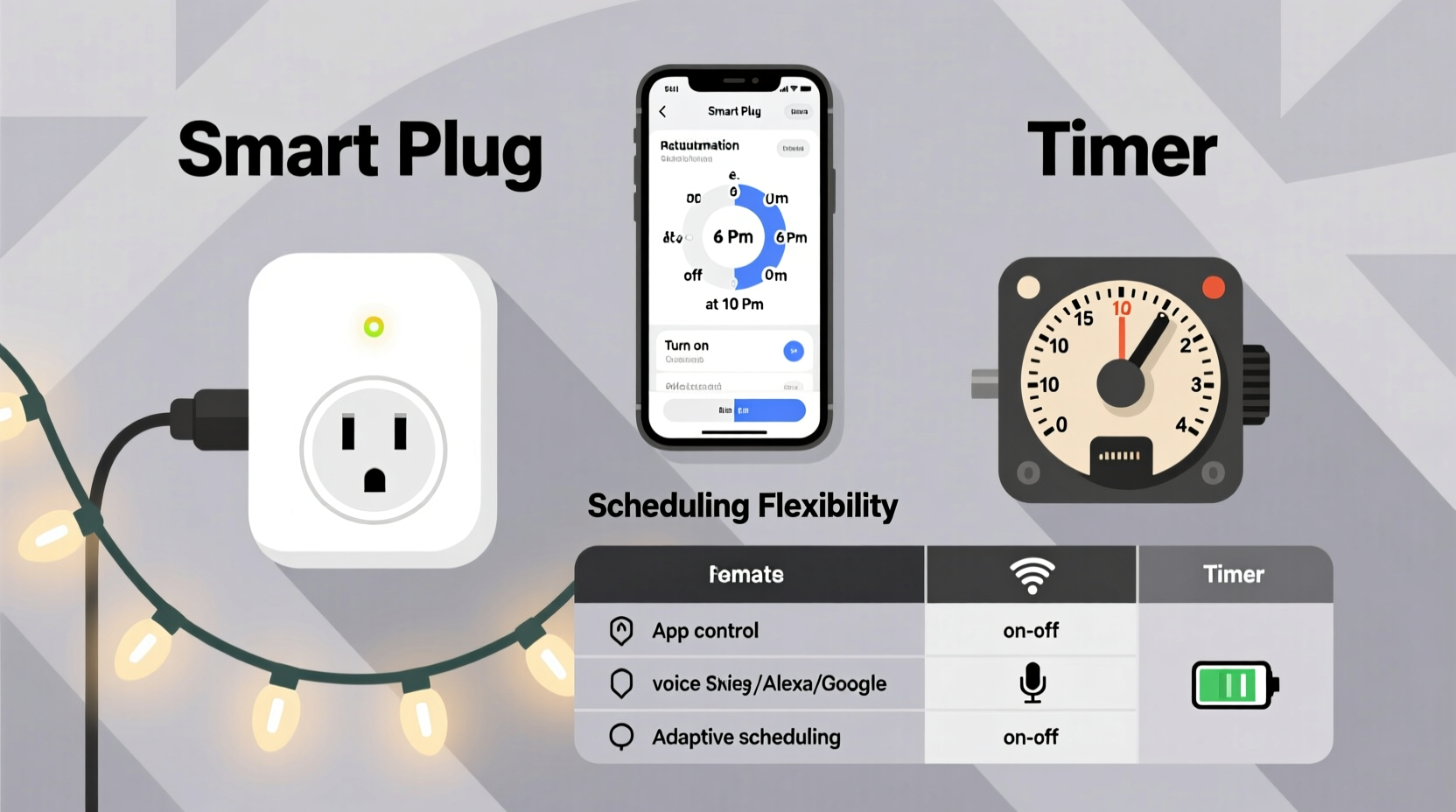
Timers for Christmas lights are typically electromechanical or digital devices that plug into a standard wall outlet. You set specific on and off times using dials, buttons, or pre-programmed cycles. Once configured, the timer controls power to whatever is plugged into it—most commonly, strands of holiday lights.
Mechanical timers use a rotating dial marked with 15- or 30-minute increments across a 24-hour cycle. Users physically press down tabs to designate when the device should activate. Digital models feature LCD screens and button inputs, allowing for more precise timing and multiple daily events.
These devices operate independently. They don’t connect to Wi-Fi or rely on apps. Their simplicity is both a strength and a limitation. On one hand, they work straight out of the box with minimal setup. On the other, they lack responsiveness to changing conditions like weather, daylight shifts, or travel plans.
The Rise of Smart Plugs in Seasonal Decor Automation
Smart plugs bring modern convenience to lighting control. These small devices plug into standard outlets and allow connected lamps or light strings to be managed via smartphone apps, voice assistants (like Alexa or Google Assistant), or home automation platforms such as Apple HomeKit or IFTTT.
Unlike traditional timers, smart plugs rely on internet connectivity. This enables remote operation, real-time adjustments, and advanced scheduling based not just on time but also on sunrise/sunset, geolocation, or sensor triggers. For example, you can program your Christmas lights to turn on at dusk and off at 11 PM every night—automatically adjusting as sunset times change throughout December.
Many smart plugs also provide energy monitoring, letting users track how much electricity their holiday display consumes. Some even support scene creation, where lights sync with music or other smart home actions for dramatic effect during gatherings.
“Smart plugs represent a shift from static automation to dynamic, context-aware control—especially valuable during holidays when routines fluctuate.” — Daniel Reeves, Smart Home Systems Engineer
Comparing Scheduling Capabilities: Flexibility vs Simplicity
The core difference between timers and smart plugs lies in scheduling sophistication. Let’s break down how each performs across several key criteria.
| Feature | Traditional Timer | Smart Plug |
|---|---|---|
| Time Precision | ±15–30 minutes (mechanical); exact minute (digital) | Exact second-level scheduling |
| Sunrise/Sunset Sync | No | Yes, via app settings |
| Remote Adjustments | No | Yes, from anywhere with internet |
| Multiple Daily Events | Limited (typically 1–2 on/off cycles) | Unlimited; complex routines possible |
| Vacation Mode | Rudimentary (fixed schedule) | Randomized on/off patterns to simulate presence |
| Weather Adaptability | No | Possible via integrations (e.g., delay activation during storms) |
| Setup Complexity | Very low | Moderate (requires app, Wi-Fi, account) |
| Cost | $8–$15 | $15–$30+ |
While both devices fulfill the basic need for scheduled lighting, smart plugs excel in environments where flexibility matters. Consider a scenario where family arrives early for dinner—the ability to remotely turn on the lights from your phone adds convenience that a fixed timer cannot match.
Real-World Example: Managing a Large Outdoor Display
Take the case of Sarah, a homeowner in Portland, Oregon, who maintains an elaborate outdoor Christmas display visible from the street. She used a digital timer for three years but faced recurring issues: lights came on too early during long winter evenings, and she couldn’t adjust them when hosting last-minute guests. During one particularly stormy week, her lights stayed on all day due to overcast skies, draining energy unnecessarily.
In 2023, she switched to a weatherproof smart plug compatible with her existing setup. Using the companion app, she created a schedule tied to local sunset times. She added a secondary rule: if rainfall exceeds 0.5 inches per hour, disable lights temporarily. She also enabled “Away Mode,” which randomizes lighting patterns while she’s on vacation, enhancing home security.
The result? Her display now feels more natural, responds intelligently to environmental changes, and gives her full control—even when she’s 500 miles away visiting relatives. Though the initial investment was higher, the long-term benefits in energy savings, curb appeal, and peace of mind justified the upgrade.
Step-by-Step Guide: Setting Up Intelligent Light Scheduling
Whether you're new to smart home tech or upgrading from a basic timer, follow these steps to maximize scheduling effectiveness with a smart plug:
- Purchase a compatible smart plug – Choose one rated for outdoor use if needed, and ensure it works with your preferred ecosystem (e.g., Amazon Alexa, Google Home, Apple HomeKit).
- Install the manufacturer’s app – Download and create an account. Most brands guide you through Wi-Fi pairing with step-by-step prompts.
- Connect the plug to power and lights – Plug the device into the outlet, then connect your Christmas lights to the smart plug.
- Test basic on/off commands – Use the app to confirm communication. Turn lights on and off remotely to verify functionality.
- Create a custom schedule – Navigate to the scheduling section. Set lights to turn on at sunset and off at 10:30 PM. Alternatively, input fixed times if preferred.
- Enable dynamic triggers (optional) – Activate sunrise/sunset tracking so the schedule adjusts daily. Add geofencing to turn lights on when you arrive home.
- Add vacation mode – Enable randomized on/off intervals during trips to deter intruders.
- Monitor usage – Review energy reports to estimate seasonal consumption and identify inefficiencies.
This process takes under 30 minutes and pays dividends in convenience and customization throughout the holiday season.
Checklist: Choosing Between a Timer and Smart Plug
- ✅ Need only one fixed on/off time per day? → A timer may suffice.
- ✅ Want lights to turn on at dusk regardless of date? → Choose a smart plug.
- ✅ Plan to travel during the holidays? → Smart plug with remote access is ideal.
- ✅ Already use voice assistants or a smart home system? → Integrate with a smart plug.
- ✅ Operating on a tight budget? → Basic timer is cost-effective.
- ✅ Managing multiple light zones? → Smart plugs allow individual control per circuit.
- ✅ Concerned about energy waste? → Opt for a smart plug with usage tracking.
Frequently Asked Questions
Can I use a smart plug outside?
Yes, but only if it’s specifically rated for outdoor use. Standard indoor smart plugs are not weather-resistant and may fail or pose safety risks when exposed to moisture. Always check the IP (Ingress Protection) rating—look for at least IP44 for damp locations.
Do timers adjust for daylight saving time?
Most do not. Mechanical and many digital timers require manual adjustment twice a year. Smart plugs automatically update based on network time, ensuring accurate scheduling year-round.
Are smart plugs secure?
Reputable brands use encryption and regular firmware updates to protect user data. To enhance security, use strong passwords, enable two-factor authentication, and keep your home Wi-Fi network secured with WPA3 encryption.
Conclusion: Scheduling Smarts Matter More Than Ever
When it comes to controlling Christmas lights, the choice between a timer and a smart plug ultimately reflects your expectations for automation. Timers serve a purpose—they’re reliable, affordable, and functional for straightforward setups. But they belong to an older era of home management, where rigidity was the norm.
Smart plugs, by contrast, offer adaptive intelligence. They respond to your lifestyle, environment, and preferences. Whether it’s syncing with natural light cycles, enabling remote tweaks during holiday chaos, or simulating occupancy while you’re away, their scheduling superiority is clear.
For those willing to invest a little more upfront, the return in convenience, efficiency, and festive flair is substantial. As smart home technology becomes increasingly mainstream, opting for a smart plug isn’t just about lights—it’s about embracing a more responsive, intuitive way to live.




 浙公网安备
33010002000092号
浙公网安备
33010002000092号 浙B2-20120091-4
Comments
No comments yet. Why don't you start the discussion?