
In today’s digital-first economy, a strong social media presence isn’t optional—it’s essential. Among all platforms, Facebook remains one of the most powerful tools for small and mid-sized businesses aiming to expand their reach, build trust, and drive sales. With over 2.9 billion monthly active users, Facebook offers unmatched access to potential customers. But simply having a page isn't enough. To generate real business growth, your Facebook presence must be strategic, professional, and consistently engaging. This guide walks you through every critical stage of building and optimizing a high-performing Facebook page that works as hard as you do.
1. Set Up Your Business Page Correctly
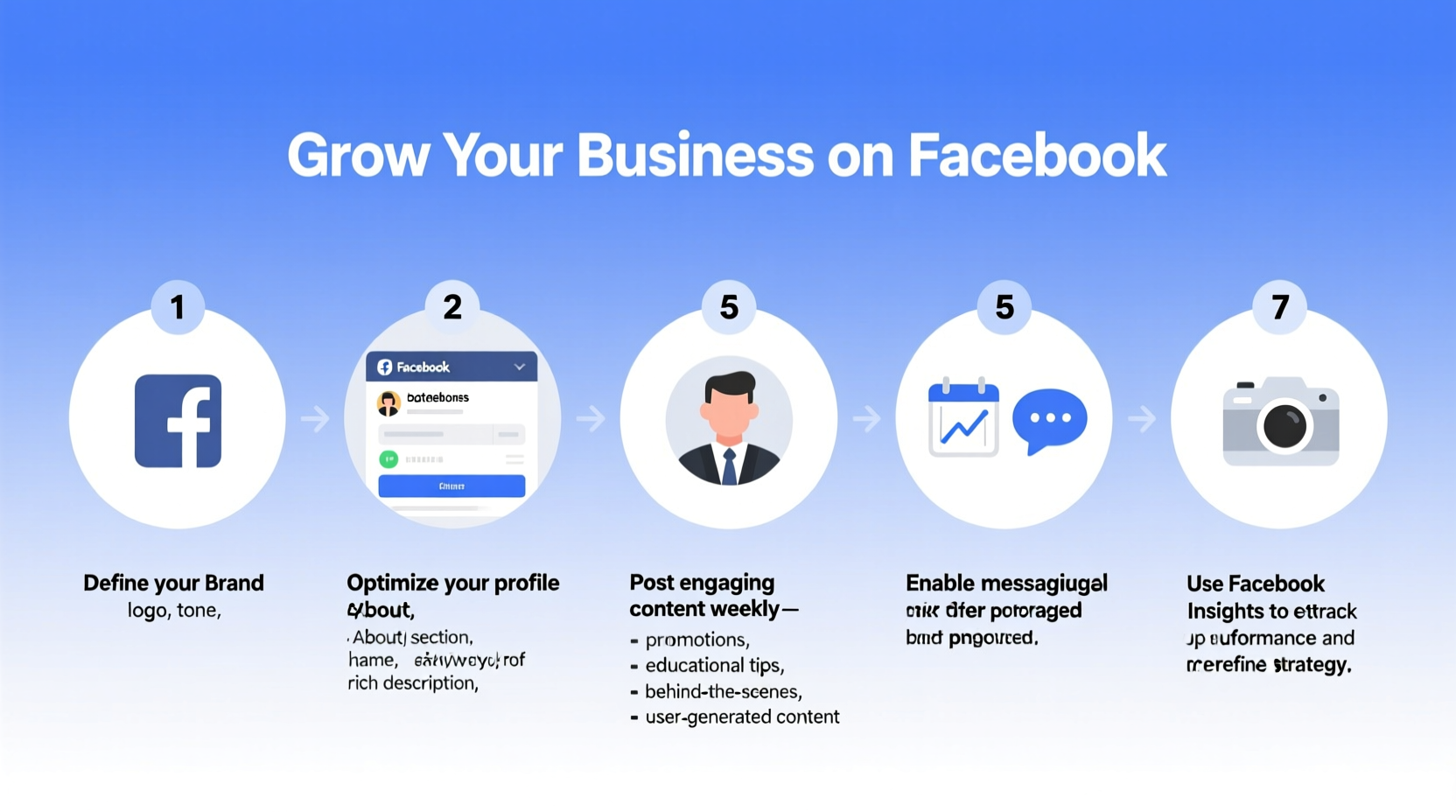
The foundation of any successful Facebook presence begins with proper setup. A well-structured page builds credibility and makes it easier for customers to find, follow, and interact with your brand.
- Choose the right category: When creating your page, select the most accurate business category (e.g., Local Business, Brand, Public Figure). This affects how your page appears in search results and recommendations.
- Use a professional profile and cover image: Your profile picture should be your logo (recommended size: 170x170 pixels). The cover photo (820x312 pixels) should reflect your brand identity—consider using a lifestyle image, promotional offer, or tagline.
- Complete all essential information: Fill out every section including contact details, website URL, hours of operation, location, and a concise “About” description.
- Claim your custom username: Once available, set a @username (e.g., @YourBusinessName) to make sharing and tagging easier.
2. Optimize Your Page for Visibility and Trust
A complete page is just the beginning. Optimization ensures your audience sees value at a glance and feels confident engaging with your brand.
Start by crafting a compelling call-to-action (CTA) button. Facebook allows you to add buttons like “Contact Us,” “Shop Now,” “Book Now,” or “Learn More.” Choose the one that aligns with your primary goal and link it to the appropriate destination—your website, booking system, or lead form.
Next, verify your business. While full Meta verification may require paid subscription or eligibility, confirming your domain or phone number adds legitimacy. Verified pages are more trusted by users and perform better in algorithmic distribution.
| Optimization Element | Best Practice | Impact |
|---|---|---|
| About Section | Include keywords, mission statement, and contact info | Improves search ranking and customer clarity |
| Page Username | Short, branded, consistent with other social handles | Boosts memorability and cross-platform recognition |
| Response Time Label | Maintain under 15 minutes for “Very responsive” badge | Increases user trust and message engagement |
| Reviews & Ratings | Encourage satisfied customers to leave feedback | Builds social proof and local SEO strength |
3. Develop a Strategic Content Plan
Content is the engine of engagement. Without a plan, posts become random and ineffective. A strategic approach ensures consistency, relevance, and alignment with business goals.
Begin by defining your content pillars—3 to 5 core themes that represent your brand. For example, a fitness studio might use: workout tips, client transformations, class schedules, nutrition advice, and community events.
Post a mix of formats: short videos, carousels, behind-the-scenes photos, customer testimonials, and live Q&As. Facebook’s algorithm favors native video and meaningful interactions, so prioritize content that invites comments and shares.
Timing matters. Use Facebook Insights to determine when your audience is most active. Most small businesses see peak engagement on weekday evenings and weekend mornings.
“Pages that post 3–5 times per week with a balanced content mix see up to 3x higher engagement than those posting sporadically.” — Meta Business Partner Report, 2023
4. Engage Authentically and Build Community
Growth doesn’t come from broadcasting—it comes from conversation. Businesses that treat their page as a two-way channel foster stronger relationships and loyalty.
Respond to every comment and message promptly. Even a simple “Thanks!” shows you’re listening. Use comments to ask follow-up questions and spark discussion. For example, after sharing a recipe, ask followers to share their twist on it.
Create opportunities for interaction: run polls in stories, host weekly live sessions, or launch a “Customer of the Month” feature. These activities transform passive scrollers into active participants.
Mini Case Study: Bella’s Bakery
Bella’s Bakery, a small shop in Portland, launched its Facebook page with only 50 local followers. Instead of pushing daily sales, Bella focused on storytelling—posting behind-the-scenes clips of bakers decorating cakes, time-lapse videos of sourdough rising, and customer unboxing moments.
She responded to every comment, used birthday shoutouts, and ran a monthly “Guess the Flavor” contest. Within six months, her follower count grew to 4,200, and she reported a 35% increase in online order inquiries—all tracked back to Facebook referrals.
5. Measure, Adjust, and Scale
Your page isn’t static. Success depends on regular evaluation and adaptation. Facebook Insights provides detailed analytics on reach, engagement, follower demographics, and post performance.
Monitor key metrics weekly:
- Engagement rate: (Likes + Comments + Shares) / Reach x 100. Aim for 3–6% as a benchmark.
- Top-performing content: Identify which formats and topics get the most traction.
- Follower growth trends: Sudden spikes or drops can indicate campaign success or content missteps.
- Click-through rates: Track how often users click your website link or CTA button.
If a type of post consistently underperforms, refine your approach. Test different headlines, visuals, or posting times. Over time, you’ll develop a data-backed content rhythm that drives results.
Checklist: Launch-Ready Facebook Page
- ✅ Selected correct business category
- ✅ Uploaded high-quality profile and cover images
- ✅ Completed all About section fields (address, phone, website, hours)
- ✅ Set a custom username (@YourBusiness)
- ✅ Added a relevant call-to-action button
- ✅ Published at least 5 valuable posts (mix of media types)
- ✅ Responded to all incoming messages and comments
- ✅ Scheduled next 2 weeks of content using Meta Business Suite
- ✅ Reviewed Insights to understand audience demographics
- ✅ Enabled reviews and encouraged initial feedback
FAQ
How long does it take to see results from a new Facebook page?
Most businesses begin seeing measurable engagement within 4–8 weeks of consistent posting and interaction. Significant growth in leads or sales typically follows after 3–6 months of optimized activity.
Should I pay for ads if I have an organic page?
Yes. Organic reach is limited—often below 10% of your followers. Paid ads amplify your best content, target specific audiences, and drive conversions. Start with a modest budget ($5–$10/day) to test what works.
Can I manage my page from a personal account?
You can, but it's better to use a dedicated business manager account. This allows team access, ad spending controls, and keeps personal and professional activity separate for security and scalability.
Conclusion
Creating an effective Facebook page is not a one-time task—it’s an ongoing investment in your brand’s visibility, credibility, and customer relationships. From meticulous setup to consistent, data-driven engagement, each step compounds over time to deliver real business growth. The tools are free, the audience is vast, and the opportunity is immediate. Your ideal customers are already on Facebook. It’s time they found you.




 浙公网安备
33010002000092号
浙公网安备
33010002000092号 浙B2-20120091-4
Comments
No comments yet. Why don't you start the discussion?