
Instagram has evolved from a photo-sharing app into one of the most powerful platforms for brand visibility, customer engagement, and direct sales. With over 2 billion monthly active users, it offers unmatched reach—especially when you operate with a business account optimized for growth. A personal profile may suffice for casual use, but if you're serious about building a brand presence, converting followers, or launching digital products, switching to a business account is non-negotiable.
More than just access to analytics and ads, an optimized Instagram business profile sets the foundation for trust, discoverability, and long-term audience development. This guide walks through each critical phase—from initial setup to advanced optimization—ensuring your account isn’t just visible, but built to convert and scale.
1. Transitioning to an Instagram Business Account
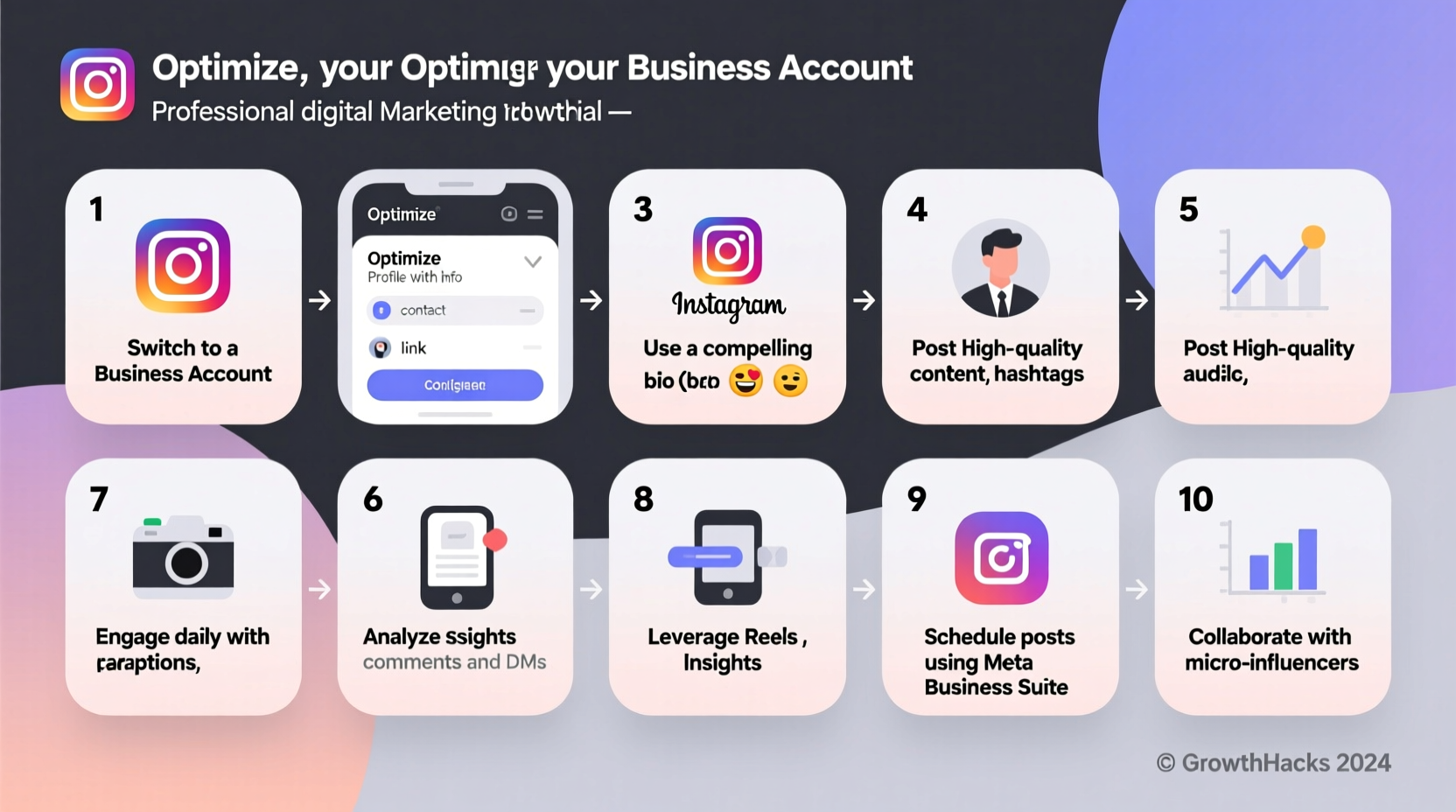
If you're still using a personal account, the first step is upgrading to a business profile. The process is free and reversible, but once completed, you gain access to essential tools like Insights, contact buttons, and ad creation capabilities.
- Open the Instagram app and go to your profile.
- Tap the menu (three lines) in the top-right corner and select “Settings.”
- Navigate to “Account” and choose “Switch to Professional Account.”
- Select “Business” as your account type.
- Connect your Instagram profile to a Facebook Page linked to your brand.
- Verify your business category (e.g., Fashion, Consulting, Fitness).
- Add contact options: email, phone number, and physical address if applicable.
This transition unlocks the Instagram Insights dashboard, where you can track follower demographics, post performance, and story engagement—all crucial data points for refining your strategy.
2. Optimizing Your Profile for Maximum Impact
Your Instagram profile is your digital storefront. First impressions matter, and every element should communicate professionalism and clarity.
- Profile Photo: Use a high-resolution logo or professional headshot. It should be recognizable even at small sizes.
- Username & Name Field: Keep your @username consistent with your brand name. The “Name” field (which appears in search) can include relevant keywords (e.g., “Sarah | Vegan Baking Coach”).
- Bio: You have 150 characters to make an impact. Clearly state who you are, who you serve, and what value you offer. Include a call-to-action (CTA), such as “Book a free consult” or “Join 10K+ creators inside.”
- Link: Use a smart linking tool like Linktree, Beacons, or Koji to host multiple URLs in one place, especially if you promote several offers or content pieces.
| Element | Do’s | Don’ts |
|---|---|---|
| Bio | Use emojis sparingly, include CTA, add keyword relevance | Overcrowd with hashtags, use vague phrases like “living my truth” |
| Link | Update regularly based on current campaign | Leave it pointing to an outdated landing page |
| Contact Info | Add all relevant channels (email, WhatsApp, location) | Omit response options; makes you seem inaccessible |
“Your bio isn’t just about information—it’s about invitation. It should answer the question: Why should someone engage with you?” — Maya Tran, Social Media Strategist at BrandLift Studio
3. Content Strategy: Building a Cohesive Feed That Converts
Growth doesn’t come from random posting. It comes from intentionality—curating content that aligns with your brand voice, audience needs, and platform algorithms.
Start by defining your content pillars—3 to 5 core themes that represent your brand. For example, a fitness coach might use: workouts, nutrition tips, client transformations, mindset, and behind-the-scenes.
Post consistently using a mix of formats:
- Carousels: Ideal for educational content (e.g., “5 Mistakes Beginners Make in Keto Diets”)
- Reels: Prioritized by Instagram’s algorithm; best for trends, quick tips, and entertainment
- Stories: Perfect for real-time engagement, polls, Q&As, and limited-time offers
- Guides: Underused but powerful for curating resources, product recommendations, or tutorials
Mini Case Study: From 500 to 15K Followers in 5 Months
Lena Kim, a freelance graphic designer, switched to a business account and restructured her content around three pillars: design tips, portfolio highlights, and creative workflow hacks. She began posting two Reels weekly showing before/after edits and time-lapse designs, added a clear CTA in her bio (“DM ‘KIT’ for free Canva templates”), and used Stories to run weekly polls on design trends.
Within four months, her engagement rate jumped from 1.8% to 6.3%, and she generated over $4,000 in direct client bookings through DM inquiries. Her strategy wasn’t viral fame—it was consistency, clarity, and conversion-focused content.
4. Leveraging Instagram Insights for Data-Driven Growth
Without measurement, growth is guesswork. Instagram Insights provides actionable metrics across three tabs: Home, Content, and Audience.
Key metrics to monitor weekly:
- Reach & Impressions: How many unique users saw your content?
- Engagement Rate: (Likes + Comments + Saves + Shares) / Follower Count. Aim for 3–6% as a benchmark.
- Follower Activity: When are your followers most active? Schedule posts accordingly.
- Top Performing Posts: Identify patterns—what format, topic, or caption style drives results?
Use this data to refine your posting schedule, double down on high-performing content types, and phase out underperforming ones. For instance, if carousels receive 3x more saves than single-image posts, shift your focus accordingly.
Checklist: Monthly Optimization Review
- Review top 3 performing posts and replicate their structure
- Update bio link to reflect current lead magnet or promotion
- Audit follower demographics (age, location, gender) to ensure alignment with target market
- Test one new content format (e.g., Reel trend, Story quiz, Guide curation)
- Respond to unanswered DMs and comments from the past week
5. Advanced Optimization: Ads, CTAs, and Automation
Once organic traction stabilizes, amplify your reach with paid strategies. Instagram ads—accessible via Meta Ads Manager—allow precise targeting based on interests, behaviors, and demographics.
Start with simple objectives:
- Brand Awareness: Introduce your profile to cold audiences.
- Engagement: Boost a high-performing post to get more likes and comments.
- Conversions: Drive traffic to a landing page or encourage sign-ups.
Pair ads with strong CTAs in both visuals and captions. Phrases like “Swipe up to learn more,” “Limited spots available,” or “Tag a friend who needs this” increase interaction.
For efficiency, automate repetitive tasks:
- Use scheduling tools like Later, Buffer, or Hootsuite to plan content weeks in advance.
- Set up auto-responses in Direct Messages for common queries (e.g., pricing, availability).
- Create Story highlight covers to organize saved content professionally (e.g., “Services,” “Testimonials,” “FAQ”)
FAQ
Can I switch back to a personal account after upgrading to business?
Yes. Go to Settings > Account > Switch to Personal Account. Note that you’ll lose access to Insights and advertising tools unless you’re using a Creator account.
How often should I post to grow my business account?
Consistency matters more than frequency. Posting 3–4 times per week with high-quality content yields better results than daily low-effort posts. Focus on Reels 3x/week and Stories daily for optimal algorithm favor.
Do hashtags still matter in 2024?
Yes, but strategy has shifted. Use 5–10 highly relevant hashtags instead of 30 generic ones. Mix niche-specific tags (e.g., #VeganMealPrepIdeas) with moderately popular ones (#HealthyEatingTips) for better discovery.
Conclusion
Creating an Instagram business account is just the beginning. True growth comes from deliberate optimization—crafting a compelling profile, publishing strategic content, analyzing performance, and scaling through automation and ads. Every element, from your bio to your posting rhythm, shapes how audiences perceive and interact with your brand.




 浙公网安备
33010002000092号
浙公网安备
33010002000092号 浙B2-20120091-4
Comments
No comments yet. Why don't you start the discussion?