
The iPhone 14 Pro Max and iPhone 15 Pro Max are powerful, high-end devices designed for performance, photography, and seamless integration with Apple’s ecosystem. However, their premium design comes at a cost—both financially and in terms of fragility. One of the most effective ways to protect your investment is by using a MagSafe-compatible magnetic case engineered specifically for the Pro Max series. These cases not only shield your phone from drops and scratches but also unlock the full potential of Apple’s magnetic accessories. This guide walks you through selecting, installing, and optimizing a magnetic case for long-term durability and functionality.
Understanding Magnetic Phone Cases for iPhone Pro Max
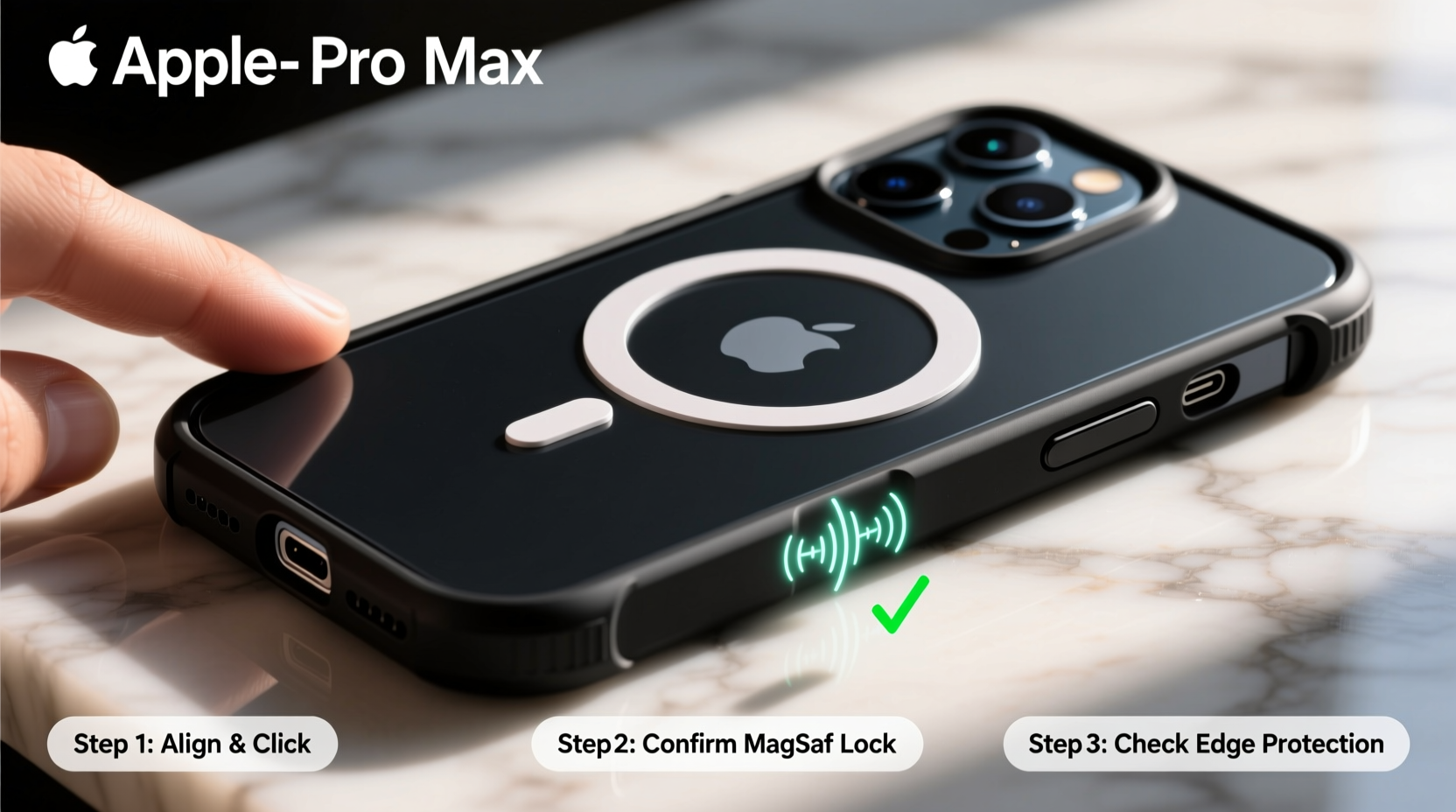
Magnetic cases for the iPhone Pro Max models are more than just protective shells—they are access points to Apple’s MagSafe technology. Built-in magnets align precisely with the internal ring in iPhones starting from the iPhone 12 series, enabling secure attachment of chargers, wallets, car mounts, and other accessories without sacrificing ease of use.
Apple’s official MagSafe cases are made from fine leather or silicone and include embedded magnets that maintain signal integrity and charging efficiency. Third-party options vary widely in quality, so it’s essential to choose one that meets Apple’s MagSafe certification standards. Look for products labeled “MagSafe compatible” or “Made for MagSafe” to ensure proper alignment, strength, and safety.
“MagSafe isn’t just about convenience—it’s about creating a modular ecosystem around your phone. A good magnetic case becomes the foundation.” — Jordan Lee, Senior Mobile Accessories Analyst at TechGear Weekly
Step-by-Step Installation Process
Installing a magnetic case correctly ensures optimal protection and full functionality of MagSafe features. Follow these steps carefully:
- Power down your iPhone (optional but recommended): While not required, turning off your device minimizes risk during installation, especially if you're handling screen edges.
- Clean your iPhone thoroughly: Use a microfiber cloth to wipe down the back and sides. Remove dust, oils, or residue that could interfere with snug fit or magnet adhesion.
- Align the case opening with the camera module: The Pro Max has a large triple-lens array. Ensure the cutout in the case lines up perfectly before pressing down.
- Insert the top edge first: Gently slide the top of the phone into the case, allowing the raised rim to cover the rear glass slightly.
- Press along the sides and bottom: Apply even pressure around the perimeter until all edges snap securely into place. Avoid using excessive force near the buttons.
- Test button responsiveness: Press volume up/down and side button to confirm tactile feedback isn’t muffled by the case material.
- Verify MagSafe alignment: Attach a MagSafe charger or wallet. It should snap into place with a distinct magnetic click and remain centered.
Maximizing Protection and Performance
A well-installed magnetic case does more than look sleek—it actively prevents damage while enhancing usability. To get the most out of your setup, follow these best practices:
- Use only certified MagSafe accessories: Non-certified chargers may generate excess heat or fail to charge efficiently due to poor coil alignment.
- Keep the case clean: Wipe the interior weekly with a dry lint-free cloth to prevent grit buildup that can scratch the phone’s finish.
- Avoid extreme temperatures: Prolonged exposure to heat (e.g., direct sunlight on a dashboard) can degrade adhesive layers and warp plastic components.
- Remove the case periodically: Every few weeks, take the phone out to inspect for trapped debris and check for any signs of wear on corners or ports.
- Pair with a screen protector: Even with a rugged case, front-screen impacts are common. A tempered glass protector completes your defense strategy.
Do’s and Don’ts of Using a Magnetic Case
| Do’s | Don’ts |
|---|---|
| Choose a case with raised bezels to protect screen and camera lenses | Don’t use thick multi-layer cases unless necessary—they can weaken MagSafe signal |
| Charge wirelessly with MagSafe-certified chargers up to 15W | Don’t leave metal objects near the back of the phone—credit cards may demagnetize |
| Use drop-tested cases rated for 6+ feet of impact resistance | Don’t expose leather cases to moisture; they absorb water and stain easily |
| Rotate between two cases seasonally to extend lifespan | Don’t force accessories on/off; let magnets guide placement naturally |
Real-World Example: Daily Commute Protection
Samantha, a marketing executive in San Francisco, uses her iPhone 15 Pro Max throughout the day—for emails, presentations, navigation, and client calls. She commutes via BART, often juggling bags and coffee while boarding trains. After cracking her phone twice in six months, she invested in an Apple Leather MagSafe Case and a MagSafe car mount.
Within weeks, she noticed fewer accidental drops thanks to the improved grip. When her phone slipped off the counter at home, the case absorbed the impact without a scratch. On her commute, she snaps her phone onto the windshield mount for GPS and detaches it effortlessly upon arrival. Over eight months later, her phone remains pristine—proof that the right case makes a measurable difference in real-life durability.
Frequently Asked Questions
Can I wirelessly charge my iPhone while it’s in a magnetic case?
Yes, all MagSafe-compatible cases allow wireless charging without removal. Charging efficiency remains within 95–100% when using Apple-certified chargers. Third-party chargers may vary in performance depending on coil alignment and power output.
Will the magnets in the case affect my phone’s compass or battery life?
The magnets are specifically tuned to avoid interference with internal sensors. Temporary compass deflection may occur when attaching or removing accessories but recalibrates quickly. Battery health is unaffected under normal usage conditions.
How often should I replace my magnetic case?
Inspect your case every 4–6 months for cracks, fading, or weakened magnet strength. High-quality cases typically last 12–18 months with regular use. Replace immediately if structural integrity is compromised or if MagSafe accessories no longer attach securely.
Essential Checklist Before Finalizing Setup
- Pre-Installation:
- ☐ Verify case model matches your iPhone version (e.g., iPhone 15 Pro Max vs. 14 Pro Max)
- ☐ Confirm packaging includes MagSafe certification logo
- ☐ Clean phone surface with alcohol-free wipe
- During Installation:
- ☐ Align camera cutout precisely
- ☐ Snap case on evenly without twisting
- ☐ Test all physical buttons post-installation
- Post-Installation:
- ☐ Attach MagSafe charger to verify magnetic alignment and charging function
- ☐ Check speaker and port clearance—no muffled sound or blocked charging port
- ☐ Register warranty if offered by manufacturer
Final Thoughts: Protect Smart, Use Smarter
Your iPhone Pro Max is a precision instrument built for productivity, creativity, and connectivity. Treating it with care starts with choosing the right protection—one that doesn’t sacrifice form, function, or future-proofing. A properly installed magnetic case enhances daily usability while guarding against the inevitable bumps, drops, and spills of modern life.
By following this guide, you’re not just adding a layer of defense—you’re integrating your phone into a smarter, more efficient ecosystem. Whether you're snapping on a wallet for travel, mounting your phone for hands-free video calls, or charging seamlessly at your desk, the right case turns your Pro Max into a truly intelligent companion.




 浙公网安备
33010002000092号
浙公网安备
33010002000092号 浙B2-20120091-4
Comments
No comments yet. Why don't you start the discussion?