
In an age where smart TVs come with companion apps and sleek touchscreen remotes, the humble physical button remote still holds its ground in living rooms around the world. While both technologies promise seamless control over your television, they deliver vastly different experiences in terms of efficiency, accuracy, and user comfort. Efficiency isn’t just about how fast you can change the channel—it’s about reliability, muscle memory, accessibility, and how well a remote adapts to real-life use. As manufacturers push for minimalist design and digital interfaces, it's worth asking: do touchscreen remotes actually make controlling your TV easier, or are physical buttons still the superior choice?
The Evolution of TV Remote Controls
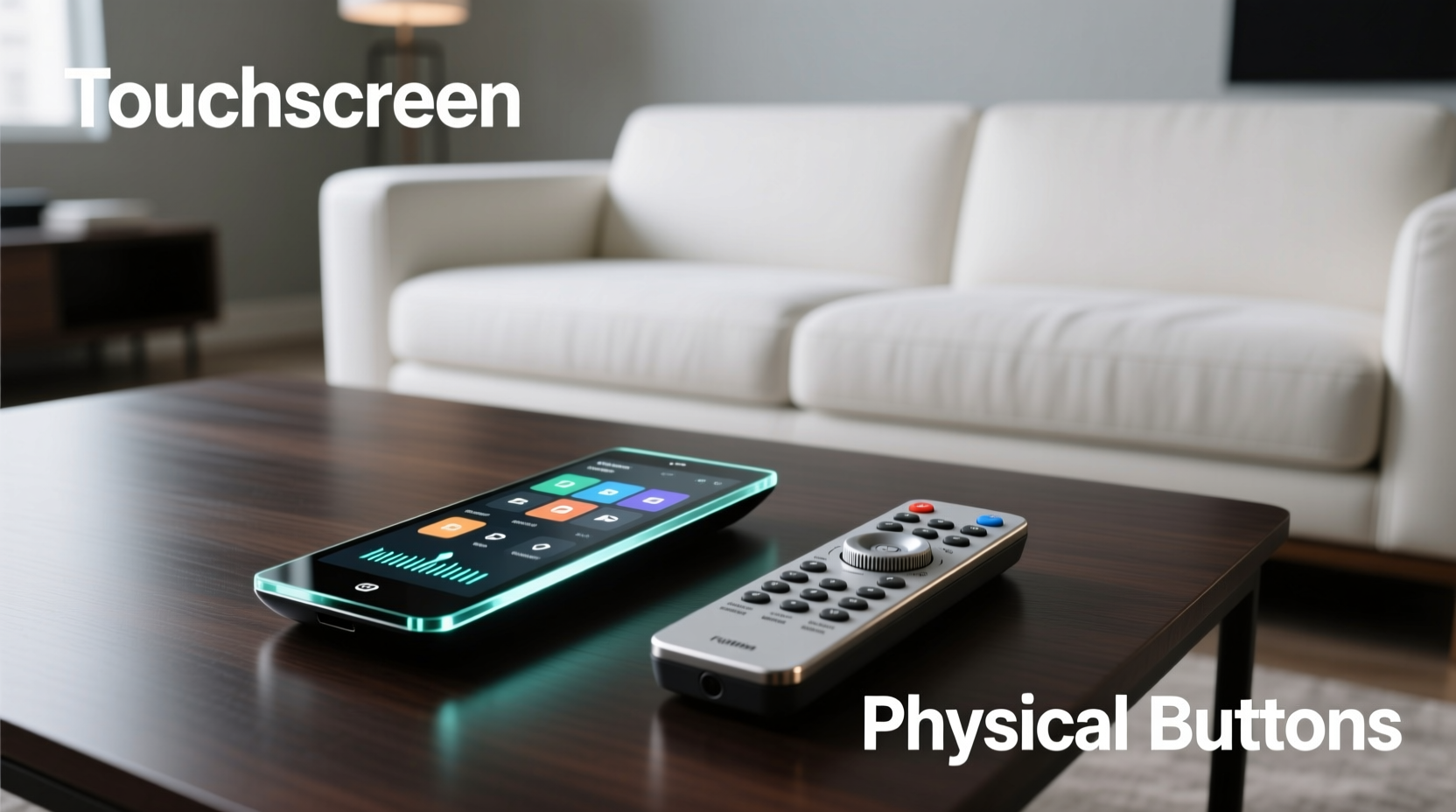
Remote controls have evolved significantly since their inception in the 1950s. From wired units to infrared clickers, and now to voice-enabled, app-based, and touchscreen models, the way we interact with our televisions has transformed. The earliest remotes used ultrasonic tones; later, infrared (IR) became standard. Fast forward to today, and many high-end remotes—like those from Apple, Samsung, and Logitech—are embracing capacitive touchscreens to replace physical keys.
These modern designs aim to simplify clutter by consolidating functions into on-screen menus, gestures, and swipe-based navigation. However, this shift raises questions about usability under common conditions: dim lighting, accidental inputs, and ease of access for users of all ages. Physical-button remotes, while often seen as outdated, continue to offer tactile feedback and predictable layouts that many users rely on without thinking.
Speed and Accuracy: A Direct Comparison
When evaluating efficiency, response time and input accuracy are paramount. Let’s break down how each type performs in typical usage scenarios.
| Factor | Button Remotes | Touchscreen Remotes |
|---|---|---|
| Input Speed | Fast – buttons allow instant press-and-release actions based on muscle memory. | Moderate – requires visual confirmation; swipes and taps take longer for complex commands. |
| Tactile Feedback | High – users can feel buttons without looking. | None (unless haptic feedback is enabled). |
| Error Rate | Low – dedicated buttons reduce mispresses. | Higher – accidental swipes or missed taps common, especially in low light. |
| Learning Curve | Minimal – intuitive layout learned quickly. | Steeper – menu navigation varies by model and requires memorization. |
| Durability | High – mechanical buttons withstand years of use. | Moderate – screens scratch easily; software glitches may occur. |
In blind tests conducted by consumer electronics reviewers, users consistently completed tasks like volume adjustment, channel switching, and returning to home screens faster with button remotes. Touchscreen models required glancing at the device, disrupting focus on the TV screen. This may seem minor, but during movie nights or live sports, even a half-second delay affects overall experience.
Accessibility and User Experience Across Demographics
A truly efficient remote must serve a wide range of users—not just tech-savvy adults, but also seniors, children, and individuals with motor impairments. Here, physical buttons hold a clear advantage.
For older adults, touchscreens present several challenges: small icons, lack of tactile cues, and reliance on precise finger placement. In contrast, large, labeled buttons with distinct shapes allow confident operation without needing to see the remote clearly. A study published in the *Journal of Usability Studies* found that participants over 65 made 40% fewer errors using traditional remotes compared to touchscreen alternatives.
Children benefit from the simplicity of direct-action buttons. Pressing “Power” turns the TV off—no nested menus or gesture combinations. Meanwhile, people with limited dexterity or tremors find touchscreens frustrating due to unintended swipes and unresponsive touch areas.
“Designing for inclusivity means prioritizing predictability over novelty. Physical buttons remain one of the most universally accessible input methods.” — Dr. Lena Torres, Human-Computer Interaction Researcher, MIT Media Lab
Real-World Example: The Family Living Room
Consider the Johnson household: two parents, a 7-year-old, and a grandmother who visits weekly. They recently upgraded to a premium smart TV with a sleek glass touchscreen remote. Within days, complaints emerged. The child couldn’t find the volume control without help. Grandma accidentally launched streaming apps instead of changing channels. One evening, during a crucial football game, the husband fumbled through menus trying to unmute the audio, missing a key play.
Frustrated, they purchased a $15 universal button remote. Instantly, everyone could operate the TV independently. No tutorials, no trial and error. The simplicity restored peace to movie night. This scenario reflects a broader trend: innovation doesn’t always equal improvement when human factors are overlooked.
Efficiency Beyond Button Presses: Features and Integration
While button remotes excel in basic functionality, touchscreen models offer advanced capabilities that can enhance long-term efficiency. These include:
- Customizable interfaces: Users can rearrange favorite apps, hide unused functions, and create shortcuts.
- Voice command integration: Many touch remotes include built-in microphones for hands-free search and control.
- Backlit displays: Some show contextual menus (e.g., sound settings when adjusting audio).
- Smart home hub control: Can manage lights, thermostats, or security systems from one device.
However, these features come at a cost. Customization requires setup time. Voice assistants don’t work reliably in noisy environments. And relying on software introduces lag and dependency on battery life. A dead touchscreen remote renders the entire system less usable unless a backup exists.
Moreover, efficiency isn’t just about what a remote *can* do—it’s about what it does *consistently*. A button remote works the same way every time, regardless of firmware updates or connectivity issues. Its performance is deterministic. Touchscreen remotes, being mini-computers, are subject to crashes, freezes, and inconsistent behavior across updates.
Checklist: Choosing the Right Remote for Your Needs
Use this checklist to determine which remote type suits your lifestyle and household:
- ✅ Do multiple people use the TV, including seniors or young children? → Prioritize button remotes.
- ✅ Is the remote mainly used in low-light environments? → Choose tactile buttons with good labeling.
- ✅ Do you frequently switch between inputs (HDMI, cable, game console)? → Consider programmable button remotes with input labels.
- ✅ Are you deeply integrated into a smart home ecosystem? → A touchscreen with unified controls may save time.
- ✅ Do you value customization and app-centric navigation? → Touchscreen remotes offer flexibility.
- ✅ Is reliability more important than aesthetics? → Stick with proven button designs.
Battery Life and Maintenance: Hidden Costs of Efficiency
Another aspect of efficiency lies in maintenance. Button remotes typically run on standard AAA batteries and can last six months to a year depending on usage. Their circuitry is simple, power draw minimal.
Touchscreen remotes, however, contain active LCD or OLED panels, processors, and wireless radios. Most require recharging every 1–3 weeks. Forgetting to charge them means sudden loss of function—a disruption that undermines convenience. Some users report having to keep charging cables near the couch, defeating the purpose of wireless freedom.
Likewise, cleaning and upkeep differ. Spills on a button remote can be managed with compressed air and damp cloths. On a touchscreen, moisture can seep under the glass, causing permanent damage. Dust and fingerprints obscure visibility, requiring frequent wiping. Over time, screen coatings wear off, reducing responsiveness.
FAQ: Common Questions About Remote Efficiency
Can I use both a touchscreen and a button remote with the same TV?
Yes. Most smart TVs support multiple remote types simultaneously. You can pair a Bluetooth button remote alongside the default touchscreen model, giving different users their preferred option.
Are there hybrid remotes that combine buttons and touchscreens?
Yes. Some models, like certain Logitech Harmony remotes, feature a small touchscreen above a row of physical buttons. This design aims to balance customization with reliable core controls, though these units tend to be pricier and more complex to set up.
Do touchscreen remotes really improve over time with use?
Marginally. Users may adapt to layouts and develop habits, but unlike muscle memory with physical buttons, touchscreen interaction remains visually dependent. There’s no evidence of significant long-term speed gains beyond initial familiarity.
Conclusion: What Truly Defines Remote Efficiency?
Efficiency in a TV remote isn’t measured by how modern it looks or how many features it boasts. It’s defined by how quickly, accurately, and comfortably you can accomplish everyday tasks—without thinking. In this regard, button remotes consistently outperform their touchscreen counterparts for the majority of users.
Touchscreen remotes have a place in niche scenarios: tech enthusiasts managing complex entertainment systems, users invested in voice ecosystems, or those who prioritize sleek design over function. But for families, older adults, and anyone seeking dependable, instinctive control, physical buttons remain unmatched.
The best approach may not be choosing one over the other, but recognizing that efficiency is personal. Evaluate your viewing habits, household needs, and tolerance for learning curves. Consider keeping a reliable button remote as a primary controller—even if you own a high-end touchscreen model. Sometimes, the most advanced technology isn’t the most effective.




 浙公网安备
33010002000092号
浙公网安备
33010002000092号 浙B2-20120091-4
Comments
No comments yet. Why don't you start the discussion?