
Every holiday season, thousands of households face the same quiet frustration: a brand-new string of LED icicle lights refuses to respond to the remote that came with last year’s net lights—or worse, the remote blinks helplessly while the lights stay stubbornly dark. It’s not user error. It’s not a dead battery (though always check that first). It’s a deliberate, fragmented ecosystem built on proprietary communication layers, inconsistent encoding, and uncoordinated hardware design. Incompatibility isn’t accidental—it’s systemic. And while it may seem like a minor seasonal annoyance, it reflects deeper issues in consumer electronics: the absence of enforced standards, the trade-offs between cost and interoperability, and the growing tension between plug-and-play simplicity and smart-home sophistication.
The Root Causes of Remote Incompatibility
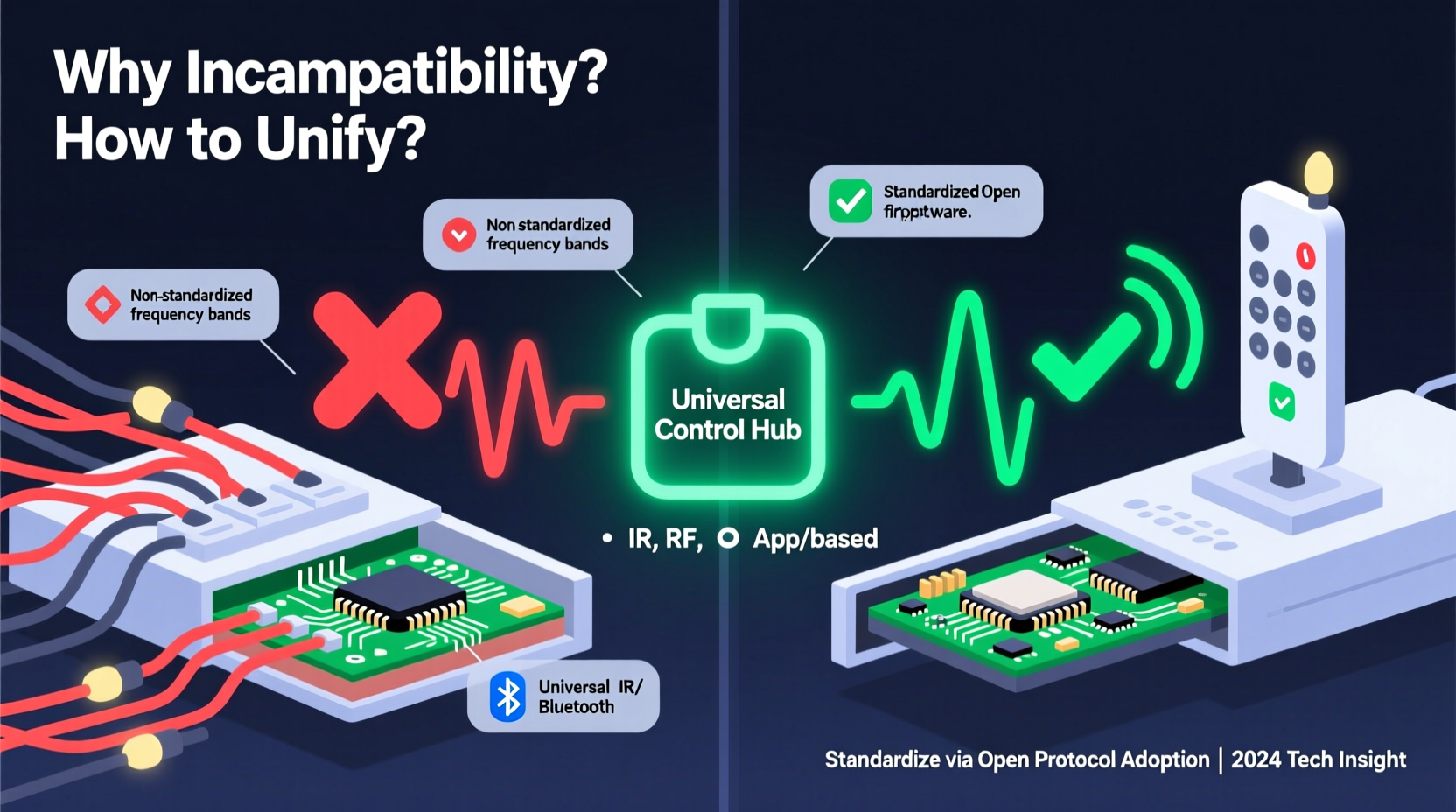
Christmas light remotes fail to interoperate for four primary technical reasons—each rooted in hardware design decisions made long before the product reaches store shelves.
First, infrared (IR) carrier frequency mismatches. Most IR remotes transmit signals using modulated light pulses at specific frequencies—commonly 36 kHz, 38 kHz, or 40 kHz. A receiver tuned to 38 kHz will ignore a 36 kHz signal entirely, even if the command codes are identical. Manufacturers choose frequencies based on component availability, cost, and ambient noise resistance—not compatibility.
Second, protocol-level fragmentation. Even when frequencies align, remotes use different encoding schemes: NEC, RC-5, Sony SIRC, or custom binary formats. NEC, for example, uses a 32-bit frame with start pulse, address, command, and inverse command fields. A “power on” command in NEC might be 0x00FFAA55, while the same action in a proprietary protocol could be 0x7E0F—with no shared reference. There is no universal “on/off” vocabulary.
Third, RF vs. IR divergence. Many newer lights use 433 MHz or 2.4 GHz radio frequency (RF) remotes instead of line-of-sight IR. RF systems add complexity: they require pairing sequences, channel hopping, and often encryption keys. Two 433 MHz remotes may operate on slightly different sub-channels (e.g., 433.07 MHz vs. 433.92 MHz), causing silent failure—even though both fall under the “433 MHz” umbrella.
Fourth, address collision and binding logic. Many RF remotes assign a unique device ID during initial setup. If two strings share the same factory-default address—or if one remote lacks address configuration options—it can only control lights pre-paired to its internal ID table. No handshake, no control.
How Protocols Differ: A Technical Comparison
Understanding the practical differences between common control methods helps diagnose failures and guide purchasing decisions. The table below summarizes key characteristics of dominant remote technologies used in residential Christmas lighting.
| Technology | Typical Range | Line-of-Sight Required? | Reprogrammable? | Common Brands Using It |
|---|---|---|---|---|
| Standard IR (NEC) | Up to 25 ft (optimal) | Yes | Rarely—fixed ROM | Lepower, some Balsam Hill entry models |
| Proprietary IR | 15–20 ft | Yes | No | Home Accents Holiday, Hampton Bay, many Amazon Basics variants |
| 433 MHz RF (unencrypted) | Up to 100 ft indoors | No | Sometimes—via dip switches or reset buttons | Luminara, Twinkly (older models), Noma |
| 2.4 GHz RF (BLE/Zigbee) | 30–50 ft | No | Yes—via smartphone app | Twinkly, Philips Hue Lightstrip +, Govee |
| Wi-Fi + Cloud | Internet-dependent | No | Yes—full reconfiguration via app | Nanoleaf Outdoor, Merkury Smart, LIFX |
A Real-World Case Study: The Neighborhood Light Sync Failure
In December 2023, Sarah M., a homeowner in Portland, Oregon, installed three separate light sets for her front yard: a 300-light warm-white net from Target (brand: Home Accents Holiday), a 150-light multicolor rope light from Lowe’s (Noma), and a 200-light RGBW pixel string from Amazon (Govee). All were advertised as “remote-controlled.” She assumed she could manage them with one universal remote she’d purchased online.
The result was partial functionality at best. The universal remote turned on the Noma rope light but cycled through only three modes—ignoring brightness and color temperature controls. It failed entirely with the Home Accents net lights (no response, even after battery replacement and direct line-of-sight testing). The Govee string wouldn’t power on at all; its remote required Bluetooth pairing through an app, and the universal unit had no BLE capability.
Sarah spent six hours over three evenings troubleshooting. She discovered—through trial, error, and reading microscopic labels—that the Home Accents remote used a 40 kHz IR carrier with a 12-bit custom protocol; the Noma remote operated at 38 kHz with NEC-like framing but inverted logic; and the Govee system required authenticated BLE handshaking and firmware-level permission to accept external commands. Her “universal” remote supported only standard NEC and RC-5 at 36/38 kHz—missing two of three required protocols entirely.
This scenario repeats in driveways across North America—not because consumers lack technical awareness, but because interoperability is treated as optional rather than essential.
Practical Standardization Strategies (That Actually Work)
True standardization won’t arrive overnight—but you can build a unified, reliable control environment today using layered, pragmatic approaches. Start where you have leverage: purchasing decisions, hardware bridging, and software abstraction.
- Adopt a single ecosystem for new purchases: Choose one brand whose entire lineup shares the same RF protocol and app platform (e.g., Twinkly’s proprietary 2.4 GHz mesh or Govee’s H6159 chipset family). Avoid mixing legacy IR and modern RF unless necessary.
- Use protocol-agnostic hubs: Devices like BroadLink RM4 Pro or Logitech Harmony Elite (discontinued but widely available secondhand) learn IR and RF signals from original remotes, then retransmit them via unified interface. They don’t create compatibility—they bridge it.
- Leverage Matter-over-Thread for future-proofing: As of late 2024, new Matter-certified outdoor lights (e.g., Nanoleaf Outdoor Line, Philips Hue Outdoor Spotlights) support Thread networking and standardized control clusters. Matter ensures that “on/off,” “brightness,” and “color temperature” commands map identically across vendors—regardless of underlying RF layer.
- Implement physical relay controllers: For mixed-vendor setups where remote control is non-negotiable, install Z-Wave or Zigbee smart plugs (like Aeotec Smart Switch 7) behind each light string. Control power at the outlet level—bypassing remote protocols entirely. Add simple scene automation (“All Lights On at Dusk”) via Hubitat or Home Assistant.
- Document and label every remote: Keep a laminated index card near your storage bin listing: remote type (IR/RF), carrier frequency (if known), pairing method, and default device ID. Include photos of dip switch positions or reset button sequences. This saves 20+ minutes per season.
“Interoperability isn’t about forcing everyone into one box—it’s about defining the edges of the box so components snap together predictably. The lighting industry has spent 20 years optimizing for shelf appeal, not system longevity. That’s shifting now—with Matter, with open-source firmware like WLED, and with consumers demanding better.” — Dr. Lena Torres, Senior Standards Engineer at Connectivity Standards Alliance (CSA)
Your Action Checklist: Achieve Cross-Brand Control in Under 90 Minutes
Follow this sequence to unify existing lights *without* replacing hardware:
- ✅ Inventory & Classify: List each light set with brand, model number, remote type (IR/RF), and observed behavior (e.g., “blinks once on power press but no light response”).
- ✅ Test IR vs. RF: Use a smartphone camera to view remote IR emitter while pressing buttons—if you see purple/white light, it’s IR. If not, it’s likely RF.
- ✅ Reset All Remotes: Locate reset procedures (often a 10-second button hold or battery removal/reinsertion) to clear stale pairings.
- ✅ Try Universal Learning Remotes: Use a BroadLink RM4 Mini to capture signals from each original remote. Test transmission individually before combining.
- ✅ Deploy a Central Controller: Install Home Assistant on a Raspberry Pi 4 (or use a pre-flashed SD card from community builds like “HA Blue”). Integrate via MQTT, ESPHome, or native integrations.
- ✅ Create Unified Scenes: Build automations named “Front Porch Warm Glow” or “Tree Color Cycle” that trigger coordinated actions across disparate devices.
Frequently Asked Questions
Can I reprogram a proprietary IR remote to work with another brand’s lights?
No—not without hardware modification. Proprietary IR remotes store command codes in read-only memory (ROM). Unlike programmable learning remotes, they lack flashable firmware or configurable logic. Attempting to solder or rewire voids safety certifications and risks electrical damage. Your viable path is using a learning remote or hub as a signal translator.
Why don’t manufacturers adopt NEC or RC-5 universally?
Cost and differentiation. Standard protocols require licensed encoder/decoder ICs and rigorous compliance testing. Proprietary designs let manufacturers use cheaper, unlicensed microcontrollers and embed unique features (e.g., “snowfall effect” or “breathing fade”) without disclosing timing specs. It also creates vendor lock-in—encouraging repeat purchases of compatible accessories.
Will Matter solve all my remote compatibility problems?
Matter significantly improves application-layer consistency—especially for on/off, dimming, and color control—but it does not eliminate physical-layer incompatibility. A Matter-certified light still needs compatible radio hardware (Thread, Wi-Fi, or Ethernet) to join your network. Legacy IR and 433 MHz RF lights remain outside Matter’s scope unless bridged via certified gateways (e.g., Nanoleaf’s Matter Bridge or Aqara M3). Think of Matter as a universal language translator—not a universal adapter.
Conclusion: Take Control—Not Just of Your Lights, But of the System
Remote incompatibility isn’t a quirk of holiday lighting—it’s a symptom of a broader pattern in consumer electronics: convenience prioritized over continuity, novelty over neutrality, and speed-to-market over standards adherence. But you’re not powerless. Every time you choose a Matter-certified light, document your remotes, or integrate a smart plug instead of buying another proprietary controller, you vote for coherence over chaos. You build resilience into your seasonal ritual—not just brighter lights, but smarter infrastructure.
Start small. Pick one light string this year and replace its remote with a programmable alternative. Next year, add a second. Within three seasons, you’ll have replaced fragmentation with fluency—no magic, no luck, just deliberate, informed choices. That’s how standards truly take root: not in boardrooms, but in garages, attics, and front porches, one well-documented remote at a time.




 浙公网安备
33010002000092号
浙公网安备
33010002000092号 浙B2-20120091-4
Comments
No comments yet. Why don't you start the discussion?