
As the holiday season approaches, twinkling Christmas lights bring warmth and cheer to homes across the world. With many modern light sets now featuring remote controls for convenience, a sudden failure can be frustrating—especially when guests are arriving or time is short. If your Christmas light remote has stopped responding, you're not alone. Countless homeowners face this issue every year. The good news is that most problems have simple fixes. Understanding the root causes and knowing how to properly reset your system can save time, reduce stress, and keep your display shining bright.
Common Causes of Unresponsive Christmas Light Remotes
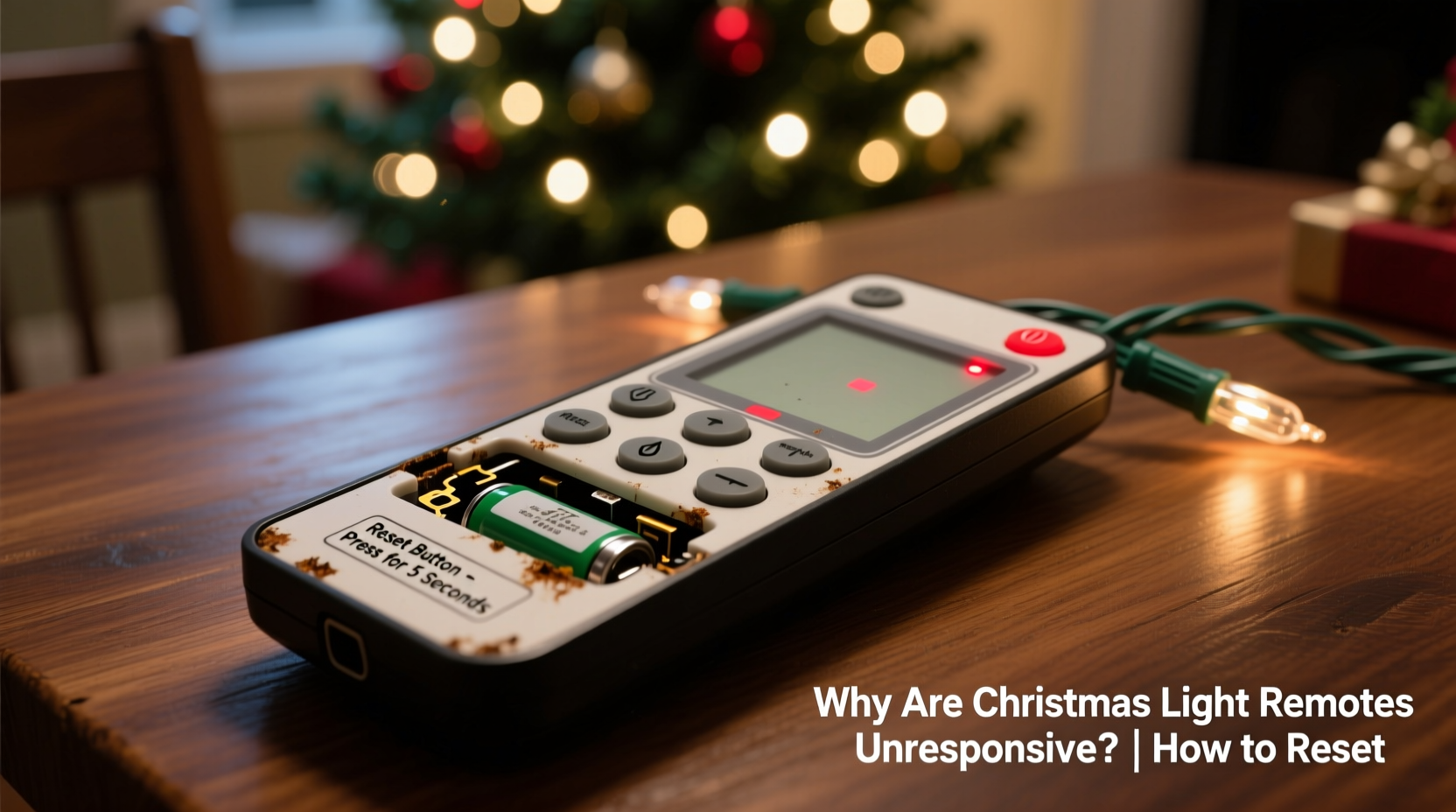
Before attempting any fix, it’s essential to diagnose what might be causing the remote to fail. While it may seem like the remote itself is broken, the problem often lies elsewhere in the system. Here are the most frequent culprits:
- Battery issues: Weak, dead, or improperly inserted batteries are the #1 cause of remote failure.
- Signal interference: Nearby electronics, Wi-Fi routers, or metal structures can block infrared (IR) or radio frequency (RF) signals.
- Distance and alignment: Some remotes require line-of-sight or operate within a limited range (typically 15–30 feet).
- Damaged receiver unit: The control box attached to the lights may be faulty, disconnected, or exposed to moisture.
- Power supply problems: If the lights aren’t receiving stable power, the remote system won’t function—even if the bulbs appear lit.
- Sync loss: The remote and receiver may have lost pairing due to power surges, battery changes, or resets.
Many people assume their remote is defective and immediately replace it, only to find the new one doesn’t work either. This usually indicates an underlying issue with the receiver or setup—not the remote itself.
How to Reset a Christmas Light Remote: Step-by-Step Guide
Resetting your Christmas light remote restores communication between the handheld device and the receiver. The exact process varies slightly depending on the brand and model, but the following universal method works for most major brands including Govee, BTF-Lighting, and generic RF/IR systems.
- Unplug the light string from the wall outlet. This cuts power to both the lights and the receiver module.
- Remove the batteries from the remote control. Wait at least 30 seconds to allow any residual charge to dissipate.
- Reinsert the batteries into the remote, ensuring correct polarity (+/-). Use new batteries if unsure of their condition.
- Press any button on the remote once. You should see a small LED flash inside the remote (if visible), indicating it’s sending a signal.
- Plug the light string back in while continuing to hold down the “ON” or “POWER” button on the remote.
- Wait 5–10 seconds. During this time, the receiver detects the remote’s signal and re-establishes sync.
- Release the button. Test the remote by adjusting brightness, color, or mode.
If the lights respond, the reset was successful. If not, repeat the process—sometimes multiple attempts are needed, especially after prolonged disuse or exposure to moisture.
“Most remote issues stem from desynchronization after power interruptions. A proper reset cycle allows the microcontroller in the receiver to reinitialize and accept commands again.” — Daniel Reeves, Electrical Engineer & Holiday Lighting Consultant
Troubleshooting Checklist for Non-Working Remotes
When a reset doesn’t solve the problem, use this comprehensive checklist to isolate the issue:
- ✅ Replace remote batteries with new ones
- ✅ Confirm the receiver is securely connected to the light string
- ✅ Check that the main power cord is fully plugged into the outlet
- ✅ Ensure no tripped circuit breakers or blown fuses
- ✅ Verify the receiver isn't wet or damaged (look for cracks or corrosion)
- ✅ Test the remote within 10 feet of the receiver, with clear line of sight
- ✅ Try using the manual button on the receiver (if available) to confirm lights work
- ✅ Eliminate potential sources of interference (metal frames, large appliances)
- ✅ Attempt reset procedure again, holding the ON button during power-up
- ✅ Test with a different outlet to rule out power inconsistencies
Completing each item systematically helps identify whether the fault lies with the remote, receiver, power source, or environment. Skipping steps often leads to misdiagnosis and unnecessary replacements.
Do’s and Don’ts When Handling Christmas Light Remotes
To prevent future issues and extend the life of your lighting system, follow these best practices:
| Do’s | Don’ts |
|---|---|
| Store the remote and receiver together in a labeled plastic bag after the season | Leave batteries in the remote during storage—this can cause leakage and damage |
| Use dielectric grease on electrical connectors if storing outdoors | Expose the receiver to rain or snow without weatherproofing |
| Label your remotes if you have multiple sets to avoid confusion | Mix remotes from different brands—most are not cross-compatible |
| Clean remote buttons with isopropyl alcohol and cotton swab | Submerge any component in water or cleaning fluid |
| Keep spares of common AA or CR2032 batteries on hand | Use rechargeable batteries unless specified—lower voltage may impair signal strength |
Real-World Example: Sarah’s Front Yard Display Rescue
Sarah had spent weeks planning her neighborhood’s most impressive holiday light show. On the night of the big switch-on event, she discovered her main string of 200 multicolor LED lights wasn’t responding to the remote. Panic set in—guests were arriving in under an hour.
She first checked the outlet and confirmed power was reaching the plug. The lights flickered faintly, suggesting partial functionality. She replaced the remote batteries, but still nothing happened. Then she remembered reading about resetting procedures online.
Sarah unplugged the lights, removed the old batteries, waited 30 seconds, reinserted fresh ones, and pressed the “ON” button while plugging the strand back in. After five seconds, the lights surged to full brightness—and responded perfectly to fade, strobe, and color-change commands.
The issue? A minor power surge earlier that week had disrupted the sync between the remote and receiver. No hardware was damaged—just a simple software-level disconnect that the reset corrected. Her display went off without a hitch, and neighbors asked for her “tech secret.”
Understanding Remote Types: IR vs. RF
Not all Christmas light remotes work the same way. Knowing which type you have affects how you troubleshoot and reset it.
Infrared (IR) Remotes: These require direct line of sight between the remote and receiver, much like a TV remote. They’re prone to obstruction and must be aimed correctly. Often found in older or budget-friendly sets.
Radio Frequency (RF) Remotes: Operate on 433MHz or similar bands, allowing control through walls, fences, or garages. These don’t need precise aiming and typically have longer range. Common in premium or smart-enabled strings.
One key difference: RF remotes often support multiple channels or group controls, letting you manage several light sets independently. However, they’re more susceptible to signal conflict if nearby neighbors use similar systems.
Frequently Asked Questions
Can I replace my Christmas light remote if it’s lost or broken?
Yes, but only with an identical or compatible model. Most remotes are paired to specific receivers. Universal remotes exist for certain frequencies (like 433MHz), but success depends on matching protocols. Contact the manufacturer with the model number to find a replacement.
Why do my lights turn on but not change modes via remote?
This usually means the receiver is receiving power but failing to interpret modulation signals. It could be a partial sync issue or weak remote signal. Try the reset process. If that fails, inspect the receiver for physical damage or moisture ingress.
Can extreme cold affect remote performance?
Absolutely. Cold temperatures reduce battery efficiency, particularly in alkaline cells. Lithium batteries perform better in winter conditions. Also, plastic casings can contract, loosening internal connections. Store remotes indoors when possible.
Final Steps for Long-Term Reliability
Once you’ve restored function to your remote, take preventive measures to avoid recurrence next season:
- At the end of the holiday season, remove batteries and store them separately.
- Wrap cords neatly and protect the receiver with bubble wrap or a waterproof case.
- Label each set’s remote and receiver with matching tags (e.g., “Front Porch – Set A”).
- Test the entire system—including remote functions—before storing next year.
Modern Christmas lights offer incredible versatility, but their electronic components demand basic care. A little attention goes a long way toward hassle-free operation year after year.
Conclusion: Keep Your Lights Responsive and Your Holidays Bright
An unresponsive Christmas light remote doesn’t mean your holiday display is doomed. In most cases, the fix is quick and requires no special tools—just patience and a clear understanding of how the system works. From checking batteries to performing a proper reset, the solutions are accessible to anyone. By applying the steps outlined here, you can restore control, avoid frustration, and enjoy the magic of your lights exactly as intended.




 浙公网安备
33010002000092号
浙公网安备
33010002000092号 浙B2-20120091-4
Comments
No comments yet. Why don't you start the discussion?