
Bluetooth technology has revolutionized the way we enjoy audio, offering wireless freedom and convenience. Yet, few things are more frustrating than mid-song dropouts, stuttering playback, or sudden disconnections from your Bluetooth speaker. These interruptions don’t just ruin the mood—they suggest a deeper issue with signal stability, device compatibility, or environmental interference. Understanding the root causes and knowing how to fix them can transform a jittery listening experience into seamless sound.
Whether you're using your speaker at home, in the office, or outdoors, consistent connectivity is essential. This guide dives into the technical and practical reasons behind Bluetooth dropouts and provides actionable solutions to keep your audio flowing smoothly.
Understanding Bluetooth Signal Behavior
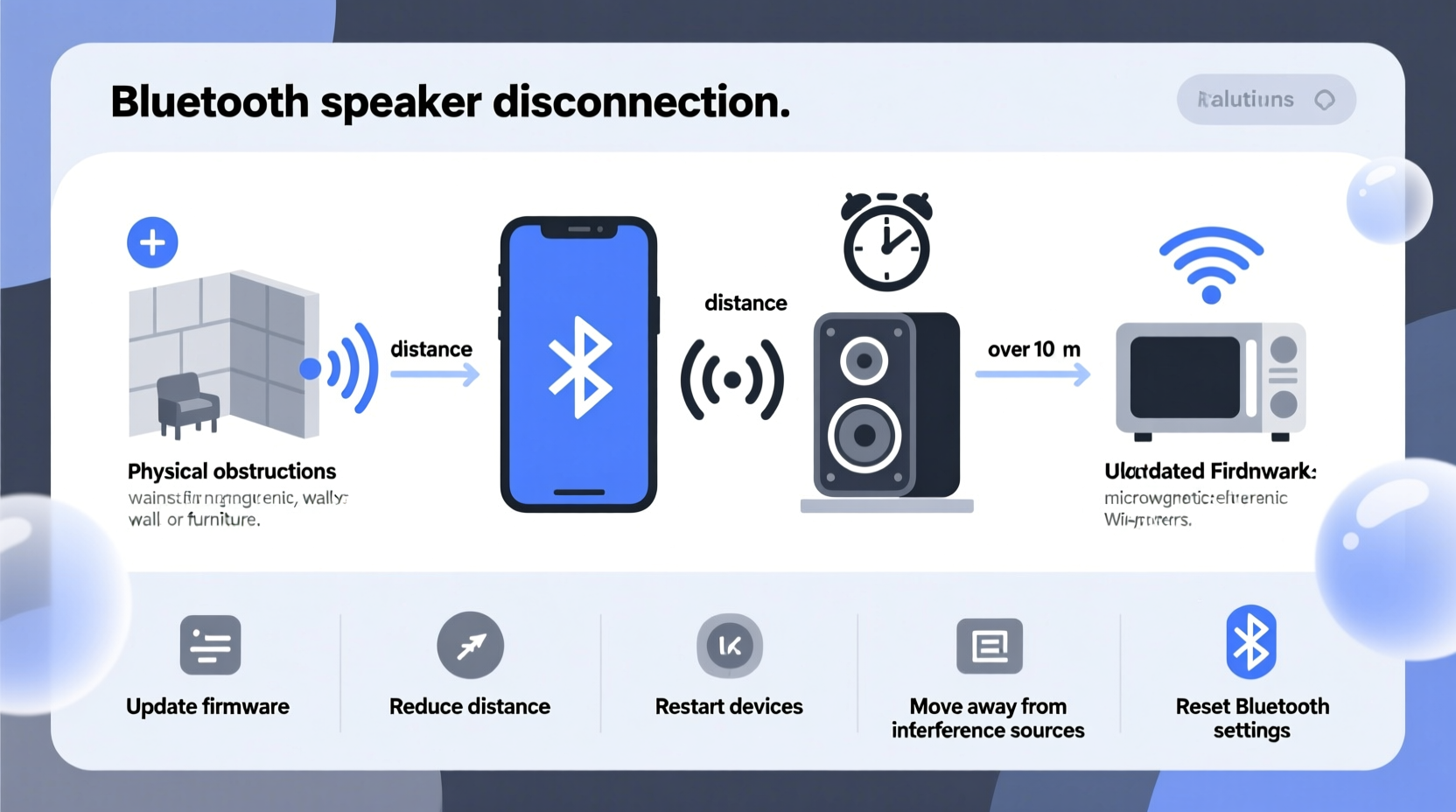
Bluetooth operates on the 2.4 GHz radio frequency band, the same range used by Wi-Fi routers, microwaves, cordless phones, and many other household devices. Because of this shared spectrum, congestion is common, especially in urban homes or densely populated areas. When multiple devices transmit signals simultaneously, interference occurs, leading to packet loss and audio cutouts.
Additionally, Bluetooth relies on short-range communication—typically up to 30 feet (10 meters) under ideal conditions. However, physical obstacles like walls, furniture, and even people can weaken the signal. The version of Bluetooth also plays a role: older versions like Bluetooth 4.0 have lower bandwidth and weaker range compared to modern standards like Bluetooth 5.0 and 5.3, which offer improved data throughput and better resistance to interference.
Signal strength isn't solely about distance; it's also influenced by transmission power, antenna design, and the codec being used. Codecs such as SBC (default), AAC, aptX, and LDAC affect both audio quality and stability. For instance, LDAC transmits high-resolution audio but may be less stable over longer distances or in noisy environments.
“Many users assume their speaker is faulty when dropouts occur, but in over 70% of cases, the issue lies in environment or configuration—not hardware.” — Dr. Rajiv Mehta, Wireless Audio Systems Engineer
Common Causes of Bluetooth Speaker Cutouts
- Interference from other devices: Wi-Fi networks, USB 3.0 ports, and microwave ovens emit signals in the 2.4 GHz band that disrupt Bluetooth transmissions.
- Physical obstructions: Walls, metal objects, and even human bodies absorb or reflect radio waves, weakening the signal.
- Distance between devices: Exceeding the effective range causes intermittent connections, especially if the speaker or source device has low transmission power.
- Battery level issues: Low battery on either the speaker or transmitting device can reduce signal strength or trigger power-saving modes that interrupt audio.
- Outdated firmware: Manufacturers often release updates to improve pairing stability and fix bugs affecting connectivity.
- Multiple paired devices: Some speakers automatically switch between previously connected devices, causing unexpected disconnections.
- Poor codec compatibility: Mismatched codecs between your phone and speaker can lead to unstable streaming or rebuffering.
Step-by-Step Guide to Stabilize Your Bluetooth Connection
Follow this systematic approach to diagnose and resolve connectivity issues:
- Power cycle both devices: Turn off your speaker and source (phone, tablet, laptop). Wait 30 seconds, then power them back on. This resets the Bluetooth stack and clears temporary glitches.
- Remove and re-pair the device: Go to your phone’s Bluetooth settings, forget the speaker, then pair it again from scratch. This eliminates corrupted pairing data.
- Check for firmware updates: Visit the manufacturer’s website or app (e.g., Bose Connect, JBL Portable, Sony Music Center) to ensure your speaker runs the latest firmware.
- Minimize interference: Move the speaker away from Wi-Fi routers, microwaves, and large metal objects. If possible, switch your router to the 5 GHz band to free up 2.4 GHz space.
- Reduce distance and obstacles: Place the speaker within 10–15 feet of the source, ideally in direct line of sight. Avoid placing it behind cabinets or inside enclosed spaces.
- Close background apps: On smartphones, apps running location services or other Bluetooth functions can interfere with audio streaming.
- Test with another device: Pair the speaker with a different phone or tablet. If the problem persists, the issue is likely with the speaker. If not, the original device may be at fault.
- Reset the speaker to factory settings: Refer to the user manual for reset instructions (usually involves holding power and volume buttons). Use this as a last resort before re-pairing.
Do’s and Don’ts for Stable Bluetooth Audio
| Do’s | Don’ts |
|---|---|
| Keep devices within 15 feet and in open space | Place the speaker behind thick walls or metal surfaces |
| Use Bluetooth 5.0+ devices for better range and stability | Rely on outdated Bluetooth 3.0 or 4.0 gear in congested areas |
| Update firmware regularly via manufacturer apps | Ignore software update notifications |
| Charge both devices fully before extended use | Run audio sessions with less than 20% battery |
| Use AAC or aptX if both devices support it | Assume SBC will deliver optimal performance |
Real-World Example: Fixing Dropouts at a Home Gathering
Mark hosted a backyard party using his portable JBL Charge 5. Midway through the evening, music started cutting out every few minutes. Guests noticed pauses during songs, and restarting the playlist didn’t help. He initially assumed the speaker was defective.
After some investigation, Mark realized his Wi-Fi router—located just inside the kitchen wall—was operating on the 2.4 GHz band and overlapping with the Bluetooth signal. He moved the speaker farther from the house and rebooted his phone. When that didn’t fully resolve it, he accessed his router settings and switched the primary network to 5 GHz, leaving only a guest network on 2.4 GHz. The Bluetooth connection stabilized immediately, and the rest of the night passed without a single dropout.
This case illustrates how environmental factors, not hardware flaws, are often responsible for connectivity problems. Simple changes in placement and network configuration made a dramatic difference.
Advanced Tips for Long-Term Stability
Beyond basic troubleshooting, several advanced strategies can enhance reliability:
- Use a Bluetooth transmitter with external antenna: For fixed installations (e.g., outdoor patios), consider a dedicated Bluetooth transmitter that offers stronger signal output and directional antennas.
- Enable A2DP sink mode selectively: Some speakers allow bidirectional audio transfer, which can strain the connection. Disable unnecessary modes in the settings.
- Limit simultaneous Bluetooth usage: Avoid using wireless headphones, keyboards, or mice while streaming high-bitrate audio to the same device.
- Optimize phone settings: On Android, disable “Bluetooth Absolute Volume” in Developer Options to prevent audio sync issues. On iOS, turn off “Wi-Fi Assist” to avoid automatic network switching during playback.
- Invest in mesh-compatible speakers: Brands like Sonos or Bose offer multi-speaker systems that use private mesh networks instead of standard Bluetooth, reducing public band congestion.
Frequently Asked Questions
Why does my Bluetooth speaker cut out when I move my phone?
Movement can temporarily block the signal path, especially if you walk behind walls or near large metal objects. It can also cause rapid signal fluctuation known as \"multipath fading,\" where reflected waves interfere with the direct signal. Keeping your phone in a consistent position relative to the speaker helps maintain stability.
Can Wi-Fi really affect my Bluetooth speaker?
Yes. Since both Wi-Fi (on 2.4 GHz) and Bluetooth operate in the same frequency band, they compete for airtime. High-bandwidth Wi-Fi activities like video streaming or file downloads can overwhelm the spectrum, forcing Bluetooth packets to wait or drop. Switching your Wi-Fi to 5 GHz significantly reduces this conflict.
Does charging the speaker affect audio performance?
In some lower-quality models, charging circuits generate electromagnetic noise that interferes with Bluetooth reception. If you notice more dropouts while charging, try using the speaker on battery alone. Premium brands typically include shielding to prevent this issue.
Checklist: How to Prevent Bluetooth Speaker Cutouts
Use this checklist to maintain a strong, reliable connection:
- ✅ Re-pair devices monthly or after system updates
- ✅ Keep speaker and source within 15 feet and in line of sight
- ✅ Update firmware on both speaker and source device
- ✅ Switch Wi-Fi to 5 GHz whenever possible
- ✅ Avoid placing speaker near microwaves, routers, or USB 3.0 hubs
- ✅ Fully charge devices before extended use
- ✅ Reset speaker to factory settings if persistent issues occur
- ✅ Test with a second device to isolate the problem
Conclusion: Take Control of Your Listening Experience
Bluetooth speaker dropouts are rarely inevitable. With a methodical approach, most connectivity issues can be diagnosed and resolved using simple adjustments to placement, settings, and environment. The key is understanding that Bluetooth is sensitive to its surroundings—not inherently unreliable. By minimizing interference, maintaining updated firmware, and optimizing device pairing, you can enjoy uninterrupted, high-quality audio anytime, anywhere.




 浙公网安备
33010002000092号
浙公网安备
33010002000092号 浙B2-20120091-4
Comments
No comments yet. Why don't you start the discussion?