
Smart refrigerators have transformed kitchen experiences, offering Wi-Fi connectivity, internal cameras, touchscreens, and app integration for smarter food management. But when your smart fridge keeps resetting its settings—temperature preferences lost, Wi-Fi disconnected, or display rebooting unexpectedly—it can be more than a nuisance. It disrupts routines, risks food spoilage, and raises concerns about long-term reliability. Understanding the root causes behind these resets is essential to restoring stability and ensuring your appliance functions as intended.
This guide dives deep into the most common reasons smart fridges reset, from firmware glitches to power inconsistencies. You’ll learn practical diagnostics, preventive strategies, and real-world fixes that go beyond simple troubleshooting. Whether you're dealing with random reboots or recurring network drops, this article equips you with the knowledge to take control of your smart fridge’s performance.
Understanding Smart Fridge Reset Behavior
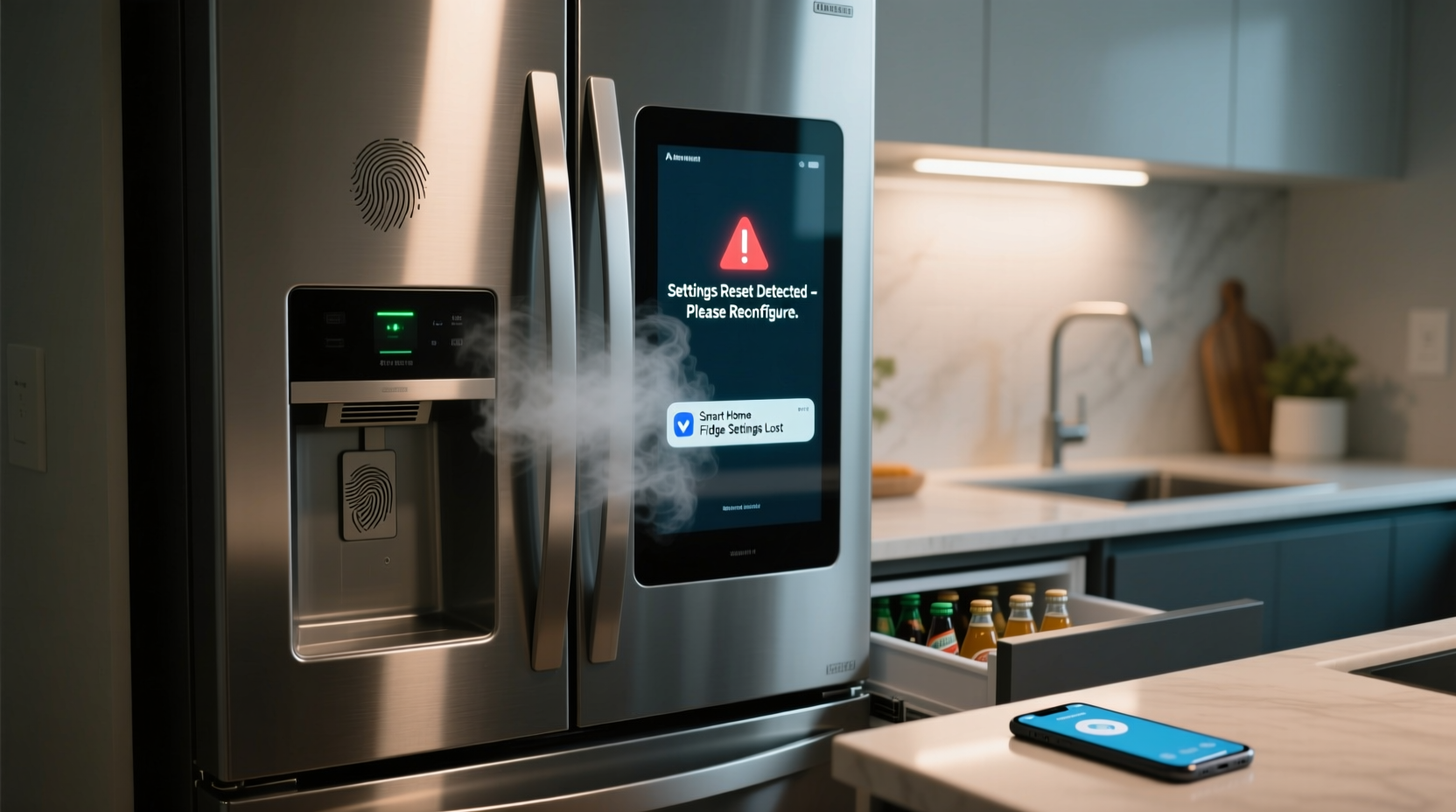
A smart fridge resetting its settings typically means it’s reverting to factory defaults, losing user preferences, disconnecting from Wi-Fi, or restarting its operating system without warning. These behaviors are not normal under stable conditions. Unlike traditional fridges, smart models run on embedded operating systems (often based on Linux or proprietary platforms), which manage everything from cooling cycles to app integrations. When the system crashes or undergoes an unintended reboot, settings may not persist.
The underlying issue could stem from hardware, software, or environmental factors. For example:
- A sudden power interruption might trigger a restart, but persistent resets after power stabilizes suggest deeper issues.
- Firmware bugs in certain model batches can cause memory leaks or boot loops.
- Overheating components near the control board may force automatic shutdowns.
Recognizing the pattern—whether resets occur at specific times, during door openings, or after updates—helps isolate the source. Consistency in timing often points to software triggers; randomness may indicate electrical or hardware faults.
Common Causes of Smart Fridge Settings Reset
Several interrelated factors can lead to repeated resets. Identifying them early prevents escalation and unnecessary service calls.
1. Power Supply Instability
Even minor voltage fluctuations or brief outages can disrupt a smart fridge’s operation. Unlike older models, smart fridges rely on continuous low-voltage power for their digital brains. If your home experiences brownouts, frequent breaker trips, or uses outdated wiring, the fridge may reboot each time power flickers—even if lights don’t dim.
2. Firmware Bugs or Failed Updates
Manufacturers regularly push firmware updates to improve functionality or patch security flaws. However, incomplete downloads, corrupted files, or incompatible versions can crash the system. Some users report resets immediately following an update, especially if the fridge lost power mid-installation.
In some cases, known bugs affect specific model lines. For instance, Samsung issued a recall notice in 2022 for certain Family Hub refrigerators due to spontaneous reboots caused by a memory management flaw in version 3.2.1 of their OS.
3. Overheating Control Boards
The electronic control board, usually located behind the crispers or at the back bottom, manages all smart functions. Poor ventilation, dust buildup, or proximity to heat sources (like ovens) can cause overheating. When temperatures exceed safe thresholds, thermal sensors trigger protective shutdowns, leading to resets upon restart.
4. Network Connectivity Issues
If your fridge constantly loses Wi-Fi connection, it may appear to \"reset\" because apps lose sync, voice assistants disconnect, and personalized dashboards reload. This isn't always a full system reboot—it might just be the network module cycling due to weak signals, router incompatibility, or IP conflicts.
5. Memory Corruption or Storage Failure
Like any computer, smart fridges use flash memory to store settings. Over time, repeated write cycles or manufacturing defects can degrade storage integrity. Symptoms include delayed responses, frozen screens, and eventual resets when critical data becomes unreadable.
Troubleshooting Steps to Stop Repeated Resets
Before calling customer support, perform a structured diagnostic process. The goal is to rule out simple fixes before assuming hardware failure.
- Check Power Source Stability: Use a multimeter to verify consistent voltage (110–120V in North America). Consider installing a surge protector rated for appliances.
- Reset Network Settings: Go to Settings > Network > Forget Network, then reconnect. Avoid using 5GHz bands if your fridge only supports 2.4GHz.
- Update Firmware Manually: Access the manufacturer’s app or website to check for available updates. Download them via USB if wireless fails.
- Clean Vents and Coils: Vacuum condenser coils and ensure rear clearance (at least 2 inches) for airflow. Dust acts as insulation, trapping heat.
- Perform a Factory Reset (Last Resort): Only after backing up custom settings. Navigate to Settings > System > Reset All Settings. Wait 10 minutes post-reset before reconfiguring.
“Persistent resets in smart appliances are rarely isolated incidents. They’re symptoms of larger systemic issues—power quality, thermal stress, or software debt.” — Dr. Alan Reyes, Senior Appliance Systems Engineer at ConsumerTech Labs
Preventive Maintenance Checklist
Regular maintenance reduces the likelihood of unexpected resets. Follow this monthly checklist to keep your smart fridge running smoothly:
- ✅ Inspect power cord for fraying or overheating signs
- ✅ Clean condenser coils with a brush attachment vacuum
- ✅ Verify Wi-Fi signal strength near the fridge (aim for -60 dBm or better)
- ✅ Check for pending firmware updates in the companion app
- ✅ Ensure ambient room temperature stays below 77°F (25°C)
- ✅ Wipe down touchscreen with microfiber cloth to prevent input errors
- ✅ Confirm child lock or eco-mode isn’t overriding user settings
Real-World Example: The Case of the Midnight Resets
Jessica M., a homeowner in Austin, Texas, noticed her LG InstaView refrigerator reset every night around 2:17 AM. Temperature logs showed brief spikes, and the display would reboot, erasing her vacation mode settings. She initially suspected a glitch, but after reviewing her energy monitor, she discovered her HVAC system cycled on at the same time—drawing enough current to cause a micro-outage.
Her electrician installed a dedicated line for the fridge, separating it from the AC circuit. The resets stopped immediately. A follow-up firmware update stabilized the OS further. This case highlights how external electrical loads can indirectly impact smart appliance behavior—even without visible power loss.
Do’s and Don’ts: Managing Smart Fridge Stability
| Do | Don’t |
|---|---|
| Use a line-interactive UPS for critical models | Plug into multi-outlet strips shared with high-power devices |
| Keep firmware updated through official channels | Ignore update notifications for months |
| Monitor fridge temperature logs via app | Store hot food directly inside, increasing compressor load |
| Allow space around the unit for ventilation | Install near dishwashers or ovens without insulation barriers |
| Contact support if resets exceed three per week | Attempt internal repairs without warranty coverage |
Frequently Asked Questions
Can a failing battery cause my smart fridge to reset?
Yes. Many smart fridges contain a small backup battery (similar to a CMOS battery in PCs) that maintains settings during brief power losses. If this battery degrades, the fridge cannot retain configurations during outages. Replacement typically requires technician access but resolves chronic reset issues in older units.
Why does my fridge reset after I close the door?
This may indicate a faulty door switch or vibration-induced short. When the door closes, mechanical stress can momentarily disrupt the control board if wiring is loose. Test by gently tapping near the control panel—if the screen flickers or restarts, internal connections may need tightening.
Is it safe to unplug my smart fridge overnight to stop resets?
Unplugging temporarily halts operations but risks food spoilage and doesn’t address root causes. Instead, schedule a controlled reboot through the menu system. If unplugging is necessary, limit it to 5–10 minutes to reset electronics without warming the interior excessively.
Conclusion: Regain Control of Your Smart Fridge
A smart fridge that repeatedly resets its settings undermines convenience and trust in modern technology. However, most issues are diagnosable and resolvable with methodical attention to power, software, and environment. By applying the insights above—from checking circuit loads to monitoring firmware health—you can restore reliability and extend the lifespan of your appliance.
Don’t accept constant resets as inevitable. Document patterns, leverage manufacturer resources, and prioritize electrical safety. Small adjustments today can prevent costly replacements tomorrow.




 浙公网安备
33010002000092号
浙公网安备
33010002000092号 浙B2-20120091-4
Comments
No comments yet. Why don't you start the discussion?