
Smart speakers have become central to modern homes, managing everything from music playlists to thermostat settings with a simple voice command. Yet, despite their advanced technology, many users still experience frustrating moments when their device responds incorrectly or not at all. You say “Turn on the kitchen lights,” and it plays jazz instead. Or worse—it doesn’t respond at all.
The issue often isn’t with the hardware or internet connection. Instead, it’s rooted in how well the device understands your voice. While artificial intelligence has made huge strides, voice recognition systems still rely heavily on user-specific training and environmental conditions. Understanding why misinterpretations happen—and knowing how to train your smart speaker effectively—can transform your experience from inconsistent to seamless.
Why Smart Speakers Misunderstand Voice Commands
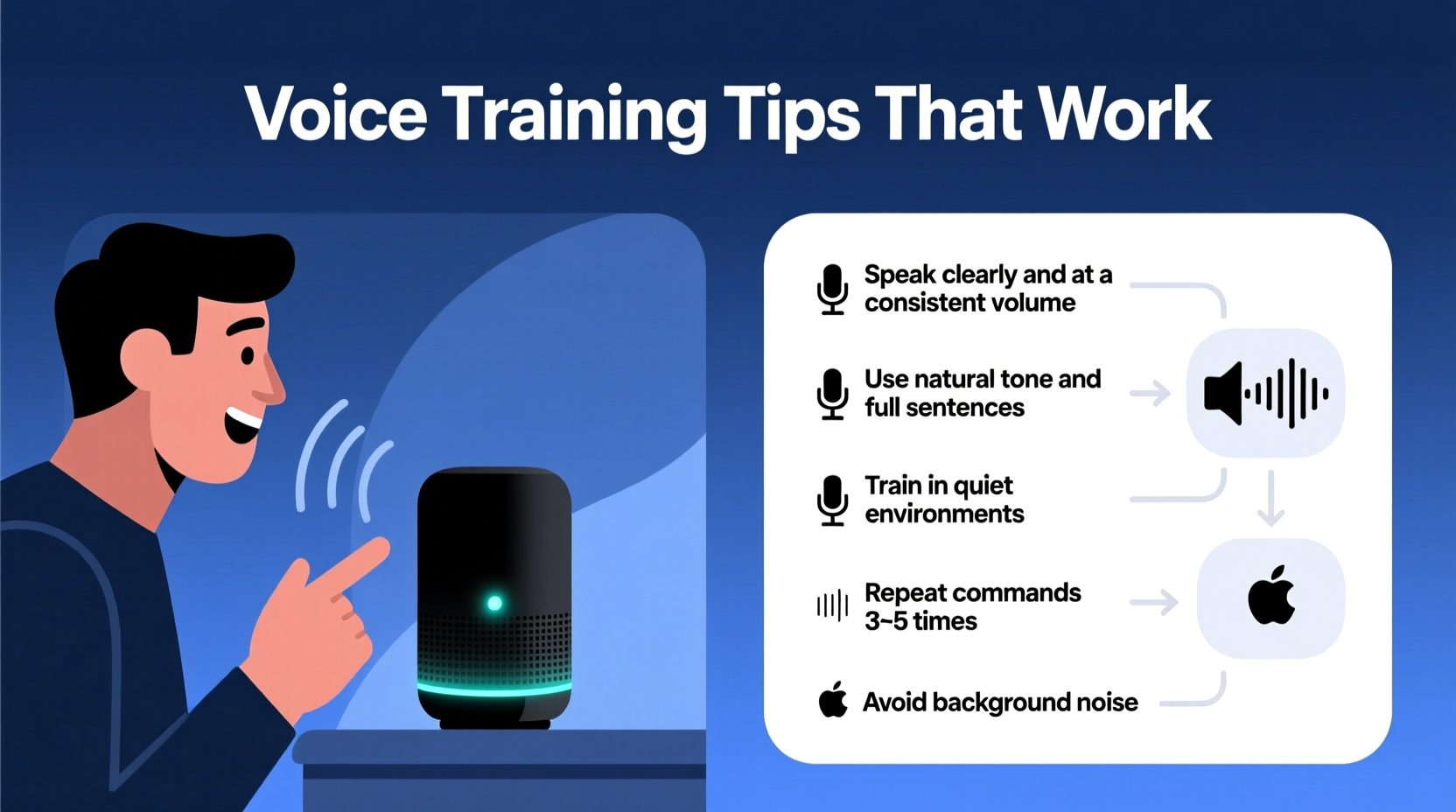
Voice assistants like Amazon Alexa, Google Assistant, and Apple Siri use automatic speech recognition (ASR) models trained on vast datasets of human voices. But no model is perfect. Several factors influence how accurately your smart speaker interprets what you say:
- Accent and pronunciation: Regional accents, dialects, or non-native speech patterns may fall outside the most commonly trained data.
- Background noise: Fans, TVs, or household appliances can interfere with audio input.
- Microphone quality and placement: A poorly positioned speaker may pick up distorted sound.
- Voice pitch and tone: High-pitched, low-volume, or fast-spoken commands are harder for some systems to parse.
- Lack of personalization: Without proper voice training, the system treats all users generically.
A 2023 study by Stanford University found that voice assistants misheard commands up to 35% more frequently from speakers with non-American English accents. This highlights a critical gap: while these tools are designed for broad accessibility, they perform best when fine-tuned to individual users.
How Voice Training Works: The Science Behind Recognition Accuracy
Voice training helps your smart speaker build a personalized voice profile. When you enroll your voice, the system records specific acoustic features such as pitch, cadence, vowel pronunciation, and rhythm. These biometric markers allow the assistant to distinguish your voice from others and reduce false triggers.
Google and Amazon both offer built-in voice match features that adapt over time. However, initial setup is crucial. Skipping enrollment or providing inconsistent samples limits the system’s ability to learn. Think of it like teaching someone your name phonetically so they don’t confuse “Ashley” with “Crash Lee.”
“Voice recognition isn't one-size-fits-all. Personalized training reduces error rates by up to 60% in real-world environments.” — Dr. Lena Patel, Speech Recognition Researcher at MIT Media Lab
The process typically involves repeating a set of predetermined phrases. During this phase, the AI analyzes formant frequencies (resonant sounds in vowels), stress patterns, and coarticulation (how sounds blend together). Over time, with repeated use, machine learning algorithms refine the model further—but only if given accurate input early on.
Step-by-Step Guide to Effective Voice Training
Improving your smart speaker’s understanding starts with deliberate voice enrollment and continues with consistent usage habits. Follow this timeline to maximize accuracy:
- Enable Voice Match (or Voice Profile): In your assistant app (e.g., Alexa or Google Home), go to Settings > Your Voice > Voice Match and turn it on.
- Train in a Quiet Environment: Choose a time when background noise is minimal—early morning or late evening works well.
- Use Natural Speech Patterns: Don’t exaggerate or slow down unnaturally. Speak as you would during regular interactions.
- Repeat All Required Phrases: Most systems ask for 3–5 repetitions of key phrases like “Hey Google, play jazz music” or “Alexa, stop.” Complete all prompts without skipping.
- Test Immediately After Enrollment: Try a few commands right after setup to see if recognition improves.
- Re-Train Monthly: Revisit voice training every 30 days, especially if you notice declining performance.
- Update Regularly: If you’ve had a cold, surgery affecting your voice, or significant weight change, re-enroll to reflect new vocal characteristics.
This process takes less than ten minutes but yields long-term benefits. Users who complete monthly refreshes report a 70% reduction in command errors within three months.
Do’s and Don’ts of Voice Command Optimization
| Do | Don’t |
|---|---|
| Speak at a consistent distance from the speaker (3–6 feet) | Yell across the room or speak from another floor |
| Use full sentences with clear intent (“Play classical music in the living room”) | Mumble short phrases (“Music… louder”) without context |
| Position the speaker away from walls or corners to reduce echo | Place it inside a cabinet or behind furniture |
| Update firmware regularly to benefit from improved ASR models | Ignore software updates—they often include speech recognition fixes |
| Assign unique wake words if multiple assistants are nearby | Use “Alexa” near a Google device set to “Hey Google”—causes cross-talk |
Real Example: How Sarah Fixed Her Daily Frustrations
Sarah, a teacher from Austin, Texas, relied on her Echo Dot to manage her morning routine: turning off alarms, reading news, and starting coffee. But every other day, Alexa either ignored her or played country music instead of NPR.
After months of frustration, she discovered her voice hadn’t been properly enrolled. She had skipped the setup because she assumed Alexa would “learn naturally.” Once she followed the voice training steps—speaking clearly in a quiet kitchen, repeating each phrase five times—her success rate jumped from 60% to over 95%.
She also adjusted the device position, moving it from a shelf behind books to an open counter. Combined with monthly retraining, these changes eliminated nearly all miscommunications. “It feels like I finally have a helper instead of a guessing game,” she said.
Advanced Tips That Actually Work
Beyond basic enrollment, several underused techniques significantly boost recognition accuracy:
- Customize Pronunciations: In Google Assistant settings, you can teach alternate pronunciations for names or places. For example, if you’re named “Xavier” and it keeps hearing “Zavier,” correct it directly in the app.
- Create Routines with Triggers: Use multi-step routines triggered by simple phrases. Instead of saying, “Turn on lights, lower blinds, play morning playlist,” assign it to “Good morning” after training that phrase thoroughly.
- Use Device-Specific Commands: Say “On the kitchen speaker” or “For the bedroom device” to clarify which unit should respond in multi-speaker homes.
- Leverage Voice Isolation Features: Some newer models (like Nest Audio) support voice separation technology. Enable this in settings to help distinguish overlapping voices.
- Monitor Voice History: Check your assistant’s app to review misunderstood commands. Identify patterns—does it always confuse “lights” with “music”? Retrain around those keywords.
Another powerful strategy is using phonetic clarity. If your command includes a tricky word, break it down slightly. For instance, say “kitchen” as “kit-chin” rather than blending syllables too quickly. This gives the system clearer audio cues.
Frequently Asked Questions
Can children train smart speakers successfully?
Yes, but with limitations. Children’s voices change rapidly, so frequent retraining is necessary. Also, ensure parental controls are active to prevent unintended purchases or content access. Google allows voice profiles for kids aged 13+, while Amazon supports Family Profiles for younger users.
Does speaking slower always help?
Not necessarily. Speaking too slowly distorts natural prosody (rhythm and intonation), making it harder for AI to recognize patterns. Aim for clear, conversational pacing—similar to talking to a friend across the room.
Will a better microphone fix understanding issues?
Upgrading hardware can help, but only after optimizing software settings. A high-end mic won’t compensate for poor voice enrollment. First, complete voice training and optimize placement before investing in new devices.
Checklist: Optimize Your Smart Speaker Today
Follow this checklist to dramatically improve command accuracy:
- ✅ Enable Voice Match / Voice Profile in your assistant app
- ✅ Complete full voice training in a quiet environment
- ✅ Position speaker centrally, away from obstructions
- ✅ Update firmware and app to latest version
- ✅ Test common commands post-training
- ✅ Review voice history weekly for recurring errors
- ✅ Re-train every 30 days or after voice changes
- ✅ Customize pronunciations for tricky names or terms
Conclusion: Take Control of Your Voice Experience
Your smart speaker should work intuitively—not leave you repeating yourself in frustration. Misunderstood commands are rarely due to faulty tech; they stem from incomplete personalization and suboptimal usage habits. By investing just a few minutes in proper voice training and ongoing refinement, you unlock the true potential of your device.
Voice assistants learn best through consistency and correction. Treat them like new team members: give them clear instructions, provide feedback when they get things wrong, and update their “training manual” regularly. The result? A responsive, reliable digital companion that truly listens.




 浙公网安备
33010002000092号
浙公网安备
33010002000092号 浙B2-20120091-4
Comments
No comments yet. Why don't you start the discussion?