
If your internet speeds plummet every evening just as you're settling in to stream a show, join a video call, or game online, you're not imagining things. Millions of users experience degraded performance during peak hours, particularly between 7 PM and 11 PM. While frustrating, this slowdown isn't random—it’s often the result of predictable technical and behavioral factors. Understanding the root causes is the first step toward restoring reliable connectivity when you need it most.
This article breaks down the primary reasons behind nighttime internet lag, from neighborhood-level network strain to overlooked home setup flaws. More importantly, it provides practical, tested solutions that go beyond generic advice like “restart your router.” Whether you’re working remotely, homeschooling, or simply trying to enjoy downtime online, these insights will help you reclaim your bandwidth.
Peak-Time Network Congestion: The Biggest Culprit
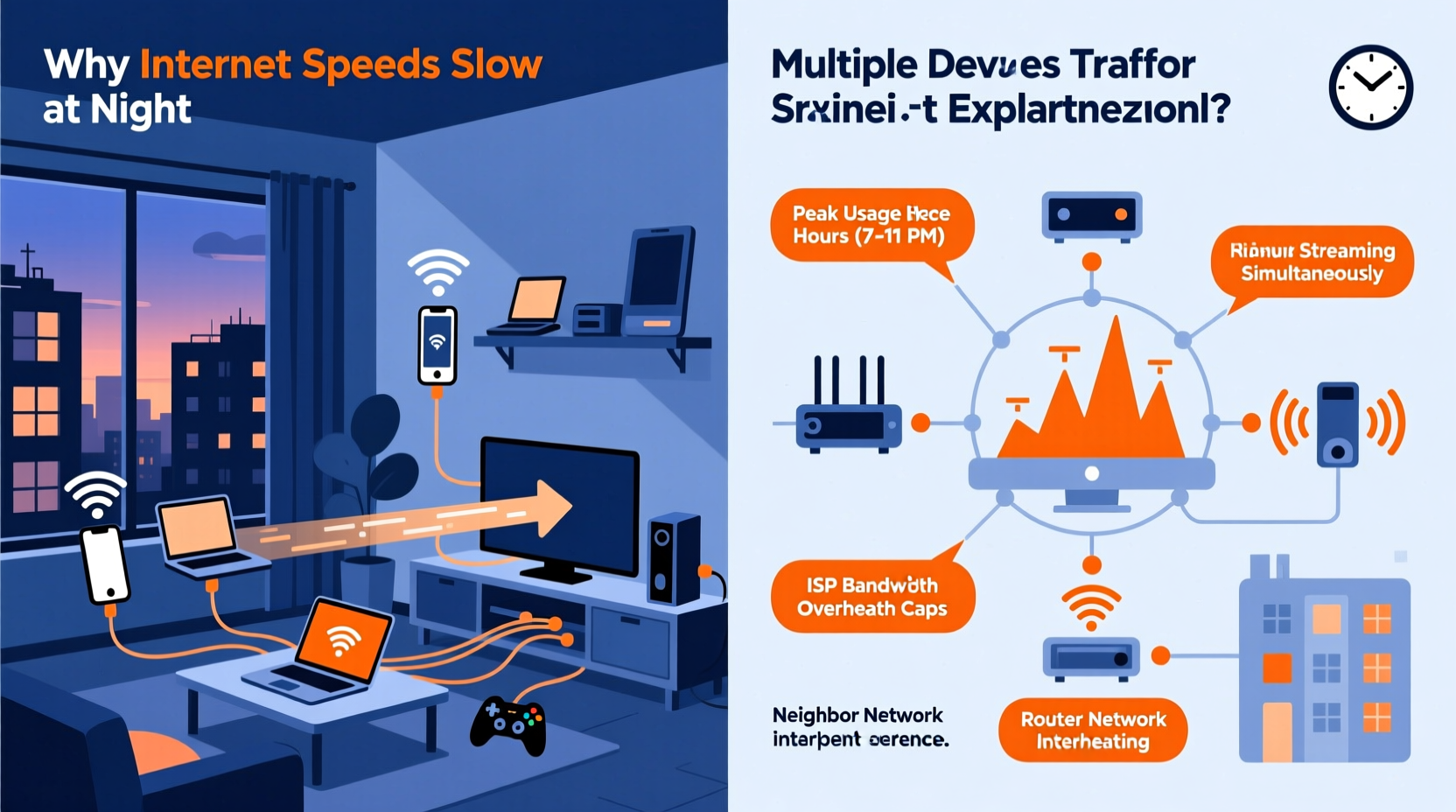
The most common reason for slow internet at night is network congestion—essentially, too many people using the same infrastructure simultaneously. Internet service providers (ISPs) allocate bandwidth across neighborhoods through shared connections. During daytime hours, many users are at work or school, leaving more capacity available. But when everyone returns home and starts streaming, gaming, downloading, and video calling, demand spikes dramatically.
Think of your local internet connection like a highway. During off-peak times, traffic flows smoothly. But rush hour brings bottlenecks—even if your car (device) is perfectly tuned, the road (network) can’t handle the volume.
This type of congestion occurs at multiple levels:
- Local Node Congestion: Your ISP divides service areas into nodes serving hundreds of homes. If too many households on your node are active, speeds drop for everyone.
- Content Delivery Bottlenecks: Popular services like Netflix, YouTube, or Zoom may also experience server strain during peak usage, slowing delivery regardless of your ISP.
- Wi-Fi Channel Overlap: In dense urban areas, neighboring Wi-Fi networks compete for airwaves, especially on crowded 2.4 GHz channels.
Inadequate Bandwidth for Household Demand
Even with a decent internet plan, modern households often exceed their bandwidth limits without realizing it. Multiple devices running data-heavy applications simultaneously can easily overwhelm a connection—especially if your plan offers only 50–100 Mbps.
Consider typical bandwidth consumption per activity:
| Activity | Minimum Speed Required | Recommended Speed |
|---|---|---|
| Web Browsing / Email | 1 Mbps | 3–5 Mbps |
| HD Video Streaming (Netflix, YouTube) | 5 Mbps | 10–15 Mbps |
| 4K Ultra HD Streaming | 25 Mbps | 50 Mbps |
| Online Gaming | 3–6 Mbps | 15–25 Mbps (low latency critical) |
| Video Conferencing (Zoom, Teams) | 3 Mbps (up/down) | 6–10 Mbps |
| Cloud Backup / Large Downloads | 10+ Mbps | 50+ Mbps |
If three family members are each streaming in HD (15 Mbps × 3 = 45 Mbps), one person is gaming (20 Mbps), and another is on a Zoom call (6 Mbps), total demand exceeds 70 Mbps. Add background updates, smart home devices, and mobile syncing, and you’re likely exceeding even a 100 Mbps plan—especially if upload bandwidth is strained.
“Many customers believe they have ‘fast enough’ internet until peak usage reveals the truth. It’s not always the ISP—it’s about matching plan capacity to real-world household behavior.” — Raj Patel, Senior Network Engineer at MetroNet Broadband
Router and Equipment Limitations
Your router plays a crucial role in how well your internet performs, particularly under load. Older or low-end routers struggle to manage multiple high-bandwidth connections, leading to packet loss, latency spikes, and disconnections—all more noticeable at night.
Common equipment-related issues include:
- Outdated Wi-Fi Standards: Routers using 802.11n (Wi-Fi 4) lack the efficiency and speed of Wi-Fi 5 (802.11ac) or Wi-Fi 6 (802.11ax), especially with multiple devices.
- Overheating: Routers placed in enclosed spaces or near heat sources may throttle performance after prolonged use.
- Firmware Bugs: Unpatched firmware can cause instability during high traffic periods.
- DNS Bottlenecks: Using your ISP’s default DNS servers may introduce delays. Switching to faster alternatives like Google (8.8.8.8) or Cloudflare (1.1.1.1) can improve response times.
Additionally, mesh networks or extenders that aren’t properly configured can create signal degradation or routing inefficiencies, worsening performance when demand is highest.
Step-by-Step: Optimize Your Router for Nighttime Use
- Update Firmware: Log into your router’s admin panel (usually via 192.168.1.1) and check for updates.
- Reboot Weekly: Schedule a weekly restart to clear memory leaks and cached errors.
- Switch Wi-Fi Channels: Manually set your 2.4 GHz band to channel 1, 6, or 11 to avoid interference.
- Enable QoS (Quality of Service): Prioritize critical devices (e.g., work laptop, gaming console) over others.
- Change DNS Settings: Set custom DNS to 1.1.1.1 (Cloudflare) or 8.8.8.8 (Google) for faster lookups.
- Position Strategically: Place the router centrally, elevated, and away from metal objects or microwaves.
Background Applications and Device Habits
Many users overlook how their own devices contribute to nighttime slowdowns. Automatic updates, cloud backups, and media syncing often run on schedules set by software vendors—frequently in the evening.
For example:
- Windows Update may download multi-gigabyte patches after 6 PM.
- iCloud or Google Photos could be backing up thousands of photos in the background.
- Steam, Xbox Live, or PlayStation Network often push game updates overnight.
- Smart home hubs perform diagnostics and sync logs during low-user periods.
These processes consume significant bandwidth silently, reducing what’s available for foreground tasks like streaming or browsing.
Mini Case Study: The Johnson Family’s Evening Lag
The Johnsons in suburban Chicago consistently experienced buffering on their living room TV between 8–10 PM. Their ISP promised 200 Mbps, and speed tests during the day confirmed full speeds. A technician found no line issues.
Upon inspecting their network, they discovered that two laptops were set to install Windows updates at 8 PM, a phone was uploading 4K videos to iCloud, and their security camera system was syncing footage to the cloud—all occurring simultaneously. By rescheduling updates to midday and enabling backup throttling, their evening performance improved by over 60% without upgrading their plan.
ISP Throttling and Data Caps
Some ISPs engage in traffic shaping or throttling, intentionally slowing certain types of data after a threshold is reached. This is especially common with cable providers who advertise “unlimited” data but implement soft caps.
For instance:
- You might have a 1 TB monthly data allowance. Once exceeded, your ISP may reduce speeds to 10–25 Mbps until the next billing cycle.
- Some ISPs throttle video streaming services (like Netflix) during peak hours to manage network load.
- Others deprioritize heavy users even within data limits—a practice known as “network management.”
To check if you’re being throttled:
- Run a speed test using your regular connection.
- Repeat the test using a reputable VPN (which encrypts traffic and hides its type).
- If speeds improve significantly with the VPN, throttling is likely occurring.
While legal in many regions, throttling remains controversial. The FCC requires transparency, so review your ISP’s Internet Customer Privacy & Practices disclosure for details on traffic management.
Action Plan: How to Fix Nighttime Internet Slowdowns
Instead of guessing, follow this structured checklist to diagnose and resolve your issue:
✅ Internet Speed Troubleshooting Checklist
- ✔️ Run speed tests at different times (day vs. night) to confirm variability.
- ✔️ Check your current bandwidth usage via router dashboard or apps like GlassWire.
- ✔️ Reboot your modem and router to clear temporary glitches.
- ✔️ Disconnect non-essential devices during peak use.
- ✔️ Enable QoS settings to prioritize important devices.
- ✔️ Switch to 5 GHz Wi-Fi for less interference and higher throughput.
- ✔️ Upgrade your internet plan if consistent demand exceeds supply.
- ✔️ Consider switching ISPs if congestion persists and alternatives exist (e.g., fiber).
For long-term improvement, consider investing in a Wi-Fi 6 router, setting device-specific update windows, and monitoring data usage monthly.
Frequently Asked Questions
Why does my internet slow down only at night but works fine during the day?
Nighttime slowdowns are typically caused by increased network congestion due to simultaneous usage by your household and neighbors. ISPs share bandwidth across local nodes, and peak hours strain available capacity. Background updates and streaming habits also cluster in the evening.
Can I prevent my ISP from throttling my connection?
While you can’t stop throttling directly, using a trusted VPN may bypass content-based throttling since your traffic is encrypted. Alternatively, upgrade to an ISP with transparent, non-throttled plans—fiber providers like Google Fiber or municipal networks often offer better policies.
Is Wi-Fi 6 worth it for fixing slow internet at night?
Yes, especially in multi-device homes. Wi-Fi 6 improves efficiency, reduces latency, and handles more concurrent connections than older standards. It won’t increase your ISP-provided speed, but it ensures your internal network doesn’t become the bottleneck.
Conclusion: Take Control of Your Connection
Slow internet at night isn’t inevitable—it’s a solvable problem rooted in usage patterns, infrastructure limits, and equipment choices. By understanding the interplay between local network congestion, device behavior, and ISP policies, you gain the power to make informed changes. Whether it’s upgrading your plan, optimizing your router, or adjusting household habits, small adjustments can yield dramatic improvements in reliability and speed.
Don’t accept buffering and lag as part of modern life. Audit your network, apply the strategies outlined here, and enjoy seamless connectivity whenever you need it. The web shouldn’t slow down when your day winds down.




 浙公网安备
33010002000092号
浙公网安备
33010002000092号 浙B2-20120091-4
Comments
No comments yet. Why don't you start the discussion?