
Smart thermostats are marketed as the ultimate solution for cutting home energy use and slashing utility bills. With sleek designs, app control, and promises of “learning” your habits, it’s easy to believe that installing one will automatically save you money. But many homeowners find themselves months later staring at nearly identical energy bills—confused and disappointed.
The truth is, a smart thermostat alone won’t reduce your energy costs. It’s a tool, not a magic box. Its effectiveness depends on how it's installed, configured, and used—plus the condition of your HVAC system and home insulation. Worse, several persistent myths about smart thermostats lead people to make decisions that actually increase consumption.
This article breaks down why your smart thermostat might not be delivering promised savings, separates fact from fiction, and provides actionable steps to finally see results on your next bill.
Myth #1: A Smart Thermostat Automatically Saves Energy
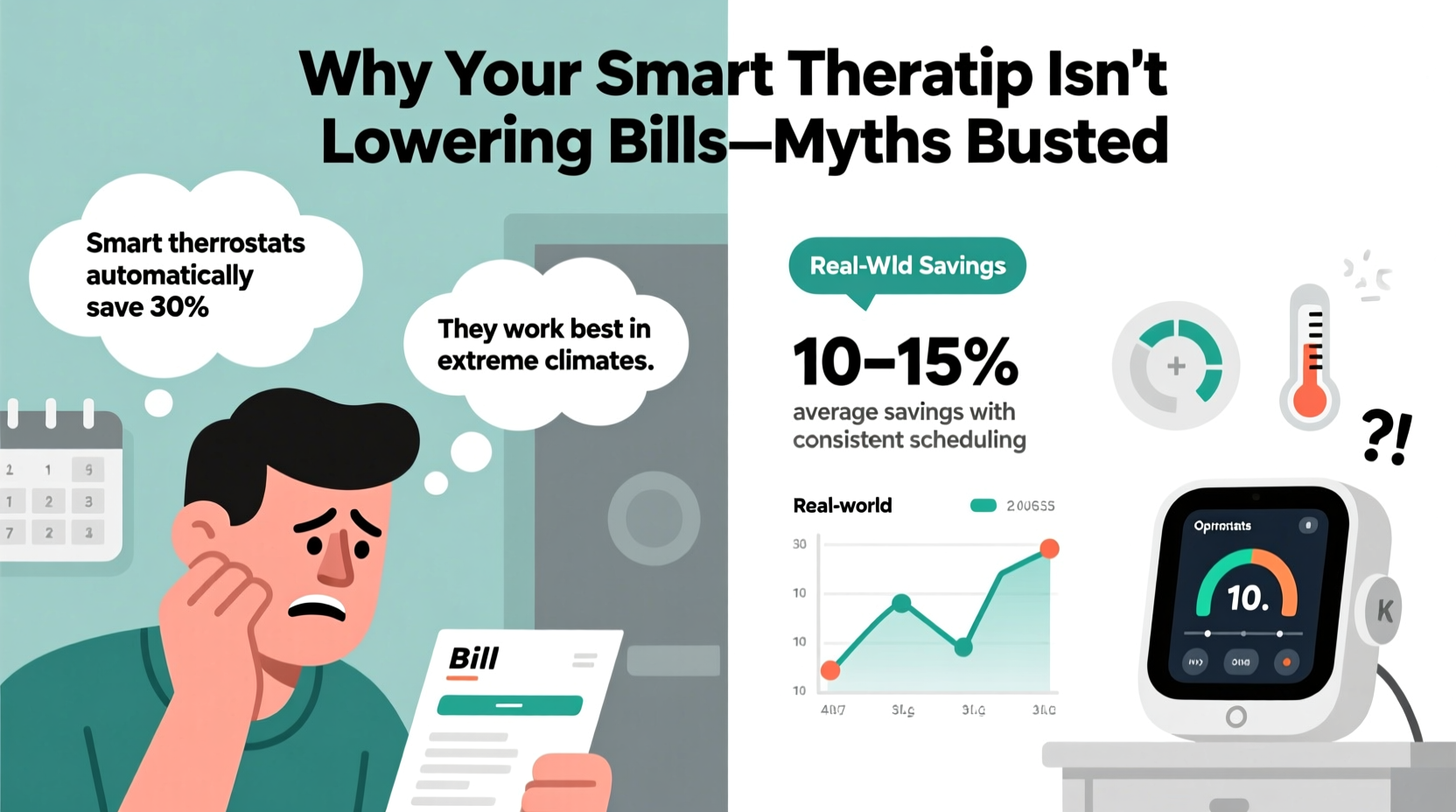
One of the most widespread misconceptions is that simply replacing your old thermostat with a smart model triggers instant energy savings. In reality, automation doesn’t equal optimization. If you set your smart thermostat to maintain 72°F all day, every day—even when no one is home—it will dutifully comply, using just as much (or more) energy than a basic programmable unit.
Smart thermostats like Nest, Ecobee, or Honeywell Home offer features such as occupancy sensing, geofencing, and adaptive recovery (gradually adjusting temperature to reach target by a certain time). But these tools only work if enabled and aligned with actual household behavior.
A 2021 study by the U.S. Department of Energy found that while some users saved up to 10–12% on heating and cooling, others saw no change—or even higher bills—due to poor setup or over-reliance on “smart” features without understanding their function.
Myth #2: Setting a Constant Temperature Is More Efficient
Many homeowners assume that keeping their home at a steady temperature reduces strain on the HVAC system and saves energy. This couldn’t be further from the truth. The longer your system runs to maintain an indoor climate against outdoor extremes, the more energy it consumes.
According to the Environmental Protection Agency (EPA), you can save about 1–3% on your heating bill for each degree you lower the thermostat for eight hours daily. For cooling, the same rule applies in reverse: raising the temperature when away or asleep cuts runtime significantly.
“Turning your thermostat back 7–10°F for 8 hours a day can save up to 10% annually on heating and cooling.” — U.S. Department of Energy
The key is strategic adjustment—not constant maintenance. A smart thermostat excels here by automating setbacks during sleep or work hours. But if you disable scheduling because “it feels too cold when I get home,” you’re defeating its purpose.
Common Reasons Your Smart Thermostat Isn’t Saving Money
Even with correct usage, several hidden factors may prevent your smart thermostat from delivering expected savings. Here are the most frequent culprits:
- Poor placement: Installing near heat sources (like lamps, TVs, or sunny windows) causes inaccurate readings, leading to overcooling or overheating.
- No C-wire: Lack of a common wire forces the thermostat to “steal” power from the HVAC system, causing erratic behavior and short cycling.
- Incompatible HVAC system: Older furnaces or multi-zone systems may not communicate properly with modern thermostats.
- Overridden schedules: Manually adjusting the temperature multiple times per day teaches the device conflicting habits.
- Limited sensors: Single-point measurement fails to account for uneven temperatures across floors or rooms.
Mini Case Study: The Johnson Family’s $40 Surprise
The Johnsons in suburban Chicago installed a premium smart thermostat last winter, expecting savings after reading online reviews. After three months, however, their gas bill had increased by $40/month compared to the previous year.
An energy auditor discovered two issues: First, the thermostat was mounted beside a south-facing window, causing it to “feel” warmer than the rest of the house and shut off heat prematurely. Second, the family frequently adjusted the temperature via the app when working remotely, disrupting the learning algorithm.
After relocating the thermostat and adding remote room sensors, they re-enabled auto-scheduling with a 68°F daytime setback and 62°F overnight setting. Within one billing cycle, their heating costs dropped below the prior year’s average.
What Actually Works: A Step-by-Step Guide to Real Savings
To ensure your smart thermostat delivers measurable reductions in energy use, follow this practical sequence:
- Verify proper installation: Ensure the thermostat has a stable power source (preferably a C-wire) and is placed on an interior wall, away from drafts, sunlight, and appliances.
- Enable occupancy features: Turn on geofencing and motion detection. Allow the system 1–2 weeks to learn patterns without interference.
- Set realistic temperature setbacks: Program 68°F (20°C) when awake and home, 62–65°F (16–18°C) when sleeping or away. In summer, aim for 78°F (26°C) when present, 85°F (29°C) when out.
- Add room sensors (if supported): Place them in frequently used areas to balance comfort and efficiency.
- Review energy reports monthly: Most smart thermostats provide usage summaries. Look for trends like excessive runtime or frequent adjustments.
- Pair with other upgrades: Seal ducts, replace air filters monthly, and consider a maintenance tune-up for your HVAC system.
Do’s and Don’ts of Smart Thermostat Use
| Do | Don’t |
|---|---|
| Use geofencing to trigger away mode automatically | Manually override the schedule daily |
| Install additional room sensors for better accuracy | Place the thermostat near heat-generating devices |
| Set aggressive but comfortable temperature setbacks | Keep the house at the same temp 24/7 |
| Check compatibility with your HVAC system before buying | Assume all thermostats work with heat pumps or radiant systems |
| Review energy history weekly during initial setup | Forget about the device after installation |
Busting Myth #3: All Smart Thermostats Are Created Equal
Not all smart thermostats deliver the same level of performance. Features vary widely between brands and models. For example:
- Nest Learning Thermostat uses historical data and weather forecasts but lacks native support for humidifiers without additional equipment.
- Ecobee shines with built-in room sensors and robust integration with humidifiers, ventilators, and solar panels.
- Honeywell Home T9 offers strong geofencing and customizable alerts but has a steeper learning curve.
If your HVAC system includes auxiliary components (like whole-house humidifiers, ventilation fans, or zoned ductwork), choose a thermostat that can manage those elements intelligently. Otherwise, inefficiencies elsewhere in the system will undermine any thermostat-based savings.
Expert Insight: Know Your System Limits
“A thermostat controls timing and temperature, but it can’t fix underlying inefficiencies. If your ducts leak 30% of conditioned air, even the smartest device won’t help much.” — Dr. Lena Patel, Building Science Engineer, ASHRAE
Before investing in a high-end thermostat, assess your home’s envelope: insulation levels, window quality, duct sealing, and HVAC age. The EPA estimates that the average American home wastes 20–30% of conditioned air due to leaks and poor insulation. No amount of smart programming compensates for that loss.
Energy-Saving Checklist: Maximize Your Smart Thermostat ROI
Follow this checklist to ensure your smart thermostat performs as intended:
- ✅ Confirm HVAC compatibility (especially for heat pumps or dual-fuel systems)
- ✅ Install a C-wire or use a power extender kit
- ✅ Mount the thermostat on an interior wall, away from direct sun or vents
- ✅ Enable geofencing and occupancy sensing
- ✅ Set automatic schedules with at least two daily setbacks
- ✅ Add remote room sensors if available
- ✅ Replace HVAC air filter every 30–60 days
- ✅ Schedule annual HVAC maintenance
- ✅ Seal air leaks around windows, doors, and ducts
- ✅ Monitor energy usage through the thermostat’s reporting dashboard
Frequently Asked Questions
Can a smart thermostat save money in both winter and summer?
Yes, but only if programmed correctly. In winter, lowering the temperature by 7–10°F while asleep or away reduces furnace runtime. In summer, raising the setpoint has the same effect on your air conditioner. Savings typically range from 8–15% annually when used strategically.
Why does my smart thermostat keep switching to “away” mode unexpectedly?
This usually happens when geofencing relies solely on one phone’s location, which may disconnect due to battery-saving settings or spotty GPS. To fix it, add multiple household devices to the geofence circle or adjust sensitivity in the app. Alternatively, disable auto-away and use scheduled modes instead.
Is it worth upgrading from a programmable thermostat to a smart one?
Only if you currently don’t use your programmable thermostat effectively. Studies show 50–70% of homeowners with programmable models never set schedules or leave them in “hold” mode. A smart thermostat can automate those routines. But if you already manage setbacks manually, the upgrade may offer minimal financial return.
Conclusion: Smarter Use, Not Just Smarter Tech
Your smart thermostat isn’t broken—it’s likely underutilized. The promise of energy savings hinges not on the device itself, but on informed, consistent use. Automation only works when it reflects real behavior and is supported by a well-maintained HVAC system and tight building envelope.
Stop treating your smart thermostat like a set-and-forget gadget. Take time to configure it properly, monitor its performance, and pair it with foundational efficiency improvements. When used wisely, it becomes a powerful ally in reducing energy waste and lowering bills. But technology alone won’t do the job.




 浙公网安备
33010002000092号
浙公网安备
33010002000092号 浙B2-20120091-4
Comments
No comments yet. Why don't you start the discussion?