
For drivers of older vehicles, enhancing safety during reversing is more than a convenience—it’s a necessity. Many classic or pre-2010 cars lack factory-installed backup cameras, leaving drivers with limited visibility behind the vehicle. As a result, aftermarket solutions like wireless backup cameras and rearview mirror displays have become popular upgrades. But when it comes to safety, which option truly offers better protection? The answer depends on clarity, reliability, ease of use, and how well each system integrates into daily driving habits.
This article breaks down both technologies, compares their real-world performance, and evaluates which provides superior safety benefits for older car owners. Whether you're upgrading your sedan, SUV, or pickup truck, understanding these systems can help prevent accidents, reduce blind spots, and improve confidence every time you shift into reverse.
Understanding the Core Technologies
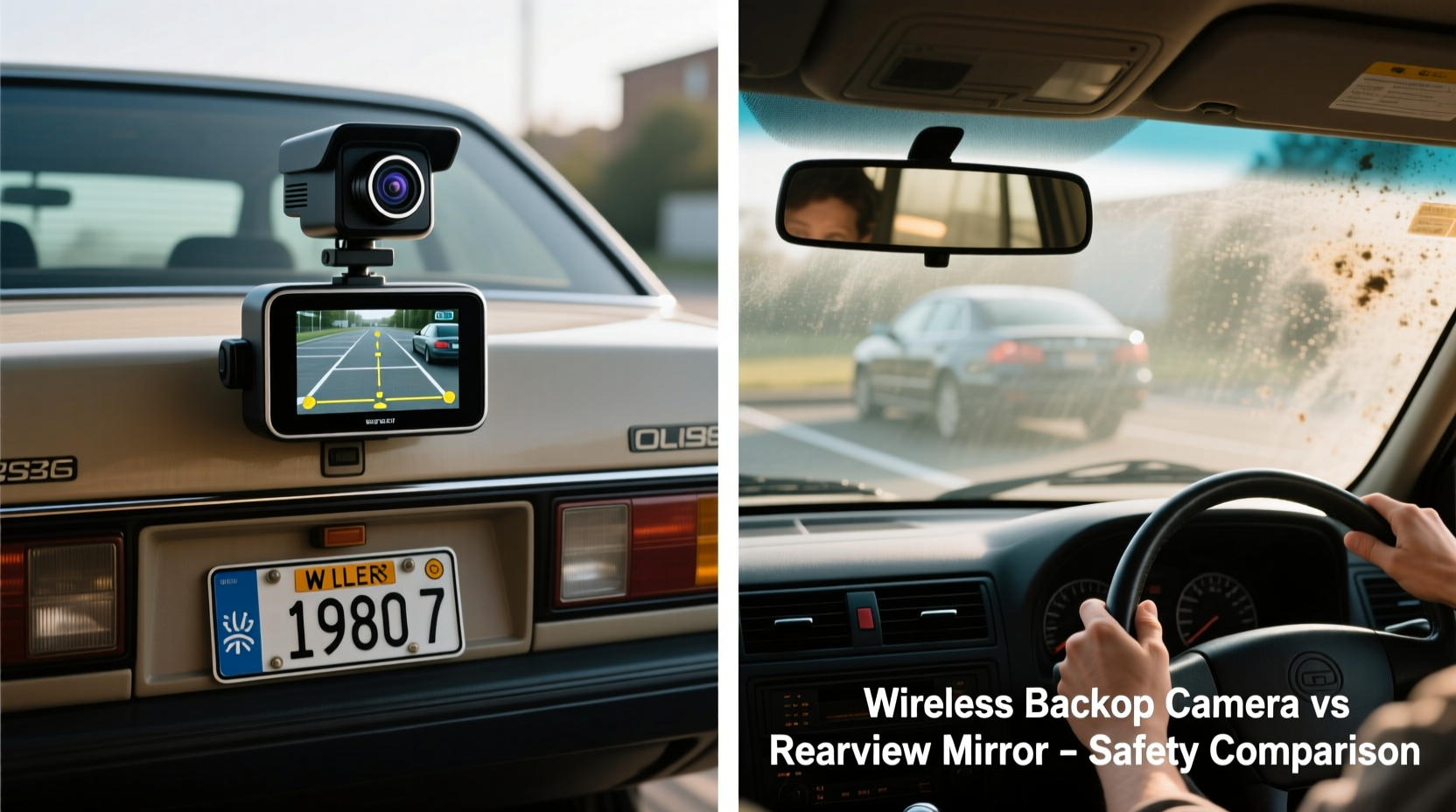
A wireless backup camera and a rearview mirror display are not mutually exclusive options—sometimes they work together—but they represent different approaches to solving the same problem: improving rear visibility.
Wireless Backup Camera: This system consists of a camera mounted on the rear of the vehicle (typically near the license plate or trunk handle) that transmits video via Wi-Fi or radio frequency to a standalone screen, often installed on the dashboard or windshield. The signal activates automatically when the car is shifted into reverse.
Rearview Mirror Display: This is a dual-function mirror that replaces the standard interior rearview mirror. It contains a built-in LCD screen that shows live video from a rear-mounted camera while still functioning as a traditional mirror when not in use. When reverse gear is engaged, the mirror switches to camera mode.
Both systems aim to eliminate the rear blind spot, but their design, performance, and integration with driver behavior differ significantly.
Key Safety Factors in Reversing Accidents
According to the National Highway Traffic Safety Administration (NHTSA), over 200 fatalities and 15,000 injuries annually involve backover incidents—most commonly affecting children under 5 and seniors. These tragedies often occur in driveways or parking lots where visibility is obstructed by large bumpers, cargo, or vehicle design.
Safety isn’t just about having a camera; it’s about how quickly and clearly the driver receives information. Key factors include:
- Activation speed: How fast the image appears after shifting into reverse.
- Image quality: Resolution, night vision, and resistance to glare or weather interference.
- Driver distraction: Whether the display requires excessive eye movement or cognitive load.
- Reliability: Signal stability, battery independence, and resistance to interference.
Wireless Backup Cameras: Pros and Cons
Wireless backup cameras are among the most accessible and affordable upgrades for older vehicles. They typically include a camera, a receiver screen, and basic mounting hardware.
Advantages
- Easy Installation: No need to run wires through the car’s interior. Most models use magnetic mounts or adhesive pads.
- Portability: Screens can be moved between vehicles if needed.
- Larger Screen Options: Some units offer 7-inch displays with wide viewing angles.
- Budget-Friendly: Entry-level kits start around $50, making them accessible to most drivers.
Drawbacks
- Signal Interference: Walls, metal structures, or other wireless devices may disrupt transmission.
- Lag Time: Some cheaper models take 1–3 seconds to activate, delaying critical visual feedback.
- Power Dependency: If hardwired improperly, the system may drain the battery or fail to turn on automatically.
- Screen Placement: Dashboard-mounted screens require drivers to look down and away from mirrors, increasing distraction.
“While wireless cameras offer convenience, their inconsistent latency and potential for signal loss make them less reliable in high-risk environments.” — Dr. Alan Torres, Automotive Safety Researcher, University of Michigan Transportation Institute
Rearview Mirror Displays: A Seamless Upgrade
Rearview mirror displays merge functionality with ergonomics. By integrating the screen directly into the driver’s natural line of sight, they minimize head and eye movement—a key advantage in dynamic driving situations.
Benefits
- Ergonomic Design: Drivers keep their eyes forward, reducing neck strain and attention shifts.
- Dual Functionality: Acts as a regular mirror when not reversing, preserving familiar driving behavior.
- Integrated Wiring: Often hardwired into the reverse light circuit, ensuring automatic activation and stable power.
- Less Clutter: Eliminates extra screens on the dash, maintaining a clean cabin.
Limitations
- Smaller Display Area: The screen shares space with mirror function, limiting viewable area.
- Higher Initial Cost: Quality mirror displays range from $120 to $300, depending on features.
- Installation Complexity: Requires replacing the existing mirror and routing wires along the headliner.
- Learning Curve: Some users report difficulty adjusting to the switching mechanism at first.
Real-World Example: Sarah’s Experience
Sarah, a school administrator in Ohio, drives a 2005 minivan used to shuttle kids during field trips. After nearly backing into a student during dismissal, she upgraded to a rearview mirror display. “At first, I didn’t trust the screen,” she said. “But within a week, I was using it instinctively. Now I check the camera view just like I check my side mirrors. It feels natural.”
She noted that during early morning drop-offs, when sunlight blinds her rear window, the camera’s night vision and anti-glare filter made all the difference. “I’ve caught bikes, strollers, and even pets in my driveway—all things I would’ve missed before.”
Direct Comparison: Safety Performance Breakdown
| Feature | Wireless Backup Camera | Rearview Mirror Display |
|---|---|---|
| Activation Speed | 1–3 seconds (varies by model) | Near-instant (tied to reverse light) |
| Image Clarity | 480p–1080p (depends on brand) | 720p–1080p (often higher-end sensors) |
| Night Vision | Basic IR LEDs (limited range) | Advanced IR with wider coverage |
| Driver Distraction | Moderate to high (looking down) | Low (natural gaze direction) |
| Signal Reliability | Variable (interference-prone) | High (direct wiring) |
| Installation Difficulty | Easy (DIY-friendly) | Moderate (requires wiring skill) |
| Cost Range | $50–$150 | $120–$300 |
| Safety Score (Out of 10) | 6.5 | 9.0 |
The data shows that rearview mirror displays outperform standalone wireless cameras in nearly every safety-critical category. Their integration into the driver’s natural visual workflow reduces reaction time and enhances situational awareness.
Step-by-Step Guide: Choosing and Installing the Safest Option
If you're ready to upgrade your older vehicle, follow this proven sequence to maximize safety and usability:
- Assess Your Vehicle’s Layout: Measure the distance from the reverse lights to the cabin. Determine whether running a wire through the headliner is feasible.
- Set a Realistic Budget: Allocate at least $120 for a quality mirror display with HD resolution and night vision.
- Select a Reputable Brand: Look for models with positive user reviews, FCC certification, and warranty support (e.g., AUTO-VOX, LeeKooLuu, or Yada).
- Check Compatibility: Ensure the mirror fits your current mount type (button, strap, or clip-on) and supports your camera’s input (usually RCA or wireless).
- Install the Camera First: Mount it centered above the license plate, angled slightly downward. Seal connections against moisture.
- Route the Power Cable: Connect to the reverse light wire using a tap connector. Run the cable along the frame, under trim, and up the A-pillar.
- Mount the Mirror Display: Attach securely and test the signal. Adjust brightness and camera angle for optimal view.
- Test Thoroughly: Reverse in daylight, low light, and rainy conditions. Confirm no lag or pixelation.
Safety Checklist Before Finalizing Your Choice
- ✅ Does the system activate instantly when reverse gear is engaged?
- ✅ Is the image clear enough to identify small objects (toys, pets, curbs)?
- ✅ Can you view the screen without tilting your head or losing mirror visibility?
- ✅ Is the camera waterproof and resistant to vibration?
- ✅ Are there guidelines for proper aiming and focus adjustment?
- ✅ Does the manufacturer offer customer support and firmware updates?
Expert Insight: Why Integration Matters
Dr. Linda Chen, a human factors engineer specializing in driver interfaces, emphasizes that safety technology must align with natural behavior. “The best systems don’t ask drivers to change their habits—they enhance them,” she explains. “A rearview mirror display works because it uses an existing glance pattern. You’re already checking the center mirror before reversing. Adding a camera feed into that motion makes it almost subconscious.”
In contrast, she warns that dashboard screens introduce new cognitive tasks. “Looking down breaks visual continuity and delays reaction time by up to half a second—enough to miss a child running behind the car.”
“The safest backup system is the one you’ll actually use correctly, every single time.” — Dr. Linda Chen, Human Factors Engineer
Frequently Asked Questions
Can I install a rearview mirror display myself?
Yes, most models are designed for DIY installation. You’ll need basic tools like a screwdriver, wire stripper, and possibly a trim removal tool. The hardest part is routing the cable through the headliner without damaging interior panels. Online tutorials specific to your car model can guide you step by step.
Do wireless cameras interfere with my phone or Bluetooth?
Potentially. Many budget wireless cameras operate on the 2.4 GHz band, which is shared by Wi-Fi, Bluetooth, and microwaves. In dense urban areas or garages with multiple signals, this can cause video stuttering or dropouts. Higher-end models use digital transmission (like FHSS) to reduce interference.
Which system lasts longer?
Rearview mirror displays generally have longer lifespans due to better build quality and permanent wiring. Wireless systems, especially those with removable screens and external antennas, are more prone to connection wear and environmental damage. With proper care, a mirror display can last 5+ years.
Final Verdict: Which Is Safer?
When evaluating purely on safety metrics—response time, visual accessibility, reliability, and driver ergonomics—the rearview mirror display is the superior choice for older cars. It transforms a common pain point into a seamless extension of the driver’s awareness, without introducing new distractions.
That said, wireless backup cameras remain a viable entry-level option for those who rent vehicles, drive infrequently, or need temporary solutions. For maximum protection, however, investing in a hardwired mirror display delivers peace of mind that cheaper alternatives simply can’t match.
The goal isn’t just to see behind your car—it’s to react in time. And in high-stakes moments, the few advantages of a mirror-integrated system can mean the difference between a close call and a tragedy.




 浙公网安备
33010002000092号
浙公网安备
33010002000092号 浙B2-20120091-4
Comments
No comments yet. Why don't you start the discussion?