
Wireless charging has become a staple in modern device convenience—no more fumbling with cables, just drop your phone on the pad and go. But when that seamless experience turns into a sluggish charge, frustration sets in. If you’ve noticed your wireless charging pad delivering power at a crawl, you’re not alone. Many users face this issue without understanding the underlying causes. The good news? Most problems are fixable with simple troubleshooting and smart habits. This guide breaks down the real reasons behind slow wireless charging and provides actionable solutions to get your device charging efficiently again.
Why Wireless Charging Feels Slower Than Expected
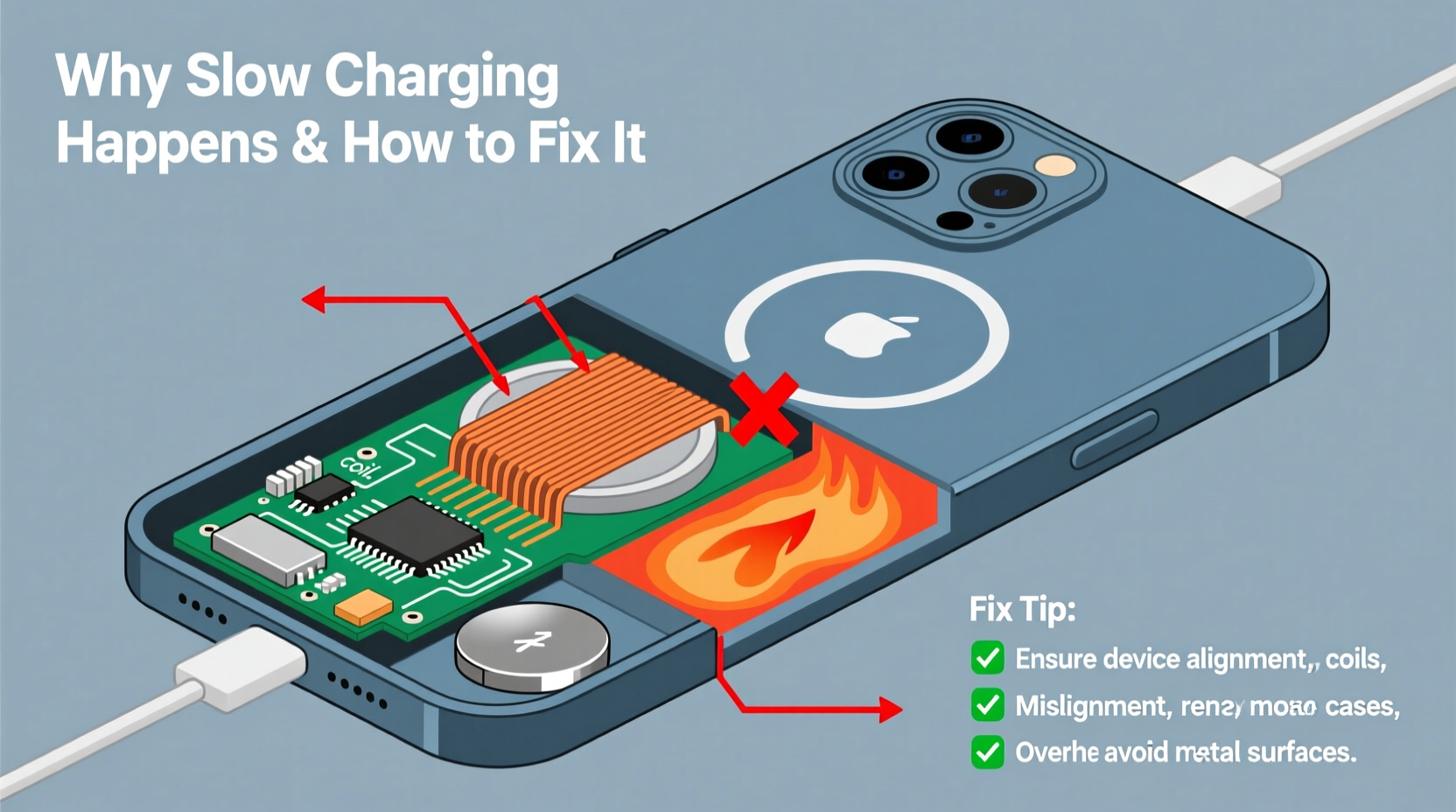
Before jumping to conclusions about a faulty charger or dying battery, it’s important to understand that wireless charging is inherently slower than wired charging due to energy transfer inefficiencies. When electricity travels through a cable, losses are minimal. In contrast, wireless charging uses electromagnetic induction: energy passes from the transmitter coil in the pad to the receiver coil in your phone. This process generates heat and loses some energy as radiation, typically resulting in 60–80% efficiency compared to nearly 95% with wired methods.
That said, if your device is taking significantly longer than usual—say, double the time it once did—something beyond physics is likely at play. Common culprits include incompatible hardware, misalignment, overheating, or interference from accessories. Identifying which factor affects your setup is the first step toward restoring optimal performance.
Common Causes of Slow Wireless Charging
1. Poor Alignment Between Phone and Charger
The coils inside your phone and charging pad must align closely for efficient power transfer. Even a slight offset can drastically reduce charging speed. Many users place their phones haphazardly on the pad, especially in low light, leading to inconsistent contact.
2. Thick or Metallic Phone Cases
While most cases don’t interfere, thick materials like leather or silicone can create distance between the coils. Worse, cases with metal plates (common in magnetic car mounts) block induction entirely. Even small metal accents can cause interference, forcing the system to reduce power output or stop charging altogether.
3. Use of Non-Qualified Chargers or Cables
Not all USB chargers deliver sufficient power. A weak wall adapter (e.g., 5W) cannot supply enough current to drive fast wireless charging, even if the pad supports higher wattage. Similarly, damaged or low-quality USB cables increase resistance and limit power flow.
4. Overheating During Charging
Heat is the enemy of both battery health and charging efficiency. When your phone gets too hot—due to background apps, direct sunlight, or poor ventilation—the system throttles charging speed to protect components. This often results in intermittent or extremely slow charging.
5. Outdated Firmware or Hardware Limitations
Some older wireless chargers only support basic Qi standard (5W), while newer phones expect faster speeds. Additionally, firmware bugs in either the charger or phone can disrupt communication, preventing negotiation of higher power modes.
6. Foreign Object Detection (FOD) Interference
Qi-certified chargers use FOD to detect unwanted conductive materials (like keys or coins) between the phone and pad. If something metallic is present—even a tiny foil wrapper—the charger may enter safety mode, reducing output or halting charging entirely.
“Many consumers assume their charger is broken when it's actually just incompatible or obstructed. Proper pairing of hardware and awareness of placement can resolve over 70% of slow-charging complaints.” — Dr. Alan Reyes, Power Systems Engineer at MobileTech Labs
Step-by-Step Guide to Fix Slow Wireless Charging
Follow this systematic approach to diagnose and resolve slow charging issues:
- Remove the phone case – Test charging without any case. If speed improves, the case is likely interfering.
- Center the phone precisely – Align the center of your phone with the center of the charging pad. Some pads have alignment markers; use them.
- Check the power adapter – Ensure you're using a wall charger rated at least 10W (preferably 18W or higher for fast wireless charging). Look for outputs like 9V/2A or 5V/3A.
- Inspect the USB cable – Replace frayed or old cables with a certified USB-A to USB-C or USB-C to USB-C cable (depending on your pad).
- Restart your phone – Sometimes software glitches prevent proper charging negotiation. A reboot can reset the power management system.
- Clean the charging surface – Wipe both the pad and the back of your phone with a dry microfiber cloth to remove dust or debris.
- Test in a cool environment – Avoid charging near heat sources or in direct sunlight. Close unnecessary apps to reduce internal heat generation.
- Try a different wireless charger – Borrow a known-fast charger to determine if the issue lies with your pad.
- Update device software – Check for OS updates on your phone, as manufacturers often release power optimization patches.
- Reset charging settings (if available) – On some Android devices, clearing the cache partition can resolve persistent charging anomalies.
Do’s and Don’ts of Wireless Charging
| Do’s | Don’ts |
|---|---|
| Use a high-wattage wall adapter (18W or higher) | Use outdated 5W “USB brick” chargers |
| Keep the charging area clean and unobstructed | Place keys, coins, or metal objects under the phone |
| Remove thick or magnet-equipped cases | Charge with bulky wallets or cardholders attached |
| Ensure proper coil alignment every time | Assume charging is working just because the LED is on |
| Allow airflow around the phone during charging | Charge under pillows or on soft bedding |
| Verify your phone supports fast wireless charging | Expect 15W speeds from a 5W-only charger |
Real-World Example: Sarah’s Charging Struggle
Sarah, a marketing professional, bought a new iPhone 14 expecting fast wireless charging at her desk. Instead, she found it took nearly eight hours to reach full charge overnight. She assumed the charger was defective and considered returning it. After reading online forums, she decided to test one variable at a time.
First, she removed her MagSafe-compatible wallet attachment. No change. Then she tried plugging the charger into a different outlet—still slow. Finally, she checked the adapter and realized she was using an old 5W charger from her iPad Mini. She swapped it for her iPad Pro’s 20W charger, and immediately, the charging indicator showed “Fast Charging.” Her phone now reached 50% in under an hour.
Sarah’s experience highlights a common oversight: people focus on the charging pad but neglect the power source. Without adequate input, even the best wireless charger performs poorly.
Frequently Asked Questions
Can I use my phone while it’s wirelessly charging?
Yes, but heavy usage (like gaming or video calls) generates heat, which forces the system to slow down charging or pause temporarily. For best results, minimize activity during charging.
Why does my phone charge fast at night but slow during the day?
This often relates to temperature and background activity. At night, your phone cools down and runs fewer apps. During the day, heat buildup from usage triggers thermal throttling, reducing charging speed.
Is it safe to leave my phone on a wireless charger overnight?
Yes. Modern devices and chargers communicate to stop charging once the battery reaches 100%. However, frequent full cycles can accelerate long-term battery wear. Some phones offer “optimized charging” features that delay final charging until you wake up.
Optimizing Long-Term Charging Performance
Sustaining fast wireless charging isn’t just about fixing immediate issues—it’s also about maintaining conditions that support efficiency over time. Consider these long-term strategies:
- Invest in a multi-coil charging pad – These allow more flexible placement since multiple coils increase the chance of alignment.
- Enable battery optimization features – iOS and Android offer settings that learn your routine and charge slowly to 80%, then complete the cycle before you wake up.
- Avoid cheap, uncertified chargers – Stick to Qi-certified models from reputable brands. Counterfeit chargers may lack proper safety protocols and degrade faster.
- Monitor battery health – On iPhones, check Battery Health in Settings. On Android, use built-in diagnostics or third-party apps. A degraded battery charges slower and holds less charge.
- Rotate charging methods – Alternate between wired and wireless charging to reduce heat stress on the battery and maintain longevity.
Final Checklist: Restore Fast Wireless Charging
Use this checklist whenever you suspect charging issues:
- ✅ Remove phone case and retest charging speed
- ✅ Verify correct alignment on the charging pad
- ✅ Use a wall adapter rated at least 10–18W
- ✅ Replace damaged or low-quality USB cables
- ✅ Clean the back of the phone and charging surface
- ✅ Ensure the room is cool and well-ventilated
- ✅ Restart the phone to reset power management
- ✅ Confirm your phone supports fast wireless charging
- ✅ Update phone and charger firmware (if applicable)
- ✅ Test with a different wireless charger or power source
“The future of charging is convenience, but convenience shouldn’t come at the cost of performance. Matching the right charger with the right power supply is non-negotiable for speed.” — TechRadar, Wireless Charging Review Panel, 2023
Conclusion: Take Control of Your Charging Experience
Slow wireless charging doesn’t have to be a permanent annoyance. More often than not, it stems from overlooked details—misplaced phones, weak adapters, or interfering cases—rather than hardware failure. By understanding how wireless charging works and applying consistent, informed practices, you can reclaim fast, reliable power delivery. Don’t settle for inefficient charging just because it’s “wireless.” Demand better performance by optimizing your setup today.




 浙公网安备
33010002000092号
浙公网安备
33010002000092号 浙B2-20120091-4
Comments
No comments yet. Why don't you start the discussion?