
For many people, wireless earbuds are no longer just a convenience—they’re essential tools for navigating a connected life. Whether you're hopping between Zoom calls on your laptop, listening to music on your phone during a commute, or taking voice notes on a tablet, the way your earbuds handle device switching can make a big difference in daily productivity and comfort.
The rise of multipoint Bluetooth technology has introduced a new standard in flexibility, allowing earbuds to maintain active connections with two devices simultaneously. But is it worth upgrading from traditional single-device models? The answer depends heavily on how you use your devices in real-world scenarios—your workflow, environment, and expectations for seamless audio.
Understanding Multipoint vs Single-Device Connectivity
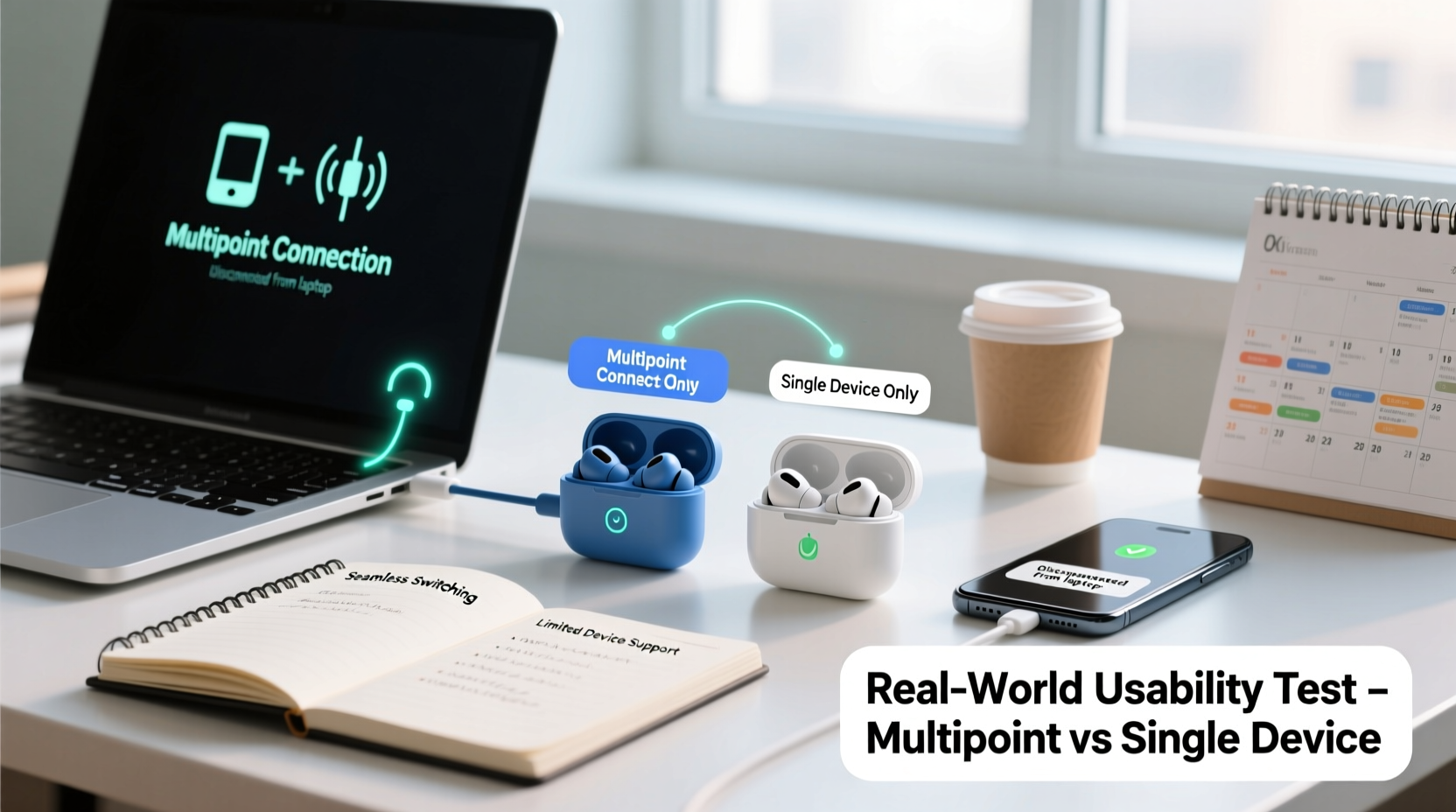
At its core, Bluetooth connectivity determines how your earbuds communicate with your devices. Traditional wireless earbuds operate on a one-to-one pairing system: once connected to a phone, they disconnect from any other device until manually switched. This works well for users who primarily rely on one device at a time.
Multipoint technology changes that. It enables earbuds to pair with two devices—such as a smartphone and a laptop—at the same time. When a call comes in on your phone while you’re watching a video on your computer, the earbuds automatically pause the video audio and switch to the incoming call. Once the call ends, they revert back to the original source.
This isn’t just about convenience—it’s about reducing friction in multitasking environments. However, not all multipoint implementations are equal. Some brands use proprietary protocols (like Apple’s H1 chip or Qualcomm’s TrueWireless Mirroring), while others rely on standard Bluetooth 5.0+ specifications, which can affect stability, latency, and battery performance.
Real-World Scenarios: Where Each Shines
To evaluate true usability, consider actual usage patterns rather than technical specs alone. Here’s how each type performs across common situations.
Scenario 1: The Remote Worker
A remote employee might spend hours in back-to-back meetings on a MacBook, receive Slack messages via iPhone, and occasionally take personal calls. With single-device earbuds, every time a call comes in on the phone, the user must either:
- Manually disconnect the earbuds from the laptop,
- Use their phone’s speaker or wired headset,
- Pause their current task to reconnect.
In contrast, multipoint earbuds detect the incoming call and seamlessly transfer the audio stream. No interruption to focus. After the call, playback resumes on the laptop without action required.
“Multipoint connectivity has become non-negotiable for hybrid professionals. It reduces cognitive load by eliminating micro-interruptions.” — Daniel Liu, UX Researcher at a leading audio hardware firm
Scenario 2: The Commuter
A city commuter may listen to a podcast on their phone during transit, then switch to a tablet for an audiobook upon arrival at a café. Without multipoint, this requires unpairing and re-pairing—a process prone to glitches, especially in crowded Bluetooth environments like subways.
With multipoint, both devices stay paired. Switching becomes as simple as pressing play on the desired device—the earbuds recognize the active audio source and respond accordingly.
Scenario 3: The Minimalist User
Not everyone juggles multiple screens. A user who only listens to music on their phone during workouts or walks gains little benefit from multipoint. For them, the added complexity—and potential battery drain—may outweigh the advantages.
In fact, some budget-conscious buyers report that early multipoint models suffered from shorter battery life due to maintaining dual connections. While modern iterations have improved significantly, power efficiency still varies by brand and chipset.
Performance Comparison: Key Factors Side-by-Side
| Factor | Multipoint Earbuds | Single-Device Models |
|---|---|---|
| Switching Speed | Instant (automatic) | Manual (5–20 sec delay) |
| Battery Life | Slightly reduced (~10–15%) | Optimized for single use |
| Connection Stability | Varies by implementation; newer chips more reliable | Generally stable |
| Setup Complexity | Moderate (initial dual pairing needed) | Simple (one-time pairing) |
| Ideal For | Hybrid workers, travelers, multi-device households | Casual listeners, gym-goers, single-device users |
Common Limitations and Workarounds
Multipoint doesn’t solve every problem. There are still limitations rooted in Bluetooth standards and device compatibility.
One major constraint: most multipoint systems don’t allow simultaneous audio streaming from both devices. You can’t, for example, listen to music from your tablet while monitoring notifications from your phone in the background. Only one stream plays at a time.
Another issue is platform support. Apple’s ecosystem handles handoff elegantly through iCloud and Continuity features, but Android and Windows integration remains fragmented. Some manufacturers require companion apps to enable multipoint, and firmware updates are often necessary to maintain reliability.
Additionally, older devices using Bluetooth 4.2 or earlier may not support multipoint at all, limiting functionality even if the earbuds are capable.
Step-by-Step: Setting Up Multipoint Connection
While setup varies slightly by brand, here’s a general guide applicable to most modern multipoint earbuds (e.g., Sony WF-1000XM5, Sennheiser Momentum True Wireless 3, Jabra Elite 7 Pro):
- Reset the earbuds (if previously paired) via the charging case button or app.
- Pair with first device (e.g., smartphone): Open settings > Bluetooth > select earbuds when visible.
- Keep earbuds connected and playing audio briefly to confirm link.
- Enter pairing mode again—usually by holding the case button for 5+ seconds until LED flashes.
- On second device (e.g., laptop), go to Bluetooth settings and select the earbuds.
- Test switching: Play audio on Device A, then start playback on Device B. Audio should pause on A and switch to B.
- Verify call handling: Make a test call on your phone while listening to media on the laptop.
Note: Some models require enabling multipoint in their companion app. Others disable it by default to preserve battery.
Mini Case Study: From Frustration to Flow
Sarah K., a freelance graphic designer based in Portland, used to rely on AirPods Pro (single-device model) for client calls and music. Her workflow involved constant toggling between her iPad (for design work) and iPhone (for communication).
“Every time a client called, I had to stop what I was doing, open my phone, and reconnect,” she said. “Sometimes the earbuds wouldn’t switch fast enough, so I’d miss part of the greeting. It felt unprofessional.”
After switching to the Bose QuietComfort Ultra Earbuds—which support multipoint—her experience transformed. Now, when a call comes in, the audio from her iPad pauses instantly, and the call connects through the earbuds. After hanging up, her design reference video resumes automatically.
“It’s subtle, but it removes mental clutter,” Sarah noted. “I’m less stressed about missing something, and I can stay immersed in creative work.”
Expert Insight: What Engineers Say About Future Trends
According to industry engineers, multipoint is evolving beyond dual-device limits. New Bluetooth LE Audio standards introduce broadcast audio and enhanced multi-stream capabilities, potentially allowing earbuds to monitor several devices and prioritize inputs intelligently.
“We’re moving toward context-aware audio routing—where your earbuds know not just what’s playing, but what you’re likely to need next.” — Dr. Lena Park, Senior Acoustics Engineer at a global audio OEM
Future developments may include AI-driven prioritization (e.g., silencing social media pings during work hours) or automatic profile switching based on location (work mode, travel mode, home mode).
Checklist: Choosing the Right Model for Your Needs
Use this checklist to determine whether multipoint earbuds are right for you:
- ✅ Do you regularly use two Bluetooth devices (e.g., phone + laptop)?
- ✅ Do you take calls while working on another device?
- ✅ Have you experienced frustration manually reconnecting earbuds?
- ✅ Are your devices Bluetooth 5.0 or newer?
- ✅ Is battery life less critical than seamless switching?
- ✅ Are you willing to manage minor setup steps or app dependencies?
If you answered “yes” to three or more, multipoint earbuds will likely improve your daily experience.
Frequently Asked Questions
Can I use multipoint earbuds with an iPhone and a Windows PC?
Yes, provided both devices support Bluetooth 5.0+ and the earbuds are compatible. However, iOS sometimes restricts background Bluetooth behavior, so switching may be slower than on Android/Windows combinations. Using a third-party launcher or keeping the earbud app open can help maintain stability.
Do multipoint earbuds drain battery faster?
Slightly. Maintaining two active connections uses more power—typically reducing total battery life by 10–15%. However, many modern models compensate with efficient chipsets and larger charging cases, so real-world impact is often negligible.
Are there any security risks with multipoint?
No significant additional risks. Bluetooth encryption remains the same. However, ensure you only pair with trusted devices and avoid public pairing modes in crowded areas to prevent unauthorized access.
Final Thoughts: Matching Technology to Lifestyle
The choice between multipoint and single-device earbuds isn’t about which is objectively better—it’s about alignment with your habits. For those living in a multi-screen world, where attention shifts rapidly between tasks and tools, multipoint offers a tangible upgrade in flow and efficiency.
But for simpler routines—jogging with music, casual TV watching, or occasional calls—single-device models remain reliable, often more affordable, and easier to manage. They also tend to have fewer firmware quirks and broader backward compatibility.
As Bluetooth technology evolves, the gap will continue to narrow. Soon, multipoint may become standard, much like noise cancellation did a few years ago. Until then, assess your actual usage, not just the spec sheet.




 浙公网安备
33010002000092号
浙公网安备
33010002000092号 浙B2-20120091-4
Comments
No comments yet. Why don't you start the discussion?