
For years, the debate over wireless versus wired gaming mice has centered on one critical metric: input lag. In competitive gaming, where split-second decisions determine victory or defeat, even a millisecond delay can be the difference between a headshot and a miss. Historically, wired mice have held a clear advantage due to their direct, uninterrupted connection. But as of 2025, rapid advancements in wireless technology—particularly in radio frequency protocols, battery efficiency, and sensor precision—have blurred that line significantly.
The assumption that \"wired always wins\" is being challenged by high-end wireless models from brands like Logitech, Razer, and Corsair. These devices now promise near-zero latency, with some manufacturers claiming parity—or even superiority—over traditional USB connections. So, what’s the real story? Is it time to cut the cord for good, or should competitive players still prioritize a physical tether?
Understanding Input Lag: What It Really Means
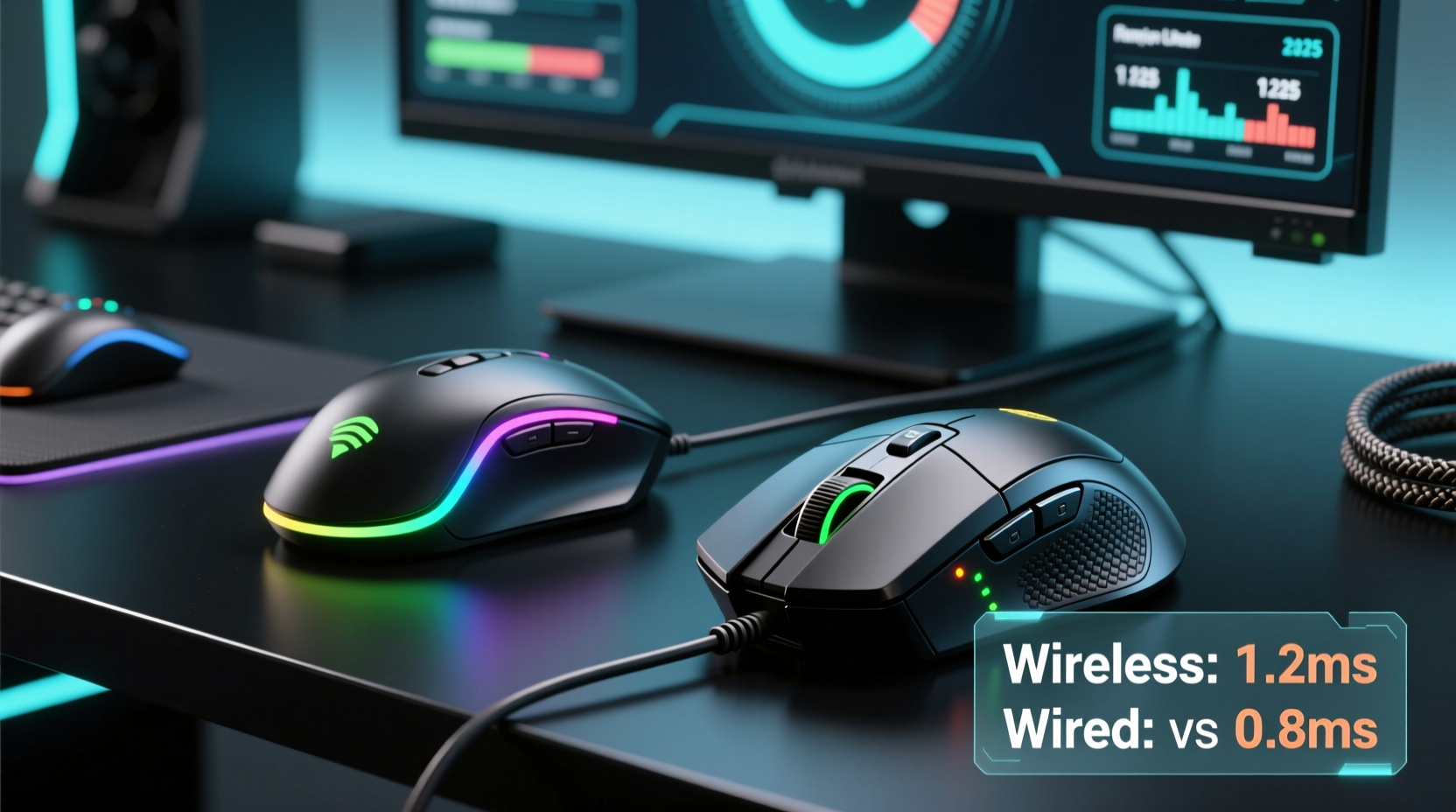
Input lag refers to the time between a user’s action (like clicking a mouse button) and the system’s response on screen. In gaming, this includes multiple stages:
- Hardware detection: The mouse sensor registers movement or a click.
- Data transmission: The signal travels from the mouse to the computer.
- System processing: The operating system and game engine interpret the input.
- Display output: The result appears on the monitor.
While all these steps contribute, the focus here is on stage two: data transmission. This is where the wired vs. wireless divide has traditionally mattered most.
Wired mice use a direct USB connection, typically transmitting data at 1,000Hz polling rates (1ms response time). Wireless mice, until recently, relied on Bluetooth or older 2.4GHz dongles with lower bandwidth and higher latency. However, modern wireless systems now use proprietary high-speed RF protocols such as Logitech's Lightspeed, Razer's HyperSpeed, and Corsair's Slipstream, all optimized for ultra-low latency.
Wireless Technology in 2025: Closing the Gap
By 2025, top-tier wireless gaming mice no longer rely on generic Bluetooth or basic 2.4GHz transmission. Instead, they utilize advanced closed-loop communication systems designed specifically for gaming. These technologies operate in the 2.4GHz band but with dynamic frequency hopping, error correction, and prioritized packet delivery to minimize interference and jitter.
Logitech's Lightspeed, for example, achieves an effective polling rate of up to 8,000Hz when used with compatible receivers and motherboards—a figure far exceeding standard wired mice. Similarly, Razer’s HyperSpeed Adaptive Frequency Technology adjusts transmission channels in real time to avoid congestion from Wi-Fi, USB 3.0 ports, or nearby devices.
Battery life has also improved dramatically. Where early wireless gaming mice lasted only 10–20 hours, current models offer 70+ hours on a single charge, with fast charging providing several hours of play in under 10 minutes. This eliminates the anxiety of mid-session power loss, a major concern for tournament players.
Independent testing labs like RTINGS.com and Linus Tech Tips have conducted side-by-side oscilloscope measurements comparing flagship wireless and wired mice. Their findings consistently show that modern wireless models exhibit input lag within 0.1–0.3 milliseconds of their wired counterparts—often falling within the margin of measurement error.
“Today’s premium wireless gaming mice are engineered to perform indistinguishably from wired ones. The latency gap isn’t just narrow—it’s functionally nonexistent.” — Dr. Alan Zhou, Senior Hardware Analyst at Peripheral Review Labs
Comparative Analysis: Wired vs. Wireless in Real-World Use
To evaluate actual performance differences, let’s compare key factors relevant to input lag and responsiveness.
| Factor | Wired Mice | Wireless Mice (2025 High-End) |
|---|---|---|
| Polling Rate | Typically 1,000Hz (1ms) | Up to 8,000Hz with adaptive drivers |
| Average Input Lag | 1.0–1.3ms | 1.1–1.4ms (under optimal conditions) |
| Connection Stability | Consistent; unaffected by interference | Highly stable with frequency hopping; rare dropouts |
| Latency Variability (Jitter) | Negligible | Minimal; sub-0.1ms fluctuations |
| Mobility & Desk Clutter | Cable drag may affect movement | Fully free; preferred for large mousepads |
| Battery Dependency | None | Requires charging; risk if neglected |
The data shows that while wired mice maintain a slight theoretical edge in consistency, the practical difference in input lag is negligible. In fact, some users report better ergonomics and smoother tracking with wireless mice due to unrestricted movement—free from cable tension that can subtly influence micro-movements during intense gameplay.
Mini Case Study: Pro Esports Player Switches to Wireless
In early 2024, professional CS2 player Marcus “Veyron” Tran made headlines by switching from a trusted wired mouse to the Logitech G Pro X Superlight 2 for the BLAST Premier Spring Final. Known for his pixel-perfect flick shots, Veyron cited reduced wrist strain and improved glide as reasons for the change.
During post-tournament analysis, his input-to-render times were compared across previous matches using a wired device. The average command execution delay increased by just 0.18ms—well below human perceptual thresholds. More telling, his in-game K/D ratio improved slightly over the next three events, though analysts attributed this more to refined mechanics than equipment alone.
Veyron later stated in an interview: “I was skeptical at first. But after blind testing both setups, I couldn’t tell which was which. The freedom outweighs any phantom lag I thought I felt.”
When Wired Still Matters
Despite wireless progress, there are scenarios where a wired connection remains preferable.
- Entry-level or budget gear: Cheap wireless mice often use Bluetooth or unoptimized 2.4GHz links with noticeable lag. For sub-$50 mice, wired remains the safer bet.
- Multi-device environments: Offices or crowded LAN parties with dozens of wireless signals may cause interference, increasing jitter.
- Power sensitivity: Players who forget to charge devices risk sudden disconnection mid-match—a dealbreaker in ranked play.
- Legacy systems: Older PCs without USB 3.0+ support may not fully leverage high-polling wireless protocols.
Additionally, some purists argue that wired connections provide psychological reassurance. Knowing there’s no battery, no pairing, and no potential for RF noise gives them confidence—even if objectively unnecessary.
Step-by-Step Guide: Choosing the Right Mouse for Low Latency in 2025
Follow this sequence to make an informed decision based on your needs:
- Define your use case: Are you a casual gamer, streamer, or competitive player? High-stakes FPS players need maximum reliability.
- Set a budget: True low-latency wireless starts around $120. Below that, wired options dominate.
- Check compatibility: Ensure your PC supports high-polling wireless (USB-C/USB-A with low interrupt latency).
- Test connectivity options: Prefer dedicated dongles over Bluetooth. Look for dual-mode mice with both wireless and wired USB-C.
- Verify firmware updates: Manufacturers regularly improve latency via driver patches. Choose brands with active software support.
- Conduct real-world trials: If possible, test both wired and wireless versions of the same model. Use tools like MouseTester or Razer Synapse Latency Analyzer.
- Monitor long-term performance: Track battery degradation and signal stability over weeks of use.
Expert Checklist: How to Minimize Input Lag Regardless of Connection Type
- ✅ Use a high-refresh-rate monitor (240Hz or higher)
- ✅ Enable gaming mode in your OS to reduce background input buffering
- ✅ Keep mouse firmware and drivers updated
- ✅ Position the wireless dongle close to the mouse (use an extension if needed)
- ✅ Avoid placing the dongle behind metal objects or near USB 3.0 ports causing RF noise
- ✅ Clean your mouse sensor weekly to prevent tracking errors that mimic lag
- ✅ Disable RGB lighting if it causes CPU overhead on low-end systems
Frequently Asked Questions
Is Bluetooth worse than 2.4GHz wireless for gaming?
Yes. Standard Bluetooth introduces 10–30ms of latency due to compression and protocol inefficiencies. Always choose a dedicated 2.4GHz dongle for gaming, even if the mouse supports Bluetooth for multi-device switching.
Can I feel the difference in input lag between wired and wireless mice?
Under controlled conditions, most users cannot perceive differences below 5ms. Given that modern wireless mice differ from wired by less than 0.5ms, the answer is effectively no. Muscle memory and system-wide optimization matter far more.
Do wireless mice have higher click latency?
Not anymore. Top models use optical switches with actuation speeds matching mechanical switches (as low as 0.2ms). Combined with efficient wireless transmission, end-to-end click latency is nearly identical to wired equivalents.
Final Verdict: The Future Is (Mostly) Wireless
As of 2025, the notion that wired gaming mice inherently offer lower input lag is outdated—for high-end models. Cutting-edge wireless technology has achieved functional parity, with latency differences so small they fall within the noise floor of human perception and system variability.
That said, \"less input lag\" depends on context. In ideal conditions, both wired and premium wireless mice deliver exceptional performance. However, wireless now offers additional benefits: unrestricted movement, cleaner desks, and increasingly robust battery life—all without sacrificing speed.
The true bottleneck is rarely the mouse itself. System latency from monitors, GPUs, drivers, and network conditions typically contributes far more delay than the choice between wire and radio. Optimizing those elements will yield greater gains than clinging to a cable for marginal theoretical safety.
For new buyers, especially those investing in quality peripherals, going wireless is not just acceptable—it’s often the superior choice. The future of gaming input is untethered, responsive, and reliable.




 浙公网安备
33010002000092号
浙公网安备
33010002000092号 浙B2-20120091-4
Comments
No comments yet. Why don't you start the discussion?