
Every holiday season, millions of homes light up with festive displays powered by strings of Christmas lights. While the visual impact is magical, managing when those lights turn on and off can be a daily chore. For years, homeowners have relied on simple manual switches or mechanical outlet timers to automate their displays. But with the rise of smart home technology, smart outlet timers now offer advanced features like app control, scheduling, and remote access. The question remains: are they truly better?
The answer depends on your needs, lifestyle, and expectations for convenience and control. This article dives deep into the differences between smart outlet timers and traditional manual switches, compares their performance in real-world scenarios, and helps you decide which option delivers the most value during the holidays.
Understanding the Basics: What Each Option Offers
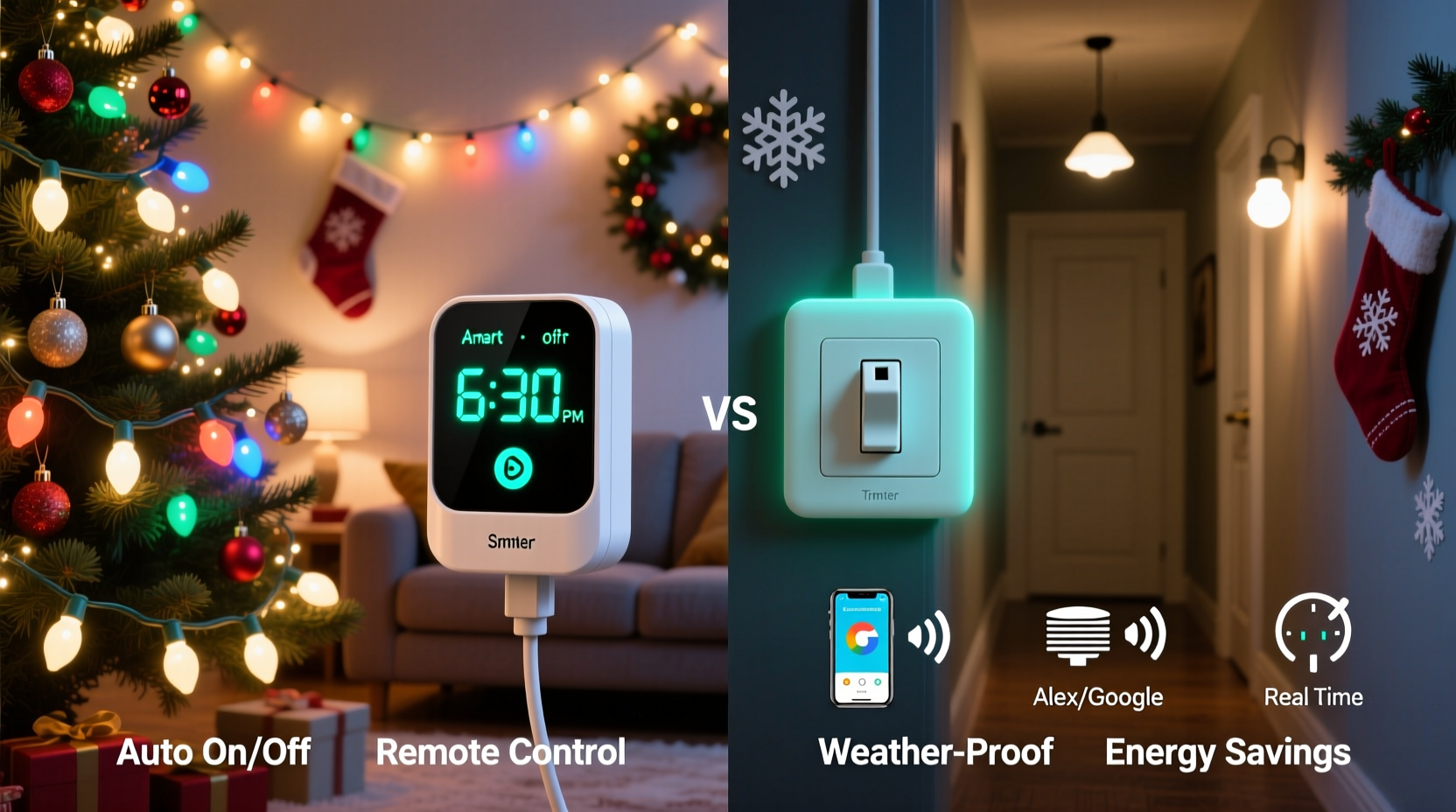
Before comparing smart and manual solutions, it’s essential to understand what each one brings to the table.
Manual switches are the simplest form of control—either a physical wall switch or a basic plug-in mechanical timer. These devices require no internet connection and operate independently. Mechanical outlet timers often feature a rotating dial that lets you set specific times for lights to turn on and off each day. They’re inexpensive, easy to install, and reliable in the sense that they don’t depend on Wi-Fi or apps.
Smart outlet timers, on the other hand, connect to your home Wi-Fi network and can be controlled through smartphone apps, voice assistants (like Alexa or Google Assistant), or automated routines. You can schedule lighting patterns, adjust timing remotely, receive usage data, and even sync with sunset and sunrise times automatically.
The core difference lies in flexibility and intelligence. Manual systems follow fixed schedules unless physically adjusted. Smart outlets adapt to changes in your routine, weather, or time of year without lifting a finger.
Convenience and Control: Where Smart Timers Shine
One of the most compelling arguments for smart outlet timers is the level of convenience they provide. Imagine being able to turn your Christmas lights on from bed, while at work, or even halfway across the country during a vacation. With a smart outlet, this isn't just possible—it's effortless.
Unlike manual switches, smart timers allow dynamic scheduling. For example, instead of setting a rigid 6:00 PM on / 11:00 PM off cycle, you can program your lights to turn on at sunset and off at midnight—automatically adjusting every day as daylight hours shorten or lengthen. This ensures your display is always visible during peak viewing hours without wasting energy.
Additionally, many smart outlets support integration with broader smart home ecosystems. You could create a “Holiday Mode” scene that turns on the tree lights, adjusts indoor lighting, plays festive music, and sets the thermostat—all with a single command or automation trigger.
Reliability and Simplicity: The Case for Manual Switches
Despite the allure of smart technology, manual switches and mechanical timers still hold strong advantages—especially for users who prioritize reliability over bells and whistles.
Mechanical timers do not rely on internet connectivity, apps, or power-hungry firmware updates. If your Wi-Fi goes down or your phone battery dies, a dial-based timer continues running unaffected. This makes them ideal for outdoor use in garages, porches, or areas with spotty network coverage.
They're also immune to software bugs, security vulnerabilities, and compatibility issues that sometimes plague IoT devices. Once set, a mechanical timer will repeat the same schedule indefinitely until manually changed. There’s no need to worry about app permissions, cloud outages, or device pairing failures.
For seasonal decorations used only a few weeks per year, this simplicity can be a major benefit. You set it once, plug it in, and forget it—no reconfiguration needed next year if stored properly.
Cost Comparison: Upfront vs. Long-Term Value
Price is another critical factor. A basic mechanical outlet timer costs between $8 and $15. In contrast, a quality smart outlet typically ranges from $25 to $40, with premium models reaching higher.
While the initial investment is greater, smart outlets can deliver long-term value through energy savings, extended usability beyond the holidays, and reduced maintenance effort. Many models track energy consumption, allowing you to see how much electricity your lights use and identify inefficiencies.
Consider this: if you leave your lights on all night accidentally with a manual timer but catch it early via a smart app alert, you’ve already mitigated wasted energy. Over multiple seasons, these small efficiencies add up.
“Smart plugs may cost more upfront, but their ability to prevent overuse and integrate into home automation often justifies the price for frequent users.” — Jordan Lee, Home Automation Consultant
Detailed Feature Comparison
| Feature | Smart Outlet Timer | Manual/Mechanical Switch |
|---|---|---|
| Remote Control | Yes (via app or voice) | No |
| Internet Required | Yes | No |
| Scheduling Flexibility | Dynamic (sunrise/sunset, custom rules) | Fixed (dial-based, limited precision) |
| Energy Monitoring | Available on most models | No |
| Integration with Smart Home | Yes (Alexa, Google, HomeKit) | No |
| Setup Complexity | Moderate (requires app setup) | Low (plug and set dial) |
| Reliability During Outages | Depends (may reset after power loss) | High (mechanical gears continue) |
| Avg. Price | $25–$40 | $8–$15 |
Real-World Example: The Smith Family Holiday Setup
The Smiths live in suburban Denver and decorate their home extensively each December. Their display includes roofline lights, yard figures, and an illuminated nativity scene totaling over 1,200 bulbs. Previously, they used two mechanical timers—one for indoor and one for outdoor circuits.
Last year, Mr. Smith forgot to adjust the timer after Daylight Saving Time ended. As a result, the lights came on at 7:00 PM instead of 6:00 PM for nearly three weeks. By the time he noticed, neighbors had commented on the “late start,” and his wife felt embarrassed.
This year, they upgraded to smart outlets. Using the app, they programmed the lights to turn on 15 minutes after sunset and off at 11:00 PM. The system automatically adjusted daily. When they went on vacation, they monitored and controlled the lights remotely. On Christmas Eve, they triggered a special “Guest Arrival” sequence via voice command when family pulled into the driveway.
The added control didn’t eliminate the charm of tradition—but it removed stress and improved consistency.
Step-by-Step Guide: Setting Up a Smart Outlet for Christmas Lights
If you're considering making the switch, here’s how to get started:
- Choose a compatible smart outlet – Ensure it works with your voltage requirements (standard U.S. outlets are 120V) and supports your preferred ecosystem (e.g., Amazon Alexa, Google Home).
- Install the mobile app – Download the manufacturer’s app (such as Kasa, Tapo, or Wemo) before plugging in the device.
- Plug in the smart outlet – Insert it into a grounded indoor or outdoor-rated electrical socket. Avoid daisy-chaining multiple high-wattage light strings unless the outlet specifies surge protection.
- Connect to Wi-Fi – Follow the app instructions to pair the outlet with your home network. Use a 2.4 GHz band, as most smart plugs don’t support 5 GHz.
- Name and group devices – Label the outlet “Front Yard Lights” or “Tree Outlet” for easier management.
- Create a schedule – Set daily on/off times or enable “astronomical clock” mode to sync with local sunrise and sunset.
- Test the automation – Manually toggle the outlet in the app to confirm connectivity, then verify scheduled operation over 24 hours.
- Add voice control (optional) – Link the outlet to Alexa or Google Assistant and test voice commands like “Turn on the Christmas lights.”
Once configured, the system runs autonomously. You can modify settings anytime from your phone—even if you're miles away.
Common Pitfalls to Avoid
- Overloading the circuit: Even smart outlets have wattage limits (usually 1,800–2,400 watts). Check total draw from connected lights.
- Poor Wi-Fi signal: Place the outlet within range of your router. Use Wi-Fi extenders if necessary.
- Using outdated firmware: Enable automatic updates in the app to maintain security and functionality.
- Ignoring weatherproofing: Only use indoor-rated smart outlets indoors. For outdoor setups, choose weather-resistant models or place them in protective enclosures.
When a Manual Switch Still Makes Sense
Not every household needs a smart solution. Manual switches remain practical in several situations:
- You decorate minimally and use lights only occasionally.
- Your outdoor outlets are far from Wi-Fi coverage.
- You prefer low-tech solutions that don’t require app management.
- You’re renting and can’t commit to permanent smart home upgrades.
- Budget is a primary concern.
In these cases, a $10 mechanical timer offers sufficient automation. Just remember to check it periodically for accuracy, especially after power outages or time changes.
Frequently Asked Questions
Can I use a smart outlet outdoors?
Only if it’s specifically rated for outdoor use or placed inside a weatherproof enclosure. Most standard smart outlets are designed for indoor environments. Exposure to rain or snow can cause damage or create safety hazards.
Do smart outlets work during a power outage?
They will resume function once power returns, but some models may lose settings or require reconnection to Wi-Fi. Higher-end units have backup memory that preserves schedules. Always check product specifications for outage resilience.
Are smart outlets safe for Christmas lights?
Yes, as long as you stay within the outlet’s maximum load rating and use UL-listed products. Avoid connecting damaged cords or exceeding recommended string lengths. Smart outlets often include overload protection, adding an extra layer of safety.
Final Verdict: Which Is Better?
For most modern households seeking convenience, precision, and long-term usability, smart outlet timers are objectively better than manual switches for automating Christmas lights. The ability to control lights remotely, adapt to changing daylight hours, monitor energy use, and integrate with other smart devices provides tangible benefits that justify the higher price.
However, “better” doesn’t mean “right for everyone.” If you value simplicity, have limited tech comfort, or only use lights briefly each year, a mechanical timer remains a reliable, cost-effective choice.
The decision ultimately comes down to how much you value automation versus autonomy. For tech-savvy users or those with elaborate displays, smart outlets enhance both enjoyment and efficiency. For others, a twist of a dial does the job just fine.
Take Action This Holiday Season
This year, consider upgrading at least one of your Christmas light circuits to a smart outlet. Experience firsthand how much simpler and more flexible holiday lighting can be. Whether you're managing a modest porch display or a full-blown neighborhood attraction, automation puts you back in control—without the daily reminders or forgotten switches.
Try setting up a sunset-synced schedule, experiment with voice commands, or share access with a family member so everyone can enjoy the magic. Small changes today can lead to smarter, more joyful traditions tomorrow.




 浙公网安备
33010002000092号
浙公网安备
33010002000092号 浙B2-20120091-4
Comments
No comments yet. Why don't you start the discussion?