
As the holiday season approaches, more homeowners are turning to smart home technology to simplify traditions—especially when it comes to decorating. One of the most practical upgrades? Using a smart plug to schedule Christmas lights automatically. No more manual on/off switches, forgotten timers, or wasted electricity. With the right smart plug, your holiday display can turn on at dusk and off at bedtime—every single night—without lifting a finger.
But not all smart plugs are created equal. Some struggle with outdoor conditions, others lack reliable scheduling features, and a few simply can’t handle the load of multiple light strands. This guide breaks down the top-performing smart plugs ideal for automating Christmas lights, what to look for before buying, and how to set up a flawless lighting routine that impresses neighbors and saves energy.
Why automate your Christmas lights?
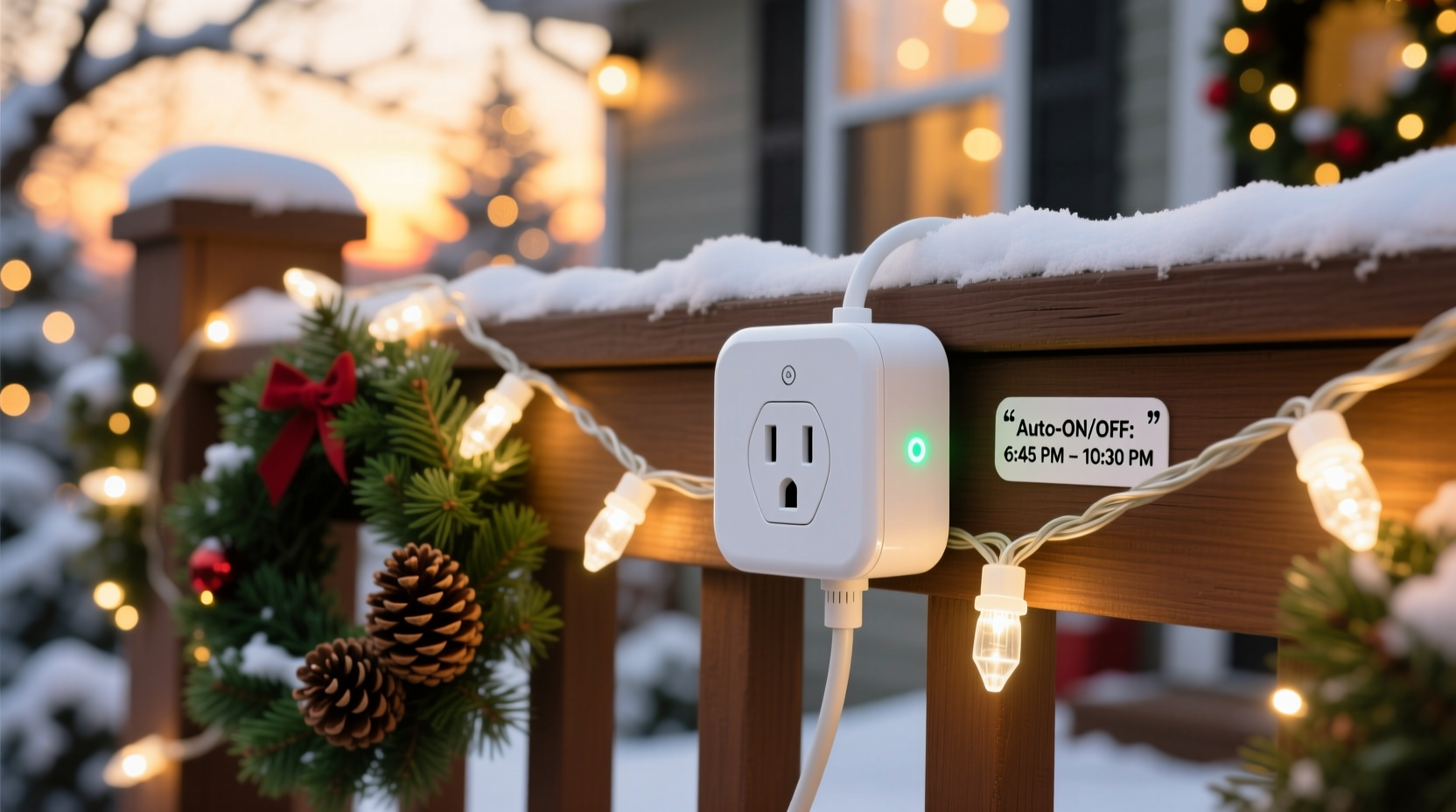
Automating holiday lights isn’t just about convenience—it’s about consistency, safety, and efficiency. Manually plugging in and unplugging lights every day is tedious and easy to forget. Left on too long, lights increase electricity bills and pose overheating risks. Worse, if you're away from home during the holidays, unattended lights can become a security concern.
Smart plugs solve these issues by allowing precise control over when lights turn on and off. You can program them to follow sunset and sunrise times, sync with local weather, or even trigger based on your location. The result: a beautifully lit home that operates like clockwork, without daily effort.
“Automation transforms holiday lighting from a chore into a seamless experience. A good smart plug does more than save time—it enhances safety and reduces energy waste.” — David Lin, Smart Home Systems Engineer
Key features to look for in a holiday smart plug
Before diving into specific models, understand the essential features that make a smart plug suitable for Christmas lights:
- Outdoor durability: Must be weather-resistant (IP44 rating or higher) to withstand rain, snow, and temperature swings.
- Wi-Fi connectivity: Reliable connection to your home network ensures consistent scheduling and remote access.
- Load capacity: Should support at least 1,800 watts to safely power multiple strands of LED or incandescent lights.
- Scheduling precision: Ability to set multiple on/off times per day, including sunrise/sunset triggers.
- App integration: Compatibility with Alexa, Google Assistant, or Apple HomeKit for voice control and routines.
- Energy monitoring: Useful for tracking how much power your display consumes over the season.
Top 5 smart plugs for scheduling Christmas lights
Based on real-world performance, user feedback, and technical specs, here are the best smart plugs for automating holiday lighting displays.
| Model | Weatherproof? | Max Load | Scheduling | App/Voice Support | Price Range |
|---|---|---|---|---|---|
| Kasa Smart Plug Outdoor (KP400) | Yes (IP64) | 3,500W | Sunrise/sunset, multiple daily schedules | Alexa, Google, Kasa app | $25–$30 |
| TP-Link Tapo P110M | Yes (IP44) | 1,800W | Custom on/off, countdown timer | Alexa, Google, Tapo app | $18–$22 |
| Wemo Mini Smart Plug (Outdoor Version) | Yes (with cover) | 1,800W | Time-based, sunrise-triggered | Alexa, Google, Wemo app | $30–$35 |
| Meross Smart Outdoor Plug | Yes (IP65) | 1,800W | Schedules, geofencing, auto-sync with sunset | Alexa, Google, Meross app | $20–$25 |
| Americana Decorative Outlet Cover + Smart Plug Kit | Limited (indoor-rated plug, outdoor cover) | 1,500W | Basic scheduling via app | Google only | $28–$32 |
Kasa Smart Plug Outdoor (KP400) – Best Overall
The KP400 stands out for its rugged build, high load capacity, and intuitive scheduling. It allows users to create complex routines—like turning on at sunset, dimming at 10 PM, and turning off at midnight. Its IP64 rating means it can endure heavy rain and freezing temperatures, making it ideal for year-round outdoor use. The Kasa app also supports energy usage reports, helping track seasonal consumption.
TP-Link Tapo P110M – Best Value
Budget-friendly yet reliable, the Tapo P110M offers solid performance for basic automation needs. While it lacks advanced energy monitoring, it integrates smoothly with Alexa and Google Assistant. Scheduling is straightforward through the Tapo app, and its compact design fits neatly behind most outdoor outlets.
Meross Smart Outdoor Plug – Most Feature-Rich
Meross excels in flexibility. Its app allows geofencing (turning lights on when you’re within 1 mile of home), automatic sunset syncing, and even integration with IFTTT for custom automations. The IP65 rating ensures excellent water resistance, and the plug’s wide prongs fit standard outdoor covers without strain.
Step-by-step guide to setting up automatic Christmas light scheduling
Once you’ve selected your smart plug, follow this process to ensure smooth, reliable automation throughout the holiday season.
- Unbox and inspect: Confirm the plug is rated for outdoor use and shows no physical damage.
- Install in a protected outlet: Plug into a GFCI-protected outdoor socket, ideally under an eave to minimize direct exposure.
- Connect to Wi-Fi: Download the manufacturer’s app (e.g., Kasa, Tapo, Meross), create an account, and follow in-app instructions to pair the plug.
- Test connectivity: Turn the plug on and off remotely via the app to confirm stable connection.
- Connect your lights: Attach your Christmas light strands, ensuring total wattage stays below the plug’s limit.
- Create a schedule: In the app, go to “Schedules” and set:
- Turn on: Sunset (or a fixed time like 5:00 PM)
- Turn off: 11:00 PM or midnight
- Enable sunrise/sunset mode: If available, toggle this option so the on-time adjusts daily as daylight changes.
- Test for a week: Monitor performance, especially during early sunsets or storms, and adjust timing if needed.
- Add voice control (optional): Link the plug to Alexa or Google and create a routine like “Holiday Lights On” for manual override.
“Proper setup prevents 90% of smart plug failures. Always test before finalizing installation.” — Lena Park, Home Automation Consultant
Real-world example: How one homeowner automated their entire display
Mark T., a homeowner in Denver, used to spend 15 minutes each evening setting up his Christmas lights across the roofline, porch, and yard trees. After forgetting to turn them off twice—and seeing a spike in his December electric bill—he invested in two Kasa KP400 plugs.
He connected one to his roof lights and another to his yard display. Using the Kasa app, he set both to activate 15 minutes after sunset and shut off at 11:30 PM. He also created a “Vacation Mode” schedule that randomizes on/off times while he’s away, giving the impression someone is home.
“It’s been effortless,” Mark said. “The lights come on exactly when they should, and I haven’t touched them since Thanksgiving. My neighbors even asked how I keep such perfect timing.”
Common mistakes to avoid
- Using indoor-only plugs outdoors: Even brief exposure to moisture can short-circuit non-rated devices.
- Overloading the circuit: Daisychaining multiple high-wattage strands can trip the plug or outlet.
- Ignoring Wi-Fi range: Weak signal strength leads to missed schedules and unresponsive controls.
- Skipping firmware updates: Manufacturers often release stability fixes—keep your plug updated.
- Not labeling plugs: If using multiple, label them (e.g., “Front Roof,” “Back Yard”) to avoid confusion in the app.
Frequently Asked Questions
Can I use a smart plug with traditional incandescent Christmas lights?
Yes, as long as the total wattage of the lights does not exceed the plug’s maximum load. Incandescent bulbs consume significantly more power than LEDs, so verify the combined draw before connecting. For example, a strand of 100 incandescent mini-lights uses about 40 watts; ten strands would require a 400-watt capacity—well within most outdoor smart plugs’ limits.
Do smart plugs work during power outages?
After a power outage, most smart plugs will return to their last state once power resumes—but this depends on settings. Some allow you to configure whether the plug turns back on automatically or stays off. For holiday lights, it’s safer to set them to remain off until manually restarted, preventing unexpected operation during repairs.
Can I schedule different times for weekends and weekdays?
Yes, many apps—including Kasa, Meross, and Tapo—support multiple daily schedules with custom days. You can set lights to turn off at 10 PM on weeknights but stay on until midnight on Fridays and Saturdays, matching typical weekend activity patterns.
Checklist: Setting up your smart plug for Christmas lights
- ✅ Choose a weatherproof smart plug rated for outdoor use
- ✅ Verify total wattage of connected lights is under plug’s max load
- ✅ Install in a GFCI-protected outdoor outlet
- ✅ Connect to a strong Wi-Fi network (test signal strength first)
- ✅ Download and set up the companion app
- ✅ Create a daily schedule using sunset/sunrise or fixed times
- ✅ Test the system for at least three consecutive nights
- ✅ Enable voice assistant integration (optional)
- ✅ Label the plug for easy identification
- ✅ Monitor energy usage weekly to detect anomalies
Conclusion: Automate your holidays with confidence
Choosing the best smart plug for scheduling Christmas lights automatically isn’t just about convenience—it’s about creating a smarter, safer, and more enjoyable holiday experience. From the durable Kasa KP400 to the budget-friendly Tapo P110M, there’s a reliable option for every home and budget. With precise scheduling, remote control, and energy insights, these devices take the hassle out of seasonal decorating.
The time to act is now. Set up your smart plug before the first snowfall, fine-tune your lighting schedule, and enjoy a festive display that runs itself. Whether you're hosting gatherings or simply spreading cheer to the neighborhood, automation ensures your lights shine bright—right on time, every time.




 浙公网安备
33010002000092号
浙公网安备
33010002000092号 浙B2-20120091-4
Comments
No comments yet. Why don't you start the discussion?