
Requesting money on Cash App should be simple: tap a contact, enter an amount, and send. But when the feature fails, it can disrupt personal reimbursements, shared expenses, or small business transactions. If you’ve encountered the frustrating message “Can’t request money from this person,” you’re not alone. This issue affects users across iOS and Android platforms, often due to account settings, technical glitches, or network limitations. Understanding the root causes—and how to fix them—can restore your ability to collect payments quickly and efficiently.
Common Reasons You Can’t Request Money on Cash App
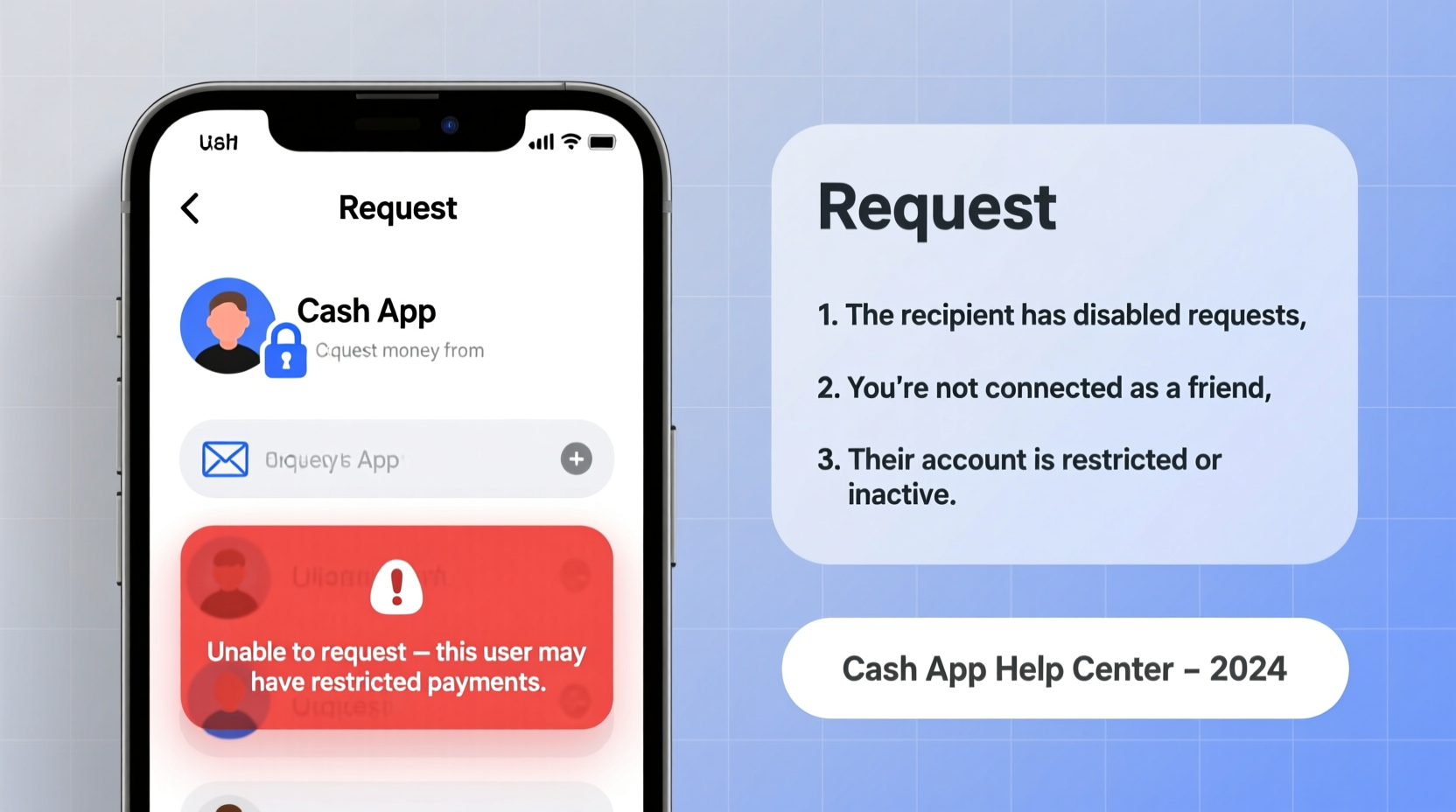
Cash App restricts certain actions based on security, verification status, or user compatibility. The inability to request money typically stems from one of several underlying issues:
- Unverified Account: Users who haven’t completed identity verification may face functional limits.
- Contact Not on Cash App: You can only request money from users who have active Cash App accounts.
- Blocked or Restricted Account: Either your account or the recipient’s may be flagged for suspicious activity.
- App Glitch or Outdated Version: Bugs in older versions of the app can interfere with core features.
- Network or Server Issues: Temporary outages on Cash App’s end can prevent requests from sending.
Before assuming the worst, confirm whether the problem is isolated to one person or occurs across multiple contacts. This helps narrow down whether the issue lies with your app, your account, or the recipient’s setup.
Step-by-Step Guide to Fix Money Request Failures
Follow this structured troubleshooting process to identify and resolve the issue:
- Verify the Recipient’s Cash App Status
Ask the person if they have Cash App installed and confirmed via email or phone. A valid $Cashtag or registered mobile number is required. - Check Your Internet Connection
Switch between Wi-Fi and mobile data to rule out connectivity problems. A weak signal can interrupt transaction attempts. - Update the Cash App
Go to the App Store (iOS) or Google Play Store (Android) and ensure you’re running the latest version. Outdated apps often lack critical patches. - Log Out and Back In
Sign out of your Cash App account, restart your device, then log back in. This refreshes session data and resolves temporary authentication errors. - Confirm Identity Verification
Navigate to Settings > Privacy & Security > Identity Verification. Complete any pending steps if prompted. - Test with Another Contact
Try sending a request to a different user. If it works, the original issue likely involves the recipient’s account status.
If all else fails, clearing the app cache (on Android) or reinstalling the app (both platforms) can eliminate corrupted files interfering with functionality.
Do’s and Don’ts When Troubleshooting Requests
| Do’s | Don’ts |
|---|---|
| Ensure both parties have verified accounts | Spam repeated request attempts |
| Use the recipient’s $Cashtag instead of phone number | Share login details to “fix” the issue |
| Contact Cash App support through the app | Ignore error messages without reading them |
| Keep software updated regularly | Assume the other person owes you money without confirmation |
Real Example: Why Sarah Couldn’t Request Rent from Her Roommate
Sarah needed to collect $400 in rent from her new roommate, Jake. She opened Cash App, selected his contact, entered the amount, and hit “Request.” The app displayed: “We couldn’t complete your request.” Confused, she tried twice more—same result.
After reviewing her settings, Sarah realized Jake had given her an old phone number no longer linked to his Cash App. He’d switched carriers but forgot to update his account. Once Jake re-verified his number and confirmed his email, Sarah used his $Cashtag (@jake_rent) instead. The request went through instantly.
This case illustrates how minor oversights—like outdated contact info—can block financial interactions. Always verify the correct identifier before initiating a transaction.
“We see hundreds of support tickets weekly about failed requests. Over half stem from mismatched contact information or unverified accounts.” — Luis Mendez, Cash App Customer Experience Lead
Checklist: Restore Your Ability to Request Money
Use this actionable checklist to systematically address the issue:
- ✅ Confirm recipient has a working Cash App account
- ✅ Match the correct phone number, email, or $Cashtag
- ✅ Ensure your own account is fully verified
- ✅ Update Cash App to the latest version
- ✅ Restart your smartphone after updates
- ✅ Test request function with another user
- ✅ Clear app cache or reinstall if necessary
- ✅ Contact Cash App support if unresolved
Completing these steps covers nearly every common cause of request failure. Most users regain full functionality within minutes.
Frequently Asked Questions
Why does Cash App say “This person isn’t on Cash App”?
This message appears when the phone number or email you’re using isn’t associated with an active Cash App account. The person may have signed up with different credentials. Ask them to confirm their $Cashtag or registered contact info.
Can I request money from someone without a bank account?
Yes. As long as the recipient has a Cash App account—even without linking a bank—they can receive and accept money requests. Funds will remain in their Cash App balance until they choose to withdraw or spend them.
How long should I wait if a request fails?
If a request fails due to a temporary server issue, wait at least 30 minutes before retrying. Repeated attempts during outages can trigger rate-limiting measures. Check Cash App’s official X (formerly Twitter) account @CashSupport for outage updates.
Expert Tips for Preventing Future Issues
Maintaining smooth transactions requires proactive habits. Financial experts recommend the following practices:
- Add Frequent Contacts Using $Cashtags: Avoid reliance on phone numbers that may change.
- Enable Two-Factor Authentication: Protects your account and maintains eligibility for full features.
- Review Transaction Limits Monthly: Unverified accounts have lower limits; verification removes most restrictions.
- Monitor App Notifications: Cash App alerts you to expired sessions, pending verifications, and service disruptions.
Staying ahead of potential roadblocks ensures uninterrupted use of peer-to-peer payments—especially important for freelancers, roommates, or small vendors relying on timely collections.
Conclusion: Take Control of Your Cash App Experience
The inability to request money on Cash App is rarely permanent—and almost always fixable. Whether the barrier is technical, informational, or procedural, the solutions are within reach. By verifying accounts, updating software, and confirming contact details, most users resolve the issue in under ten minutes. Don’t let a small glitch delay important payments. Apply the steps outlined here, stay informed about your account status, and maintain clear communication with recipients.




 浙公网安备
33010002000092号
浙公网安备
33010002000092号 浙B2-20120091-4
Comments
No comments yet. Why don't you start the discussion?