
Streaming music throughout your home should enhance the atmosphere, not disrupt it. Yet many homeowners face a common frustration: audio that’s out of sync between rooms. One speaker lags behind another, creating an echo-like effect that ruins the listening experience. This isn’t just annoying—it undermines the entire purpose of whole-home audio. The good news is that with the right equipment, network setup, and configuration, you can achieve perfectly synchronized multi-room music playback. Whether you're hosting a dinner party or simply enjoying background tunes while moving from room to room, seamless audio is possible.
Understanding the Root of Syncing Problems
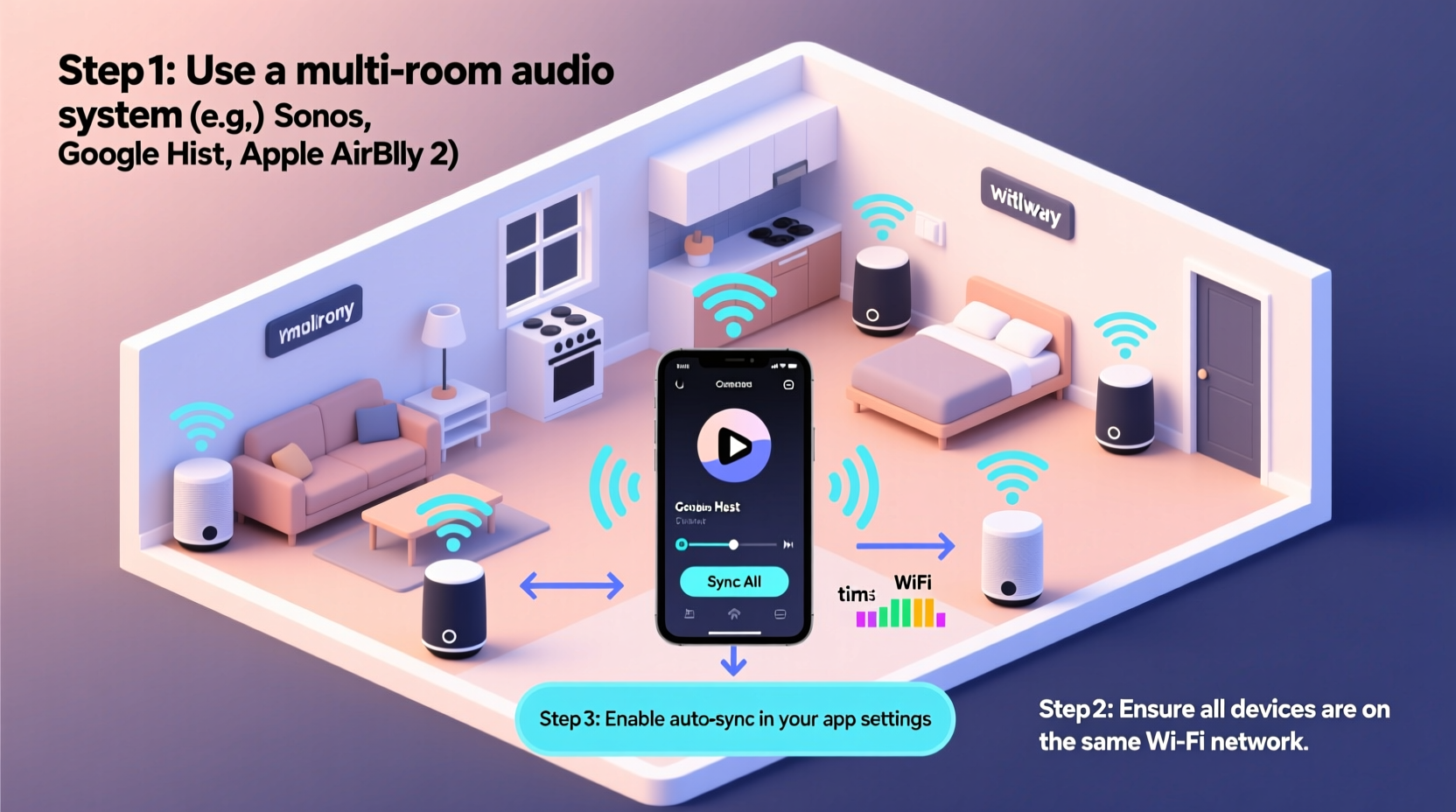
Synchronization issues in multi-room audio typically stem from latency—the delay between when a signal is sent and when it's played back. Each wireless speaker processes data slightly differently, and if they’re not on the same timing protocol, they won’t play in unison. Wi-Fi congestion, poor router placement, and incompatible hardware also contribute to delays. Bluetooth-based systems are especially prone to lag because they weren’t designed for large-scale, low-latency audio distribution.
Digital signal processing (DSP), buffering strategies, and network jitter all affect how precisely devices stay aligned. In professional installations, synchronization is measured in milliseconds. For consumer-grade systems, even a 50ms delay between rooms becomes noticeable—especially when standing near doorways where overlapping sound waves interfere.
“Synchronization isn’t optional in multi-room audio—it’s foundational. If speakers aren’t time-aligned, the system fails its primary purpose.” — Marcus Lin, Audio Systems Engineer at Sonance
Choosing the Right Multi-Room Audio System
The first step toward flawless playback is selecting a system built for synchronization. Not all smart speakers or audio platforms handle timing equally. Here’s a breakdown of top-tier options known for tight sync performance:
| System | Sync Accuracy | Network Type | Best For |
|---|---|---|---|
| Sonos | ±2ms | Wi-Fi + SonosNet (mesh) | Whole-home coverage, high fidelity |
| Bose SoundTouch | ±10ms | Wi-Fi | Simple setups, Bose ecosystem |
| Denon HEOS | ±15ms | Wi-Fi | A/V integration, Denon users |
| Apple AirPlay 2 | ±10ms | Wi-Fi (optimized) | iOS users, Apple HomeKit |
| Google Chromecast Audio (discontinued but functional) | ±30ms | Wi-Fi | Budget-conscious DIY builds |
Sonos stands out due to its proprietary SonosNet technology, which creates a dedicated mesh network for audio traffic, reducing interference from other devices. AirPlay 2 uses Apple’s advanced timestamping protocol to align playback across compatible speakers, making it ideal for iPhone and iPad users.
Optimizing Your Network for Synchronized Playback
No matter how advanced your speakers are, they rely on your home network. A weak or overloaded Wi-Fi connection will sabotage synchronization. Follow these steps to ensure your network supports real-time audio streaming:
- Use a Dual-Band or Tri-Band Router: Operate audio devices on the less congested 5 GHz band. Reserve 2.4 GHz for legacy devices.
- Enable Quality of Service (QoS): Prioritize audio traffic so that video calls or downloads don’t interrupt music streams.
- Place the Router Centrally: Minimize dead zones and reduce reliance on extenders, which add latency.
- Limit Connected Devices: Too many devices strain bandwidth. Disconnect unused ones or set up device scheduling.
- Upgrade to Wi-Fi 6: Newer routers offer better handling of multiple simultaneous streams with lower latency.
For larger homes, consider a mesh Wi-Fi system like Google Nest Wi-Fi Pro or Eero Pro 6E. These create seamless coverage and maintain strong signals to every speaker, reducing packet loss and jitter—key culprits behind audio drift.
Mini Case Study: Fixing a Lagging Living Room Setup
A homeowner in Portland had two Sonos One speakers in the living room and kitchen. During gatherings, guests noticed the kitchen speaker consistently trailed by half a second. Diagnostics revealed the kitchen speaker connected via a Wi-Fi extender, introducing a 78ms delay. After replacing the extender with a Sonos Boost (which extends SonosNet via Ethernet), sync improved to within 3ms. The issue wasn’t the hardware—it was the network topology. Once corrected, music played in perfect harmony across both spaces.
Step-by-Step Guide to Setting Up Synced Multi-Room Audio
Follow this sequence to deploy a synchronized system from scratch:
- Inventory Your Spaces: Identify rooms where you want speakers and measure distances from your router.
- Select a Unified Platform: Choose one ecosystem (e.g., Sonos, AirPlay 2) to avoid compatibility issues.
- Map Speaker Locations: Ensure each location has strong Wi-Fi or access to Ethernet for hardwiring.
- Install Speakers and Connect to Power: Place them securely and plug in.
- Connect to Network: Use the manufacturer’s app to join each speaker to your Wi-Fi. For best results, connect at least one speaker via Ethernet to stabilize the mesh.
- Create Zones or Groups: In the app, group rooms where you want synchronized playback (e.g., “Upstairs,” “Entertainment Area”).
- Test Synchronization: Play a song with sharp percussion or vocals. Walk between rooms to check for echo or lag.
- Adjust Placement and Settings: Reposition speakers away from walls or metal objects that interfere with signals. Enable any “Trueplay” or auto-calibration features.
- Update Firmware Regularly: Manufacturers release updates that improve sync algorithms and fix bugs.
- Monitor Performance Monthly: Re-test sync after major network changes or new device additions.
Advanced Tips for Professional-Grade Sync
For audiophiles and tech-savvy users, further refinements can push performance beyond factory defaults:
- Hardwire Critical Speakers: Use Ethernet cables for main zone speakers to eliminate Wi-Fi variability.
- Isolate Audio Traffic: Set up a VLAN (Virtual Local Area Network) exclusively for audio devices to prevent interference.
- Use a Network Switch: Connect wired speakers through a Gigabit switch to maintain consistent throughput.
- Disable Auto-Sleep Features: Some speakers enter low-power mode, causing reconnection delays and desync.
- Leverage Line-In Syncing: On systems like Sonos, use line-in on one speaker and group others to it—this forces all to follow the master’s clock.
If you're integrating with a home theater receiver, ensure HDMI ARC or eARC is configured correctly, as improper settings can delay audio relative to other zones.
Checklist: Achieving Perfect Multi-Room Sync
- ✅ Choose a single, reputable multi-room audio platform
- ✅ Confirm all speakers are on the same Wi-Fi frequency (preferably 5 GHz)
- ✅ Position router centrally and upgrade to Wi-Fi 6 if needed
- ✅ Use Ethernet for at least one speaker to stabilize the network
- ✅ Group rooms into zones within the app
- ✅ Test sync with percussive music or hand claps
- ✅ Update firmware on all devices quarterly
- ✅ Avoid Bluetooth for whole-home setups
- ✅ Limit non-essential devices on the network during critical use
- ✅ Schedule regular sync checks after software updates
Frequently Asked Questions
Can I mix Sonos and AirPlay 2 speakers in the same system?
You can group Sonos speakers with AirPlay 2-compatible ones, but only through AirPlay 2 itself. However, syncing may degrade slightly because Sonos’ internal timing engine isn’t used. For best results, stick to one control method per zone.
Why does my music go out of sync after a few hours?
This often happens due to speaker overheating, network congestion, or firmware glitches. Reboot the affected speaker and check for updates. Also, ensure no large downloads or cloud backups are running simultaneously, as they consume bandwidth.
Is Bluetooth ever suitable for multi-room audio?
Bluetooth is not recommended for synchronized multi-room use. Most implementations lack true stereo pairing across rooms, and latency varies widely. While some newer codecs like aptX Adaptive help, they still fall short compared to Wi-Fi-based solutions.
Conclusion: Enjoy Seamless Sound Across Every Room
Synchronized multi-room audio isn’t a luxury—it’s an achievable standard for modern homes. By choosing the right system, optimizing your network, and following precise setup practices, you can eliminate lag and enjoy music that flows naturally from space to space. Whether you're building a new system or troubleshooting an existing one, attention to detail makes all the difference. Don’t settle for disjointed sound. Take control of your audio environment today and transform the way you experience music at home.




 浙公网安备
33010002000092号
浙公网安备
33010002000092号 浙B2-20120091-4
Comments
No comments yet. Why don't you start the discussion?