
The Samsung Galaxy Z Flip series combines sleek design with advanced foldable technology, making it one of the most distinctive smartphones on the market. With its unique hinge mechanism and delicate screen, protecting it with a case is essential. However, removing that case improperly can lead to scratches, hinge strain, or even screen damage. Many users rush this simple task, not realizing that a few seconds of carelessness can compromise both their device and its protective cover. Understanding how to safely remove your Galaxy Z Flip case ensures longevity for both the phone and the case—especially if you plan to switch styles, clean the device, or upgrade accessories.
Why Proper Case Removal Matters
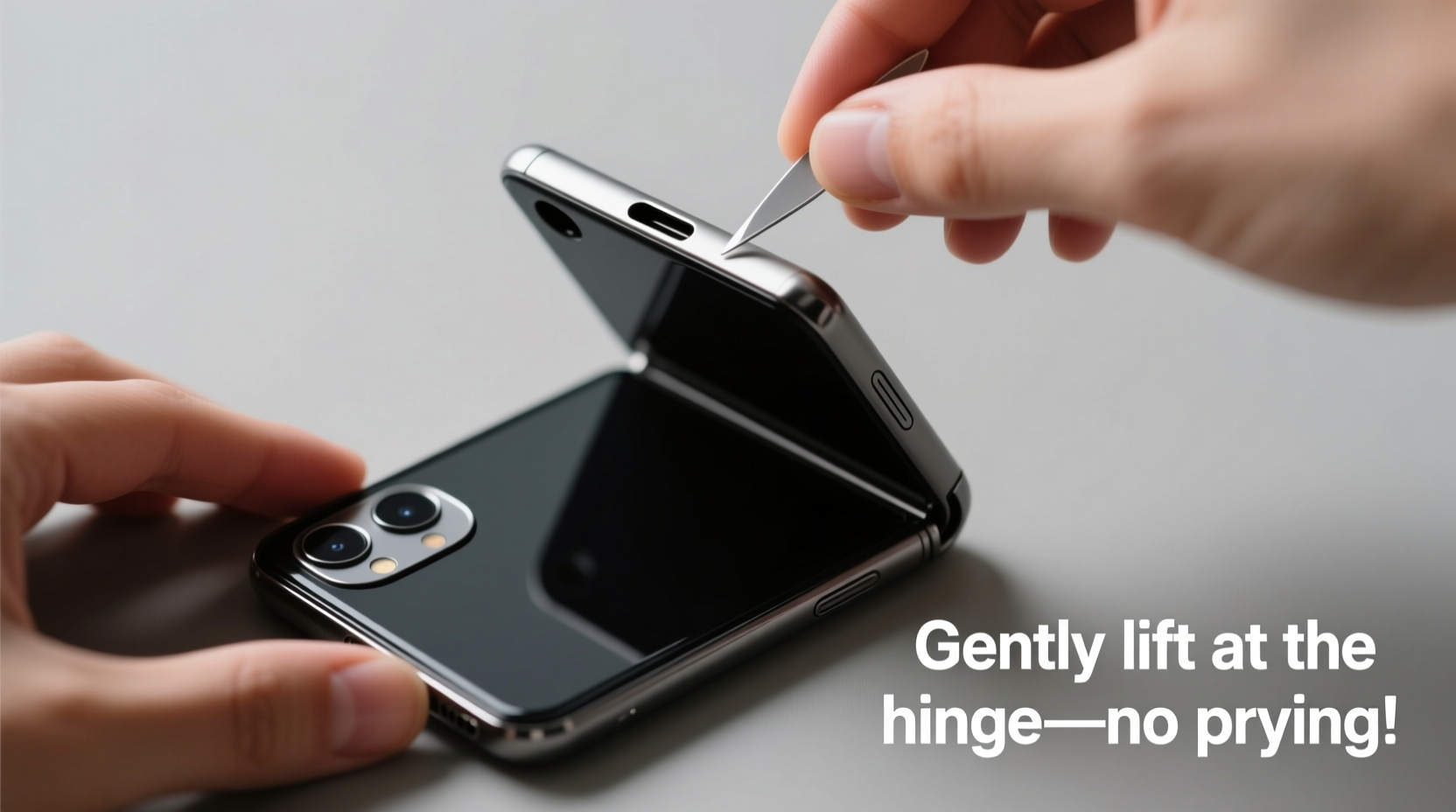
The Galaxy Z Flip’s flexible inner display and precision-engineered hinge are sensitive to pressure and misalignment. A poorly removed case can exert uneven force on the frame, potentially bending corners or stressing the hinge assembly. Additionally, many third-party cases use tight-fitting materials like TPU or hybrid polycarbonate, which grip the phone firmly. Yanking them off increases the risk of micro-scratches or snapping internal clips. Even OEM Samsung cases, while designed for compatibility, require careful handling due to the phone’s slim profile and curved edges.
“Improper removal of smartphone cases—especially on foldables—is one of the top causes of preventable physical damage.” — David Lin, Mobile Device Engineer at TechGuard Solutions
Step-by-Step Guide to Safely Remove Your Galaxy Z Flip Case
Follow this methodical approach to ensure safe and damage-free case removal regardless of brand or material:
- Power Down the Device (Optional but Recommended)
While not strictly necessary, turning off your phone eliminates the risk of accidental input during removal, especially if the screen is exposed mid-process. - Clean Hands and Surface
Wash and dry your hands thoroughly. Place the phone on a clean, flat surface free of dust or debris to avoid particles getting trapped between the case and phone. - Inspect the Case Design
Determine whether your case has side clips, hinge cutouts, or snap-on features. Most full-body cases attach via elastic tension along the edges and secure around the camera module. - Start at the Bottom Edge
Using a fingernail or soft plastic tool (like a spudger or old credit card), gently lift one corner of the bottom edge. Avoid metal tools, which can scratch the aluminum frame. - Pull Gradually Along the Sides
Once a corner is lifted, slowly work your way up both sides, applying even pressure. Do not bend the case sharply or twist the phone. - Lift Away from the Hinge
As the sides release, carefully pull the case upward and away from the hinge area. Never pry near the hinge itself, as this is the most vulnerable mechanical component. - Check for Residual Adhesive or Debris
After removal, inspect both the phone and the inside of the case for lint, adhesive residue, or warping.
Do’s and Don’ts When Removing Your Z Flip Case
| Do’s | Don’ts |
|---|---|
| Use clean fingers or a soft plastic opening tool | Use keys, knives, or metal screwdrivers |
| Work slowly and apply even pressure | Rush or yank the case off abruptly |
| Remove the case when cleaning or sanitizing the phone | Leave the case on for extended periods without checking for dust buildup |
| Store the case in a protective pouch when not in use | Fold or bend the case for storage |
| Inspect the case for wear before reattaching | Reuse a cracked or deformed case |
Real Example: A Close Call with a Third-Party Case
Jamie, a digital marketer in Austin, recently purchased a budget-friendly TPU case for her Galaxy Z Flip 5. After two months, she decided to clean her phone. In a hurry, she used a kitchen knife to pry the case off from the side. The blade slipped, scratching the phone’s silver frame near the volume buttons. Worse, the case snapped internally, rendering it unusable. Upon visiting a Samsung service center, the technician explained that the scratch wasn’t covered under warranty and warned against using sharp objects near the device. Jamie now uses a dedicated plastic prying tool and removes her case every two weeks for maintenance—without incident since.
This scenario highlights how easily convenience can lead to costly mistakes. Taking an extra minute to do it right protects both your investment and your user experience.
Tips for Different Case Types
Not all cases are created equal. Here’s how to adjust your technique based on common designs:
- Samsung Official Silicone or Leather Cases: These often have a soft interior and precise cutouts. Start at the bottom speaker grille and peel upward gently. Avoid stretching the material excessively.
- Clear Hard Plastic (Polycarbonate) Cases: Rigid but brittle. Apply pressure at multiple points along the seam rather than one corner to prevent cracking.
- Wallet-Style Cases: These usually clip onto the back. Open the wallet flap first, then follow standard removal steps. Ensure no part of the magnetic closure is caught on the screen.
- Fitness or Active Cases: Often bulkier with reinforced corners. Focus on releasing the lower edge near the USB-C port before lifting the rest.
Frequently Asked Questions
How often should I remove my Galaxy Z Flip case?
It’s recommended to remove and clean both your phone and case every 2–3 weeks. Regular removal helps prevent dust accumulation around the hinge and ports, which can affect performance and folding smoothness.
Can I damage the screen by removing the case?
Direct screen damage is unlikely during case removal unless you're applying pressure to the folded display. However, debris trapped under the case can scratch the screen over time, especially during repeated opening and closing. Always check for particles before reattaching the case.
What should I do if my case won’t come off?
If the case resists removal, stop forcing it. Double-check that you’re starting at the correct edge—usually opposite the hinge. Try using a thin plastic tool to create a small gap. If still stuck, consult the manufacturer’s instructions or visit an authorized service center to avoid personal injury or device damage.
Final Checklist: Safe Case Removal in 7 Steps
- Turn off the phone (optional)
- Wash and dry your hands
- Place the phone on a clean, flat surface
- Identify the case type and attachment points
- Begin at the bottom edge with a fingernail or plastic tool
- Gradually release both sides, avoiding the hinge
- Inspect the phone and case post-removal
Conclusion: Protect Your Investment with Mindful Habits
Your Galaxy Z Flip is more than just a phone—it’s a fusion of innovation and personal style. Every interaction, including how you handle its accessories, contributes to its lifespan and performance. Removing a case may seem trivial, but doing it correctly prevents cumulative wear that could otherwise lead to expensive repairs or premature replacement. By adopting these safe, easy techniques today, you preserve both the beauty and functionality of your device.




 浙公网安备
33010002000092号
浙公网安备
33010002000092号 浙B2-20120091-4
Comments
No comments yet. Why don't you start the discussion?