
Flickering Christmas lights aren’t just an aesthetic annoyance—they’re a subtle warning sign. Whether it’s a single strand dimming unpredictably, entire sections pulsing like a disco floor, or lights turning on and off in erratic bursts, inconsistent illumination often points to underlying electrical issues, component degradation, or installation missteps. While some flicker is harmless (like older incandescent strings reacting to voltage fluctuations), persistent or worsening behavior can indicate safety hazards—including overheating, short circuits, or fire risk. This guide cuts through seasonal guesswork with field-tested diagnostics, grounded in electrical best practices and real-world troubleshooting from professional holiday installers and certified electricians. No jargon without explanation. No generic advice. Just actionable clarity—so your display stays bright, safe, and stress-free all season.
1. Overloaded Outlets and Circuit Limitations
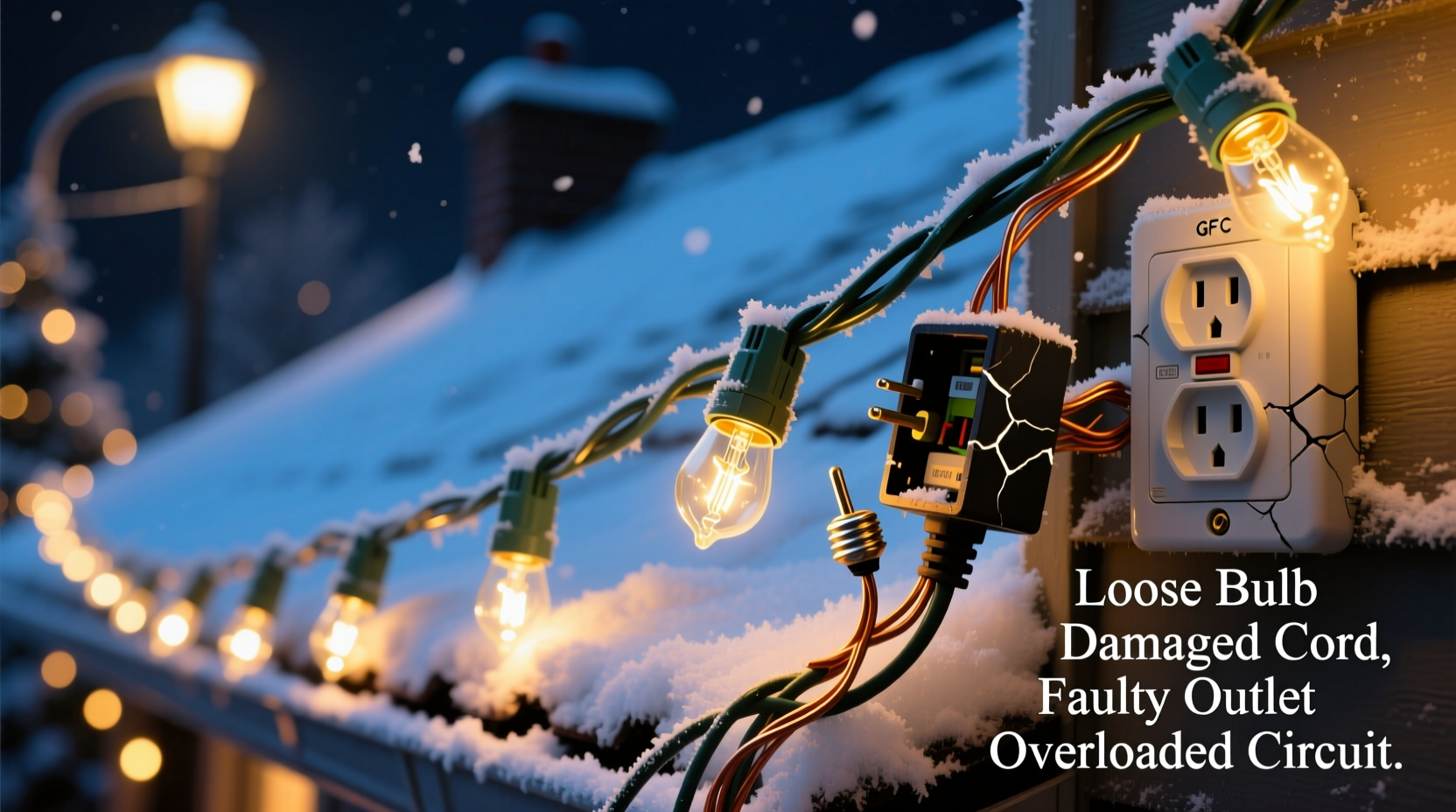
Most residential circuits are rated for 15 or 20 amps—translating to 1,800 or 2,400 watts at 120 volts. Yet many homeowners daisy-chain dozens of light strands into a single outlet or power strip without checking cumulative draw. A standard 100-bulb mini-light string consumes 20–40 watts; LED versions use only 4–7 watts, but older incandescent sets can pull up to 200 watts per 100 bulbs. Plug in five vintage C9 strings (each ~150W), and you’ve already exceeded 750 watts—before adding extension cords, timers, or inflatable displays.
When a circuit approaches capacity, voltage drops occur. Lights farther from the source receive less stable voltage, causing visible dimming or rhythmic flickering—especially when other appliances (refrigerators, space heaters, or microwaves) cycle on nearby. This isn’t random failure; it’s physics under strain.
2. Faulty or Incompatible Connectors and Sockets
The most overlooked culprits live in the small plastic housings where strands join: male/female plugs, inline fuses, and bulb sockets. Over time, moisture ingress (even indoor humidity), thermal cycling, and physical stress cause oxidation on metal contacts inside plugs and sockets. This creates intermittent resistance—lighting up briefly when contact is made, then cutting out as heat expands the metal or vibration breaks the connection.
Another frequent issue is mixing connector types. Older sets use “shunt-based” incandescent sockets designed to bypass a burnt-out bulb via a tiny internal wire. Modern LED strings often use non-shunted sockets or constant-current drivers. Forcing incompatible plugs together—or using adapters that bridge shunt/non-shunt systems—disrupts current flow, triggering flicker or full strand shutdown.
| Issue | Symptom | Quick Diagnostic Test |
|---|---|---|
| Oxidized plug contacts | Flicker worsens when gently wiggling the plug | Unplug, inspect for green/white corrosion; clean with isopropyl alcohol and soft brush |
| Mismatched shunt compatibility | Entire strand goes dark when one bulb is removed | Check packaging for “shunt” or “non-shunt” label; avoid mixing brands/eras unless verified compatible |
| Fused or degraded inline fuse | Strand works intermittently or only after tapping the fuse housing | Replace fuse with exact amperage rating (usually 3A or 5A); never substitute with higher-rated fuse |
3. Bulb-Level Failures: Beyond the Obvious Burnout
With incandescent lights, a dead bulb typically causes only its socket to go dark—unless the shunt fails. But in LED strings, flickering often stems from micro-failures invisible to the eye: cracked solder joints on bulb circuit boards, degraded driver capacitors, or failing current-regulating ICs. These components degrade faster when exposed to sustained heat (e.g., lights coiled tightly in storage), voltage spikes, or manufacturing variances.
A telling pattern: Flickering localized to one section of a strand—especially near the plug end—often indicates a failing LED controller or damaged first few bulbs. Unlike incandescents, LEDs don’t “burn out” gradually; they fail abruptly or oscillate between states as internal semiconductors degrade.
“LED flicker rarely means ‘just replace the bulb.’ It’s usually a symptom of driver instability or power supply mismatch. Testing with a known-good strand on the same outlet isolates whether the issue is the lights or the circuit.” — Rafael Mendez, Electrical Safety Consultant & Holiday Lighting Inspector, NFPA Member
4. Environmental and Installation Factors
Indoor and outdoor installations face distinct stressors. Outdoors, temperature swings cause expansion/contraction in wiring insulation and connectors—loosening connections over time. Wind-induced vibration accelerates wear on solder joints and socket contacts. More critically, moisture infiltration—even condensation trapped under eaves or inside poorly sealed controllers—creates micro-short paths that trigger protective circuitry to pulse power on/off.
Indoors, proximity to electromagnetic sources matters. Fluorescent ballasts, dimmer switches, and even Wi-Fi routers emit low-level EMF that can interfere with unshielded LED drivers, especially cheaper models lacking EMI filters. If flickering coincides with turning on a nearby lamp or appliance, suspect electromagnetic interference.
Also consider mechanical stress: Taping lights directly to hot surfaces (like roof vents or HVAC exhausts), pinching cords under furniture, or over-tightening zip ties can compress insulation and damage internal conductors—leading to intermittent shorts.
5. Power Supply and Controller Instability
Modern light displays increasingly rely on digital controllers, timers, and smart hubs. These devices regulate voltage, sequence patterns, and manage multiple channels. When their internal power supplies age—or when fed unstable input voltage—they output inconsistent DC or modulated AC, causing synchronized flickering across all connected strands.
A telltale sign: All lights flicker *in unison*, even if on separate circuits. This points to a shared controller issue—not individual strand faults. Common triggers include aging electrolytic capacitors (which dry out over 3–5 years), undersized transformers for high-LED-count setups, or firmware bugs in smart controllers.
Step-by-Step Diagnostic Timeline
- Isolate the problem: Unplug all light strands. Plug in one strand at a time—directly into a wall outlet (no extensions or power strips). Note if flickering persists.
- Test the outlet: Plug in a lamp or phone charger. If it flickers too, the issue is circuit-related (e.g., loose neutral wire at the panel—a licensed electrician task).
- Swap connections: Move the problematic strand to a different outlet on another circuit. If flickering stops, your original circuit is overloaded or faulty.
- Inspect physically: Examine every plug, socket, and controller for discoloration, melting, or corrosion. Smell for burnt insulation (a sharp, acrid odor).
- Bypass accessories: Remove timers, dimmers, smart plugs, and controllers. Run lights directly from outlet. If stable, the accessory is the culprit.
- Check bulb integrity: For incandescent strings, replace bulbs in the first 3–5 sockets (most stressed). For LEDs, test with a multimeter set to continuity—look for open circuits in suspected sections.
Mini Case Study: The Porch Post Puzzle
Marisa in Portland strung 12 LED net lights around her front porch posts. By week three, the right-side cluster flickered violently every evening at 6:15 p.m.—coinciding precisely with her neighbor’s pool pump cycling on. Her initial fix? Replacing the $80 smart timer. When flickering continued, she called an electrician. Using a clamp meter, he discovered her outdoor GFCI outlet shared a neutral wire with the pool pump’s circuit—a code violation. When the pump motor engaged, it induced voltage fluctuations back through the shared neutral, destabilizing the LED drivers. The fix: Relocating the porch lights to a dedicated circuit. Total cost: $220 for rewiring. Lesson learned: Flicker timing isn’t coincidence—it’s diagnostic data.
FAQ
Can I fix flickering lights with duct tape or electrical tape?
No. Tape may temporarily hold a loose plug, but it doesn’t restore electrical continuity or prevent arcing. Overheated tape becomes flammable. Use only UL-listed replacement plugs, sockets, or professional-grade heat-shrink tubing for repairs.
Why do my new LED lights flicker only when using a dimmer switch?
Most standard incandescent dimmers use phase-cut technology incompatible with LED drivers. They require trailing-edge (ELV) dimmers rated for low-wattage loads. Using an incompatible dimmer starves the driver of stable input, causing flicker or premature failure. Check dimmer compatibility charts before installation.
Is flickering dangerous—or just annoying?
It depends on the cause. Intermittent flicker from a loose plug is a fire hazard due to arcing. Consistent, low-frequency pulsing (e.g., 1–2 Hz) often signals capacitor failure in a power supply—risking sudden overheating. High-frequency flicker (<100 Hz) may cause eye strain or headaches but is less likely to indicate immediate danger. When in doubt, unplug and inspect.
Conclusion
Flickering Christmas lights are rarely “just part of the season.” They’re feedback—electrical, mechanical, or environmental—that something in your setup is operating outside safe or optimal parameters. Ignoring them invites more than disappointment; it risks equipment damage, energy waste, and, in worst cases, property loss. You now have the framework to move beyond trial-and-error: how to calculate safe loads, identify connector incompatibilities, interpret flicker patterns as diagnostic clues, and distinguish between simple fixes and scenarios requiring professional intervention. Don’t wait for the flicker to worsen. Tonight, unplug one strand, run through the step-by-step timeline, and verify your outlets with a basic load test. Small actions taken early preserve both safety and sparkle. Your lights—and your peace of mind—deserve nothing less.




 浙公网安备
33010002000092号
浙公网安备
33010002000092号 浙B2-20120091-4
Comments
No comments yet. Why don't you start the discussion?